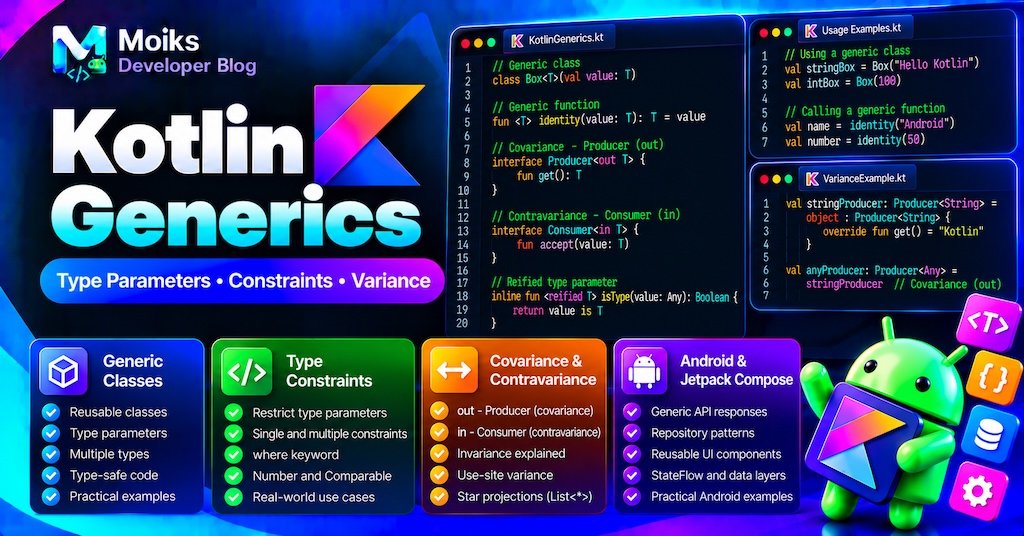
When building modern Android applications using Kotlin and Jetpack Compose, we often need to create reusable components that work with different data types.
For example, imagine developing an application that handles:
- User information
- Product details
- Transaction records
- API responses
- Database results
- Pagination data
- UI loading states
Creating separate classes for every data type would lead to unnecessary code duplication.
Kotlin solves this problem using Generics.
Generics allow developers to create classes, interfaces, and functions that operate on different types while maintaining compile-time type safety.
They are widely used in Android development, including:
- Kotlin Collections
- Retrofit API responses
- Repository patterns
- ViewModel state management
- StateFlow
- Room database abstractions
- Jetpack Compose components
- Paging and data transformations
In this tutorial, we’ll explore Kotlin Generics from fundamental concepts to practical Android implementations.
What You’ll Learn
By the end of this tutorial, you’ll understand:
- What Kotlin Generics are
- Why Generics are important
- Generic classes
- Generic functions
- Multiple type parameters
- Generic interfaces
- Generic constraints
- The
wherekeyword - Covariance using
out - Contravariance using
in - Invariance
- Star projections
- Use-site variance
- Type erasure
- Reified type parameters
- Generic API response wrappers
- Generic repository patterns
- Jetpack Compose generic components
- Common mistakes and best practices
Let’s begin!
1. What Are Generics in Kotlin?
Generics allow us to define reusable code using type parameters instead of fixed data types.
Consider the following example.
Without Generics
class StringBox(
    val value: String
)

class IntBox(
    val value: Int
)
Both classes perform the same operation: storing a value.
The only difference is the data type.
Instead of creating separate classes, we can use a generic class.
With Generics
class Box<T>(
    val value: T
)
Here, T represents a type parameter.
We can use this class with different types.
fun main() {

    val stringBox = Box("Hello Kotlin")

    val intBox = Box(100)

    println(stringBox.value)
    println(intBox.value)
}
Output:
Hello Kotlin
100
Explanation
The same Box<T> class works with String, Int, and other types.
The compiler infers the appropriate type from the supplied value.
Generics improve reusability while preserving type safety.
2. Why Use Generics in Kotlin?
Generics provide several important benefits.
Code Reusability
One generic implementation can work with multiple types.
Type Safety
The compiler checks whether values match the expected types.
Reduced Duplication
Developers don’t need to create separate implementations for every data type.
Better Architecture
Generics help create reusable repositories, API result wrappers, and data processing components.
Improved Maintainability
Common functionality can be maintained in one place.
Example
val names: List<String> = listOf(
    "Alex",
    "Emma",
    "John"
)

val numbers: List<Int> = listOf(
    10,
    20,
    30
)
Both collections use the generic List<T> interface.
The type argument determines which elements are allowed.
3. Kotlin Generic Classes
A generic class declares one or more type parameters.
Syntax
class ClassName<T>(
    val value: T
)
Example: Generic Container
class Container<T>(
    private val item: T
) {

    fun getItem(): T {
        return item
    }
}
Usage
fun main() {

    val nameContainer = Container("Android")

    val numberContainer = Container(2026)

    println(nameContainer.getItem())

    println(numberContainer.getItem())
}
Output:
Android
2026
Explanation
The generic class uses T as a placeholder for the actual type.
When creating the object, Kotlin determines the type from the constructor argument.
We can also specify it explicitly.
val container: Container<String> = Container("Kotlin")4. Kotlin Generic Functions
Generic functions allow us to create reusable functions that work with multiple types.
Syntax
fun <T> functionName(
    value: T
): T {
    return value
}
Example
fun <T> printValue(value: T) {
    println(value)
}
Usage
fun main() {

    printValue("Hello")

    printValue(100)

    printValue(true)

    printValue(99.5)
}
Output:
Hello
100
true
99.5
Explanation
The function works with String, Int, Boolean, and Double.
We don’t need separate functions for each type.
Another Example: Generic Identity Function
fun <T> identity(value: T): T {
    return value
}
Usage:
val name = identity("Alex")

val age = identity(25)
The returned value preserves the supplied type.
5. Generic Functions with Multiple Parameters
Generic functions can accept multiple values of the same type.
Example
fun <T> createPair(
    first: T,
    second: T
): Pair<T, T> {

    return Pair(first, second)
}
Usage
fun main() {

    val names = createPair(
        "Alex",
        "Emma"
    )

    val numbers = createPair(
        10,
        20
    )

    println(names)

    println(numbers)
}
Output:
(Alex, Emma)
(10, 20)
Important
Kotlin may infer a common supertype when arguments have different types.
If you need to enforce a particular type, provide an explicit type argument.
6. Kotlin Generics with Multiple Type Parameters
A generic class can declare more than one type parameter.
Example
data class KeyValue<K, V>(
    val key: K,
    val value: V
)
Usage
fun main() {

    val user = KeyValue(
        key = 101,
        value = "Alex"
    )

    val setting = KeyValue(
        key = "dark_mode",
        value = true
    )

    println(user)

    println(setting)
}
Output:
KeyValue(key=101, value=Alex)
KeyValue(key=dark_mode, value=true)
Explanation
K represents the key type.
V represents the value type.
Both can be different.
This concept is also used in Kotlin’s Map<K, V> interface.
7. Kotlin Generic Interfaces
Interfaces can also use type parameters.
Example
interface Repository<T> {

    fun save(item: T)

    fun getAll(): List<T>
}
Implementation
data class User(
    val id: Int,
    val name: String
)

class UserRepository : Repository<User> {

    private val users = mutableListOf<User>()

    override fun save(item: User) {
        users.add(item)
    }

    override fun getAll(): List<User> {
        return users.toList()
    }
}
Usage
fun main() {

    val repository = UserRepository()

    repository.save(
        User(1, "Alex")
    )

    repository.save(
        User(2, "Emma")
    )

    println(repository.getAll())
}
Output:
[User(id=1, name=Alex), User(id=2, name=Emma)]Explanation
The generic interface defines a reusable contract.
The implementation specifies which type it supports.
This pattern is useful when designing reusable data layers.
8. Kotlin Generic Type Constraints
Sometimes we want to restrict which types can be used with a generic function or class.
Kotlin supports type constraints.
Syntax
fun <T : Number> process(value: T) {
    println(value)
}
Here, T must be a subtype of Number.
Example
fun <T : Number> printNumber(
    value: T
) {

    println(value.toDouble())
}
Usage
fun main() {

    printNumber(10)

    printNumber(15.5)

    printNumber(20L)
}
Output:
10.0
15.5
20.0
Invalid Usage
// Compilation error

printNumber("Hello")
String is not a subtype of Number.
Why Use Constraints?
Constraints are useful when generic code requires specific capabilities from its type arguments.
9. Multiple Constraints Using where
Kotlin supports multiple type constraints using the where keyword.
Example
fun <T> printComparable(
    value: T
) where T : Number,
        T : Comparable<T> {

    println(value)
}
Usage
fun main() {

    printComparable(10)

    printComparable(15.5)
}
Explanation
The generic type must satisfy both constraints.
It must be:
- A subtype of Number
- Comparable with values of its own type
Practical Use
Multiple constraints are useful when designing generic utilities that require more than one interface or capability.
10. Understanding Variance in Kotlin
Variance describes how relationships between types affect relationships between generic types.
Consider:
open class Animal

class Dog : Animal()
A Dog is an Animal.
But does that mean a generic container of Dogs can always be used as a container of Animals?
Not necessarily.
The answer depends on the generic type’s variance.
Kotlin supports three important concepts:
- Invariance
- Covariance
- Contravariance
Let’s understand each one.
11. Kotlin Invariance
By default, user-defined generic type parameters are invariant.
Example
open class Animal

class Dog : Animal()

class Box<T>(
    var value: T
)
Now consider:
val dogBox: Box<Dog> = Box(Dog())The following assignment is invalid:
// Compilation error

val animalBox: Box<Animal> = dogBox
Why?
If the assignment were allowed, we could insert another Animal subtype into a Box intended only for Dogs.
Invariance prevents this unsafe behavior.
Key Point
For an invariant generic class:
Box<Dog> is not a subtype of Box<Animal>.
12. Kotlin Covariance Using out
Covariance allows a generic type to preserve a subtype relationship.
Kotlin uses the out keyword for declaration-site covariance.
Example
open class Animal

class Dog : Animal()

class Producer<out T>(
    private val value: T
) {

    fun get(): T {
        return value
    }
}
Usage
fun main() {

    val dogProducer: Producer<Dog> =
        Producer(Dog())

    val animalProducer: Producer<Animal> =
        dogProducer

    println(animalProducer.get())
}
Explanation
The out keyword indicates that T is used in permitted output positions.
The Producer exposes values of type T without accepting arbitrary T values from callers.
Therefore, a Producer of Dogs can safely be used where a Producer of Animals is expected.
Practical Example
Kotlin’s read-only List interface is covariant.
val dogs: List<Dog> = listOf(
    Dog(),
    Dog()
)

val animals: List<Animal> = dogs
This is valid.
Important
Covariance does not mean every operation is allowed.
The compiler restricts how a covariant type parameter can be used to preserve type safety.
13. Kotlin Contravariance Using in
Contravariance reverses the subtype relationship for a generic type.
Kotlin uses the in keyword.
Example
open class Animal

class Dog : Animal()

class Consumer<in T> {

    fun consume(value: T) {
        println("Consumed: $value")
    }
}
Usage
fun main() {

    val animalConsumer: Consumer<Animal> =
        Consumer()

    val dogConsumer: Consumer<Dog> =
        animalConsumer

    dogConsumer.consume(Dog())
}
Explanation
The Consumer accepts values of type T.
A Consumer capable of handling any Animal can also handle a Dog.
Therefore, a Consumer of Animals can be used where a Consumer of Dogs is expected.
Key Rule
in is commonly associated with consuming values.
out is commonly associated with producing values.
14. Covariance vs Contravariance
Let’s compare the two concepts.
| Feature | Covariance | Contravariance |
|---|---|---|
| Keyword | out | in |
| Main role | Producer | Consumer |
| Type relationship | Preserved | Reversed |
| Typical example | Read-only data source | Value processor |
| Common use | Returning values | Accepting values |
Easy Way to Remember
Producer = out
Consumer = in
This is often summarized using the principle:
Producer Extends, Consumer Super (PECS)
The phrase comes from Java generics, but the producer-consumer idea is useful when learning Kotlin variance.
15. Kotlin Use-Site Variance
Kotlin also supports variance annotations at the point where a generic type is used.
This is called use-site variance.
Example
fun copyAnimals(
    source: Array<out Animal>,
    destination: Array<Animal>
) {

    for (index in source.indices) {
        destination[index] = source[index]
    }
}
Usage
val dogs = arrayOf(
    Dog(),
    Dog()
)

val animals = arrayOf<Animal>(
    Animal(),
    Animal()
)

copyAnimals(dogs, animals)
Explanation
Kotlin arrays are invariant because they support both reading and writing.
The projection:
Array<out Animal>allows us to safely read Animal values from an array whose elements may be a subtype of Animal.
Important
This example assumes the destination array is large enough.
Production code should validate sizes or use an API that handles mismatched collection lengths safely.
16. Kotlin Star Projections
Sometimes we need to work with a generic type without knowing its exact type argument.
Kotlin provides star projections using *.
Example
fun printItems(
    items: List<*>
) {

    items.forEach {
        println(it)
    }
}
Usage
fun main() {

    printItems(
        listOf("Alex", "Emma")
    )

    printItems(
        listOf(10, 20, 30)
    )
}
Explanation
The type:
List<*>represents a List whose element type is not known at the call site.
Values can be read safely as nullable Any values.
When to Use Star Projections
Star projections are useful when:
- The exact generic type is unknown
- Inspecting generic collections
- Working with reflection APIs
- Handling heterogeneous data structures
- Building type-independent utilities
Important
Star projections preserve type safety by restricting operations that would require knowledge of the missing type argument.
They are not equivalent to disabling type checking.
17. Kotlin Type Erasure
Kotlin generics on the JVM are generally implemented using type erasure.
This means generic type arguments are not always available at runtime.
Example
fun <T> printType(
    value: T
) {
    println(value?.let { it::class.simpleName })
}
This can inspect the runtime class of a non-null value.
However, it does not preserve all nested generic type information.
Invalid Generic Type Check
fun <T> checkList(value: Any) {

    // Not allowed:
    // if (value is List<T>) { }
}
The runtime generally cannot determine whether an arbitrary List contains elements of type T from its erased type argument alone.
What Can We Check?
fun checkList(value: Any) {

    if (value is List<*>) {
        println("This is a List")
    }
}
This checks whether the object is a List without claiming to know its element type.
18. Kotlin Reified Type Parameters
Kotlin provides reified type parameters for inline functions.
The reified keyword allows certain operations involving the type parameter at runtime.
Example
inline fun <reified T> isType(
    value: Any
): Boolean {

    return value is T
}
Usage
fun main() {

    println(isType<String>("Kotlin"))

    println(isType<Int>("Kotlin"))

    println(isType<Int>(100))
}
Output:
true
false
true
Explanation
The function is declared with:
inline fun <reified T>This allows the compiler to make the type available for supported checks at the call site.
Important
Reified type parameters do not eliminate every limitation of JVM type erasure.
For example, checking whether an object is a List<String> does not generally verify the runtime type of every element.
19. Practical Android Example: Generic API Result Wrapper
Android applications frequently communicate with remote APIs.
A reusable result wrapper can represent success, failure, and loading states.
Step 1: Create the Generic Result Type
sealed interface ApiResult<out T> {

    data class Success<T>(
        val data: T
    ) : ApiResult<T>

    data class Error(
        val message: String
    ) : ApiResult<Nothing>

    data object Loading : ApiResult<Nothing>
}
Explanation
The generic parameter T represents the success data type.
The out keyword allows covariance.
The Nothing type makes Error and Loading compatible with ApiResult values of different success types.
Step 2: Create a User Model
data class User(
    val id: Int,
    val name: String
)
Step 3: Create a Repository Function
fun getUser(): ApiResult<User> {

    return ApiResult.Success(
        User(
            id = 101,
            name = "Alex"
        )
    )
}
Step 4: Handle the Result
fun main() {

    when (val result = getUser()) {

        is ApiResult.Success -> {
            println(result.data.name)
        }

        is ApiResult.Error -> {
            println(result.message)
        }

        ApiResult.Loading -> {
            println("Loading...")
        }
    }
}
Output:
AlexWhy Is This Useful?
The same ApiResult type can represent:
ApiResult<User>ApiResult<List<Product>>ApiResult<String>ApiResult<Boolean>This reduces duplicate result-handling classes.
Production Note
For real networking code, handle exceptions, cancellation, HTTP status codes, error bodies, and authentication failures appropriately.
Loading is often better represented as part of a UI state model or asynchronous state stream rather than as the direct return value of a synchronous repository function.
20. Practical Android Example: Generic Repository Pattern
Let’s create a simple generic repository.
Step 1: Define the Repository Interface
interface BaseRepository<T, ID> {

    fun insert(item: T)

    fun getById(id: ID): T?

    fun getAll(): List<T>
}
Step 2: Create a User Model
data class User(
    val id: Int,
    val name: String
)
Step 3: Implement the Repository
class InMemoryUserRepository :
    BaseRepository<User, Int> {

    private val users = mutableListOf<User>()

    override fun insert(item: User) {
        users.add(item)
    }

    override fun getById(id: Int): User? {
        return users.find {
            it.id == id
        }
    }

    override fun getAll(): List<User> {
        return users.toList()
    }
}
Step 4: Usage
fun main() {

    val repository = InMemoryUserRepository()

    repository.insert(
        User(1, "Alex")
    )

    repository.insert(
        User(2, "Emma")
    )

    println(repository.getById(1))

    println(repository.getAll())
}
Output:
User(id=1, name=Alex)
[User(id=1, name=Alex), User(id=2, name=Emma)]
Explanation
The generic repository interface defines reusable operations.
The implementation provides type-specific behavior.
Production Note
This example uses in-memory storage.
Real Android repositories may interact with Room, Retrofit, DataStore, or other data sources.
A generic repository is not always the best architecture. Avoid forcing unrelated entities into a single abstraction when their data operations differ significantly.
21. Jetpack Compose Mini-Project: Generic Data List
Let’s build a reusable Jetpack Compose list component using Kotlin Generics.
Our component will support:
- Different data types
- Reusable LazyColumn rendering
- Type-safe item handling
- Custom item content
- Stable item keys
Step 1: Create the Generic Composable
@Composable
fun <T> GenericList(
    items: List<T>,
    key: (T) -> Any,
    itemContent: @Composable (T) -> Unit
) {

    LazyColumn(
        verticalArrangement = Arrangement.spacedBy(12.dp)
    ) {

        items(
            items = items,
            key = key
        ) { item ->

            itemContent(item)
        }
    }
}
Explanation
The type parameter T represents the item type.
The component receives:
- A List of items
- A function that generates stable keys
- A composable lambda that renders each item
This allows the same list component to display different models.
Step 2: Create User and Product Models
data class DemoUser(
    val id: Int,
    val name: String,
    val email: String
)

data class DemoProduct(
    val id: Int,
    val name: String,
    val price: Int
)
Step 3: Create Sample Data
fun getUsers(): List<DemoUser> {

    return listOf(
        DemoUser(1, "Alex", "alex@example.com"),
        DemoUser(2, "Emma", "emma@example.com"),
        DemoUser(3, "John", "john@example.com")
    )
}
fun getProducts(): List<DemoProduct> {
return listOf(
DemoProduct(1, "Android Phone", 15000),
DemoProduct(2, "Bluetooth Mouse", 800),
DemoProduct(3, "Keyboard", 2500)
)
}Step 4: Create the Demo Screen
@Composable
fun GenericsDemoScreen() {

    var showUsers by rememberSaveable {
        mutableStateOf(true)
    }

    val users = remember {
        getUsers()
    }

    val products = remember {
        getProducts()
    }

    Column(
        modifier = Modifier
            .fillMaxSize()
            .padding(16.dp),
        verticalArrangement = Arrangement.spacedBy(16.dp)
    ) {

        Text(
            text = "Kotlin Generics Demo",
            style = MaterialTheme.typography.headlineMedium
        )

        Row(
            horizontalArrangement = Arrangement.spacedBy(12.dp)
        ) {

            Button(
                onClick = {
                    showUsers = true
                }
            ) {
                Text("Users")
            }

            Button(
                onClick = {
                    showUsers = false
                }
            ) {
                Text("Products")
            }
        }

        if (showUsers) {

            GenericList(
                items = users,
                key = { it.id }
            ) { user ->

                Card(
                    modifier = Modifier.fillMaxWidth()
                ) {

                    Column(
                        modifier = Modifier.padding(16.dp)
                    ) {

                        Text(
                            text = user.name,
                            style = MaterialTheme.typography.titleMedium
                        )

                        Text(
                            text = user.email
                        )
                    }
                }
            }

        } else {

            GenericList(
                items = products,
                key = { it.id }
            ) { product ->

                Card(
                    modifier = Modifier.fillMaxWidth()
                ) {

                    Column(
                        modifier = Modifier.padding(16.dp)
                    ) {

                        Text(
                            text = product.name,
                            style = MaterialTheme.typography.titleMedium
                        )

                        Text(
                            text = "₹${product.price}"
                        )
                    }
                }
            }
        }
    }
}
Step 5: Required Imports
import androidx.compose.foundation.layout.Arrangement
import androidx.compose.foundation.layout.Column
import androidx.compose.foundation.layout.Row
import androidx.compose.foundation.layout.fillMaxSize
import androidx.compose.foundation.layout.fillMaxWidth
import androidx.compose.foundation.layout.padding
import androidx.compose.foundation.lazy.LazyColumn
import androidx.compose.foundation.lazy.items
import androidx.compose.material3.Button
import androidx.compose.material3.Card
import androidx.compose.material3.MaterialTheme
import androidx.compose.material3.Text
import androidx.compose.runtime.Composable
import androidx.compose.runtime.getValue
import androidx.compose.runtime.mutableStateOf
import androidx.compose.runtime.remember
import androidx.compose.runtime.saveable.rememberSaveable
import androidx.compose.runtime.setValue
import androidx.compose.ui.Modifier
import androidx.compose.ui.unit.dp
Expected UI
+--------------------------------+
|                                |
|      Kotlin Generics Demo      |
|                                |
|   [ Users ]    [ Products ]    |
|                                |
| +----------------------------+ |
| | Alex                       | |
| | alex@example.com           | |
| +----------------------------+ |
|                                |
| +----------------------------+ |
| | Emma                       | |
| | emma@example.com           | |
| +----------------------------+ |
|                                |
| +----------------------------+ |
| | John                       | |
| | john@example.com           | |
| +----------------------------+ |
|                                |
+--------------------------------+
When the user taps Products, the same GenericList component displays product information.
How It Works
The GenericList composable accepts any supported item type.
For users:
GenericList(
    items = users,
    key = { it.id }
) { user ->
    Text(user.name)
}
For products:
GenericList(
    items = products,
    key = { it.id }
) { product ->
    Text(product.name)
}
The compiler infers the correct type in each case.
Benefits
- Reusable UI components
- Type-safe rendering
- Reduced duplication
- Customizable item layouts
- Cleaner Compose architecture
Production Note
A generic list is useful when it provides meaningful reuse.
However, specialized composables are often preferable when screens have different layout, behavior, accessibility, or performance requirements.
Avoid unnecessary abstraction.
22. Common Kotlin Generics Mistakes
Mistake 1: Assuming All Generic Types Are Covariant
This is invalid for invariant types:
val dogs: MutableList<Dog> = mutableListOf()

// Compilation error
// val animals: MutableList<Animal> = dogs
MutableList is invariant because it supports both reading and writing.
Mistake 2: Using out for Input Positions
A type parameter declared with out cannot be used freely in input positions.
The compiler restricts unsafe operations.
Mistake 3: Using in for Output Positions
A contravariant type parameter cannot be freely exposed as a return type.
Mistake 4: Assuming Generic Types Are Fully Available at Runtime
JVM type erasure limits runtime access to generic type arguments.
Use reified parameters or explicit type tokens when appropriate.
Mistake 5: Overengineering Generic Repositories
Not every data source needs a generic repository.
Sometimes a specific repository interface is clearer.
Mistake 6: Using Any Instead of Generics
Avoid replacing type-safe generic APIs with unnecessary Any-based implementations.
Generics preserve more useful compile-time information.
Mistake 7: Ignoring Nullability
Generic type parameters can represent nullable or non-nullable types depending on their constraints and usage.
Be explicit when nullability matters.
23. Kotlin Generics Best Practices
Follow these recommendations:
- Use generics when multiple types genuinely share behavior.
- Prefer descriptive type parameter names when helpful.
- Use constraints to express required capabilities.
- Understand covariance and contravariance.
- Use
outfor producer-oriented APIs. - Use
infor consumer-oriented APIs. - Avoid unnecessary casts.
- Prefer type-safe interfaces.
- Use reified type parameters only when appropriate.
- Avoid excessive generic abstraction.
- Keep repository contracts aligned with actual domain requirements.
- Write tests for reusable generic components.
These practices help build scalable and maintainable Kotlin applications.
24. Kotlin Generics Quick Reference
| Concept | Example | Purpose |
|---|---|---|
| Generic class | class Box<T> | Reusable class |
| Generic function | fun <T> identity(value: T) | Reusable function |
| Multiple types | class PairBox<K, V> | Multiple type parameters |
| Type constraint | <T : Number> | Restrict allowed types |
| Multiple constraints | where T : Number, T : Comparable<T> | Require multiple capabilities |
| Covariance | out T | Producer-oriented type |
| Contravariance | in T | Consumer-oriented type |
| Star projection | List<*> | Unknown type argument |
| Reified parameter | inline fun <reified T> | Supported runtime type operations |
| Generic interface | interface Repository<T> | Reusable contract |
25. Practical Exercises
Try these exercises to improve your understanding of Kotlin Generics.
Exercise 1: Generic Box
Create a generic Box class that stores and returns a value.
Test it with String, Int, and Boolean.
Exercise 2: Generic Function
Create a generic function that prints the first element of a List.
Handle empty lists safely.
Exercise 3: Multiple Type Parameters
Create a generic KeyValue class that stores different key and value types.
Exercise 4: Generic Constraint
Create a function that accepts only Number subtypes and converts the input to Double.
Exercise 5: Covariance
Create a Producer interface using out T.
Demonstrate assigning a producer of a subtype to a producer of its supertype.
Exercise 6: Contravariance
Create a Consumer interface using in T.
Demonstrate a consumer accepting values of a subtype.
Exercise 7: Generic API Result
Create a generic sealed interface with Success, Error, and Loading states.
Exercise 8: Generic Repository
Create a repository interface that supports inserting and retrieving different model types.
Exercise 9: Jetpack Compose Mini-Project
Build a reusable generic LazyColumn component that displays:
- User information
- Product information
- Custom item layouts
- Stable item keys
26. Frequently Asked Questions
What are Generics in Kotlin?
Generics allow classes, interfaces, and functions to work with different types while preserving compile-time type safety.
What does T mean in Kotlin Generics?
T is a conventional name for a type parameter.
Other names such as E, K, V, ID, or ResultType can also be used.
What is covariance in Kotlin?
Covariance allows a generic type to preserve a subtype relationship.
It is declared using out.
What is contravariance in Kotlin?
Contravariance reverses the subtype relationship for a generic type.
It is declared using in.
What is the difference between in and out?
out is commonly used for types that produce values.
in is commonly used for types that consume values.
What is a star projection?
A star projection represents a generic type whose exact type argument is unknown.
It allows restricted, type-safe operations.
What is a reified type parameter?
A reified type parameter is declared in an inline function and allows supported runtime operations involving the type parameter.
Are Generics used in Jetpack Compose?
Yes. Generics are used throughout Kotlin and Compose APIs, including collections, state containers, lazy lists, and reusable composables.
What We’ve Learned
In this tutorial, we learned:
- Kotlin Generics
- Generic classes
- Generic functions
- Multiple type parameters
- Generic interfaces
- Type constraints
- Multiple constraints using where
- Invariance
- Covariance using out
- Contravariance using in
- Use-site variance
- Star projections
- Type erasure
- Reified type parameters
- Generic API result wrappers
- Generic repository patterns
- Reusable Jetpack Compose lists
- Common mistakes
- Best practices
Kotlin Generics are essential for building reusable, type-safe, and maintainable applications.
They play an important role in modern Android architecture, including repositories, networking, state management, and Jetpack Compose UI components.
Understanding Generics will help you design flexible APIs while avoiding unnecessary duplication.
What’s Next?
In our next tutorial, we’ll explore:
Kotlin Exception Handling Explained: try, catch, finally, throw & Result
You’ll learn:
- What exceptions are
- try and catch
- finally
- throw
- Custom exceptions
- Kotlin Result
- runCatching
- getOrNull and getOrElse
- Exception handling in coroutines
- Android networking error handling
- Best practices for production applications
Happy Coding!
Continue learning modern Android development with Moiks Developer Blog.


