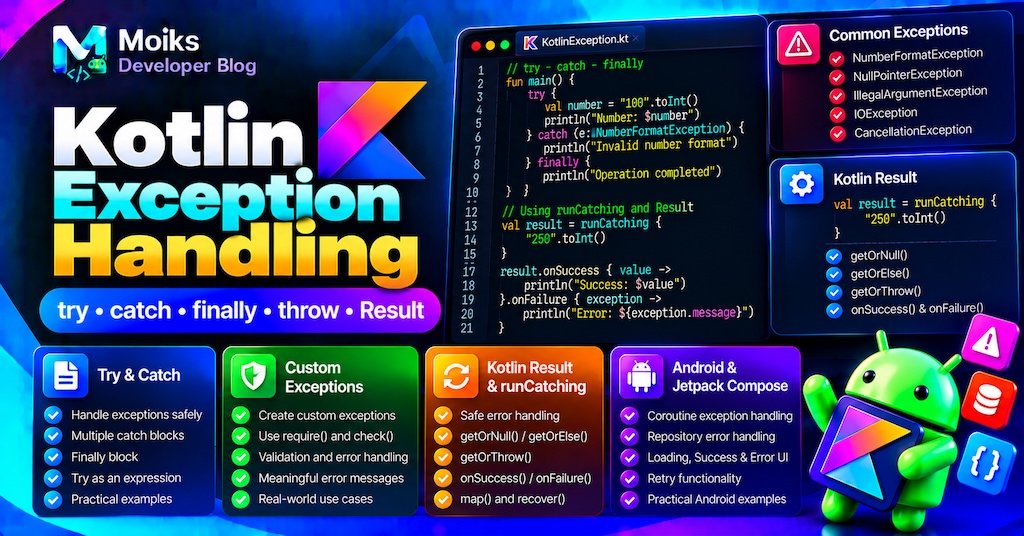
When developing modern Android applications using Kotlin and Jetpack Compose, unexpected errors can occur during application execution.
For example:
- A network request may fail.
- A file may not exist.
- A user may enter invalid input.
- A database operation may fail.
- A server may return an error.
- A JSON response may contain unexpected data.
- An operation may time out.
If these situations are not handled correctly, an application may crash or display confusing behavior.
Kotlin provides powerful exception-handling features that help developers handle failures safely and maintain a better user experience.
In this tutorial, we’ll explore Kotlin exception handling from basic concepts to practical Android examples.
What You’ll Learn
By the end of this tutorial, you’ll understand:
- What exceptions are in Kotlin
- Common exception types
- Kotlin
tryandcatch - Multiple catch blocks
- The
finallyblock - The
throwkeyword - Custom exceptions
- Kotlin
tryas an expression - Kotlin
Result runCatching()getOrNull(),getOrElse(), andgetOrThrow()onSuccess()andonFailure()- Exception handling with coroutines
- CancellationException handling
- Repository error handling
- Jetpack Compose loading and error states
- Common mistakes and best practices
Let’s begin!
1. What Is an Exception in Kotlin?
An exception is an event that interrupts the normal execution of a program.
Consider this example:
fun main() {

    val number = "abc".toInt()

    println(number)
}
The program attempts to convert "abc" into an integer.
Because the String does not represent a valid integer, Kotlin throws a NumberFormatException.
The operation fails before the println() statement executes.
Why Do Exceptions Occur?
Exceptions can occur because of:
- Invalid data
- Missing resources
- Network failures
- Programming mistakes
- Unsupported operations
- File system errors
- Unexpected application states
Exception handling allows us to respond appropriately instead of letting every recoverable failure terminate the operation.
2. Common Kotlin Exception Types
Kotlin applications may encounter several exception types.
| Exception | Common Cause |
|---|---|
NumberFormatException | Invalid number conversion |
NullPointerException | Unexpected null dereference |
IllegalArgumentException | Invalid function argument |
IllegalStateException | Operation in an invalid state |
IndexOutOfBoundsException | Invalid collection index |
ArithmeticException | Invalid arithmetic operation |
IOException | File or input/output failure |
SecurityException | Restricted or unauthorized operation |
CancellationException | Coroutine cancellation |
Example: Invalid Index
fun main() {

    val numbers = listOf(10, 20, 30)

    println(numbers[5])
}
This throws an IndexOutOfBoundsException.
Safer Alternative
fun main() {

    val numbers = listOf(10, 20, 30)

    println(numbers.getOrNull(5))
}
Output:
nullWhenever a safe Kotlin API already exists, consider using it instead of relying on exceptions for normal control flow.
3. Kotlin try and catch
Kotlin provides try and catch blocks for handling exceptions.
Syntax
try {

    // Code that may throw an exception

} catch (e: Exception) {

    // Handle the exception
}
Example
fun main() {

    try {

        val number = "abc".toInt()

        println(number)

    } catch (e: NumberFormatException) {

        println("Invalid number format")
    }
}
Output:
Invalid number formatExplanation
The try block contains code that may fail.
When the conversion throws a NumberFormatException, execution moves to the matching catch block.
The application can then display a meaningful message.
Important
Catching an exception does not automatically fix the underlying problem.
Your code must decide whether to retry, show an error, use a fallback value, or stop the operation.
4. Kotlin Multiple catch Blocks
A single try block can have multiple catch blocks.
This is useful when different exceptions require different handling.
Example
fun main() {

    try {

        val numbers = listOf(10, 20, 30)

        println(numbers[5])

    } catch (e: NumberFormatException) {

        println("Invalid number format")

    } catch (e: IndexOutOfBoundsException) {

        println("Invalid list index")

    } catch (e: Exception) {

        println("Unexpected error")
    }
}
Output:
Invalid list indexExplanation
Kotlin checks the catch blocks in order.
The first compatible catch block handles the exception.
Best Practice
Place more specific exception types before general exception types.
For example, NumberFormatException should appear before a general Exception catch when both are present.
5. Kotlin finally Block
The finally block executes after the try and catch blocks in normal exception-handling flow.
It is commonly used for cleanup operations.
Syntax
try {

    // Perform operation

} catch (e: Exception) {

    // Handle failure

} finally {

    // Cleanup
}
Example
fun main() {

    try {

        println("Starting operation")

        val number = "abc".toInt()

        println(number)

    } catch (e: NumberFormatException) {

        println("Invalid input")

    } finally {

        println("Operation finished")
    }
}
Output:
Starting operation
Invalid input
Operation finished
Practical Uses
The finally block can help with:
- Closing resources
- Releasing locks
- Cleaning temporary state
- Ending certain operations
Important
For resources implementing Closeable, prefer Kotlin’s use { } function when appropriate.
It automatically closes the resource, including when an exception occurs.
Also, finally is not a guarantee against abrupt process termination.
6. Kotlin try as an Expression
Unlike some programming languages, Kotlin allows try to return a value.
Example
fun main() {

    val number = try {

        "100".toInt()

    } catch (e: NumberFormatException) {

        0
    }

    println(number)
}
Output:
100Invalid Input Example
fun main() {

    val number = try {

        "abc".toInt()

    } catch (e: NumberFormatException) {

        0
    }

    println(number)
}
Output:
0Explanation
The final expression of the executed try or catch block becomes the result.
This makes Kotlin exception handling concise.
Alternative
For simple String-to-number conversions, Kotlin already provides:
val number = "abc".toIntOrNull() ?: 0Prefer safe conversion APIs when an invalid value is an expected situation.
7. Kotlin throw Keyword
The throw keyword allows us to explicitly throw an exception.
Example
fun validateAge(age: Int) {

    if (age < 0) {

        throw IllegalArgumentException(
            "Age cannot be negative"
        )
    }

    println("Valid age: $age")
}
Usage
fun main() {

    try {

        validateAge(-5)

    } catch (e: IllegalArgumentException) {

        println(e.message)
    }
}
Output:
Age cannot be negativeExplanation
The function rejects invalid input by throwing an exception.
The caller can decide how to handle the failure.
When to Use throw
Use throw when:
- A function receives invalid arguments.
- An operation reaches an invalid state.
- A required resource is unavailable.
- A lower-level failure must be propagated.
Avoid throwing exceptions for routine situations that can be represented clearly using normal return values.
8. Kotlin require(), check(), and error()
Kotlin provides convenient standard library functions for validating conditions.
require()
Use require() to validate function arguments.
fun createUser(name: String) {

    require(name.isNotBlank()) {
        "User name cannot be empty"
    }

    println("Created user: $name")
}
If the condition is false, Kotlin throws IllegalArgumentException.
check()
Use check() to validate an object’s state.
class DownloadManager {

    private var initialized = false

    fun initialize() {
        initialized = true
    }

    fun startDownload() {

        check(initialized) {
            "DownloadManager is not initialized"
        }

        println("Download started")
    }
}
If the condition is false, Kotlin throws IllegalStateException.
error()
Use error() to signal that an operation cannot proceed.
fun unsupportedFeature(): Nothing {

    error("This feature is not available")
}
Comparison
| Function | Exception |
|---|---|
require() | IllegalArgumentException |
check() | IllegalStateException |
error() | IllegalStateException |
These functions help make validation logic more readable.
9. Custom Exceptions in Kotlin
Sometimes built-in exceptions do not clearly represent application-specific failures.
We can create custom exception classes.
Example
class InvalidUserException(
    message: String
) : Exception(message)
Usage
fun registerUser(name: String) {

    if (name.isBlank()) {

        throw InvalidUserException(
            "User name is required"
        )
    }

    println("User registered: $name")
}
Handle the Exception
fun main() {

    try {

        registerUser("")

    } catch (e: InvalidUserException) {

        println(e.message)
    }
}
Output:
User name is requiredPractical Uses
Custom exceptions may be useful for:
- Domain validation
- Authentication failures
- Application-specific business rules
- Unsupported operations
- Data processing errors
Best Practice
Create custom exceptions when callers genuinely need to distinguish the failure.
Avoid creating a separate exception class for every minor validation message.
10. Kotlin Result Type
Kotlin provides the generic Result<T> type for representing successful operations or failures.
Example
fun divide(
    a: Int,
    b: Int
): Result<Int> {

    return runCatching {
        a / b
    }
}
Usage
fun main() {

    val result = divide(20, 5)

    println(result.getOrNull())
}
Output:
4Failure Example
fun main() {

    val result = divide(20, 0)

    println(result.isFailure)
}
Output:
trueExplanation
Result<T> can represent either:
- A successful value of type T
- A failure containing a Throwable
This makes success and failure explicit in the return type.
11. Kotlin runCatching()
The runCatching() function executes a block and wraps its result in Result.
Example
fun main() {

    val result = runCatching {

        "250".toInt()
    }

    println(result.getOrNull())
}
Output:
250Failure Example
fun main() {

    val result = runCatching {

        "invalid".toInt()
    }

    println(result.isFailure)
}
Output:
trueImportant
runCatching() catches Throwable, including serious failures and coroutine cancellation exceptions.
Therefore, avoid using it indiscriminately around suspend operations or large blocks of code.
For coroutine-based applications, preserve cancellation rather than converting it into an ordinary recoverable error.
12. Kotlin getOrNull()
The getOrNull() function returns the successful value or null when the Result contains a failure.
Example
fun main() {

    val result = runCatching {

        "100".toInt()
    }

    val number = result.getOrNull()

    println(number)
}
Output:
100Failure Example
val result = runCatching {
    "abc".toInt()
}

println(result.getOrNull())
Output:
nullWhen to Use getOrNull()
Use it when a missing value is an acceptable fallback and you do not need to expose the failure reason.
13. Kotlin getOrElse()
The getOrElse() function provides a fallback value when an operation fails.
Example
fun main() {

    val result = runCatching {

        "invalid".toInt()
    }

    val number = result.getOrElse {

        0
    }

    println(number)
}
Output:
0Explanation
When conversion fails, the fallback value is returned.
Practical Use
getOrElse() is useful for:
- Default configuration values
- Optional data parsing
- Noncritical transformations
- Recoverable failures
Do not silently replace important failures with default values when doing so could hide a serious problem.
14. Kotlin getOrThrow()
The getOrThrow() function returns the successful value or rethrows the stored exception.
Example
fun main() {

    val result = runCatching {

        "100".toInt()
    }

    println(result.getOrThrow())
}
Output:
100Failure Example
val result = runCatching {
    "invalid".toInt()
}

// Rethrows NumberFormatException
val number = result.getOrThrow()
When to Use getOrThrow()
Use it when a failure should propagate to the caller rather than being handled locally.
15. Kotlin onSuccess() and onFailure()
The Result type provides convenient functions for observing successful and failed operations.
Example
fun main() {

    runCatching {

        "100".toInt()

    }.onSuccess { value ->

        println("Success: $value")

    }.onFailure { exception ->

        println("Error: ${exception.message}")
    }
}
Output:
Success: 100Explanation
onSuccess() executes when the Result contains a successful value.
onFailure() executes when the Result contains a failure.
Both return the original Result, allowing further chaining.
Important
These functions are primarily for performing additional actions.
Use map(), mapCatching(), recover(), or recoverCatching() when you need to transform a Result.
16. Kotlin Result map() and recover()
Kotlin Result also supports transforming successful values and recovering from failures.
map()
fun main() {

    val result = runCatching {
        10
    }.map {
        it * 2
    }

    println(result.getOrNull())
}
Output:
20recover()
fun main() {

    val result = runCatching {

        "invalid".toInt()

    }.recover {

        0
    }

    println(result.getOrNull())
}
Output:
0Explanation
map() transforms a successful value.
recover() provides a replacement value for a failure.
For transformations or recovery operations that may themselves throw, Kotlin also provides mapCatching() and recoverCatching().
17. Kotlin Exception Handling with Coroutines
Coroutines are widely used in modern Android development.
Exception handling in coroutines requires special care because cancellation is part of normal structured concurrency behavior.
Basic Example
suspend fun loadUserName(): String {

    return "Alex"
}
We can handle failures using try and catch.
suspend fun loadUserSafely(): String {

    return try {

        loadUserName()

    } catch (e: CancellationException) {

        throw e

    } catch (e: Exception) {

        "Guest"
    }
}
Required Import
import kotlinx.coroutines.CancellationExceptionWhy Handle Cancellation Separately?
When a coroutine is cancelled, it may throw CancellationException.
Cancellation should normally propagate.
If we catch it and treat it as an ordinary error, cancelled operations may continue unexpectedly or produce incorrect UI states.
Best Practice
For suspend functions:
- Catch only failures you can meaningfully handle.
- Rethrow
CancellationException. - Avoid swallowing cancellation with broad catches.
- Respect structured concurrency.
- Use appropriate coroutine scopes.
18. Practical Android Example: Repository Error Handling
Let’s create a simple repository that returns success or failure.
Step 1: Create the User Model
data class User(
    val id: Int,
    val name: String
)
Step 2: Create a Repository
class UserRepository {

    suspend fun getUser(): Result<User> {

        return try {

            val user = User(
                id = 101,
                name = "Alex"
            )

            Result.success(user)

        } catch (e: CancellationException) {

            throw e

        } catch (e: Exception) {

            Result.failure(e)
        }
    }
}
Explanation
The repository returns:
Result<User>On success, it returns the User object.
On failure, it returns the exception.
Production Note
This repository uses sample data and does not make a real network request.
In a real Android application, the repository might call Retrofit, Room, or another data source.
Catch exceptions at an appropriate boundary, preserve cancellation, and avoid converting programming errors into misleading user-facing messages.
19. Android UI State for Loading, Success, and Error
A common Android architecture pattern is to represent UI states explicitly.
Let’s create a sealed interface.
sealed interface UserUiState {

    data object Loading : UserUiState

    data class Success(
        val user: User
    ) : UserUiState

    data class Error(
        val message: String
    ) : UserUiState
}
Why Use UI State?
A screen usually needs to represent multiple situations:
- Data is loading.
- Data loaded successfully.
- Data loading failed.
A sealed interface makes these states explicit and type-safe.
This pattern works well with ViewModel, StateFlow, and Jetpack Compose.
20. Jetpack Compose Mini-Project: Loading, Success, and Error Screen
Let’s build a practical Jetpack Compose example using:
- Kotlin exception handling
- Result
- ViewModel
- StateFlow
- Coroutines
- Material 3
- Loading indicator
- Error message
- Retry button
Step 1: Create the User Model
data class User(
    val id: Int,
    val name: String,
    val email: String
)
Step 2: Create UI State
sealed interface UserUiState {

    data object Loading : UserUiState

    data class Success(
        val user: User
    ) : UserUiState

    data class Error(
        val message: String
    ) : UserUiState
}
Step 3: Create the Repository
class UserRepository {

    suspend fun getUser(): Result<User> {

        return try {

            delay(1000)

            Result.success(
                User(
                    id = 101,
                    name = "Alex",
                    email = "alex@example.com"
                )
            )

        } catch (e: CancellationException) {

            throw e

        } catch (e: Exception) {

            Result.failure(e)
        }
    }
}
This example simulates a one-second loading operation.
Step 4: Create the ViewModel
class UserViewModel : ViewModel() {

    private val repository = UserRepository()

    private val _uiState =
        MutableStateFlow<UserUiState>(
            UserUiState.Loading
        )

    val uiState: StateFlow<UserUiState> =
        _uiState.asStateFlow()

    init {
        loadUser()
    }

    fun loadUser() {

        viewModelScope.launch {

            _uiState.value = UserUiState.Loading

            val result = repository.getUser()

            _uiState.value = result.fold(
                onSuccess = { user ->

                    UserUiState.Success(user)
                },
                onFailure = {

                    UserUiState.Error(
                        "Unable to load user. Please try again."
                    )
                }
            )
        }
    }
}
Explanation
The ViewModel exposes a StateFlow containing the current UI state.
When loading begins, the state becomes Loading.
On success, it becomes Success.
On failure, it becomes Error.
Step 5: Create the Compose Screen
@Composable
fun UserExceptionHandlingScreen(
    viewModel: UserViewModel = viewModel()
) {

    val uiState by viewModel.uiState.collectAsStateWithLifecycle()

    Column(
        modifier = Modifier
            .fillMaxSize()
            .padding(24.dp),
        verticalArrangement = Arrangement.Center,
        horizontalAlignment = Alignment.CenterHorizontally
    ) {

        when (val state = uiState) {

            UserUiState.Loading -> {

                CircularProgressIndicator()

                Spacer(
                    modifier = Modifier.height(16.dp)
                )

                Text("Loading user...")
            }

            is UserUiState.Success -> {

                Text(
                    text = "Welcome, ${state.user.name}",
                    style = MaterialTheme.typography.headlineSmall
                )

                Spacer(
                    modifier = Modifier.height(8.dp)
                )

                Text(state.user.email)
            }

            is UserUiState.Error -> {

                Text(
                    text = state.message,
                    color = MaterialTheme.colorScheme.error
                )

                Spacer(
                    modifier = Modifier.height(16.dp)
                )

                Button(
                    onClick = {
                        viewModel.loadUser()
                    }
                ) {

                    Text("Retry")
                }
            }
        }
    }
}
Step 6: Required Imports
import androidx.compose.foundation.layout.Arrangement
import androidx.compose.foundation.layout.Column
import androidx.compose.foundation.layout.Spacer
import androidx.compose.foundation.layout.fillMaxSize
import androidx.compose.foundation.layout.height
import androidx.compose.foundation.layout.padding
import androidx.compose.material3.Button
import androidx.compose.material3.CircularProgressIndicator
import androidx.compose.material3.MaterialTheme
import androidx.compose.material3.Text
import androidx.compose.runtime.Composable
import androidx.compose.runtime.getValue
import androidx.compose.ui.Alignment
import androidx.compose.ui.Modifier
import androidx.compose.ui.unit.dp
import androidx.lifecycle.ViewModel
import androidx.lifecycle.viewmodel.compose.viewModel
import androidx.lifecycle.viewModelScope
import androidx.lifecycle.compose.collectAsStateWithLifecycle
import kotlinx.coroutines.CancellationException
import kotlinx.coroutines.delay
import kotlinx.coroutines.launch
import kotlinx.coroutines.flow.MutableStateFlow
import kotlinx.coroutines.flow.StateFlow
import kotlinx.coroutines.flow.asStateFlow
Dependencies
Ensure your Android project includes the appropriate AndroidX Lifecycle ViewModel, ViewModel Compose, Lifecycle Runtime Compose, and Kotlin Coroutines dependencies.
Use versions compatible with your project’s Kotlin, Compose, and Android Gradle Plugin configuration.
Expected UI — Loading
+--------------------------------+
|                                |
|                                |
|          Loading...            |
|                                |
|          ◌                     |
|                                |
|       Loading user...          |
|                                |
+--------------------------------+
Expected UI — Success
+--------------------------------+
|                                |
|                                |
|       Welcome, Alex            |
|                                |
|       alex@example.com         |
|                                |
+--------------------------------+
Expected UI — Error
+--------------------------------+
|                                |
|    Unable to load user.        |
|    Please try again.           |
|                                |
|         [ Retry ]              |
|                                |
+--------------------------------+
How It Works
1. Repository
The repository performs an operation and returns a Result.
2. ViewModel
The ViewModel converts the Result into a UI state.
3. StateFlow
StateFlow exposes the current state to the UI.
4. Jetpack Compose
Compose observes the state and displays the corresponding screen.
5. Retry Button
The Retry button calls the ViewModel to attempt loading again.
Testing the Error State
The sample repository always succeeds unless the operation is interrupted.
To test the error UI, temporarily replace its success return with:
Result.failure(
    IllegalStateException("Simulated failure")
)
Then run the app and verify the Error state appears.
Production Recommendations
For a production Android application:
- Inject repositories using Hilt or another dependency injection approach.
- Use meaningful domain-specific error types where appropriate.
- Preserve coroutine cancellation.
- Handle network and database failures separately.
- Avoid displaying raw exception details to users.
- Keep retry behavior predictable.
- Add unit tests for ViewModel state transitions.
- Consider timeouts and connectivity conditions for real network requests.
21. Common Kotlin Exception Handling Mistakes
Mistake 1: Catching Every Exception Without Handling It
Avoid code like:
try {

    performOperation()

} catch (e: Exception) {

    // Ignored
}
Silently ignoring failures makes debugging difficult.
Mistake 2: Using Exceptions for Normal Control Flow
For expected invalid numeric input, prefer:
val number = input.toIntOrNull()instead of repeatedly throwing and catching NumberFormatException.
Mistake 3: Swallowing Coroutine Cancellation
Avoid catching CancellationException and converting it into a normal error result.
Cancellation should usually propagate.
Mistake 4: Exposing Raw Exceptions to Users
Avoid displaying stack traces or internal server details in the UI.
Provide clear, user-friendly error messages.
Mistake 5: Catching Throwable Indiscriminately
Not every Throwable represents a recoverable application failure.
Be careful when using runCatching() and broad exception handlers.
Mistake 6: Retrying Without Limits
Repeated automatic retries may waste battery, network bandwidth, and server resources.
Use appropriate retry limits and backoff strategies.
Mistake 7: Hiding Programming Bugs
Exception handling should not conceal programming errors that require fixes.
22. Kotlin Exception Handling Best Practices
Follow these recommendations:
- Catch specific exceptions whenever possible.
- Handle errors at meaningful architectural boundaries.
- Preserve coroutine cancellation.
- Use Result for operations where explicit failure handling improves the API.
- Prefer safe Kotlin APIs for expected invalid input.
- Avoid empty catch blocks.
- Log useful diagnostic information without exposing sensitive data.
- Display understandable messages to users.
- Keep UI loading, success, and error states explicit.
- Use structured concurrency.
- Test both successful and failed operations.
- Avoid unnecessary retries.
- Release resources safely.
- Do not use exceptions as a replacement for proper validation.
These practices help build reliable and maintainable Android applications.
23. Kotlin Exception Handling Quick Reference
| Feature | Purpose |
|---|---|
try | Execute potentially failing code |
catch | Handle a matching exception |
finally | Perform cleanup |
throw | Explicitly throw an exception |
require() | Validate function arguments |
check() | Validate program state |
error() | Throw IllegalStateException |
Result<T> | Represent success or failure |
runCatching() | Wrap execution in Result |
getOrNull() | Return value or null |
getOrElse() | Return value or fallback |
getOrThrow() | Return value or rethrow |
onSuccess() | Observe successful result |
onFailure() | Observe failure |
map() | Transform successful result |
recover() | Recover from failure |
24. Practical Exercises
Try these exercises to improve your exception-handling skills.
Exercise 1: Number Conversion
Create a Kotlin program that converts a String into an Int using try-catch.
Exercise 2: Safe Conversion
Rewrite the previous exercise using toIntOrNull().
Exercise 3: Multiple Catch Blocks
Handle NumberFormatException and IndexOutOfBoundsException separately.
Exercise 4: finally
Create an example that demonstrates cleanup using finally.
Exercise 5: Custom Exception
Create an InvalidPasswordException for a password validation function.
Exercise 6: Result
Create a function that divides two numbers and returns Result<Int>.
Exercise 7: runCatching
Use runCatching to convert a String into a number and provide a fallback.
Exercise 8: Coroutine Exception Handling
Create a suspend function that catches an IOException while preserving CancellationException.
Exercise 9: Jetpack Compose Mini-Project
Build a user profile screen with:
- Loading state
- Success state
- Error state
- Retry button
- ViewModel
- StateFlow
- Kotlin Result
25. Frequently Asked Questions
What is exception handling in Kotlin?
Exception handling is the process of detecting and responding to failures using constructs such as try, catch, finally, and throw.
Does Kotlin support checked exceptions?
Kotlin does not enforce checked exceptions in the same way Java does.
Developers are not required to declare or catch exceptions solely because they are checked exceptions in Java.
What is the difference between throw and throws?
throw is used to throw an exception.
Kotlin also provides the @Throws annotation to communicate exception information to Java callers when needed.
What is the difference between try-catch and runCatching?
try-catch provides direct exception handling.
runCatching executes a block and returns a Result containing either success or failure.
What is Kotlin Result?
Result is a generic type that represents a successful value or a failure containing a Throwable.
Should I use runCatching with coroutines?
Use caution.
runCatching catches CancellationException, so coroutine cancellation must be preserved explicitly when necessary.
What is the best way to display errors in Jetpack Compose?
A common approach is to expose explicit UI state from a ViewModel and render loading, success, or error content based on that state.
Should every function return Result?
No.
Use Result when explicit success and failure handling improves the function’s contract.
Other approaches may be more appropriate depending on the domain and architecture.
What We’ve Learned
In this tutorial, we learned:
- Kotlin exceptions
- Common exception types
- try and catch
- Multiple catch blocks
- finally
- try as an expression
- throw
- require, check, and error
- Custom exceptions
- Kotlin Result
- runCatching
- getOrNull, getOrElse, and getOrThrow
- onSuccess and onFailure
- map and recover
- Coroutine exception handling
- CancellationException
- Repository error handling
- ViewModel and StateFlow
- Jetpack Compose error states
- Retry functionality
- Common mistakes and best practices
Exception handling is an essential part of building reliable Android applications.
By handling expected failures carefully, preserving coroutine cancellation, and representing UI states clearly, we can create applications that are easier to maintain and more resilient to real-world conditions.
What’s Next?
In our next tutorial, we’ll explore:
Kotlin Coroutines Explained for Beginners: suspend, launch, async & Dispatchers
You’ll learn:
- What coroutines are
- Why Android uses coroutines
- suspend functions
- CoroutineScope
- launch
- async and await
- Dispatchers
- withContext
- Structured concurrency
- Cancellation
- viewModelScope
- Practical Android examples
- Jetpack Compose integration
Happy Coding!
Continue learning modern Android development with Moiks Developer Blog.


