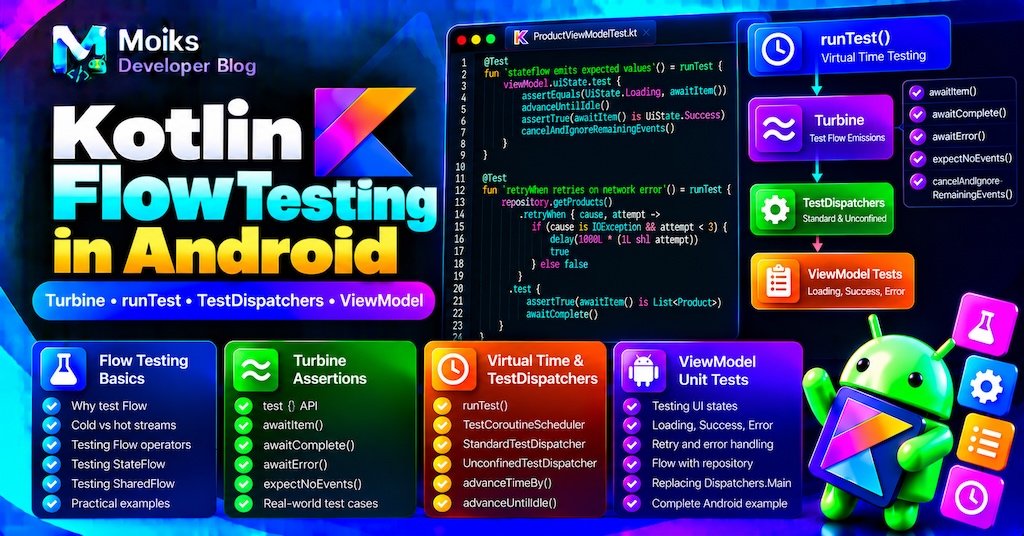
Testing asynchronous code is an essential skill for modern Android developers.
Applications built with Kotlin Coroutines and Flow frequently perform asynchronous operations such as fetching API data, observing Room databases, updating UI state, and handling background tasks.
These operations can be difficult to test using traditional synchronous testing techniques.
Fortunately, Kotlin provides dedicated testing utilities that make coroutine and Flow testing predictable.
In this tutorial, we’ll learn how to test Kotlin Flow, StateFlow, SharedFlow, and Android ViewModel using:
- kotlinx-coroutines-test
- runTest()
- StandardTestDispatcher
- UnconfinedTestDispatcher
- TestCoroutineScheduler
- Turbine
We’ll also build a practical ViewModel testing example using Kotlin Flow and Jetpack Compose architecture.
What You’ll Learn
By the end of this tutorial, you’ll understand:
- Why asynchronous Flow testing matters
- Setting up coroutine testing dependencies
- Testing cold Flows
- Understanding runTest()
- Virtual time and TestCoroutineScheduler
- StandardTestDispatcher vs UnconfinedTestDispatcher
- Testing Flow emissions with Turbine
- Testing StateFlow
- Testing SharedFlow
- Testing Flow operators
- Testing debounce()
- Testing retryWhen()
- Testing loading, success, and error states
- Testing Android ViewModel
- Replacing Dispatchers.Main
- Common testing mistakes
- Production testing best practices
Let’s begin!
1. Why Test Kotlin Flow?
Kotlin Flow is commonly used for asynchronous streams.
Examples include:
- Room database observations
- API responses
- Search queries
- Form validation
- Download progress
- UI state updates
- Real-time data
These streams may emit multiple values over time.
A good test should verify:
- Which values are emitted.
- The order of emissions.
- Whether errors are handled correctly.
- Whether delays and retries work.
- Whether state changes match expectations.
Example
Imagine a ViewModel that loads products.
Its UI state may change as follows:
Loading
   |
   v
Success(products)
If the request fails:
Loading
   |
   v
Error(message)
Unit tests can verify both scenarios without launching the Android application.
2. Add Kotlin Flow Testing Dependencies
Add the testing dependencies to your Android module.
build.gradle.kts
dependencies {

    testImplementation(
        "junit:junit:4.13.2"
    )

    testImplementation(
        "org.jetbrains.kotlinx:kotlinx-coroutines-test:<version>"
    )

    testImplementation(
        "app.cash.turbine:turbine:<version>"
    )
}
Replace <version> with compatible stable releases.
The kotlinx-coroutines-test version should match your Kotlin Coroutines dependency version.
What Does Each Library Do?
| Library | Purpose |
|---|---|
| JUnit | Runs and organizes unit tests |
| kotlinx-coroutines-test | Provides coroutine test scopes, dispatchers, and virtual time |
| Turbine | Simplifies testing Flow emissions |
These examples use local JVM tests under:
app/src/test/java/3. Your First Kotlin Flow Unit Test
Let’s begin with a simple cold Flow.
Production Code
fun numbersFlow(): Flow<Int> = flow {
    emit(10)
    emit(20)
    emit(30)
}
Unit Test
@Test
fun `numbers flow emits expected values`() = runTest {

    val results = numbersFlow().toList()

    assertEquals(
        listOf(10, 20, 30),
        results
    )
}
Explanation
The test collects all Flow emissions into a list.
It then compares the actual values against the expected values.
Important
toList() waits for the Flow to complete.
It works well with finite Flows.
Do not use it directly on StateFlow or SharedFlow because these hot streams normally never complete.
4. Understanding runTest()
The runTest() function is designed for testing coroutine-based code.
Example
@Test
fun `coroutine delay uses virtual time`() = runTest {

    delay(5000)

    assertTrue(true)
}
Explanation
The delay is controlled by the test scheduler.
The test does not need to wait five real seconds for a virtual-time delay.
Benefits
- Deterministic coroutine testing
- Virtual-time support
- Controlled coroutine execution
- Structured test scopes
- Better asynchronous error reporting
Important
Virtual time applies to delays managed by the test scheduler.
Code running on unrelated real dispatchers may still use real time.
For reliable tests, inject dispatchers and avoid hardcoded Dispatchers.IO or Dispatchers.Default where scheduling control is necessary.
5. Understanding TestCoroutineScheduler
TestCoroutineScheduler manages virtual time for coroutine test dispatchers.
Example
@Test
fun `advance virtual time`() = runTest {

    var completed = false

    launch {

        delay(3000)

        completed = true
    }

    assertFalse(completed)

    advanceTimeBy(3000)

    runCurrent()

    assertTrue(completed)
}
Explanation
The test starts a coroutine.
The coroutine suspends for three seconds of virtual time.
advanceTimeBy(3000) advances the scheduler clock.
runCurrent() executes tasks scheduled at the current virtual time.
The test verifies that the operation completed.
Useful Scheduler Functions
| Function | Purpose |
|---|---|
| runCurrent() | Execute tasks scheduled at the current time |
| advanceTimeBy() | Advance virtual time by a duration |
| advanceUntilIdle() | Execute scheduled work until no runnable tasks remain |
| currentTime | Read current virtual time |
6. StandardTestDispatcher
StandardTestDispatcher provides controlled coroutine scheduling.
Coroutines launched on it are queued until the test scheduler runs them.
Example
@Test
fun `standard dispatcher queues coroutine`() = runTest {

    var value = 0

    launch(StandardTestDispatcher(testScheduler)) {
        value = 10
    }

    assertEquals(0, value)

    runCurrent()

    assertEquals(10, value)
}
Explanation
The coroutine is scheduled but does not execute immediately.
After calling runCurrent(), the scheduled coroutine runs.
When to Use It
StandardTestDispatcher is useful when testing:
- Precise coroutine execution order
- Loading state transitions
- Delayed operations
- Debounce behavior
- Concurrent coroutine interactions
It is generally a good default for controlled coroutine tests.
7. UnconfinedTestDispatcher
UnconfinedTestDispatcher eagerly enters coroutine builders when they are launched.
Example
@OptIn(ExperimentalCoroutinesApi::class)
@Test
fun `unconfined dispatcher starts coroutine eagerly`() = runTest {

    var value = 0

    launch(UnconfinedTestDispatcher(testScheduler)) {
        value = 10
    }

    assertEquals(10, value)
}
Explanation
The launched coroutine begins executing immediately.
However, UnconfinedTestDispatcher does not guarantee normal sequential execution order across suspensions.
Comparison
| Feature | StandardTestDispatcher | UnconfinedTestDispatcher |
|---|---|---|
| Starts launched coroutine eagerly | No | Yes |
| Scheduling control | Explicit | Less explicit |
| Useful for precise ordering | Yes | Less suitable |
| Useful for starting collectors | Yes | Yes |
| Typical use | Deterministic scheduling | Simple eager collection |
Best Practice
Prefer StandardTestDispatcher when execution order matters.
Use UnconfinedTestDispatcher selectively, especially when a collector must begin observing before state changes occur.
8. What Is Turbine?
Turbine is a testing library designed for Kotlin Flow.
It provides a convenient way to assert emitted values.
Without Turbine
@Test
fun `flow emits values`() = runTest {

    val values = flowOf(1, 2, 3).toList()

    assertEquals(
        listOf(1, 2, 3),
        values
    )
}
With Turbine
@Test
fun `flow emits values using turbine`() = runTest {

    flowOf(1, 2, 3).test {

        assertEquals(1, awaitItem())

        assertEquals(2, awaitItem())

        assertEquals(3, awaitItem())

        awaitComplete()
    }
}
Explanation
The test {} extension collects Flow emissions.
awaitItem() waits for the next value.
awaitComplete() verifies normal completion.
Turbine is especially useful for testing streams that emit multiple states over time.
9. Important Turbine Functions
| Function | Purpose |
|---|---|
| test {} | Collect and test a Flow |
| awaitItem() | Wait for the next emitted value |
| awaitComplete() | Verify normal completion |
| awaitError() | Verify terminal failure |
| expectNoEvents() | Verify no events are available |
| cancelAndIgnoreRemainingEvents() | Cancel collection and discard pending events |
| skipItems() | Skip a specified number of emissions |
Example
@Test
fun `turbine verifies flow completion`() = runTest {

    flowOf("Android", "Kotlin").test {

        assertEquals(
            "Android",
            awaitItem()
        )

        assertEquals(
            "Kotlin",
            awaitItem()
        )

        awaitComplete()
    }
}
10. Testing Flow Errors with Turbine
Let’s create a Flow that throws an exception.
Production Code
fun errorFlow(): Flow<Int> = flow {

    emit(1)

    throw IllegalStateException(
        "Something went wrong"
    )
}
Unit Test
@Test
fun `flow emits error`() = runTest {

    errorFlow().test {

        assertEquals(1, awaitItem())

        val error = awaitError()

        assertTrue(
            error is IllegalStateException
        )

        assertEquals(
            "Something went wrong",
            error.message
        )
    }
}
Explanation
The test verifies the first emitted value.
It then checks that the Flow terminates with the expected exception.
This is useful for testing repository and data-processing failures.
11. Testing StateFlow
StateFlow represents the latest observable state.
Let’s create a simple counter ViewModel.
Production Code
class CounterViewModel : ViewModel() {

    private val _count = MutableStateFlow(0)

    val count: StateFlow<Int> =
        _count.asStateFlow()

    fun increment() {

        _count.update { current ->
            current + 1
        }
    }

    fun reset() {

        _count.value = 0
    }
}
Simple StateFlow Test
@Test
fun `counter increments correctly`() {

    val viewModel = CounterViewModel()

    assertEquals(0, viewModel.count.value)

    viewModel.increment()

    assertEquals(1, viewModel.count.value)

    viewModel.reset()

    assertEquals(0, viewModel.count.value)
}
Explanation
StateFlow exposes its current value through .value.
For many state-focused tests, checking .value is simpler than collecting emissions.
Best Practice
Use direct state assertions when you only need to verify the latest state.
Use Turbine when testing meaningful emission sequences.
12. Testing StateFlow Emissions with Turbine
We can also verify a sequence of state changes.
@Test
fun `counter emits state updates`() = runTest {

    val viewModel = CounterViewModel()

    viewModel.count.test {

        assertEquals(0, awaitItem())

        viewModel.increment()

        assertEquals(1, awaitItem())

        viewModel.increment()

        assertEquals(2, awaitItem())

        cancelAndIgnoreRemainingEvents()
    }
}
Explanation
The test begins by receiving the initial StateFlow value.
Each increment updates the current state.
Turbine verifies the resulting emissions.
Important
StateFlow is conflated.
If values change faster than a collector can process them, intermediate values may be skipped.
Do not assume every intermediate assignment will be observed in asynchronous tests.
13. Testing SharedFlow
SharedFlow is commonly used to broadcast events.
Production Code
class EventManager {

    private val _events =
        MutableSharedFlow<String>()

    val events: SharedFlow<String> =
        _events.asSharedFlow()

    suspend fun sendEvent(message: String) {

        _events.emit(message)
    }
}
Unit Test
@Test
fun `shared flow emits event`() = runTest {

    val manager = EventManager()

    manager.events.test {

        manager.sendEvent("Download completed")

        assertEquals(
            "Download completed",
            awaitItem()
        )

        cancelAndIgnoreRemainingEvents()
    }
}
Explanation
Turbine starts collecting before the event is emitted.
This is important because a default SharedFlow does not replay values to late subscribers.
Best Practice
Always consider subscriber timing when testing SharedFlow.
14. Testing Flow map() Operator
Flow operators can be tested independently.
Production Code
fun doubledNumbers(): Flow<Int> {

    return flowOf(1, 2, 3)
        .map { number ->
            number * 2
        }
}
Unit Test
@Test
fun `map doubles numbers`() = runTest {

    doubledNumbers().test {

        assertEquals(2, awaitItem())

        assertEquals(4, awaitItem())

        assertEquals(6, awaitItem())

        awaitComplete()
    }
}
Explanation
The test verifies that each input is transformed correctly.
This pattern works for many Flow operators, including filter, distinctUntilChanged, and combine.
15. Testing debounce() with Virtual Time
The debounce operator waits for a period without new emissions before forwarding the latest value.
It is commonly used in search interfaces.
Production Code
fun searchQueries(
    queries: Flow<String>
): Flow<String> {

    return queries.debounce(300)
}
Unit Test
@OptIn(FlowPreview::class)
@Test
fun `debounce emits latest query`() = runTest {

    val queries = MutableSharedFlow<String>(
        extraBufferCapacity = 1
    )

    val results = mutableListOf<String>()

    backgroundScope.launch(
        UnconfinedTestDispatcher(testScheduler)
    ) {

        searchQueries(queries).collect { query ->

            results.add(query)
        }
    }

    queries.emit("A")

    advanceTimeBy(100)

    queries.emit("An")

    advanceTimeBy(100)

    queries.emit("Android")

    advanceTimeBy(300)

    runCurrent()

    assertEquals(
        listOf("Android"),
        results
    )
}
Explanation
The test emits three search queries.
Each new query resets the debounce timer.
Only the latest query is emitted after the quiet period.
Why Use Virtual Time?
The test can verify debounce behavior without waiting for real delays.
This makes tests faster and more deterministic.
16. Testing retryWhen()
Retry logic is another important asynchronous behavior to test.
Production Code
fun retryableFlow(): Flow<String> {

    var attempts = 0

    return flow {

        attempts++

        if (attempts < 3) {

            throw IOException(
                "Temporary network failure"
            )
        }

        emit("Success")

    }.retryWhen { cause, attempt ->

        if (
            cause is IOException &&
            attempt < 2
        ) {

            delay(1000)

            true

        } else {

            false
        }
    }
}
Unit Test
@Test
fun `retry succeeds after temporary failures`() = runTest {

    retryableFlow().test {

        assertEquals(
            "Success",
            awaitItem()
        )

        awaitComplete()
    }
}
Explanation
The Flow fails twice.
retryWhen restarts upstream collection.
The third attempt succeeds.
The test verifies that the final result is emitted.
Important
runTest uses virtual time for the retry delays when the Flow executes on the test scheduler.
17. Replacing Dispatchers.Main in Unit Tests
Android ViewModel commonly uses viewModelScope.
That scope relies on Dispatchers.Main.
Local JVM tests do not provide the Android main thread dispatcher automatically.
We can replace it with a test dispatcher.
MainDispatcherRule.kt
@OptIn(ExperimentalCoroutinesApi::class)
class MainDispatcherRule(
    val testDispatcher: TestDispatcher =
        StandardTestDispatcher()
) : TestWatcher() {

    override fun starting(
        description: Description
    ) {

        Dispatchers.setMain(testDispatcher)
    }

    override fun finished(
        description: Description
    ) {

        Dispatchers.resetMain()
    }
}
Required Imports
import kotlinx.coroutines.Dispatchers
import kotlinx.coroutines.ExperimentalCoroutinesApi
import kotlinx.coroutines.test.StandardTestDispatcher
import kotlinx.coroutines.test.TestDispatcher
import kotlinx.coroutines.test.resetMain
import kotlinx.coroutines.test.setMain

import org.junit.rules.TestWatcher
import org.junit.runner.Description
Explanation
The rule replaces Dispatchers.Main before each test.
It restores the original dispatcher afterward.
This allows ViewModel coroutine tests to run on the local JVM.
Important
Create test dispatchers that share the same TestCoroutineScheduler.
When Dispatchers.Main is replaced with a TestDispatcher, subsequently created test dispatchers and runTest scopes can share its scheduler.
Avoid accidentally using multiple unrelated schedulers in the same test.
Practical Android Mini-Project: Testing a Product ViewModel
Now let’s build a complete ViewModel testing example.
Our application architecture will use:
- Product model
- Product repository interface
- Fake repository
- ProductUiState
- ProductViewModel
- StateFlow
- Turbine
- runTest
- MainDispatcherRule
We’ll test:
- Initial loading state
- Successful product loading
- Failed product loading
- Retry behavior
- StateFlow emissions
18. Create the Product Model
data class Product(
    val id: Int,
    val name: String,
    val price: Double
)
This represents a product in our sample application.
19. Create the Repository Interface
interface ProductRepository {

    suspend fun getProducts(): List<Product>
}
Why Use an Interface?
An interface allows the ViewModel to depend on an abstraction.
During testing, we can replace the real repository with a fake implementation.
This improves testability and supports clean architecture.
20. Create the Fake Product Repository
class FakeProductRepository : ProductRepository {

    var shouldFail = false

    override suspend fun getProducts(): List<Product> {

        delay(500)

        if (shouldFail) {

            throw IOException(
                "Simulated network failure"
            )
        }

        return listOf(
            Product(
                id = 1,
                name = "Android Phone",
                price = 19999.0
            ),
            Product(
                id = 2,
                name = "Bluetooth Speaker",
                price = 2499.0
            )
        )
    }
}
Explanation
The fake repository simulates both success and failure.
Set shouldFail to true to trigger an exception.
Set it to false to return sample products.
Benefits
- No real API required
- Fast execution
- Predictable results
- Easy failure simulation
- Independent ViewModel testing
21. Create ProductUiState
sealed interface ProductUiState {

    data object Loading : ProductUiState

    data class Success(
        val products: List<Product>
    ) : ProductUiState

    data class Error(
        val message: String
    ) : ProductUiState
}
This model represents the screen’s observable state.
22. Create ProductViewModel
class ProductViewModel(
    private val repository: ProductRepository
) : ViewModel() {

    private val _uiState =
        MutableStateFlow<ProductUiState>(
            ProductUiState.Loading
        )

    val uiState: StateFlow<ProductUiState> =
        _uiState.asStateFlow()

    private var loadJob: Job? = null

    init {
        loadProducts()
    }

    fun loadProducts() {

        loadJob?.cancel()

        loadJob = viewModelScope.launch {

            _uiState.value = ProductUiState.Loading

            try {

                val products = repository.getProducts()

                _uiState.value =
                    ProductUiState.Success(products)

            } catch (exception: CancellationException) {

                throw exception

            } catch (exception: Exception) {

                _uiState.value =
                    ProductUiState.Error(
                        "Unable to load products"
                    )
            }
        }
    }
}
Explanation
The ViewModel loads products when initialized.
It exposes its current UI state through StateFlow.
When the repository succeeds, the state becomes Success.
When the repository fails, the state becomes Error.
The ViewModel preserves coroutine cancellation.
Production Note
In a production Android application, the repository can be provided through Hilt dependency injection.
For this tutorial, constructor injection keeps the example simple and testable.
23. Test Initial Loading State
Let’s verify that the initial state is Loading.
@OptIn(ExperimentalCoroutinesApi::class)
class ProductViewModelTest {

    @get:Rule
    val mainDispatcherRule = MainDispatcherRule()

    @Test
    fun `initial state is loading`() = runTest {

        val repository = FakeProductRepository()

        val viewModel = ProductViewModel(repository)

        assertEquals(
            ProductUiState.Loading,
            viewModel.uiState.value
        )
    }
}
Explanation
The ViewModel starts with Loading state.
The test checks the initial value before the scheduled repository operation completes.
24. Test Successful Product Loading
@Test
fun `products load successfully`() = runTest {

    val repository = FakeProductRepository()

    val viewModel = ProductViewModel(repository)

    advanceUntilIdle()

    val state = viewModel.uiState.value

    assertTrue(
        state is ProductUiState.Success
    )

    val success = state as ProductUiState.Success

    assertEquals(
        2,
        success.products.size
    )

    assertEquals(
        "Android Phone",
        success.products.first().name
    )
}
Explanation
advanceUntilIdle() executes scheduled coroutine work.
The fake repository returns two products.
The ViewModel publishes Success.
The test verifies the resulting data.
25. Test Failed Product Loading
@Test
fun `repository failure produces error state`() = runTest {

    val repository = FakeProductRepository().apply {
        shouldFail = true
    }

    val viewModel = ProductViewModel(repository)

    advanceUntilIdle()

    val state = viewModel.uiState.value

    assertTrue(
        state is ProductUiState.Error
    )

    val error = state as ProductUiState.Error

    assertEquals(
        "Unable to load products",
        error.message
    )
}
Explanation
The fake repository throws IOException.
The ViewModel catches the exception.
The UI state becomes Error.
The test verifies the expected error message.
26. Test Manual Retry
Let’s verify that the ViewModel can recover after a failure.
@Test
fun `retry loads products after failure`() = runTest {

    val repository = FakeProductRepository().apply {
        shouldFail = true
    }

    val viewModel = ProductViewModel(repository)

    advanceUntilIdle()

    assertTrue(
        viewModel.uiState.value is ProductUiState.Error
    )

    repository.shouldFail = false

    viewModel.loadProducts()

    advanceUntilIdle()

    assertTrue(
        viewModel.uiState.value is ProductUiState.Success
    )
}
Explanation
The first request fails.
The repository is then configured to succeed.
The ViewModel retries loading.
The final state becomes Success.
This verifies recovery behavior.
27. Test ViewModel StateFlow with Turbine
Now let’s verify the complete loading-to-success sequence.
@Test
fun `viewmodel emits loading then success`() = runTest {

    val repository = FakeProductRepository()

    val viewModel = ProductViewModel(repository)

    viewModel.uiState.test {

        assertEquals(
            ProductUiState.Loading,
            awaitItem()
        )

        advanceUntilIdle()

        val success = awaitItem()

        assertTrue(
            success is ProductUiState.Success
        )

        cancelAndIgnoreRemainingEvents()
    }
}
Explanation
The test first observes Loading.
The scheduler then executes the repository request.
The ViewModel publishes Success.
Turbine verifies the state transition.
Important
The test starts collecting before advancing the scheduler.
This helps prevent the collector from missing meaningful intermediate states.
28. Test ViewModel Error State with Turbine
@Test
fun `viewmodel emits loading then error`() = runTest {

    val repository = FakeProductRepository().apply {
        shouldFail = true
    }

    val viewModel = ProductViewModel(repository)

    viewModel.uiState.test {

        assertEquals(
            ProductUiState.Loading,
            awaitItem()
        )

        advanceUntilIdle()

        val error = awaitItem()

        assertTrue(
            error is ProductUiState.Error
        )

        cancelAndIgnoreRemainingEvents()
    }
}
Explanation
The test verifies that the ViewModel transitions from Loading to Error when the repository fails.
29. Recommended Project Structure
Organize production and test code clearly.
app/
│
├── src/
│   ├── main/
│   │   └── java/com/example/app/
│   │       │
│   │       ├── data/
│   │       │   └── ProductRepository.kt
│   │       │
│   │       ├── model/
│   │       │   └── Product.kt
│   │       │
│   │       └── ui/
│   │           ├── ProductUiState.kt
│   │           └── ProductViewModel.kt
│   │
│   └── test/
│       └── java/com/example/app/
│           │
│           ├── MainDispatcherRule.kt
│           │
│           ├── FakeProductRepository.kt
│           │
│           └── ProductViewModelTest.kt
Explanation
Production code belongs in the main source set.
Local JVM tests belong in the test source set.
Fake repositories and test rules can be reused across multiple tests.
30. Common Kotlin Flow Testing Mistakes
Mistake 1: Using runBlocking Instead of runTest
runBlocking can execute coroutine code but does not provide the same virtual-time testing utilities.
Prefer runTest for coroutine unit tests.
Mistake 2: Using Real Delays
Avoid unnecessary real-time waiting in unit tests.
Use virtual time when possible.
Mistake 3: Forgetting to Replace Dispatchers.Main
ViewModel tests using viewModelScope may fail without a test Main dispatcher.
Mistake 4: Using Different Test Schedulers
Test dispatchers should share a scheduler when coordinated virtual-time execution is required.
Mistake 5: Collecting StateFlow with toList()
StateFlow normally never completes.
Use direct value assertions or a controlled collector such as Turbine.
Mistake 6: Ignoring StateFlow Conflation
StateFlow may skip intermediate values.
Do not assume every rapid update produces a separately observable emission.
Mistake 7: Emitting SharedFlow Events Before Subscribing
A SharedFlow with replay = 0 does not replay old events to new subscribers.
Mistake 8: Forgetting to Cancel Infinite Collectors
Long-lived Flow collectors should be cancelled when the test finishes.
Mistake 9: Testing Real APIs in Unit Tests
Use fake repositories for isolated ViewModel tests.
Reserve real integration testing for appropriate test environments.
Mistake 10: Relying on Uncontrolled Coroutine Ordering
Use StandardTestDispatcher and scheduler controls when precise ordering matters.
31. Kotlin Flow Testing Best Practices
Follow these recommendations:
- Use runTest for coroutine unit tests.
- Prefer deterministic virtual-time testing.
- Use Turbine for emission-sequence assertions.
- Use StateFlow.value for simple state assertions.
- Test loading, success, and error states.
- Test retry and recovery behavior.
- Use fake repositories instead of real network calls.
- Inject dispatchers where necessary.
- Replace Dispatchers.Main in ViewModel JVM tests.
- Keep test dispatchers on the same scheduler.
- Cancel long-lived collectors.
- Understand StateFlow conflation.
- Test SharedFlow subscriber timing.
- Avoid unnecessary real delays.
- Test both successful and failing operations.
- Keep unit tests independent and repeatable.
32. Kotlin Flow Testing Quick Reference
| API | Purpose |
|---|---|
| runTest() | Coroutine test scope |
| TestCoroutineScheduler | Controls virtual time |
| StandardTestDispatcher | Queued coroutine execution |
| UnconfinedTestDispatcher | Eager coroutine entry |
| runCurrent() | Run currently scheduled tasks |
| advanceTimeBy() | Advance virtual time |
| advanceUntilIdle() | Run scheduled work until idle |
| Turbine test {} | Collect and verify Flow |
| awaitItem() | Await next emission |
| awaitComplete() | Verify completion |
| awaitError() | Verify failure |
| cancelAndIgnoreRemainingEvents() | Cancel infinite collection |
| Dispatchers.setMain() | Replace Main dispatcher |
| Dispatchers.resetMain() | Restore Main dispatcher |
| StateFlow.value | Read current state |
33. Practical Exercises
Try these exercises to strengthen your understanding.
Exercise 1: Basic Flow Test
Create a Flow that emits five integers and verify them using toList().
Exercise 2: Turbine Test
Use Turbine to verify three String emissions.
Exercise 3: Error Test
Create a Flow that throws IllegalStateException and verify it using awaitError().
Exercise 4: StateFlow Test
Create a counter StateFlow and verify increment and reset behavior.
Exercise 5: SharedFlow Test
Create a SharedFlow event producer and verify an emitted message.
Exercise 6: Virtual Time
Create a coroutine with delay(5000) and test it using advanceTimeBy().
Exercise 7: debounce Test
Test a search query Flow using debounce(300).
Exercise 8: retryWhen Test
Verify that a Flow succeeds after two temporary failures.
Exercise 9: ViewModel Error Test
Use a fake repository to verify a ViewModel error state.
Exercise 10: Complete ViewModel Test
Implement the complete ProductViewModel testing mini-project from this tutorial.
34. Frequently Asked Questions
What is Kotlin Flow testing?
Kotlin Flow testing verifies the values, state transitions, errors, and asynchronous behavior of Flow-based code.
What is Turbine?
Turbine is a library that simplifies testing Kotlin Flow emissions.
What is runTest()?
runTest() is a coroutine testing function that provides controlled execution and virtual-time support.
What is StandardTestDispatcher?
StandardTestDispatcher queues coroutine execution under a test scheduler.
What is UnconfinedTestDispatcher?
UnconfinedTestDispatcher eagerly enters launched coroutines and is useful for certain collection scenarios.
How do I test StateFlow?
You can verify StateFlow.value or collect emissions using Turbine.
How do I test SharedFlow?
Start collecting before emitting values, then verify received events.
Why should I use fake repositories?
Fake repositories allow tests to simulate success and failure without relying on real APIs.
How do I test ViewModel coroutines?
Replace Dispatchers.Main with a test dispatcher and use runTest to control coroutine execution.
Can I test debounce without waiting?
Yes. Use virtual time with TestCoroutineScheduler.
Should I use runBlocking or runTest?
For coroutine unit testing, runTest is generally preferred because it provides test scheduling and virtual-time capabilities.
What We’ve Learned
In this tutorial, we learned:
- Kotlin Flow testing fundamentals
- kotlinx-coroutines-test
- runTest
- TestCoroutineScheduler
- StandardTestDispatcher
- UnconfinedTestDispatcher
- Turbine
- Testing cold Flows
- Testing StateFlow
- Testing SharedFlow
- Testing Flow operators
- Testing debounce
- Testing retryWhen
- Testing ViewModel
- Replacing Dispatchers.Main
- Fake repositories
- Loading, success, and error state tests
- Common mistakes and best practices
Testing asynchronous code is essential for building reliable Android applications.
By combining Kotlin Flow, Turbine, runTest, and TestDispatchers, developers can create fast, deterministic, and maintainable unit tests.
These techniques are especially valuable in modern Android projects using ViewModel, MVVM, Kotlin Coroutines, StateFlow, and Jetpack Compose.
What’s Next?
In our next tutorial, we’ll explore:
Kotlin Coroutines & Flow Best Practices in Android: Structured Concurrency, Cancellation & Performance
You’ll learn:
- Structured concurrency principles
- CoroutineScope ownership
- viewModelScope and lifecycleScope
- Coroutine cancellation
- SupervisorJob and exception isolation
- Dispatcher selection
- Flow performance optimization
- Avoiding coroutine leaks
- Production architecture patterns
- Common coroutine anti-patterns
- Practical Android examples
Happy Coding!
Continue learning modern Android development with Moiks Developer Blog.


