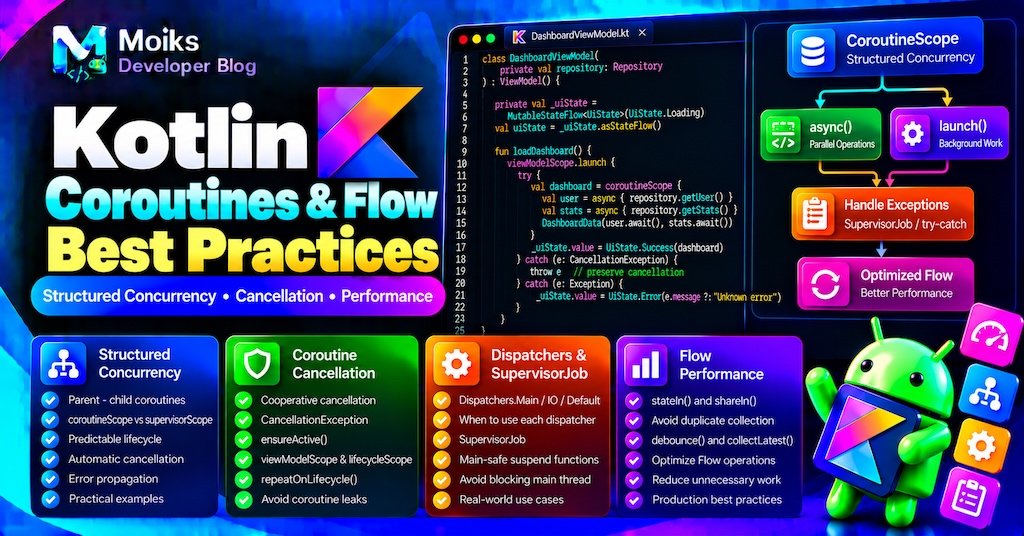
Kotlin Coroutines and Flow are essential technologies for building modern Android applications.
They simplify asynchronous programming and help developers manage background operations, API requests, database access, and reactive UI updates.
However, simply using coroutines does not automatically make an application efficient or reliable.
Poor coroutine management can lead to:
- Memory leaks
- Unnecessary background operations
- Unexpected application crashes
- Wasted CPU resources
- UI performance issues
- Incorrect cancellation behavior
- Duplicate network requests
- Difficult-to-debug concurrency problems
To build production-quality Android applications, developers must understand how to manage coroutine lifecycles, dispatchers, cancellation, exceptions, and Flow collection correctly.
In this tutorial, we’ll explore the most important Kotlin Coroutines and Flow best practices using practical Android examples.
What You’ll Learn
By the end of this tutorial, you’ll understand:
- Structured concurrency
- CoroutineScope ownership
- viewModelScope
- lifecycleScope
- repeatOnLifecycle()
- Coroutine cancellation
- Cooperative cancellation
- SupervisorJob
- Exception handling
- Coroutine dispatchers
- Main-safe suspend functions
- Flow performance optimization
- StateFlow and SharedFlow best practices
- Avoiding coroutine leaks
- Parallel execution with async()
- Common coroutine anti-patterns
- Production-ready MVVM architecture
Let’s begin!
1. What Is Structured Concurrency in Kotlin?
Structured concurrency is a fundamental principle of Kotlin Coroutines.
It ensures that coroutines are organized within a predictable parent-child hierarchy.
A parent coroutine manages the lifecycle of its child coroutines.
Basic Example
suspend fun loadDashboard() = coroutineScope {

    launch {
        loadUserProfile()
    }

    launch {
        loadNotifications()
    }
}
Explanation
Both child coroutines belong to the same coroutineScope.
The function does not complete until its child coroutines finish.
If a child fails with an unhandled exception, the normal coroutineScope failure behavior cancels its siblings and propagates the failure.
Benefits
- Predictable coroutine lifecycles
- Automatic cancellation propagation
- Easier exception management
- Reduced risk of leaked work
- Better concurrency control
Best Practice
Prefer structured concurrency over launching independent coroutines without a clearly defined owner.
2. Understanding CoroutineScope
CoroutineScope defines the context in which coroutines execute.
It includes a CoroutineContext that commonly contains a Job and a dispatcher.
Example
val scope = CoroutineScope(
    SupervisorJob() + Dispatchers.Default
)
This creates a scope with a SupervisorJob and the Default dispatcher.
Important
Creating a CoroutineScope also creates responsibility for managing its lifecycle.
If you own the scope, you must determine when it should be cancelled.
Example
class DataProcessor {

    private val scope = CoroutineScope(
        SupervisorJob() + Dispatchers.Default
    )

    fun startProcessing() {

        scope.launch {
            processData()
        }
    }

    fun close() {
        scope.cancel()
    }
}
Best Practice
Avoid creating unmanaged CoroutineScopes inside repositories or utility classes.
Prefer receiving a CoroutineScope from a component that owns the required lifetime.
3. Avoid GlobalScope in Android Applications
GlobalScope launches coroutines that are not tied to a normal application component’s lifecycle.
Not Recommended
GlobalScope.launch {
    fetchUserData()
}
Problems
- Work may continue after the screen disappears.
- Cancellation is difficult to coordinate.
- Errors can become harder to manage.
- Testing becomes more complicated.
Recommended
class UserViewModel(
    private val repository: UserRepository
) : ViewModel() {

    fun loadUser() {

        viewModelScope.launch {
            repository.getUser()
        }
    }
}
Explanation
viewModelScope is cancelled when the ViewModel is cleared.
This makes it suitable for ViewModel-owned operations.
Important
If work must continue after the ViewModel is destroyed, consider a longer-lived application-owned scope or WorkManager, depending on the work’s requirements.
4. Use viewModelScope for ViewModel Operations
viewModelScope is one of the most commonly used coroutine scopes in modern Android development.
Example
class ProductViewModel(
    private val repository: ProductRepository
) : ViewModel() {

    private val _products =
        MutableStateFlow<List<Product>>(emptyList())

    val products = _products.asStateFlow()

    fun loadProducts() {

        viewModelScope.launch {

            val result = repository.getProducts()

            _products.value = result
        }
    }
}
Explanation
The coroutine belongs to the ViewModel.
When the ViewModel is cleared, its scope is cancelled.
Benefits
- Lifecycle-aware ownership
- Automatic scope cancellation
- Easy StateFlow integration
- Clean MVVM architecture
Best Practice
Use viewModelScope for work that should remain active while the ViewModel exists.
Do not assume that viewModelScope work survives process death.
5. Use lifecycleScope for Lifecycle-Owned Operations
lifecycleScope belongs to a LifecycleOwner, such as an Activity or Fragment.
Example
class MainActivity : ComponentActivity() {

    override fun onCreate(
        savedInstanceState: Bundle?
    ) {
        super.onCreate(savedInstanceState)

        lifecycleScope.launch {

            performLifecycleOwnedOperation()
        }
    }
}
Explanation
The coroutine is cancelled when the lifecycle is destroyed.
Important
lifecycleScope does not automatically stop all work when an Activity enters the background.
For UI collection that should run only while the screen is visible, use repeatOnLifecycle().
6. Collect Kotlin Flow with repeatOnLifecycle()
Collecting a Flow continuously while a screen is stopped can waste resources.
Android provides repeatOnLifecycle() for lifecycle-aware collection.
Example
lifecycleScope.launch {

    repeatOnLifecycle(
        Lifecycle.State.STARTED
    ) {

        viewModel.uiState.collect { state ->

            renderUi(state)
        }
    }
}
Explanation
Collection starts when the lifecycle reaches STARTED.
When the lifecycle falls below STARTED, the collection coroutine is cancelled.
Collection restarts when the lifecycle returns to STARTED.
Best Practice
Use repeatOnLifecycle() for lifecycle-aware Flow collection in Activities and Fragments.
For StateFlow in Jetpack Compose, prefer collectAsStateWithLifecycle().
7. Collect StateFlow in Jetpack Compose
Jetpack Compose integrates naturally with StateFlow.
Example
@Composable
fun ProfileScreen(
    viewModel: ProfileViewModel = viewModel()
) {

    val uiState by viewModel.uiState
        .collectAsStateWithLifecycle()

    when (val state = uiState) {

        is ProfileUiState.Loading -> {
            CircularProgressIndicator()
        }

        is ProfileUiState.Success -> {
            Text(state.name)
        }

        is ProfileUiState.Error -> {
            Text(state.message)
        }
    }
}
Explanation
collectAsStateWithLifecycle() observes StateFlow in a lifecycle-aware manner.
When the state changes, Compose updates the relevant UI.
Best Practice
Expose immutable StateFlow from the ViewModel and collect it in the UI layer.
8. Understanding Coroutine Cancellation
Coroutine cancellation allows asynchronous work to stop when it is no longer needed.
Example
val job = scope.launch {

    repeat(100) { index ->

        delay(1000)

        println("Processing $index")
    }
}

job.cancel()
Explanation
The coroutine performs repeated work.
When the Job is cancelled, the coroutine stops at a cancellation-aware suspension point.
Important
Cancellation in Kotlin Coroutines is cooperative.
A coroutine performing CPU-intensive work without suspension or cancellation checks may continue running after cancellation is requested.
9. Cooperative Cancellation with ensureActive()
For CPU-intensive loops, explicitly check cancellation.
Example
suspend fun processLargeDataset(
    items: List<Int>
) {

    withContext(Dispatchers.Default) {

        for (item in items) {

            ensureActive()

            processItem(item)
        }
    }
}
Explanation
ensureActive() checks whether the coroutine is still active.
If cancellation has been requested, it throws CancellationException.
When to Use
- Large data processing
- Image processing
- Computational loops
- Long-running transformations
Best Practice
Use cancellation checks in long-running operations that do not naturally suspend.
10. Never Swallow CancellationException
CancellationException is part of normal coroutine cancellation.
Incorrect
try {

    repository.loadData()

} catch (exception: Exception) {

    println("Error occurred")
}
This may accidentally swallow cancellation.
Correct
try {

    repository.loadData()

} catch (exception: CancellationException) {

    throw exception

} catch (exception: Exception) {

    println(
        "Error: ${exception.message}"
    )
}
Explanation
CancellationException is rethrown.
Other exceptions can be handled separately.
Best Practice
Preserve cancellation throughout repository, ViewModel, and business logic layers.
11. Understanding SupervisorJob
Normally, an unhandled child failure in a regular Job hierarchy can cancel the parent and sibling coroutines.
SupervisorJob changes this behavior for its direct children.
Example
val scope = CoroutineScope(
    SupervisorJob() + Dispatchers.Default
)

scope.launch {

    try {
        throw IllegalStateException("Task failed")
    } catch (exception: Exception) {
        println("Task A failed")
    }
}

scope.launch {

    println("Task B continues")
}
Explanation
The SupervisorJob allows sibling coroutines to operate independently when one child fails.
In this example, Task A also handles its own exception.
Important
SupervisorJob does not automatically handle exceptions.
Unhandled exceptions from launch coroutines still require an appropriate exception-handling strategy.
12. coroutineScope vs supervisorScope
Both functions create structured coroutine scopes.
However, their failure behavior differs.
coroutineScope
suspend fun loadData() = coroutineScope {

    launch {
        loadProfile()
    }

    launch {
        loadSettings()
    }
}
An unhandled child failure cancels sibling work and causes the scope to fail.
supervisorScope
suspend fun loadIndependentData() = supervisorScope {

    launch {
        try {
            loadProfile()
        } catch (exception: CancellationException) {
            throw exception
        } catch (exception: Exception) {
            logError(exception)
        }
    }

    launch {
        try {
            loadSettings()
        } catch (exception: CancellationException) {
            throw exception
        } catch (exception: Exception) {
            logError(exception)
        }
    }
}
Explanation
supervisorScope allows independent child failures without automatically cancelling siblings.
Each independent operation should still handle its own failures appropriately.
When to Use
Use coroutineScope when all child operations form one combined task.
Use supervisorScope when independent operations should not cancel one another.
13. Choose the Correct Coroutine Dispatcher
Kotlin provides dispatchers for different types of work.
| Dispatcher | Recommended Use |
|---|---|
| Dispatchers.Main | UI-related work |
| Dispatchers.IO | Blocking I/O operations |
| Dispatchers.Default | CPU-intensive operations |
| Dispatchers.Unconfined | Specialized cases; generally avoid in ordinary Android code |
Dispatchers.Main
viewModelScope.launch {

    _uiState.value = UiState.Loading
}
Dispatchers.IO
withContext(Dispatchers.IO) {

    readLargeFile()
}
Dispatchers.Default
withContext(Dispatchers.Default) {

    calculateComplexResult()
}
Important
Many modern suspend APIs already manage their own threading.
For example, Retrofit suspend functions and Room suspend DAO methods are designed to avoid blocking the main thread.
Do not wrap every suspend call in Dispatchers.IO unnecessarily.
14. Make Suspend Functions Main-Safe
A main-safe suspend function can be called from the main thread without blocking it.
Example
class FileRepository(
    private val ioDispatcher: CoroutineDispatcher
) {

    suspend fun readFile(): String {

        return withContext(ioDispatcher) {

            File("sample.txt").readText()
        }
    }
}
Explanation
The repository controls the dispatcher required for blocking file access.
The ViewModel does not need to know how the repository performs the operation.
Best Practice
Move blocking work away from the main thread inside the layer responsible for that work.
Inject dispatchers where appropriate to improve testability.
15. Avoid Blocking the Main Thread
Incorrect
viewModelScope.launch {

    Thread.sleep(3000)

    _uiState.value = UiState.Success
}
Problem
Thread.sleep() blocks the executing thread.
If executed on Dispatchers.Main, the UI becomes unresponsive.
Correct
viewModelScope.launch {

    delay(3000)

    _uiState.value = UiState.Success
}
Explanation
delay() suspends the coroutine without blocking the thread.
Important
Use delay() for asynchronous waiting.
For blocking operations, use an appropriate dispatcher.
16. Parallel Operations with async()
Sometimes independent operations can run concurrently.
Sequential Example
suspend fun loadDashboard(): Dashboard {

    val user = repository.getUser()

    val notifications =
        repository.getNotifications()

    return Dashboard(
        user,
        notifications
    )
}
Parallel Example
suspend fun loadDashboard(): Dashboard =
    coroutineScope {

        val userDeferred = async {
            repository.getUser()
        }

        val notificationsDeferred = async {
            repository.getNotifications()
        }

        Dashboard(
            user = userDeferred.await(),
            notifications = notificationsDeferred.await()
        )
    }
Explanation
Both operations start concurrently.
The function waits for both results.
Benefits
Parallel execution may reduce total waiting time when operations are independent.
Important
Use async() when you need a result.
Use launch() when you need to start a coroutine without returning a value directly.
Avoid unnecessary parallelism when operations are dependent or share constrained resources.
17. Avoid Excessive Coroutine Creation
Coroutines are lightweight, but they are not free.
Launching thousands of coroutines unnecessarily can increase scheduling overhead and resource usage.
Example
coroutineScope {

    items.forEach { item ->

        launch {
            processItem(item)
        }
    }
}
This can be appropriate for a small collection.
For very large collections, uncontrolled concurrency may overwhelm a database, server, or device.
Better Approach: Limit Concurrency
suspend fun processItems(
    items: List<Item>
) = coroutineScope {

    val semaphore = Semaphore(4)

    items.map { item ->

        async {

            semaphore.withPermit {
                processItem(item)
            }
        }

    }.awaitAll()
}
Explanation
The semaphore limits concurrent processing to four operations.
Best Practice
Choose concurrency limits based on the workload and available resources.
18. StateFlow Best Practices
StateFlow is designed to represent observable state.
Recommended Pattern
class SettingsViewModel : ViewModel() {

    private val _uiState =
        MutableStateFlow(SettingsUiState())

    val uiState: StateFlow<SettingsUiState> =
        _uiState.asStateFlow()

    fun updateDarkMode(enabled: Boolean) {

        _uiState.update { current ->

            current.copy(
                darkModeEnabled = enabled
            )
        }
    }
}
Best Practices
- Keep MutableStateFlow private.
- Expose read-only StateFlow.
- Prefer immutable UI state models.
- Use update() for atomic state transformations.
- Avoid exposing mutable collections.
- Keep state ownership clear.
Important
StateFlow uses equality-based conflation.
Emitting an equal value does not produce a new observable state update.
19. SharedFlow Best Practices
SharedFlow broadcasts values to active subscribers.
Example
class EventViewModel : ViewModel() {

    private val _events =
        MutableSharedFlow<String>()

    val events: SharedFlow<String> =
        _events.asSharedFlow()

    fun sendEvent(message: String) {

        viewModelScope.launch {

            _events.emit(message)
        }
    }
}
Best Practices
- Use SharedFlow for appropriate broadcast streams.
- Understand replay behavior.
- Configure buffering intentionally.
- Consider subscriber lifecycle.
- Do not assume every event is delivered.
- Avoid using SharedFlow as persistent storage.
Important
For important UI outcomes that must survive lifecycle changes, represent the outcome in UI state or persistent storage.
20. Optimize Flow Collection
Repeated Flow collection can restart expensive upstream operations.
Example
val productsFlow = repository.observeProducts()If the Flow is cold, each collector may start a new upstream operation.
Solution: stateIn()
val products = repository.observeProducts()
    .stateIn(
        scope = viewModelScope,
        started = SharingStarted.WhileSubscribed(5000),
        initialValue = emptyList()
    )
Explanation
stateIn() converts a Flow into StateFlow and shares its upstream collection.
Benefits
- Shared upstream work
- Observable latest state
- Better integration with Compose
- Reduced duplicate collection work
Best Practice
Use stateIn() when a cold Flow should be shared as observable state.
21. Use shareIn() for Shared Streams
The shareIn() operator converts a cold Flow into SharedFlow.
Example
val sharedUpdates = repository.observeUpdates()
    .shareIn(
        scope = viewModelScope,
        started = SharingStarted.WhileSubscribed(5000),
        replay = 0
    )
Explanation
Multiple collectors share the same upstream stream.
When to Use
- Shared real-time updates
- Multiple observers of one data source
- Expensive upstream operations
- Application event streams
Important
Choose a scope that matches the required lifetime of the shared stream.
22. Avoid Unnecessary Flow Operators
Flow operators are useful, but excessive transformations can make pipelines harder to understand.
Example
repository.observeProducts()
    .map { products ->
        products.filter { it.isAvailable }
    }
    .map { products ->
        products.sortedBy { it.name }
    }
Alternative
repository.observeProducts()
    .map { products ->

        products
            .filter { it.isAvailable }
            .sortedBy { it.name }
    }
Explanation
Combining related transformations can improve readability.
Important
Do not assume fewer operators always produce meaningful performance gains.
Measure performance before making complex optimizations.
23. Use distinctUntilChanged() Appropriately
distinctUntilChanged() prevents consecutive equal emissions from continuing downstream.
Example
repository.observeSearchQuery()
    .distinctUntilChanged()
    .collect { query ->

        searchProducts(query)
    }
Explanation
If the same query is emitted repeatedly, duplicate values are filtered.
Important
StateFlow already performs equality-based conflation.
Applying distinctUntilChanged() directly to StateFlow does not provide additional behavior.
24. Use debounce() for Search Inputs
Search interfaces often receive rapid input changes.
Calling an API for every keystroke can generate unnecessary requests.
Example
searchQuery
    .debounce(300)
    .distinctUntilChanged()
    .collectLatest { query ->

        searchRepository.search(query)
    }
Explanation
debounce() waits for a quiet period.
distinctUntilChanged() avoids repeated equal queries.
collectLatest() cancels the previous collection action when a new value arrives.
Best Practice
Use debounce() when waiting briefly for input stability improves the user experience.
25. Understanding collectLatest()
collectLatest() cancels processing of the previous value when a newer value arrives.
Example
searchQuery.collectLatest { query ->

    val results = repository.search(query)

    displayResults(results)
}
Explanation
If a new query arrives before the previous search finishes, the previous collection action is cancelled.
Important
Cancellation must be respected by the underlying work.
Blocking or non-cooperative operations may not stop immediately.
26. Avoid Duplicate Network Requests
A common mistake is starting the same network operation from multiple UI lifecycle events.
Example Problem
@Composable
fun ProductScreen(
    viewModel: ProductViewModel
) {

    viewModel.loadProducts()
}
Why Is This Wrong?
Composable functions can recompose many times.
Calling loadProducts() directly in the composable body may trigger repeated requests.
Better Approach
@Composable
fun ProductScreen(
    viewModel: ProductViewModel
) {

    LaunchedEffect(viewModel) {

        viewModel.loadProducts()
    }
}
Explanation
LaunchedEffect runs when it enters composition and restarts when its keys change.
Best Practice
For screen data that should load once per ViewModel instance, consider starting the operation in the ViewModel’s init block.
Practical Android Mini-Project: Production-Ready Dashboard with Coroutines & Flow
Now let’s build a small dashboard that demonstrates several best practices together.
Features
- Parallel data loading
- Structured concurrency
- ViewModel-owned work
- Cancellation support
- StateFlow UI state
- Error handling
- Jetpack Compose integration
- Manual refresh
Technology Stack
- Kotlin
- Kotlin Coroutines
- Kotlin Flow
- StateFlow
- ViewModel
- Jetpack Compose
- Material 3
- MVVM
For simplicity, we’ll simulate repository operations.
27. Create the Dashboard Models
data class UserProfile(
    val name: String,
    val email: String
)

data class DashboardData(
    val user: UserProfile,
    val notificationCount: Int
)
Explanation
UserProfile stores basic user information.
DashboardData combines the profile and notification count.
28. Create the Dashboard Repository
class DashboardRepository {

    suspend fun getUserProfile(): UserProfile {

        delay(800)

        return UserProfile(
            name = "Android Developer",
            email = "developer@example.com"
        )
    }

    suspend fun getNotificationCount(): Int {

        delay(1200)

        return 8
    }
}
Explanation
Both functions simulate asynchronous operations.
Because they use delay(), they do not block a thread while waiting.
29. Create Dashboard UI State
sealed interface DashboardUiState {

    data object Loading : DashboardUiState

    data class Success(
        val data: DashboardData
    ) : DashboardUiState

    data class Error(
        val message: String
    ) : DashboardUiState
}
Explanation
The UI can display loading, success, or error states.
30. Create the Dashboard ViewModel
class DashboardViewModel(
    private val repository: DashboardRepository
) : ViewModel() {

    private val _uiState =
        MutableStateFlow<DashboardUiState>(
            DashboardUiState.Loading
        )

    val uiState: StateFlow<DashboardUiState> =
        _uiState.asStateFlow()

    private var refreshJob: Job? = null

    init {
        refresh()
    }

    fun refresh() {

        refreshJob?.cancel()

        refreshJob = viewModelScope.launch {

            _uiState.value = DashboardUiState.Loading

            try {

                val dashboard = coroutineScope {

                    val userDeferred = async {
                        repository.getUserProfile()
                    }

                    val notificationsDeferred = async {
                        repository.getNotificationCount()
                    }

                    DashboardData(
                        user = userDeferred.await(),
                        notificationCount =
                            notificationsDeferred.await()
                    )
                }

                _uiState.value =
                    DashboardUiState.Success(dashboard)

            } catch (exception: CancellationException) {

                throw exception

            } catch (exception: Exception) {

                _uiState.value =
                    DashboardUiState.Error(
                        "Unable to load dashboard"
                    )
            }
        }
    }
}
Explanation
The ViewModel starts loading when created.
The profile and notification operations run concurrently.
coroutineScope waits for both results.
If both succeed, the ViewModel publishes Success.
If an operation fails, the ViewModel publishes Error.
When refresh() is called again, the previous refresh job is cancelled.
Benefits
- Structured concurrency
- Predictable cancellation
- Parallel independent operations
- Explicit UI state
- ViewModel lifecycle ownership
31. Create the Jetpack Compose Dashboard Screen
@Composable
fun DashboardScreen(
    viewModel: DashboardViewModel
) {

    val uiState by viewModel.uiState
        .collectAsStateWithLifecycle()

    Column(
        modifier = Modifier
            .fillMaxSize()
            .padding(24.dp),
        verticalArrangement =
            Arrangement.spacedBy(16.dp)
    ) {

        Text(
            text = "Developer Dashboard",
            style = MaterialTheme.typography.headlineMedium
        )

        when (val state = uiState) {

            DashboardUiState.Loading -> {

                CircularProgressIndicator()
            }

            is DashboardUiState.Success -> {

                Text(
                    text = "Welcome, ${state.data.user.name}",
                    style = MaterialTheme.typography.titleLarge
                )

                Text(
                    text = state.data.user.email
                )

                Card(
                    modifier = Modifier.fillMaxWidth()
                ) {

                    Column(
                        modifier = Modifier.padding(16.dp)
                    ) {

                        Text(
                            text = "Notifications",
                            style = MaterialTheme.typography.titleMedium
                        )

                        Text(
                            text = "${state.data.notificationCount} unread"
                        )
                    }
                }

                Button(
                    onClick = {
                        viewModel.refresh()
                    }
                ) {

                    Text("Refresh Dashboard")
                }
            }

            is DashboardUiState.Error -> {

                Text(
                    text = state.message,
                    color = MaterialTheme.colorScheme.error
                )

                Button(
                    onClick = {
                        viewModel.refresh()
                    }
                ) {

                    Text("Retry")
                }
            }
        }
    }
}
Explanation
The screen observes StateFlow using collectAsStateWithLifecycle().
The UI automatically updates when the ViewModel publishes a new state.
The Refresh button starts a new request.
The Retry button allows recovery after a failure.
32. Create the MainActivity
For this standalone tutorial, we can construct the repository and ViewModel through a ViewModel factory.
class MainActivity : ComponentActivity() {

    override fun onCreate(
        savedInstanceState: Bundle?
    ) {

        super.onCreate(savedInstanceState)

        setContent {

            MaterialTheme {

                val viewModel: DashboardViewModel =
                    viewModel(
                        factory = DashboardViewModelFactory(
                            DashboardRepository()
                        )
                    )

                DashboardScreen(
                    viewModel = viewModel
                )
            }
        }
    }
}
ViewModel Factory
class DashboardViewModelFactory(
    private val repository: DashboardRepository
) : ViewModelProvider.Factory {

    override fun <T : ViewModel> create(
        modelClass: Class<T>
    ): T {

        if (
            modelClass.isAssignableFrom(
                DashboardViewModel::class.java
            )
        ) {

            @Suppress("UNCHECKED_CAST")
            return DashboardViewModel(repository) as T
        }

        throw IllegalArgumentException(
            "Unknown ViewModel class"
        )
    }
}
Explanation
The factory creates DashboardViewModel with its repository dependency.
In larger production applications, Hilt can manage dependency injection automatically.
33. Expected UI — Loading
+--------------------------------+
|                                |
|      Developer Dashboard       |
|                                |
|              ○                 |
|                                |
|       Loading dashboard...     |
|                                |
+--------------------------------+
34. Expected UI — Success
+--------------------------------+
|                                |
|      Developer Dashboard       |
|                                |
| Welcome, Android Developer     |
|                                |
| developer@example.com          |
|                                |
| +----------------------------+ |
| | Notifications              | |
| |                            | |
| | 8 unread                   | |
| +----------------------------+ |
|                                |
|      [ Refresh Dashboard ]     |
|                                |
+--------------------------------+
35. Expected UI — Error
+--------------------------------+
|                                |
|      Developer Dashboard       |
|                                |
|   Unable to load dashboard     |
|                                |
|           [ Retry ]            |
|                                |
+--------------------------------+
36. How the Application Works
Step 1: ViewModel Initializes
The ViewModel starts loading dashboard data.
Step 2: StateFlow Publishes Loading
The Compose screen displays a progress indicator.
Step 3: Two Operations Start Concurrently
The repository loads the user profile and notification count.
Step 4: Structured Concurrency Manages Both Tasks
coroutineScope waits for both operations to complete.
Step 5: ViewModel Publishes Success
The combined DashboardData is stored in StateFlow.
Step 6: Compose Updates the UI
The screen displays the profile and notifications.
Step 7: User Refreshes
The previous refresh job is cancelled if necessary.
A new refresh operation begins.
This architecture demonstrates lifecycle ownership, structured concurrency, and predictable UI state management.
37. Common Kotlin Coroutine Anti-Patterns
Anti-Pattern 1: Using GlobalScope
Avoid unmanaged global coroutines for ordinary screen operations.
Anti-Pattern 2: Blocking Dispatchers.Main
Do not perform blocking file or network operations on the main thread.
Anti-Pattern 3: Ignoring Cancellation
Preserve CancellationException and use cooperative cancellation.
Anti-Pattern 4: Launching Coroutines Inside Every Recomposition
Use ViewModel, LaunchedEffect, or appropriate event handlers.
Anti-Pattern 5: Creating Unmanaged CoroutineScopes
Every custom CoroutineScope should have a clear owner and cancellation strategy.
Anti-Pattern 6: Using async() Without Awaiting Results
Use async() when results are needed and await them within structured concurrency.
Anti-Pattern 7: Unlimited Parallelism
Limit concurrency when working with large datasets or constrained resources.
Anti-Pattern 8: Retrying Every Failure
Retry only appropriate failures with bounded policies.
Anti-Pattern 9: Collecting Expensive Cold Flows Multiple Times
Consider stateIn() or shareIn() when upstream sharing is appropriate.
Anti-Pattern 10: Assuming Every Flow Emission Is Delivered
Understand StateFlow conflation and SharedFlow replay and buffering behavior.
38. Production Best Practices Checklist
Before releasing an Android application, review these practices:
- Use structured concurrency.
- Keep coroutine ownership explicit.
- Prefer viewModelScope for ViewModel operations.
- Use lifecycle-aware Flow collection.
- Avoid GlobalScope for ordinary app work.
- Preserve coroutine cancellation.
- Use ensureActive() in long CPU-intensive loops.
- Select dispatchers based on workload.
- Keep suspend functions main-safe.
- Avoid blocking the main thread.
- Use async() for independent concurrent operations.
- Limit excessive parallelism.
- Handle exceptions at meaningful boundaries.
- Use StateFlow for observable UI state.
- Use SharedFlow for appropriate broadcast streams.
- Share expensive upstream Flows when needed.
- Avoid duplicate network requests.
- Use debounce() for suitable search interactions.
- Use collectLatest() when newer work should replace older work.
- Test cancellation, errors, and concurrency behavior.
- Measure performance before optimizing.
39. Kotlin Coroutines & Flow Quick Reference
| API | Purpose |
|---|---|
| coroutineScope() | Structured child coroutine execution |
| supervisorScope() | Independent child failure handling |
| CoroutineScope | Owns coroutine execution context |
| viewModelScope | ViewModel-owned coroutine scope |
| lifecycleScope | LifecycleOwner-owned coroutine scope |
| repeatOnLifecycle() | Lifecycle-aware Flow collection |
| launch() | Start a coroutine |
| async() | Start coroutine returning Deferred |
| await() | Await Deferred result |
| withContext() | Execute work in another context |
| delay() | Non-blocking suspension |
| ensureActive() | Check cancellation |
| SupervisorJob | Isolate direct child failures |
| StateFlow | Observable current state |
| SharedFlow | Shared broadcast stream |
| stateIn() | Convert Flow to StateFlow |
| shareIn() | Convert Flow to SharedFlow |
| debounce() | Delay emissions until input stabilizes |
| collectLatest() | Cancel previous processing on new emission |
40. Practical Exercises
Try these exercises to strengthen your understanding.
Exercise 1: Structured Concurrency
Create two child coroutines inside coroutineScope().
Exercise 2: Cancellation
Start a repeating coroutine and cancel it after a short delay.
Exercise 3: ensureActive()
Create a CPU-intensive loop that checks cancellation.
Exercise 4: SupervisorJob
Demonstrate independent child coroutine failures.
Exercise 5: Dispatchers
Move a blocking file operation to Dispatchers.IO.
Exercise 6: Parallel Operations
Load two independent datasets using async().
Exercise 7: StateFlow
Create a ViewModel that exposes immutable UI state.
Exercise 8: SharedFlow
Create a shared event stream with multiple collectors.
Exercise 9: Flow Optimization
Use stateIn() to share a cold Flow inside a ViewModel.
Exercise 10: Dashboard Mini-Project
Build the complete dashboard example from this tutorial.
41. Frequently Asked Questions
What is structured concurrency in Kotlin?
Structured concurrency organizes coroutines into parent-child relationships so their lifecycles and failures can be managed predictably.
What is viewModelScope?
viewModelScope is a CoroutineScope tied to an Android ViewModel.
It is cancelled when the ViewModel is cleared.
What is lifecycleScope?
lifecycleScope is a CoroutineScope associated with an Android LifecycleOwner.
What is the difference between coroutineScope and supervisorScope?
coroutineScope propagates unhandled child failures and cancels sibling work.
supervisorScope allows direct child failures to be isolated.
What is SupervisorJob?
SupervisorJob is a Job that prevents a failing direct child from automatically cancelling its siblings.
Why should GlobalScope be avoided?
GlobalScope is not tied to a normal component lifecycle, making ownership, cancellation, and testing harder.
What is cooperative cancellation?
Cooperative cancellation means coroutine code must reach cancellation-aware suspension points or explicitly check its cancellation state.
What is the difference between Dispatchers.IO and Dispatchers.Default?
Dispatchers.IO is intended for blocking I/O work.
Dispatchers.Default is intended for CPU-intensive work.
What is the difference between launch and async?
launch starts a coroutine and returns a Job.
async starts a coroutine and returns a Deferred result.
How can I improve Kotlin Flow performance?
Use lifecycle-aware collection, avoid unnecessary duplicate upstream work, share expensive Flows when appropriate, and measure performance before optimizing.
Should I use StateFlow or SharedFlow?
Use StateFlow for current observable state.
Use SharedFlow when broadcasting values to active subscribers is appropriate.
What We’ve Learned
In this tutorial, we explored:
- Structured concurrency
- CoroutineScope ownership
- viewModelScope and lifecycleScope
- Lifecycle-aware Flow collection
- Coroutine cancellation
- Cooperative cancellation
- SupervisorJob
- coroutineScope vs supervisorScope
- Coroutine dispatchers
- Main-safe suspend functions
- Avoiding main-thread blocking
- Parallel operations with async()
- Concurrency limits
- StateFlow best practices
- SharedFlow best practices
- stateIn and shareIn
- Flow performance optimization
- Avoiding duplicate network requests
- Production-ready ViewModel architecture
Kotlin Coroutines and Flow make asynchronous Android development more manageable, but correct lifecycle ownership and cancellation behavior are essential.
By applying these best practices, developers can build Android applications that are more responsive, maintainable, testable, and reliable.
These concepts provide a strong foundation for advanced Android architecture, dependency injection, networking, database integration, and production performance optimization.
What’s Next?
In our next tutorial, we’ll begin exploring modern Android application architecture.
Article 38 — MVVM Architecture in Android with Kotlin & Jetpack Compose: Complete Beginner-to-Advanced Guide
You’ll learn:
- What software architecture means in Android
- Why MVVM is widely used
- Model, View, and ViewModel responsibilities
- UI state management
- Unidirectional Data Flow
- Repository pattern
- StateFlow integration
- ViewModel lifecycle
- Dependency injection concepts
- Jetpack Compose integration
- Practical MVVM Android mini-project
- Common architecture mistakes
- Production best practices
Happy Coding!
Continue learning modern Android development with Moiks Developer Blog.


