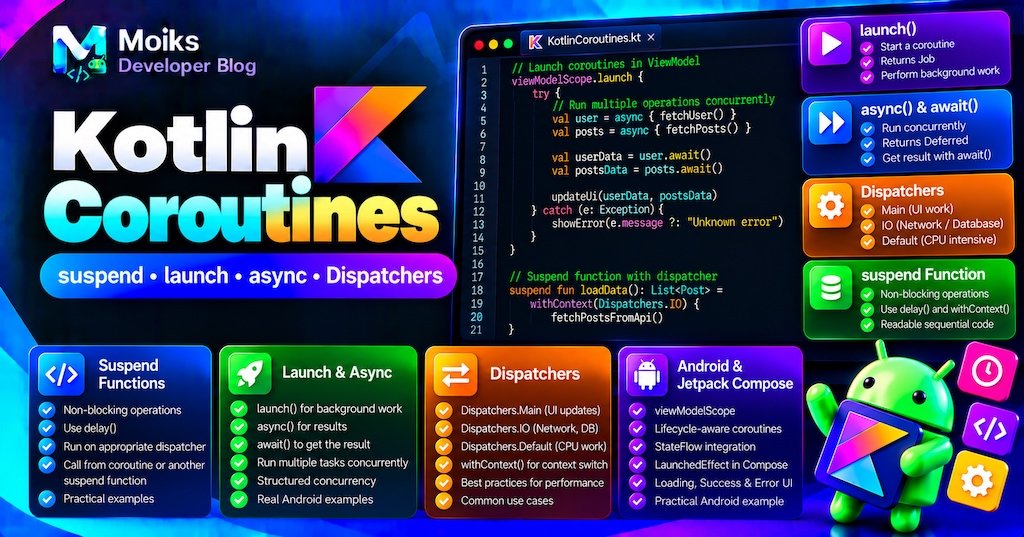
Modern Android applications perform many operations that should not block the main UI thread.
For example:
- Fetching data from REST APIs
- Reading and writing database records
- Downloading files
- Processing images
- Loading user profiles
- Synchronizing application data
- Performing background calculations
- Updating application state
If expensive operations block the main thread, the application may become unresponsive.
This can cause frozen animations, delayed touch responses, and Application Not Responding (ANR) errors.
Kotlin provides Coroutines, a powerful concurrency framework that helps developers perform asynchronous operations using readable, sequential-looking code.
Coroutines are widely used with:
- Kotlin
- Android ViewModel
- Jetpack Compose
- Retrofit
- Room Database
- StateFlow
- WorkManager
- Clean Architecture
- Repository patterns
In this tutorial, we’ll learn Kotlin Coroutines step by step, starting with the basics and progressing to practical Android development.
What You’ll Learn
By the end of this tutorial, you’ll understand:
- What Kotlin Coroutines are
- Why Android applications need coroutines
- Coroutines vs threads
- The
suspendkeyword runBlocking()CoroutineScopelaunch()async()andawait()Dispatchers.Main,IO, andDefaultwithContext()delay()vsThread.sleep()- Structured concurrency
Joband coroutine cancellation- Exception handling
viewModelScopeLaunchedEffect- Jetpack Compose integration
- Common mistakes and best practices
Let’s begin!
1. What Are Kotlin Coroutines?
A coroutine is a unit of work that can suspend execution without necessarily blocking its underlying thread.
Coroutines allow developers to write asynchronous code in a sequential style.
Example
suspend fun loadUser(): String {

    delay(1000)

    return "Alex"
}
The function waits approximately one second before returning a username.
Unlike Thread.sleep(), delay() suspends the coroutine without blocking its underlying thread.
Important
Coroutines do not automatically create new threads.
They execute within a coroutine context, and their dispatcher determines how execution is scheduled.
2. Why Do Android Applications Need Coroutines?
Android applications have a main thread responsible for many UI operations.
The main thread handles:
- User interactions
- UI rendering coordination
- Event processing
- Lifecycle callbacks
- Compose UI updates
Blocking the main thread with expensive work can make an application unresponsive.
Blocking Example
fun loadData() {

    Thread.sleep(3000)

    println("Data loaded")
}
If called on the main thread, this blocks it for three seconds.
Coroutine Example
suspend fun loadData() {

    delay(3000)

    println("Data loaded")
}
Here, delay() suspends the coroutine instead of blocking the thread.
Important Difference
Suspending does not automatically make CPU-intensive work non-blocking.
Heavy calculations still need an appropriate dispatcher, such as Dispatchers.Default.
3. Coroutines vs Threads
Coroutines and threads are related but not the same.
| Feature | Thread | Coroutine |
|---|---|---|
| Nature | OS-managed execution thread | Lightweight concurrent task |
| Resource cost | Relatively expensive | Relatively lightweight |
| Suspension | Blocking APIs may occupy thread | Can suspend without blocking |
| Cancellation | Depends on thread APIs and cooperation | Cooperative cancellation |
| Scheduling | Operating system | Coroutine dispatcher |
| Android use | Lower-level concurrency | Preferred for many asynchronous operations |
Key Point
Many coroutines can share a smaller pool of threads.
This makes coroutines suitable for applications performing numerous asynchronous tasks.
4. Add Kotlin Coroutines to an Android Project
Kotlin Coroutines are provided by the kotlinx.coroutines library.
In an Android project, you commonly use:
implementation(
    "org.jetbrains.kotlinx:kotlinx-coroutines-android:<compatible-version>"
)
Replace <compatible-version> with a current stable version compatible with your project.
If you use Gradle Version Catalogs, declare the dependency in libs.versions.toml instead.
Common Imports
import kotlinx.coroutines.CoroutineScope
import kotlinx.coroutines.Dispatchers
import kotlinx.coroutines.Job
import kotlinx.coroutines.async
import kotlinx.coroutines.awaitAll
import kotlinx.coroutines.delay
import kotlinx.coroutines.launch
import kotlinx.coroutines.runBlocking
import kotlinx.coroutines.withContext
Android projects also commonly use Lifecycle libraries for viewModelScope.
5. Understanding suspend Functions
The suspend keyword marks a function that can suspend when called from a coroutine or another suspend function.
Syntax
suspend fun functionName() {

    // Suspending operations
}
Example
suspend fun fetchUsername(): String {

    delay(1000)

    return "Alex"
}
Explanation
The function can call suspending operations such as delay().
It must be invoked from a coroutine or another suspend function.
Important
A suspend function does not automatically execute on a background thread.
The dispatcher of the calling coroutine determines its execution context unless the function switches context internally.
6. Kotlin runBlocking()
The runBlocking() function starts a coroutine and blocks the calling thread until its work completes.
It is useful in simple console demonstrations and certain tests.
Example
fun main() = runBlocking {

    println("Start")

    delay(1000)

    println("Finished")
}
Output:
Start
Finished
Explanation
The coroutine suspends during delay().
However, runBlocking() itself blocks the calling thread until completion.
Android Warning
Do not use runBlocking() on the Android main thread for ordinary application operations.
It can freeze the UI.
For Android development, prefer lifecycle-aware scopes such as viewModelScope.
7. Kotlin CoroutineScope
A CoroutineScope defines the context in which coroutines are launched.
A scope helps manage the lifetime of related coroutine work.
Example
fun main() = runBlocking {

    val scope = CoroutineScope(coroutineContext)

    val job = scope.launch {

        delay(1000)

        println("Coroutine completed")
    }

    job.join()
}
Explanation
The scope provides the coroutine context.
launch() starts a coroutine and returns a Job.
join() suspends until the Job completes.
Best Practice
Avoid creating unmanaged CoroutineScopes throughout an Android application.
Prefer scopes owned by components with clearly defined lifetimes.
8. Kotlin launch()
The launch() coroutine builder starts a coroutine and returns a Job.
Use launch() when you need to execute work without directly returning a result from the coroutine builder.
Example
fun main() = runBlocking {

    launch {

        delay(1000)

        println("Task completed")
    }

    println("Coroutine launched")
}
Typical Output:
Coroutine launched
Task completed
Explanation
The launch() function schedules a new coroutine.
The parent scope waits for its child coroutine to complete.
Practical Uses
launch() is useful for:
- Handling UI events
- Starting background operations
- Saving settings
- Loading data
- Collecting Flow values
- Updating ViewModel state
9. Kotlin async() and await()
The async() coroutine builder starts a coroutine that produces a result.
It returns a Deferred object.
Use await() to obtain the result.
Example
fun main() = runBlocking {

    val result = async {

        delay(1000)

        10 + 20
    }

    println(result.await())
}
Output:
30Explanation
async() creates a coroutine that produces a value.
await() suspends until the result is available.
Difference Between launch and async
| Feature | launch | async |
|---|---|---|
| Returns | Job | Deferred<T> |
| Produces result | Not directly | Yes |
| Typical use | Perform work | Calculate or fetch result |
| Wait for completion | join() | await() |
10. Running Tasks Concurrently with async()
One useful feature of coroutines is running independent tasks concurrently.
Example
suspend fun fetchUser(): String {

    delay(1000)

    return "Alex"
}

suspend fun fetchPosts(): List<String> {

    delay(1500)

    return listOf(
        "Post 1",
        "Post 2"
    )
}
Concurrent Execution
fun main() = runBlocking {

    val userDeferred = async {
        fetchUser()
    }

    val postsDeferred = async {
        fetchPosts()
    }

    val user = userDeferred.await()

    val posts = postsDeferred.await()

    println(user)
    println(posts)
}
Explanation
Both tasks are started before awaiting their results.
Because the tasks are independent and use suspending delays, they can make progress concurrently.
The total time will typically be closer to the longest task rather than the sum of both delays, though actual scheduling and execution time may vary.
When to Use async()
Use it when:
- Multiple independent operations can run concurrently.
- Their results are needed later.
- Concurrency improves responsiveness or throughput.
Avoid using async() when sequential execution is simpler and sufficient.
11. Kotlin Dispatchers Explained
Dispatchers determine how coroutines are scheduled onto threads.
The commonly used dispatchers are:
Dispatchers.MainDispatchers.IODispatchers.Default
Dispatchers.Main
Used for work associated with the Android main thread.
Typical uses include:
- Updating UI state
- Handling UI events
- Coordinating UI-related operations
Dispatchers.IO
Designed for blocking I/O operations.
Examples:
- Blocking file operations
- Blocking database drivers
- Legacy blocking network APIs
Dispatchers.Default
Designed for CPU-intensive operations.
Examples:
- Large calculations
- Sorting large datasets
- CPU-heavy transformations
- Image-processing calculations
Comparison
| Dispatcher | Main Purpose |
|---|---|
| Main | UI-related work |
| IO | Blocking I/O |
| Default | CPU-intensive work |
Important
Not every network or database operation needs to be manually wrapped in Dispatchers.IO.
Many modern suspending libraries, including Retrofit suspend APIs and Room suspend queries, already handle execution appropriately.
12. Kotlin withContext()
The withContext() function executes a block in a specified coroutine context and returns its result.
It is commonly used to switch dispatchers.
Example
suspend fun calculateTotal(): Int {

    return withContext(Dispatchers.Default) {

        var total = 0

        for (number in 1..100_000) {
            total += number
        }

        total
    }
}
Explanation
The calculation executes using Dispatchers.Default.
After completion, execution resumes in the caller’s context.
Practical Android Example
suspend fun readLocalFile(
    file: File
): String {

    return withContext(Dispatchers.IO) {

        file.readText()
    }
}
Required Import
import java.io.FileWhy Use withContext()?
It helps keep blocking or CPU-intensive operations away from the main thread.
13. delay() vs Thread.sleep()
Both can introduce a waiting period, but they behave differently.
Thread.sleep()
Thread.sleep(1000)Blocks the current thread.
delay()
delay(1000)Suspends the coroutine without blocking its underlying thread.
Comparison
| Feature | delay() | Thread.sleep() |
|---|---|---|
| Blocks thread | No | Yes |
| Coroutine-friendly | Yes | No |
| Cancellation-aware | Yes | Not through coroutine cancellation directly |
| Typical use | Suspending wait | Blocking thread wait |
Best Practice
Use delay() for suspending waits inside coroutines.
Avoid using Thread.sleep() on the Android main thread.
14. Understanding Structured Concurrency
Structured concurrency means related coroutines are organized under a parent scope.
This makes it easier to manage:
- Coroutine lifetimes
- Cancellation
- Completion
- Error propagation
- Resource cleanup
Example
fun main() = runBlocking {

    launch {

        launch {

            delay(500)

            println("Child 1 completed")
        }

        launch {

            delay(1000)

            println("Child 2 completed")
        }
    }
}
Explanation
The child coroutines belong to their parent coroutine.
The parent does not complete until its children have completed.
Why Is This Important?
Structured concurrency helps prevent unmanaged background tasks from continuing after their owning operation or component has finished.
15. Kotlin Job
The Job interface represents the lifecycle of a coroutine.
A Job can be:
- Active
- Completing
- Cancelling
- Cancelled
- Completed
Example
fun main() = runBlocking {

    val job = launch {

        delay(1000)

        println("Task completed")
    }

    job.join()

    println("Job finished")
}
Output:
Task completed
Job finished
Useful Job Operations
job.cancel()Requests cancellation.
job.join()Waits for completion.
job.cancelAndJoin()Requests cancellation and waits for completion.
16. Coroutine Cancellation
Coroutine cancellation is cooperative.
Suspending functions such as delay() are cancellation-aware.
Example
fun main() = runBlocking {

    val job = launch {

        repeat(10) { index ->

            println("Working: $index")

            delay(500)
        }
    }

    delay(1200)

    job.cancelAndJoin()

    println("Coroutine cancelled")
}
Explanation
The coroutine starts performing repeated work.
After approximately 1.2 seconds, the parent requests cancellation.
The child stops at a cancellation-aware suspension point.
Important
CPU-intensive loops without suspension points may need explicit cancellation checks.
Use ensureActive() or isActive when appropriate.
17. Exception Handling in Coroutines
Exceptions in coroutines must be handled carefully.
Example
suspend fun loadDataSafely(): String {

    return try {

        delay(500)

        "Data loaded"

    } catch (e: CancellationException) {

        throw e

    } catch (e: Exception) {

        "Unable to load data"
    }
}
Required Import
import kotlinx.coroutines.CancellationExceptionWhy Rethrow CancellationException?
CancellationException is used for normal coroutine cancellation.
Swallowing it may interfere with structured concurrency and lifecycle cancellation.
Best Practice
- Handle expected failures.
- Preserve cancellation.
- Avoid empty catch blocks.
- Use structured concurrency.
- Keep error handling close to the appropriate architectural boundary.
18. Android viewModelScope
Android provides viewModelScope through the Lifecycle ViewModel KTX APIs.
This scope is tied to a ViewModel’s lifecycle.
When the ViewModel is cleared, its scope is cancelled.
Example
class UserViewModel : ViewModel() {

    fun loadUser() {

        viewModelScope.launch {

            delay(1000)

            println("User loaded")
        }
    }
}
Explanation
The coroutine runs within the ViewModel’s scope.
This is useful for operations associated with the ViewModel’s lifetime.
Practical Uses
- Fetching user data
- Updating database records
- Collecting repository flows
- Processing UI events
- Updating StateFlow
Important
viewModelScope uses the main dispatcher by default.
Expensive blocking or CPU-heavy operations should execute in an appropriate context rather than directly blocking the main thread.
19. Kotlin Coroutines with StateFlow
StateFlow is commonly used to expose observable UI state from a ViewModel.
Example
class CounterViewModel : ViewModel() {

    private val _count = MutableStateFlow(0)

    val count: StateFlow<Int> =
        _count.asStateFlow()

    fun increment() {

        _count.value += 1
    }
}
Explanation
The ViewModel owns the mutable state.
The UI observes the read-only StateFlow.
When the state changes, Compose can update the displayed content.
We’ll explore StateFlow and SharedFlow in more detail in upcoming tutorials.
20. Jetpack Compose Mini-Project: Coroutine-Based User Profile Screen
Let’s build a simple Android application screen using:
- Kotlin Coroutines
- suspend functions
- delay()
- ViewModel
- viewModelScope
- StateFlow
- Jetpack Compose
- Material 3
- Loading and success states
- Retry functionality
Step 1: Create the User Model
data class User(
    val id: Int,
    val name: String,
    val email: String
)
Step 2: Create the Repository
class UserRepository {

    suspend fun getUser(): User {

        delay(1500)

        return User(
            id = 101,
            name = "Alex",
            email = "alex@example.com"
        )
    }
}
Explanation
The repository simulates a network request using delay().
In a real application, this function might call a Retrofit suspend API.
Step 3: Create UI State
sealed interface UserUiState {

    data object Loading : UserUiState

    data class Success(
        val user: User
    ) : UserUiState

    data class Error(
        val message: String
    ) : UserUiState
}
Step 4: Create the ViewModel
class UserViewModel : ViewModel() {

    private val repository = UserRepository()

    private val _uiState =
        MutableStateFlow<UserUiState>(
            UserUiState.Loading
        )

    val uiState: StateFlow<UserUiState> =
        _uiState.asStateFlow()

    init {
        loadUser()
    }

    fun loadUser() {

        viewModelScope.launch {

            _uiState.value = UserUiState.Loading

            try {

                val user = repository.getUser()

                _uiState.value =
                    UserUiState.Success(user)

            } catch (e: CancellationException) {

                throw e

            } catch (e: Exception) {

                _uiState.value = UserUiState.Error(
                    "Unable to load user. Please try again."
                )
            }
        }
    }
}
Explanation
The ViewModel launches a coroutine using viewModelScope.
It updates the UI state based on the operation’s result.
The UI can observe these changes using StateFlow.
Step 5: Create the Compose Screen
@Composable
fun CoroutineUserScreen(
    viewModel: UserViewModel = viewModel()
) {

    val uiState by viewModel.uiState
        .collectAsStateWithLifecycle()

    Column(
        modifier = Modifier
            .fillMaxSize()
            .padding(24.dp),
        verticalArrangement = Arrangement.Center,
        horizontalAlignment = Alignment.CenterHorizontally
    ) {

        when (val state = uiState) {

            UserUiState.Loading -> {

                CircularProgressIndicator()

                Spacer(
                    modifier = Modifier.height(16.dp)
                )

                Text("Loading user...")
            }

            is UserUiState.Success -> {

                Text(
                    text = "Welcome, ${state.user.name}",
                    style = MaterialTheme.typography.headlineSmall
                )

                Spacer(
                    modifier = Modifier.height(8.dp)
                )

                Text(state.user.email)

                Spacer(
                    modifier = Modifier.height(16.dp)
                )

                Button(
                    onClick = {
                        viewModel.loadUser()
                    }
                ) {

                    Text("Reload")
                }
            }

            is UserUiState.Error -> {

                Text(
                    text = state.message,
                    color = MaterialTheme.colorScheme.error
                )

                Spacer(
                    modifier = Modifier.height(16.dp)
                )

                Button(
                    onClick = {
                        viewModel.loadUser()
                    }
                ) {

                    Text("Retry")
                }
            }
        }
    }
}
Step 6: Required Imports
import androidx.compose.foundation.layout.Arrangement
import androidx.compose.foundation.layout.Column
import androidx.compose.foundation.layout.Spacer
import androidx.compose.foundation.layout.fillMaxSize
import androidx.compose.foundation.layout.height
import androidx.compose.foundation.layout.padding
import androidx.compose.material3.Button
import androidx.compose.material3.CircularProgressIndicator
import androidx.compose.material3.MaterialTheme
import androidx.compose.material3.Text
import androidx.compose.runtime.Composable
import androidx.compose.runtime.getValue
import androidx.compose.ui.Alignment
import androidx.compose.ui.Modifier
import androidx.compose.ui.unit.dp
import androidx.lifecycle.ViewModel
import androidx.lifecycle.viewModelScope
import androidx.lifecycle.viewmodel.compose.viewModel
import androidx.lifecycle.compose.collectAsStateWithLifecycle
import kotlinx.coroutines.CancellationException
import kotlinx.coroutines.delay
import kotlinx.coroutines.launch
import kotlinx.coroutines.flow.MutableStateFlow
import kotlinx.coroutines.flow.StateFlow
import kotlinx.coroutines.flow.asStateFlow
Required Dependencies
Ensure your project includes compatible versions of:
- kotlinx-coroutines-android
- lifecycle-viewmodel-ktx
- lifecycle-viewmodel-compose
- lifecycle-runtime-compose
- Compose Material 3
Expected UI — Loading
+--------------------------------+
|                                |
|                                |
|         ◌ Loading...           |
|                                |
|        Loading user...         |
|                                |
+--------------------------------+
Expected UI — Success
+--------------------------------+
|                                |
|        Welcome, Alex           |
|                                |
|        alex@example.com        |
|                                |
|           [ Reload ]           |
|                                |
+--------------------------------+
Expected UI — Error
+--------------------------------+
|                                |
|     Unable to load user.       |
|       Please try again.        |
|                                |
|            [ Retry ]           |
|                                |
+--------------------------------+
How It Works
Repository
The repository provides a suspend function for retrieving data.
ViewModel
The ViewModel launches a coroutine using viewModelScope.
StateFlow
StateFlow exposes the current UI state.
Jetpack Compose
Compose observes the UI state and renders the corresponding content.
Reload Button
The Reload button triggers another coroutine-based data request.
Production Note
The example uses a simulated delay rather than a real API request.
For production applications, consider dependency injection, error classification, tests, cancellation of obsolete requests, and appropriate dispatcher management.
21. Kotlin Coroutines in Jetpack Compose with LaunchedEffect
Jetpack Compose provides LaunchedEffect for running suspend operations tied to a composable’s lifecycle and keys.
Example
@Composable
fun WelcomeScreen() {

    var message by remember {
        mutableStateOf("Loading...")
    }

    LaunchedEffect(Unit) {

        delay(1000)

        message = "Welcome to Kotlin Coroutines"
    }

    Text(message)
}
Explanation
LaunchedEffect(Unit) starts a coroutine when the composable enters composition.
The coroutine is cancelled when the effect leaves composition.
When the keys change, the previous coroutine is cancelled and a new one is launched.
When to Use LaunchedEffect
Use it for:
- Running suspend operations associated with composition
- Reacting to key changes
- Collecting certain streams
- Coordinating UI effects
- Delayed UI transitions
Best Practice
Avoid launching coroutines directly from the composable body during rendering.
Use LaunchedEffect, appropriate event handlers, or ViewModel operations.
22. Common Kotlin Coroutine Mistakes
Mistake 1: Using runBlocking on the Main Thread
Avoid:
runBlocking {

    delay(3000)
}
inside Android UI callbacks.
It blocks the calling thread.
Mistake 2: Using GlobalScope Unnecessarily
Avoid unmanaged global coroutines for ordinary screen-related work.
Prefer lifecycle-aware scopes.
Mistake 3: Assuming suspend Means Background Thread
A suspend function can execute on the main dispatcher.
Use an appropriate dispatcher for expensive work.
Mistake 4: Using async for Every Operation
Use async when you need a result and concurrency is useful.
For ordinary event-triggered work, launch may be more appropriate.
Mistake 5: Ignoring Cancellation
Long-running work should cooperate with cancellation.
Mistake 6: Swallowing CancellationException
Rethrow cancellation exceptions when catching broad exception types around suspend operations.
Mistake 7: Blocking Inside Coroutines
Avoid blocking the main dispatcher with Thread.sleep() or expensive synchronous operations.
Mistake 8: Launching Coroutines During Compose Rendering
Do not start new coroutines directly as a side effect of ordinary recomposition.
Use appropriate Compose effect APIs or lifecycle-aware scopes.
23. Kotlin Coroutines Best Practices
Follow these recommendations:
- Prefer lifecycle-aware coroutine scopes in Android.
- Use suspend functions for asynchronous APIs.
- Use launch for work that does not directly return a value.
- Use async when concurrent results are needed.
- Keep expensive CPU work off the main thread.
- Use Dispatchers.IO for blocking I/O operations.
- Prefer structured concurrency.
- Preserve coroutine cancellation.
- Avoid GlobalScope for ordinary application features.
- Use ViewModel and StateFlow for observable screen state.
- Use LaunchedEffect for composition-scoped suspend operations.
- Handle exceptions at appropriate boundaries.
- Write coroutine tests using kotlinx-coroutines-test.
- Keep coroutine ownership and lifetime clear.
These practices help create responsive and maintainable Android applications.
24. Kotlin Coroutines Quick Reference
| Concept | Purpose |
|---|---|
suspend | Declare a function that can suspend |
launch | Start a coroutine returning Job |
async | Start a coroutine returning Deferred |
await | Wait for Deferred result |
delay | Suspend without blocking thread |
runBlocking | Bridge blocking and coroutine code |
CoroutineScope | Define coroutine lifetime and context |
Dispatchers.Main | Main-thread-related work |
Dispatchers.IO | Blocking I/O |
Dispatchers.Default | CPU-intensive work |
withContext | Execute code in another context |
Job | Represent coroutine lifecycle |
cancel | Request coroutine cancellation |
join | Wait for coroutine completion |
viewModelScope | ViewModel-owned coroutine scope |
LaunchedEffect | Composition-scoped coroutine effect |
25. Practical Exercises
Try these exercises to strengthen your coroutine knowledge.
Exercise 1: Basic Coroutine
Create a console program using runBlocking and launch.
Print a message after a one-second delay.
Exercise 2: Suspend Function
Create a suspend function that returns a username after a delay.
Exercise 3: async and await
Create two independent suspend functions.
Run them concurrently using async and combine their results.
Exercise 4: Dispatchers
Create a CPU-intensive calculation and execute it using Dispatchers.Default.
Exercise 5: withContext
Create a function that reads a local file using Dispatchers.IO.
Exercise 6: Cancellation
Create a coroutine that repeats work.
Cancel it after a short delay.
Exercise 7: ViewModel
Create a ViewModel that loads sample data using viewModelScope.
Exercise 8: StateFlow
Expose loading and success states using StateFlow.
Exercise 9: Jetpack Compose
Build a screen that displays a loading indicator before showing user information.
Exercise 10: Error Handling
Add exception handling and a Retry button to your Compose screen.
26. Frequently Asked Questions
What are Kotlin Coroutines?
Kotlin Coroutines are a concurrency framework that allows developers to write asynchronous code using suspending functions and structured scopes.
Are coroutines faster than threads?
Coroutines are generally lighter than creating a large number of dedicated threads, but they do not automatically make every operation faster.
Performance depends on the workload and scheduling.
What is a suspend function?
A suspend function can suspend execution without necessarily blocking the underlying thread.
What is the difference between launch and async?
launch returns a Job and does not directly produce a result.
async returns a Deferred that can provide a result through await().
What is Dispatchers.IO?
Dispatchers.IO is designed for blocking I/O operations.
What is Dispatchers.Default?
Dispatchers.Default is designed for CPU-intensive operations.
What is viewModelScope?
viewModelScope is a lifecycle-aware coroutine scope associated with an Android ViewModel.
Can I use coroutines with Jetpack Compose?
Yes. Coroutines are commonly used with ViewModel, StateFlow, LaunchedEffect, and Compose event handlers.
Should I use GlobalScope?
Avoid GlobalScope for ordinary application work because it does not provide the lifecycle ownership typically needed for structured Android development.
What is structured concurrency?
Structured concurrency organizes related coroutines under parent scopes so their lifetimes, cancellation, and completion can be managed predictably.
What We’ve Learned
In this tutorial, we learned:
- Kotlin Coroutines fundamentals
- Coroutines vs threads
- suspend functions
- runBlocking
- CoroutineScope
- launch
- async and await
- Dispatchers
- withContext
- delay vs Thread.sleep
- Structured concurrency
- Job lifecycle
- Coroutine cancellation
- Exception handling
- viewModelScope
- StateFlow integration
- Jetpack Compose integration
- LaunchedEffect
- Common mistakes
- Best practices
Kotlin Coroutines are an essential part of modern Android development.
They help developers perform asynchronous operations while keeping code readable and responsive.
By combining coroutines with ViewModel, StateFlow, and Jetpack Compose, we can build scalable Android applications with clear separation between UI and background work.
What’s Next?
In our next tutorial, we’ll explore:
Kotlin CoroutineScope, Job & Structured Concurrency Explained for Android
You’ll learn:
- CoroutineScope in detail
- CoroutineContext
- Job lifecycle
- Parent-child relationships
- Structured concurrency
- SupervisorJob
- coroutineScope vs supervisorScope
- Cancellation propagation
- Exception propagation
- Lifecycle-aware coroutine scopes
- Practical Android examples
Happy Coding!
Continue learning modern Android development with Moiks Developer Blog.


