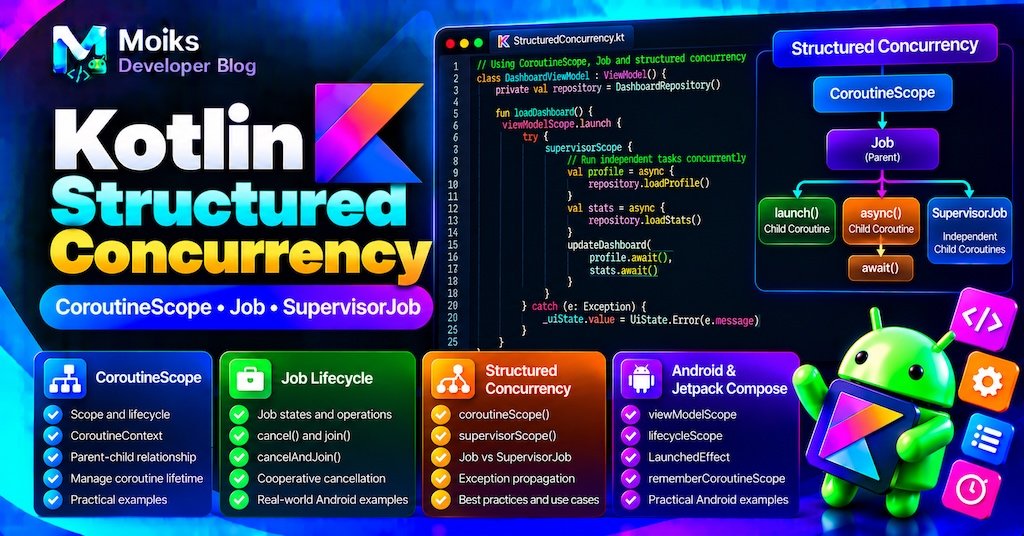
Kotlin Coroutines make asynchronous programming easier, but launching a coroutine is only the beginning.
In real Android applications, we also need to answer important questions:
- Who owns a coroutine?
- When should it stop?
- What happens when its parent is cancelled?
- What happens when one child coroutine fails?
- How do multiple coroutines work together?
- How can we prevent background work from outliving a screen?
- How do we manage independent tasks safely?
These questions are answered through CoroutineScope, Job, and Structured Concurrency.
Understanding these concepts is essential for building reliable Android applications using Kotlin, ViewModel, StateFlow, and Jetpack Compose.
In this tutorial, we’ll explore coroutine lifecycle management from the fundamentals to practical Android examples.
What You’ll Learn
By the end of this tutorial, you’ll understand:
- What CoroutineScope is
- What CoroutineContext contains
- How Job manages coroutine lifecycles
- Parent-child coroutine relationships
- Structured concurrency
- Coroutine cancellation
- Cooperative cancellation
join()andcancelAndJoin()coroutineScope()supervisorScope()SupervisorJob- Exception propagation
launch()vsasync()viewModelScopelifecycleScope- Jetpack Compose coroutine management
- Common mistakes and best practices
Let’s begin!
1. What Is CoroutineScope in Kotlin?
A CoroutineScope defines the context in which coroutines are launched.
It provides a structured way to manage related coroutine operations.
Example
fun main() = runBlocking {

    launch {
        delay(1000)
        println("Coroutine completed")
    }

    println("Main operation")
}
Typical Output:
Main operation
Coroutine completed
Explanation
The runBlocking function creates a coroutine scope.
Inside this scope, we launch a child coroutine.
The parent scope waits for its child to complete.
Why Is CoroutineScope Important?
A coroutine scope helps determine:
- Coroutine ownership
- Execution context
- Cancellation behavior
- Parent-child relationships
- Coroutine lifetime
Without proper scope management, background operations can continue longer than intended.
2. Understanding CoroutineContext
Every coroutine has a CoroutineContext.
A CoroutineContext is a collection of elements that describe how a coroutine executes.
Common elements include:
- Job
- CoroutineDispatcher
- CoroutineName
- CoroutineExceptionHandler
Example
fun main() = runBlocking {

    launch(
        Dispatchers.Default +
            CoroutineName("WorkerCoroutine")
    ) {

        println(
            "Running on: ${Thread.currentThread().name}"
        )
    }
}
Required Imports
import kotlinx.coroutines.CoroutineName
import kotlinx.coroutines.Dispatchers
import kotlinx.coroutines.launch
import kotlinx.coroutines.runBlocking
Explanation
Dispatchers.Default selects an appropriate thread pool for CPU-oriented work.
CoroutineName assigns a descriptive name useful for debugging.
The coroutine also has a Job associated with its execution.
Important
CoroutineContext is not the same as Android’s Context.
Android Context provides access to application and platform resources.
CoroutineContext controls coroutine execution and lifecycle-related behavior.
3. What Is Job in Kotlin Coroutines?
A Job represents a coroutine’s lifecycle.
When we call launch(), it returns a Job.
Example
fun main() = runBlocking {

    val job = launch {

        delay(1000)

        println("Task completed")
    }

    job.join()

    println("Job finished")
}
Output:
Task completed
Job finished
Explanation
The launch() function starts a coroutine.
The returned Job can be used to manage its lifecycle.
join() suspends the caller until the Job completes.
Common Job Operations
| Operation | Purpose |
|---|---|
start() | Start a lazily created Job |
cancel() | Request cancellation |
join() | Wait for completion |
cancelAndJoin() | Cancel and wait |
isActive | Check whether Job is active |
isCancelled | Check cancellation state |
isCompleted | Check completion state |
4. Kotlin Job Lifecycle
A Job can move through several states during execution.
Common states include:
- New
- Active
- Completing
- Cancelling
- Cancelled
- Completed
Example
fun main() = runBlocking {

    val job = launch(
        start = CoroutineStart.LAZY
    ) {

        delay(500)

        println("Lazy coroutine executed")
    }

    println("Before start: ${job.isActive}")

    job.start()

    println("After start: ${job.isActive}")

    job.join()

    println("Completed: ${job.isCompleted}")
}
Explanation
The coroutine is initially created in a lazy state.
Calling start() schedules it for execution.
After its work finishes, the Job becomes completed.
Important
The exact timing of intermediate state observations depends on scheduling.
Also, isCompleted can be true for both successful and cancelled jobs.
5. Parent and Child Coroutines
Structured concurrency organizes coroutines into parent-child relationships.
Example
fun main() = runBlocking {

    val parentJob = launch {

        launch {

            delay(500)

            println("Child 1 completed")
        }

        launch {

            delay(1000)

            println("Child 2 completed")
        }

        println("Parent body finished")
    }

    parentJob.join()

    println("All child tasks completed")
}
Typical Output:
Parent body finished
Child 1 completed
Child 2 completed
All child tasks completed
Explanation
The parent coroutine launches two children.
Even after the parent’s body finishes, its Job does not complete until its children finish.
Key Principle
A parent coroutine normally waits for all of its child coroutines before completing.
This helps maintain predictable task lifetimes.
6. What Is Structured Concurrency?
Structured concurrency is a programming model that organizes concurrent operations under clearly defined scopes.
Instead of launching unrelated background tasks, we create a hierarchy of operations.
Example
suspend fun loadDashboard() = coroutineScope {

    val profile = async {
        fetchProfile()
    }

    val notifications = async {
        fetchNotifications()
    }

    println(profile.await())
    println(notifications.await())
}
Assume fetchProfile() and fetchNotifications() are existing suspend functions.
Explanation
Both operations are children of the same scope.
The scope waits for both operations to complete.
If a child fails with an ordinary exception, the failure normally cancels the scope and its other children.
Benefits
- Predictable coroutine lifetimes
- Easier cancellation
- Better exception propagation
- Fewer unmanaged background tasks
- Clearer ownership
- Easier testing
7. Understanding coroutineScope()
The coroutineScope() function creates a child coroutine scope and suspends until all its children complete.
Example
suspend fun performTasks() = coroutineScope {

    launch {

        delay(500)

        println("Task A completed")
    }

    launch {

        delay(1000)

        println("Task B completed")
    }
}
Usage
fun main() = runBlocking {

    performTasks()

    println("All tasks finished")
}
Output:
Task A completed
Task B completed
All tasks finished
Explanation
coroutineScope() does not block the underlying thread while waiting.
It suspends until its child operations finish.
When to Use coroutineScope()
Use it when:
- Several child tasks belong to one operation.
- All child tasks must complete.
- Failure of one task should normally fail the entire operation.
- You need structured concurrent execution.
8. Coroutine Cancellation
Cancellation is an important part of coroutine lifecycle management.
Example
fun main() = runBlocking {

    val job = launch {

        repeat(10) { index ->

            println("Working: $index")

            delay(500)
        }
    }

    delay(1200)

    job.cancelAndJoin()

    println("Coroutine cancelled")
}
Explanation
The coroutine performs repeated work.
After approximately 1.2 seconds, cancellation is requested.
Because delay() is cancellation-aware, the coroutine can stop promptly.
Important
Cancellation is cooperative.
A coroutine performing continuous CPU-intensive work may need explicit cancellation checks.
9. Cooperative Cancellation Using isActive
The isActive property can help determine whether a coroutine should continue running.
Example
fun main() = runBlocking {

    val job = launch(Dispatchers.Default) {

        while (isActive) {

            println("Processing...")

            delay(300)
        }
    }

    delay(1000)

    job.cancelAndJoin()

    println("Stopped")
}
Explanation
The loop continues while the coroutine is active.
When cancellation is requested, the loop exits.
Another Option: ensureActive()
For CPU-intensive loops, ensureActive() can explicitly check cancellation.
suspend fun processLargeDataset() {

    withContext(Dispatchers.Default) {

        repeat(1_000_000) {

            ensureActive()

            // Perform calculation
        }
    }
}
Required Import
import kotlinx.coroutines.ensureActiveBest Practice
Use cancellation checks at reasonable intervals in long-running calculations.
Checking cancellation on every trivial operation may be unnecessary.
10. Understanding cancelAndJoin()
The cancelAndJoin() function combines two operations:
- Request cancellation.
- Suspend until the Job completes.
Example
fun main() = runBlocking {

    val job = launch {

        try {

            repeat(10) {

                delay(500)

                println("Working...")
            }

        } finally {

            println("Cleanup completed")
        }
    }

    delay(1000)

    job.cancelAndJoin()

    println("Job fully stopped")
}
Explanation
Cancellation interrupts the suspended operation.
The finally block executes during normal coroutine cancellation cleanup.
The caller waits until the Job has finished.
Important
If cleanup needs to call suspending functions after cancellation, special handling with NonCancellable may be required.
Use that carefully and only for necessary bounded cleanup.
11. Exception Propagation in Coroutines
Coroutine exceptions can affect parent and sibling coroutines.
Example
fun main() = runBlocking {

    try {

        coroutineScope {

            launch {

                delay(300)

                throw IllegalStateException(
                    "Task failed"
                )
            }

            launch {

                try {

                    delay(1000)

                    println("Second task completed")

                } finally {

                    println("Second task stopped")
                }
            }
        }

    } catch (e: IllegalStateException) {

        println("Handled: ${e.message}")
    }
}
Typical Output:
Second task stopped
Handled: Task failed
Explanation
The first child throws an exception.
The coroutineScope cancels its remaining children.
The exception propagates to the caller, where it is handled.
Key Point
In a regular coroutine scope, a child failure generally cancels its parent scope and sibling operations.
This is appropriate when tasks are part of one operation that must succeed together.
12. What Is SupervisorJob?
SupervisorJob provides a different failure relationship between child coroutines.
With a supervisor, the failure of one child does not automatically cancel its sibling coroutines.
Example
fun main() = runBlocking {

    val supervisor = SupervisorJob()

    val scope = CoroutineScope(
        Dispatchers.Default + supervisor
    )

    val first = scope.launch {

        try {

            delay(300)

            println("First task failed")

        } catch (e: Exception) {

            println("Handled failure")
        }
    }

    val second = scope.launch {

        delay(700)

        println("Second task completed")
    }

    first.join()
    second.join()

    supervisor.cancel()
}
Explanation
The example creates a supervisor-owned scope.
Each child can perform its own work.
The first child handles a simulated failure locally, while the second completes.
Important
The example above demonstrates independent child operations, but the first child handles its exception directly.
For an actual unhandled child exception, SupervisorJob prevents automatic sibling cancellation, but the failure must still be handled or reported appropriately.
13. Understanding supervisorScope()
The supervisorScope() function creates a supervised scope.
Unlike coroutineScope(), a child failure does not automatically cancel its siblings.
Example
fun main() = runBlocking {

    supervisorScope {

        val first = launch {

            try {

                delay(300)

                throw IllegalStateException(
                    "First task failed"
                )

            } catch (e: IllegalStateException) {

                println("Handled: ${e.message}")
            }
        }

        val second = launch {

            delay(700)

            println("Second task completed")
        }

        first.join()
        second.join()
    }

    println("Supervisor scope completed")
}
Output:
Handled: First task failed
Second task completed
Supervisor scope completed
Explanation
The first child handles its failure.
The second child continues independently.
The supervisor scope waits for its children to finish.
When to Use supervisorScope()
Use it when:
- Child operations are independent.
- One task failure should not automatically cancel siblings.
- Each task has appropriate failure handling.
- Partial success is acceptable.
Important
supervisorScope() does not suppress exceptions automatically.
An uncaught exception from a launch child can still be reported to the coroutine exception handler.
For async children, failures must be handled when awaiting results.
Also, if the supervisor scope’s own block fails, its children are cancelled.
14. coroutineScope vs supervisorScope
Let’s compare both functions.
| Feature | coroutineScope | supervisorScope |
|---|---|---|
| Structured concurrency | Yes | Yes |
| Waits for children | Yes | Yes |
| Child failure cancels siblings | Normally yes | No, not automatically |
| Parent cancellation cancels children | Yes | Yes |
| Suitable for | Dependent tasks | Independent tasks |
| Failure handling | Propagates through scope | Child failures handled separately |
Practical Example
Imagine a dashboard that loads:
- User profile
- Weather information
- Recent notifications
If all three are required for one combined result, coroutineScope() may be appropriate.
If each section can display independently, supervisorScope() may be more suitable.
Best Practice
Choose based on the relationship between operations, not simply because one option appears more fault-tolerant.
15. SupervisorJob vs Job
A regular Job and SupervisorJob differ mainly in how child failures affect the parent and siblings.
Job
A child failure normally cancels the parent Job and other children.
SupervisorJob
A child failure does not automatically cancel the supervisor or sibling children.
Important Similarity
Cancelling the parent Job or SupervisorJob cancels its children.
Supervision changes child-to-parent failure propagation, not ordinary parent-to-child cancellation.
16. Understanding launch() vs async() Failure Handling
Both launch() and async() can execute concurrent work.
However, they expose failures differently.
launch()
A launch coroutine does not return a result.
An unhandled exception can be propagated or reported according to its parent and exception-handler configuration.
async()
An async coroutine returns a Deferred.
Its result or failure is observed through await().
Example
suspend fun loadValue(): Int = coroutineScope {

    val deferred = async {

        delay(300)

        100
    }

    deferred.await()
}
Important
async() does not automatically isolate failures.
Inside a regular coroutineScope, an async child failure can still cancel the parent and siblings, even before the caller invokes await().
Use appropriate supervision and exception handling when independent failure behavior is required.
17. Android viewModelScope
Android provides viewModelScope to manage coroutines associated with a ViewModel.
Example
class UserViewModel : ViewModel() {

    fun loadUser() {

        viewModelScope.launch {

            delay(1000)

            println("User loaded")
        }
    }
}
Explanation
The coroutine belongs to the ViewModel’s scope.
When the ViewModel is cleared, its scope is cancelled.
Why Is This Useful?
It helps prevent work owned by a destroyed ViewModel from continuing unnecessarily.
Practical Uses
- Loading screen data
- Saving user settings
- Calling repositories
- Collecting StateFlow
- Processing user actions
- Performing screen-related background operations
Important
viewModelScope is configured with a SupervisorJob by default.
However, individual coroutine failures still need appropriate handling.
18. Android lifecycleScope
Android also provides lifecycleScope.
It is associated with a LifecycleOwner such as an Activity or Fragment.
Example
class MainActivity : ComponentActivity() {

    override fun onCreate(
        savedInstanceState: Bundle?
    ) {
        super.onCreate(savedInstanceState)

        lifecycleScope.launch {

            delay(1000)

            Log.d(
                "MainActivity",
                "Coroutine executed"
            )
        }
    }
}
Explanation
The coroutine belongs to the Activity’s lifecycle scope.
The scope is cancelled when the lifecycle reaches the destroyed state.
viewModelScope vs lifecycleScope
| Scope | Owner | Typical Use |
|---|---|---|
| viewModelScope | ViewModel | Screen business logic and data loading |
| lifecycleScope | LifecycleOwner | Lifecycle-related UI operations |
Best Practice
Use viewModelScope for ViewModel-owned work.
Use lifecycleScope for operations genuinely owned by the Activity or Fragment lifecycle.
For collecting flows only while the UI is visible, consider repeatOnLifecycle().
19. Jetpack Compose Coroutine Management
Jetpack Compose provides coroutine-related APIs such as:
LaunchedEffectrememberCoroutineScopeproduceState
These help manage asynchronous operations within Compose.
LaunchedEffect
Use LaunchedEffect for suspend operations tied to composition and effect keys.
@Composable
fun LoadingMessage() {

    var message by remember {
        mutableStateOf("Loading...")
    }

    LaunchedEffect(Unit) {

        delay(1000)

        message = "Completed"
    }

    Text(message)
}
Explanation
The effect launches a coroutine when it enters composition.
The coroutine is cancelled when the effect leaves composition.
If the effect keys change, the previous coroutine is cancelled and a new one starts.
20. rememberCoroutineScope in Jetpack Compose
The rememberCoroutineScope() function provides a CoroutineScope tied to the composable’s presence in composition.
It is commonly used to launch coroutines from event handlers.
Example
@Composable
fun SaveButton() {

    val scope = rememberCoroutineScope()

    var message by remember {
        mutableStateOf("Ready")
    }

    Column {

        Text(message)

        Button(
            onClick = {

                scope.launch {

                    message = "Saving..."

                    delay(1000)

                    message = "Saved"
                }
            }
        ) {

            Text("Save")
        }
    }
}
Explanation
When the user taps Save, the event handler launches a coroutine.
The coroutine updates the displayed message.
Best Practice
For application business logic, prefer calling ViewModel methods.
Use rememberCoroutineScope() primarily for UI-specific event-driven work, such as showing snackbars or controlling UI components.
21. Practical Android Example: Independent Dashboard Tasks
Let’s create a repository that loads two independent pieces of dashboard information.
Step 1: Create Models
data class UserProfile(
    val name: String,
    val email: String
)

data class DashboardStats(
    val totalProjects: Int,
    val completedProjects: Int
)
Step 2: Create the Repository
class DashboardRepository {

    suspend fun getProfile(): UserProfile {

        delay(1000)

        return UserProfile(
            name = "Alex",
            email = "alex@example.com"
        )
    }

    suspend fun getStats(): DashboardStats {

        delay(1500)

        return DashboardStats(
            totalProjects = 12,
            completedProjects = 8
        )
    }
}
Explanation
The repository simulates two asynchronous operations.
Both functions are independent.
In a real application, these might be separate Retrofit API calls.
22. Build a Dashboard ViewModel with supervisorScope
We’ll load the profile and statistics independently.
Step 1: Create UI State
data class DashboardUiState(
    val isLoading: Boolean = true,
    val profile: UserProfile? = null,
    val stats: DashboardStats? = null,
    val profileError: String? = null,
    val statsError: String? = null
)
Step 2: Create the ViewModel
class DashboardViewModel : ViewModel() {

    private val repository = DashboardRepository()

    private val _uiState = MutableStateFlow(
        DashboardUiState()
    )

    val uiState: StateFlow<DashboardUiState> =
        _uiState.asStateFlow()

    init {
        loadDashboard()
    }

    fun loadDashboard() {

        viewModelScope.launch {

            _uiState.value = DashboardUiState(
                isLoading = true
            )

            supervisorScope {

                val profileTask = async {

                    try {

                        Result.success(
                            repository.getProfile()
                        )

                    } catch (e: CancellationException) {

                        throw e

                    } catch (e: Exception) {

                        Result.failure<UserProfile>(e)
                    }
                }

                val statsTask = async {

                    try {

                        Result.success(
                            repository.getStats()
                        )

                    } catch (e: CancellationException) {

                        throw e

                    } catch (e: Exception) {

                        Result.failure<DashboardStats>(e)
                    }
                }

                val profileResult = profileTask.await()

                val statsResult = statsTask.await()

                _uiState.value = DashboardUiState(
                    isLoading = false,
                    profile = profileResult.getOrNull(),
                    stats = statsResult.getOrNull(),
                    profileError = if (profileResult.isFailure) {
                        "Unable to load profile"
                    } else {
                        null
                    },
                    statsError = if (statsResult.isFailure) {
                        "Unable to load statistics"
                    } else {
                        null
                    }
                )
            }
        }
    }
}
Explanation
The ViewModel starts two independent operations.
Both execute concurrently.
Each task handles its own recoverable exceptions.
If the profile request fails, the statistics request can still succeed.
If the statistics request fails, the profile can still be displayed.
Important
The example preserves coroutine cancellation by rethrowing CancellationException.
The Result wrappers represent recoverable failures rather than swallowing cancellation.
23. Jetpack Compose Dashboard Screen
Let’s create a Compose screen that observes the ViewModel.
Example
@Composable
fun DashboardScreen(
    viewModel: DashboardViewModel = viewModel()
) {

    val uiState by viewModel.uiState
        .collectAsStateWithLifecycle()

    Column(
        modifier = Modifier
            .fillMaxSize()
            .padding(24.dp),
        verticalArrangement = Arrangement.spacedBy(16.dp)
    ) {

        Text(
            text = "My Dashboard",
            style = MaterialTheme.typography.headlineMedium
        )

        if (uiState.isLoading) {

            CircularProgressIndicator()

            Text("Loading dashboard...")

        } else {

            uiState.profile?.let { profile ->

                Card(
                    modifier = Modifier.fillMaxWidth()
                ) {

                    Column(
                        modifier = Modifier.padding(16.dp)
                    ) {

                        Text(
                            text = profile.name,
                            style = MaterialTheme.typography.titleLarge
                        )

                        Text(profile.email)
                    }
                }
            }

            uiState.profileError?.let { error ->

                Text(
                    text = error,
                    color = MaterialTheme.colorScheme.error
                )
            }

            uiState.stats?.let { stats ->

                Card(
                    modifier = Modifier.fillMaxWidth()
                ) {

                    Column(
                        modifier = Modifier.padding(16.dp)
                    ) {

                        Text(
                            text = "Project Statistics",
                            style = MaterialTheme.typography.titleMedium
                        )

                        Text(
                            text = "Total Projects: ${stats.totalProjects}"
                        )

                        Text(
                            text = "Completed: ${stats.completedProjects}"
                        )
                    }
                }
            }

            uiState.statsError?.let { error ->

                Text(
                    text = error,
                    color = MaterialTheme.colorScheme.error
                )
            }

            Button(
                onClick = {
                    viewModel.loadDashboard()
                }
            ) {

                Text("Refresh Dashboard")
            }
        }
    }
}
Required Imports
import androidx.compose.foundation.layout.Arrangement
import androidx.compose.foundation.layout.Column
import androidx.compose.foundation.layout.fillMaxSize
import androidx.compose.foundation.layout.fillMaxWidth
import androidx.compose.foundation.layout.padding
import androidx.compose.material3.Button
import androidx.compose.material3.Card
import androidx.compose.material3.CircularProgressIndicator
import androidx.compose.material3.MaterialTheme
import androidx.compose.material3.Text
import androidx.compose.runtime.Composable
import androidx.compose.runtime.getValue
import androidx.compose.ui.Modifier
import androidx.compose.ui.unit.dp
import androidx.lifecycle.ViewModel
import androidx.lifecycle.viewModelScope
import androidx.lifecycle.viewmodel.compose.viewModel
import androidx.lifecycle.compose.collectAsStateWithLifecycle
import kotlinx.coroutines.CancellationException
import kotlinx.coroutines.async
import kotlinx.coroutines.delay
import kotlinx.coroutines.launch
import kotlinx.coroutines.supervisorScope
import kotlinx.coroutines.flow.MutableStateFlow
import kotlinx.coroutines.flow.StateFlow
import kotlinx.coroutines.flow.asStateFlow
Expected UI
+--------------------------------+
|                                |
|          My Dashboard          |
|                                |
| +----------------------------+ |
| | Alex                       | |
| | alex@example.com           | |
| +----------------------------+ |
|                                |
| +----------------------------+ |
| | Project Statistics         | |
| |                            | |
| | Total Projects: 12         | |
| | Completed: 8               | |
| +----------------------------+ |
|                                |
|    [ Refresh Dashboard ]       |
|                                |
+--------------------------------+
How It Works
Repository
Provides independent suspend functions for profile and statistics data.
ViewModel
Launches a coroutine using viewModelScope.
supervisorScope
Allows independent child tasks to handle their failures separately.
async and await
Run both tasks concurrently and retrieve their results.
StateFlow
Exposes the dashboard state.
Jetpack Compose
Observes the state and displays the available data.
Production Note
This mini-project uses simulated data.
For production applications, consider:
- Dependency injection with Hilt
- Retrofit API integration
- Explicit error classification
- Separate loading states for each dashboard section
- Cancelling obsolete refresh requests
- Unit testing with kotlinx-coroutines-test
- Stable and immutable UI models
Also, repeated Refresh taps can start overlapping requests in this simplified implementation. A production ViewModel should prevent, cancel, or coordinate overlapping refresh operations.
24. Common CoroutineScope and Job Mistakes
Mistake 1: Creating Unmanaged CoroutineScopes
Avoid creating new scopes for every operation without managing their lifetimes.
Mistake 2: Using GlobalScope for Screen Work
GlobalScope is not tied to a screen lifecycle.
Prefer viewModelScope or another appropriately owned scope.
Mistake 3: Ignoring Child Failures
Unhandled child exceptions can cancel related operations.
Understand the scope’s failure behavior.
Mistake 4: Assuming SupervisorJob Handles Exceptions Automatically
SupervisorJob prevents sibling cancellation from child failure, but it does not automatically handle exceptions.
Mistake 5: Swallowing CancellationException
Preserve cancellation when handling broad exceptions.
Mistake 6: Using supervisorScope for Dependent Tasks
If all child tasks must succeed together, coroutineScope may be more appropriate.
Mistake 7: Blocking the Main Thread
Avoid Thread.sleep() and heavy synchronous work on the main dispatcher.
Mistake 8: Launching Coroutines During Recomposition
Do not launch uncontrolled coroutines directly from composable rendering logic.
Mistake 9: Forgetting Coroutine Ownership
Every long-running operation should have a clearly defined owner and cancellation policy.
25. Kotlin Structured Concurrency Best Practices
Follow these recommendations:
- Use structured concurrency for related tasks.
- Prefer lifecycle-aware scopes in Android.
- Keep coroutine ownership explicit.
- Use coroutineScope for dependent operations.
- Use supervisorScope for independent operations.
- Handle failures at appropriate boundaries.
- Preserve CancellationException.
- Avoid unmanaged background work.
- Use Dispatchers.IO for blocking I/O.
- Use Dispatchers.Default for CPU-intensive work.
- Prefer ViewModel for screen business logic.
- Use StateFlow for observable UI state.
- Avoid overlapping requests when they are not needed.
- Test cancellation and failure scenarios.
- Use CoroutineName when useful for debugging.
These practices help build reliable and maintainable Android applications.
26. Quick Reference
| Concept | Purpose |
|---|---|
| CoroutineScope | Defines coroutine context and ownership |
| CoroutineContext | Contains Job, dispatcher, and other elements |
| Job | Represents coroutine lifecycle |
| launch | Starts coroutine returning Job |
| async | Starts coroutine returning Deferred |
| join | Waits for Job completion |
| cancel | Requests cancellation |
| cancelAndJoin | Cancels and waits |
| isActive | Checks active state |
| ensureActive | Throws when coroutine is cancelled |
| coroutineScope | Structured scope with normal failure propagation |
| supervisorScope | Structured scope with independent child failure behavior |
| SupervisorJob | Supervises child failures |
| viewModelScope | ViewModel-owned coroutine scope |
| lifecycleScope | LifecycleOwner-owned coroutine scope |
| LaunchedEffect | Composition-scoped coroutine effect |
| rememberCoroutineScope | Composition-owned scope for event-driven work |
27. Practical Exercises
Try these exercises to strengthen your understanding.
Exercise 1: CoroutineScope
Create a coroutine scope and launch two child coroutines.
Exercise 2: Job Lifecycle
Create a lazy coroutine and inspect its Job state before and after starting.
Exercise 3: Parent-Child Relationship
Launch two children inside a parent coroutine and verify that the parent waits for them.
Exercise 4: Cancellation
Create a repeating coroutine and cancel it using cancelAndJoin().
Exercise 5: Cooperative Cancellation
Create a CPU-intensive loop and check cancellation using ensureActive().
Exercise 6: coroutineScope
Create two dependent tasks where failure of one should cancel the other.
Exercise 7: supervisorScope
Create two independent tasks where one can fail without cancelling the other.
Exercise 8: SupervisorJob
Create a supervisor-owned scope and manage two child operations.
Exercise 9: ViewModel
Create a ViewModel that loads data using viewModelScope.
Exercise 10: Jetpack Compose Dashboard
Build a dashboard that loads profile and statistics data concurrently.
Handle loading, success, and error states.
28. Frequently Asked Questions
What is CoroutineScope in Kotlin?
CoroutineScope defines the context and ownership of coroutines launched within it.
What is Job in Kotlin Coroutines?
Job represents a coroutine’s lifecycle and provides operations for cancellation and completion.
What is structured concurrency?
Structured concurrency organizes concurrent operations into parent-child scopes with predictable lifetime and cancellation behavior.
What is the difference between coroutineScope and supervisorScope?
coroutineScope normally propagates child failures and cancels sibling operations.
supervisorScope allows child failures to remain isolated from siblings, provided those failures are handled appropriately.
What is SupervisorJob?
SupervisorJob is a Job implementation that prevents a child failure from automatically cancelling sibling coroutines.
Does SupervisorJob prevent all coroutine failures?
No. It changes failure propagation but does not automatically catch or suppress exceptions.
What happens when a parent coroutine is cancelled?
Its child coroutines are normally cancelled as well.
What is the difference between viewModelScope and lifecycleScope?
viewModelScope is associated with a ViewModel.
lifecycleScope is associated with a LifecycleOwner such as an Activity or Fragment.
Can I use CoroutineScope in Jetpack Compose?
Yes. Compose provides APIs such as LaunchedEffect and rememberCoroutineScope for composition-related coroutine work.
Should I create a new CoroutineScope in every repository?
Usually not.
Repositories should generally expose suspend functions or Flows and let callers manage their lifetimes, unless the repository explicitly owns longer-lived work.
What We’ve Learned
In this tutorial, we learned:
- CoroutineScope
- CoroutineContext
- Job lifecycle
- Parent-child coroutine relationships
- Structured concurrency
- Cooperative cancellation
- cancelAndJoin
- Exception propagation
- coroutineScope
- supervisorScope
- SupervisorJob
- launch vs async failure handling
- viewModelScope
- lifecycleScope
- LaunchedEffect
- rememberCoroutineScope
- Concurrent dashboard loading
- StateFlow integration
- Jetpack Compose integration
- Common mistakes and best practices
Understanding CoroutineScope, Job, and Structured Concurrency is essential for building production-quality Android applications.
These concepts help developers manage asynchronous operations safely while avoiding unmanaged tasks, unnecessary work, and unpredictable cancellation behavior.
By combining structured concurrency with ViewModel, StateFlow, and Jetpack Compose, we can create reliable, lifecycle-aware Android applications.
What’s Next?
In our next tutorial, we’ll explore:
Kotlin Flow Explained for Android: Flow, StateFlow & SharedFlow
You’ll learn:
- What Kotlin Flow is
- Cold vs hot streams
- Flow builders
- emit and collect
- Flow operators
- StateFlow
- SharedFlow
- StateFlow vs SharedFlow
- Flow exception handling
- Flow cancellation
- Room and Flow integration
- ViewModel and StateFlow
- Jetpack Compose collection
- Practical Android examples
Happy Coding!
Continue learning modern Android development with Moiks Developer Blog.


