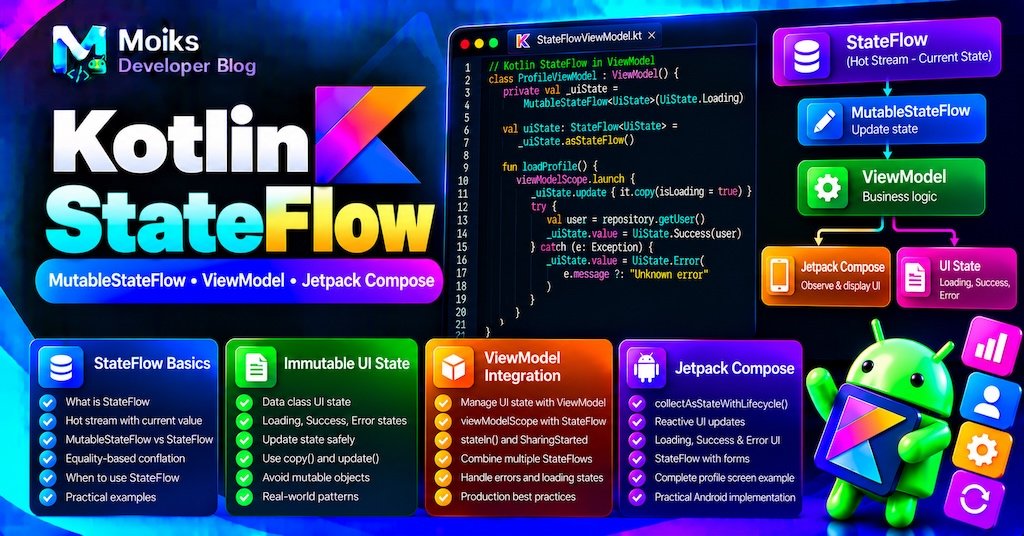
Managing UI state is one of the most important responsibilities in modern Android development.
Every Android application needs to handle changing information, such as:
- Loading data from an API
- Updating a shopping cart
- Managing user preferences
- Displaying database records
- Updating a login form
- Tracking download progress
- Handling loading, success, and error states
In modern Android development, Kotlin StateFlow provides a powerful way to manage and observe these changes.
StateFlow works especially well with ViewModel, Kotlin Coroutines, MVVM architecture, and Jetpack Compose.
In this tutorial, we’ll explore Kotlin StateFlow step by step and build a practical Android application using Jetpack Compose.
What You’ll Learn
By the end of this tutorial, you’ll understand:
- What Kotlin StateFlow is
- Why Android developers use StateFlow
- MutableStateFlow vs StateFlow
- How StateFlow works
- StateFlow vs regular Flow
- StateFlow vs LiveData
- StateFlow vs SharedFlow
- StateFlow and equality-based conflation
- Updating state safely
- Immutable UI state
- StateFlow with ViewModel
- StateFlow with Jetpack Compose
- collectAsStateWithLifecycle()
- stateIn()
- SharingStarted
- Combining multiple StateFlows
- Loading, success, and error states
- Practical Android mini-project
- Common mistakes and best practices
Let’s begin!
1. What Is Kotlin StateFlow?
StateFlow is a hot Flow that represents observable state.
It always contains a current value and emits updates to collectors when its value changes according to equality.
Simple Example
val counter = MutableStateFlow(0)Here, the initial value is 0.
We can update it:
counter.value = 10And access its current value:
println(counter.value)Output:
10Key Characteristics
StateFlow:
- Always has an initial value
- Stores the current state
- Supports multiple collectors
- Replays the latest value to new collectors
- Uses equality-based conflation
- Remains active independently of collectors
- Does not complete normally
Why Is StateFlow Useful?
Imagine a shopping cart application.
When the user adds an item, the cart total should update automatically.
Instead of manually refreshing the UI, StateFlow allows the ViewModel to publish the latest state while Jetpack Compose observes it.
2. Why Use StateFlow in Android?
Traditional Android applications often relied on callbacks, listeners, or manually updated views.
Modern Android applications benefit from reactive state management.
Traditional Approach
A screen requests data and manually updates its views when a callback returns.
This can become difficult to manage as the application grows.
StateFlow Approach
A ViewModel exposes observable state.
The UI observes that state and updates automatically.
Typical Architecture
Repository
    |
    v
ViewModel
    |
    v
MutableStateFlow
    |
    v
StateFlow
    |
    v
Jetpack Compose UI
Benefits
- Clear separation of responsibilities
- Lifecycle-aware UI collection
- Predictable state updates
- Better testability
- Easier integration with Kotlin Coroutines
- Cleaner MVVM architecture
- Reduced manual UI synchronization
3. Add StateFlow Dependencies
StateFlow is part of Kotlin Coroutines.
For Android applications, include the coroutine and lifecycle dependencies.
build.gradle.kts
dependencies {

    implementation(
        "org.jetbrains.kotlinx:kotlinx-coroutines-android:<version>"
    )

    implementation(
        "androidx.lifecycle:lifecycle-viewmodel-ktx:<version>"
    )

    implementation(
        "androidx.lifecycle:lifecycle-runtime-compose:<version>"
    )

    implementation(
        "androidx.lifecycle:lifecycle-viewmodel-compose:<version>"
    )
}
Replace each placeholder with a compatible stable version.
If you use a Gradle Version Catalog, declare these dependencies in libs.versions.toml.
Common Imports
import kotlinx.coroutines.flow.MutableStateFlow
import kotlinx.coroutines.flow.StateFlow
import kotlinx.coroutines.flow.asStateFlow
import kotlinx.coroutines.flow.update
4. MutableStateFlow vs StateFlow
Kotlin provides two closely related interfaces.
MutableStateFlow
MutableStateFlow allows reading and updating the current state.
val count = MutableStateFlow(0)

count.value = 5
StateFlow
StateFlow exposes a read-only view of the state.
val count: StateFlow<Int> =
    MutableStateFlow(0)
The public StateFlow interface does not expose a value setter.
Recommended Android Pattern
class CounterViewModel : ViewModel() {

    private val _count = MutableStateFlow(0)

    val count: StateFlow<Int> =
        _count.asStateFlow()

    fun increment() {
        _count.update { current ->
            current + 1
        }
    }
}
Explanation
The ViewModel owns the mutable state.
The UI observes the public StateFlow.
Only the ViewModel can change the state through its exposed methods.
Best Practice
Keep MutableStateFlow private and expose StateFlow publicly.
This follows the principle of encapsulation.
5. How StateFlow Works
Let’s understand how StateFlow communicates updates.
Example
fun main() = runBlocking {

    val counter = MutableStateFlow(0)

    val job = launch {

        counter.collect { value ->
            println("Counter: $value")
        }
    }

    job.start()

    counter.subscriptionCount.first {
        it > 0
    }

    counter.value = 10

    delay(100)

    counter.value = 20

    delay(100)

    job.cancelAndJoin()
}
Explanation
The StateFlow stores the latest value.
Collectors observe changes to that value.
New collectors immediately receive the current state.
Important
StateFlow is conflated.
A slow collector may skip intermediate updates and receive only the most recent state.
Therefore, StateFlow is designed for state observation, not guaranteed delivery of every intermediate event.
6. StateFlow vs Regular Flow
Both StateFlow and Flow belong to the Kotlin Flow API, but they have different behavior.
| Feature | Flow | StateFlow |
|---|---|---|
| Cold or hot | Depends on implementation | Hot |
| Initial value required | No | Yes |
| Current value property | Not generally | Yes |
| Multiple collectors | Yes | Yes |
| Replays current state | Not generally | Yes |
| Equality-based conflation | Not generally | Yes |
| Main use | Asynchronous streams | Observable state |
When to Use Flow
Use regular Flow for:
- Database queries
- Asynchronous data pipelines
- Network-driven streams
- Data transformations
When to Use StateFlow
Use StateFlow for:
- Screen state
- Selected items
- Form input
- Loading status
- Dashboard information
- User settings
7. StateFlow vs LiveData
LiveData is a lifecycle-aware observable data holder widely used in Android development.
StateFlow is a coroutine-based alternative commonly used in modern Android applications.
| Feature | StateFlow | LiveData |
|---|---|---|
| Kotlin Coroutines integration | Native | Via extensions |
| Initial value | Required | Optional |
| Current value | Available | Available, may be null |
| Flow operators | Supported | Requires conversion |
| Lifecycle awareness | Through collection APIs | Built into observation |
| Jetpack Compose support | Yes | Yes |
| Recommended modern use | Common for coroutine-based architectures | Supported, especially in existing apps |
Important Difference
StateFlow does not automatically stop collecting based on Android lifecycle state.
Use lifecycle-aware APIs such as:
collectAsStateWithLifecycle()For Activity and Fragment collection, use:
repeatOnLifecycle()Which Should You Choose?
For new Android applications built using Kotlin Coroutines, ViewModel, and Jetpack Compose, StateFlow is an excellent default for UI state.
LiveData remains valid for existing projects.
8. StateFlow vs SharedFlow
Both StateFlow and SharedFlow are hot Flows.
However, they are designed for different purposes.
StateFlow
Represents current observable state.
val uiState = MutableStateFlow("Loading")SharedFlow
Broadcasts values to subscribers with configurable replay and buffering.
val events = MutableSharedFlow<String>()Comparison
| Feature | StateFlow | SharedFlow |
|---|---|---|
| Requires initial value | Yes | No |
| Current value property | Yes | No |
| Replay | Latest state | Configurable |
| Equality conflation | Yes | Not automatic |
| Typical use | UI state | Broadcast events |
Example
Use StateFlow to represent whether a form is valid.
Use SharedFlow when broadcasting updates to multiple active subscribers is appropriate.
Important
Do not assume SharedFlow guarantees one-time event delivery.
Without suitable replay or buffering, emissions can be missed when no subscriber is active.
9. Updating StateFlow Values
StateFlow provides multiple ways to update state.
Direct Assignment
_count.value = 10Updating Based on Previous State
_count.update { current ->
    current + 1
}
Why Prefer update()?
The update function performs an atomic update based on the current value.
This is useful when multiple coroutines may update the same state concurrently.
Example
class CounterViewModel : ViewModel() {

    private val _count = MutableStateFlow(0)

    val count = _count.asStateFlow()

    fun increment() {

        _count.update { current ->
            current + 1
        }
    }

    fun decrement() {

        _count.update { current ->
            current - 1
        }
    }

    fun reset() {

        _count.value = 0
    }
}
10. StateFlow and Equality-Based Conflation
StateFlow uses equality to determine whether a new value represents a change.
Example
val name = MutableStateFlow("Android")

name.value = "Android"
Because the new value is equal to the current value, StateFlow does not emit a new update for this assignment.
Example
name.value = "Jetpack Compose"This value differs from the previous state.
Active collectors can observe the updated value.
Important
StateFlow is not intended for repeated identical events.
For example, showing the same Snackbar message twice should not rely on assigning the same string to a StateFlow.
For UI events, consider explicit event state, an event queue, or another suitable event mechanism.
11. Immutable UI State with Data Classes
Modern Android applications commonly represent screen state using immutable data classes.
Example
data class ProfileUiState(
    val name: String = "",
    val email: String = "",
    val isLoading: Boolean = false,
    val errorMessage: String? = null
)
ViewModel
class ProfileViewModel : ViewModel() {

    private val _uiState = MutableStateFlow(
        ProfileUiState()
    )

    val uiState = _uiState.asStateFlow()

    fun updateName(name: String) {

        _uiState.update { current ->
            current.copy(name = name)
        }
    }

    fun updateEmail(email: String) {

        _uiState.update { current ->
            current.copy(email = email)
        }
    }
}
Explanation
Instead of modifying individual properties of a mutable object, we create a new state value using copy().
This approach makes state changes easier to understand and test.
Best Practice
Prefer immutable state models containing immutable collections and values.
Avoid modifying mutable lists inside a StateFlow without publishing a new state.
12. StateFlow with ViewModel
ViewModel is responsible for holding and managing UI-related state.
StateFlow works naturally inside ViewModel.
Example
class GreetingViewModel : ViewModel() {

    private val _message = MutableStateFlow(
        "Welcome to Android"
    )

    val message = _message.asStateFlow()

    fun updateMessage() {

        _message.value =
            "Welcome to Jetpack Compose"
    }
}
Explanation
The ViewModel owns the message state.
The UI observes it.
When updateMessage() is called, the UI can display the updated value.
13. StateFlow with Jetpack Compose
Jetpack Compose can collect StateFlow and automatically update the UI.
Example
@Composable
fun GreetingScreen(
    viewModel: GreetingViewModel = viewModel()
) {

    val message by viewModel.message
        .collectAsStateWithLifecycle()

    Column(
        modifier = Modifier
            .fillMaxSize()
            .padding(24.dp),
        verticalArrangement = Arrangement.Center
    ) {

        Text(
            text = message,
            style = MaterialTheme.typography.headlineMedium
        )

        Spacer(
            modifier = Modifier.height(16.dp)
        )

        Button(
            onClick = {
                viewModel.updateMessage()
            }
        ) {

            Text("Update Message")
        }
    }
}
Explanation
collectAsStateWithLifecycle() converts the StateFlow into Compose State while respecting the Android lifecycle.
When the StateFlow value changes, Compose can recompose the affected UI.
14. What Is collectAsStateWithLifecycle()?
The collectAsStateWithLifecycle() function is provided by Android Lifecycle Compose integration.
It collects a Flow or StateFlow while the lifecycle is in an appropriate active state.
Example
val uiState by viewModel.uiState
    .collectAsStateWithLifecycle()
Benefits
- Lifecycle-aware collection
- Integration with Compose State
- Reduced unnecessary background collection
- Automatic UI updates
- Cleaner ViewModel integration
Important
The default minimum active lifecycle state is STARTED.
Collection is stopped when the lifecycle falls below the configured state and resumes when it becomes active again.
Best Practice
For Android Compose screens, prefer collectAsStateWithLifecycle() over collectAsState() when lifecycle awareness is required.
15. Understanding stateIn()
The stateIn() operator converts a Flow into a StateFlow.
This is useful when a repository exposes a Flow but the ViewModel needs a current observable UI state.
Example
val uiState: StateFlow<List<String>> =
    repository.observeItems()
        .stateIn(
            scope = viewModelScope,
            started = SharingStarted.WhileSubscribed(5000),
            initialValue = emptyList()
        )
Explanation
The upstream Flow is converted into a StateFlow.
The StateFlow exposes a current value.
Multiple collectors can observe the shared state.
Parameters
scope
Defines the coroutine scope that manages sharing.
started
Controls when the upstream Flow starts and stops collecting.
initialValue
Defines the initial state before upstream data arrives.
16. Understanding SharingStarted
SharingStarted controls how a shared Flow starts and stops upstream collection.
Common strategies include:
SharingStarted.Eagerly
Starts collecting upstream immediately.
SharingStarted.EagerlySharingStarted.Lazily
Starts collecting when the first subscriber appears and continues while the sharing scope remains active.
SharingStarted.LazilySharingStarted.WhileSubscribed()
Starts upstream collection when subscribers are present.
It can stop upstream collection after subscribers disappear.
SharingStarted.WhileSubscribed(
    stopTimeoutMillis = 5000
)
Why Use 5000 Milliseconds?
A five-second timeout is a common Android example.
It allows upstream collection to remain active briefly during temporary UI interruptions, such as configuration changes.
Important
The timeout is not a universal requirement.
Choose an appropriate strategy based on the data source and application behavior.
17. Combining Multiple StateFlows
Sometimes a screen depends on multiple pieces of state.
For example:
- Product price
- Product quantity
- Discount percentage
We can combine these values.
Example
class CartViewModel : ViewModel() {

    private val price = MutableStateFlow(100.0)

    private val quantity = MutableStateFlow(1)

    val totalPrice: StateFlow<Double> =
        combine(
            price,
            quantity
        ) { currentPrice, currentQuantity ->

            currentPrice * currentQuantity

        }.stateIn(
            scope = viewModelScope,
            started = SharingStarted.WhileSubscribed(5000),
            initialValue = 100.0
        )

    fun updateQuantity(value: Int) {

        quantity.value = value.coerceAtLeast(1)
    }
}
Explanation
Whenever price or quantity changes, combine calculates the latest total.
The result is exposed as StateFlow.
Practical Uses
- Shopping carts
- Form validation
- Dashboard calculations
- User preferences
- Filtered lists
18. Representing Loading, Success, and Error States
A common Android pattern is to represent the complete screen state explicitly.
Sealed Interface Example
sealed interface UiState<out T> {

    data object Loading : UiState<Nothing>

    data class Success<T>(
        val data: T
    ) : UiState<T>

    data class Error(
        val message: String
    ) : UiState<Nothing>
}
Explanation
This approach represents mutually exclusive states.
The UI can display a loading indicator, content, or an error message.
Benefits
- Clear state handling
- Exhaustive when expressions
- Easier testing
- Reduced invalid state combinations
Practical Android Mini-Project: User Profile with StateFlow
Now let’s build a simple user profile application using:
- Kotlin
- Jetpack Compose
- Material 3
- ViewModel
- StateFlow
- Kotlin Coroutines
- MVVM architecture
Our application will:
- Load a user profile.
- Display a loading indicator.
- Show the user’s name and email.
- Allow refreshing the profile.
- Display an error when loading fails.
- Update the UI automatically.
19. Create the User Model
data class User(
    val id: Int,
    val name: String,
    val email: String
)
This model represents a user profile.
20. Create the User Repository
For this tutorial, we’ll simulate a network request.
class UserRepository {

    suspend fun getUser(): User {

        delay(1200)

        return User(
            id = 101,
            name = "Alex Johnson",
            email = "alex@example.com"
        )
    }
}
Explanation
The repository uses delay() to simulate network latency.
In a real application, this method could call a REST API using Retrofit.
21. Create the Profile UI State
sealed interface ProfileUiState {

    data object Loading : ProfileUiState

    data class Success(
        val user: User
    ) : ProfileUiState

    data class Error(
        val message: String
    ) : ProfileUiState
}
Explanation
The screen can be in one of three states:
- Loading
- Success
- Error
This keeps UI rendering predictable.
22. Create the Profile ViewModel
class ProfileViewModel : ViewModel() {

    private val repository = UserRepository()

    private val _uiState =
        MutableStateFlow<ProfileUiState>(
            ProfileUiState.Loading
        )

    val uiState: StateFlow<ProfileUiState> =
        _uiState.asStateFlow()

    private var loadJob: Job? = null

    init {
        loadProfile()
    }

    fun loadProfile() {

        loadJob?.cancel()

        loadJob = viewModelScope.launch {

            _uiState.value = ProfileUiState.Loading

            try {

                val user = repository.getUser()

                _uiState.value =
                    ProfileUiState.Success(user)

            } catch (e: CancellationException) {

                throw e

            } catch (e: Exception) {

                _uiState.value =
                    ProfileUiState.Error(
                        "Unable to load profile"
                    )
            }
        }
    }
}
Explanation
The ViewModel creates a StateFlow that represents the screen state.
When loading begins, it emits Loading.
When the repository returns a user, it emits Success.
If an ordinary exception occurs, it emits Error.
Why Track loadJob?
The example cancels a previous loading operation before starting another.
This prevents an older request from overwriting a newer result.
Important
CancellationException is rethrown to preserve coroutine cancellation.
For production applications, consider constructor-injecting the repository with Hilt instead of creating it directly inside the ViewModel.
23. Create the Jetpack Compose Profile Screen
Now let’s build the UI.
@Composable
fun ProfileScreen(
    viewModel: ProfileViewModel = viewModel()
) {

    val uiState by viewModel.uiState
        .collectAsStateWithLifecycle()

    Column(
        modifier = Modifier
            .fillMaxSize()
            .padding(24.dp),
        verticalArrangement = Arrangement.Center,
        horizontalAlignment = Alignment.CenterHorizontally
    ) {

        Text(
            text = "User Profile",
            style = MaterialTheme.typography.headlineMedium
        )

        Spacer(
            modifier = Modifier.height(24.dp)
        )

        when (val state = uiState) {

            ProfileUiState.Loading -> {

                CircularProgressIndicator()

                Spacer(
                    modifier = Modifier.height(16.dp)
                )

                Text("Loading profile...")
            }

            is ProfileUiState.Success -> {

                Card(
                    modifier = Modifier.fillMaxWidth()
                ) {

                    Column(
                        modifier = Modifier.padding(20.dp),
                        verticalArrangement =
                            Arrangement.spacedBy(12.dp)
                    ) {

                        Text(
                            text = state.user.name,
                            style = MaterialTheme.typography.titleLarge
                        )

                        Text(
                            text = state.user.email,
                            style = MaterialTheme.typography.bodyMedium
                        )

                        Text(
                            text = "User ID: ${state.user.id}"
                        )
                    }
                }

                Spacer(
                    modifier = Modifier.height(20.dp)
                )

                Button(
                    onClick = {
                        viewModel.loadProfile()
                    }
                ) {

                    Text("Refresh Profile")
                }
            }

            is ProfileUiState.Error -> {

                Text(
                    text = state.message,
                    color = MaterialTheme.colorScheme.error
                )

                Spacer(
                    modifier = Modifier.height(16.dp)
                )

                Button(
                    onClick = {
                        viewModel.loadProfile()
                    }
                ) {

                    Text("Retry")
                }
            }
        }
    }
}
Explanation
The Compose screen observes the ViewModel’s StateFlow.
When the state changes, Compose updates the screen.
The UI does not need to manually manage callbacks.
24. Required Imports
Coroutines and Flow
import kotlinx.coroutines.CancellationException
import kotlinx.coroutines.Job
import kotlinx.coroutines.delay
import kotlinx.coroutines.launch
import kotlinx.coroutines.flow.MutableStateFlow
import kotlinx.coroutines.flow.StateFlow
import kotlinx.coroutines.flow.asStateFlow
import kotlinx.coroutines.flow.update
ViewModel and Lifecycle
import androidx.lifecycle.ViewModel
import androidx.lifecycle.viewModelScope
import androidx.lifecycle.viewmodel.compose.viewModel
import androidx.lifecycle.compose.collectAsStateWithLifecycle
Jetpack Compose
import androidx.compose.foundation.layout.Arrangement
import androidx.compose.foundation.layout.Column
import androidx.compose.foundation.layout.Spacer
import androidx.compose.foundation.layout.fillMaxSize
import androidx.compose.foundation.layout.fillMaxWidth
import androidx.compose.foundation.layout.height
import androidx.compose.foundation.layout.padding
import androidx.compose.material3.Button
import androidx.compose.material3.Card
import androidx.compose.material3.CircularProgressIndicator
import androidx.compose.material3.MaterialTheme
import androidx.compose.material3.Text
import androidx.compose.runtime.Composable
import androidx.compose.runtime.getValue
import androidx.compose.ui.Alignment
import androidx.compose.ui.Modifier
import androidx.compose.ui.unit.dp
25. Expected UI — Loading
+--------------------------------+
|                                |
|          User Profile          |
|                                |
|              ○                 |
|                                |
|       Loading profile...       |
|                                |
+--------------------------------+
26. Expected UI — Success
+--------------------------------+
|                                |
|          User Profile          |
|                                |
| +----------------------------+ |
| |                            | |
| | Alex Johnson               | |
| |                            | |
| | alex@example.com           | |
| |                            | |
| | User ID: 101               | |
| |                            | |
| +----------------------------+ |
|                                |
|       [ Refresh Profile ]      |
|                                |
+--------------------------------+
27. Expected UI — Error
+--------------------------------+
|                                |
|          User Profile          |
|                                |
|     Unable to load profile     |
|                                |
|            [ Retry ]           |
|                                |
+--------------------------------+
28. How the Complete Application Works
Let’s understand the complete data flow.
Step 1: ViewModel Initialization
The ViewModel is created when the screen first requests it.
Step 2: Repository Request
The ViewModel calls the repository’s suspend function.
Step 3: Loading State
The StateFlow contains ProfileUiState.Loading.
Step 4: Repository Result
The repository returns the user information.
Step 5: StateFlow Update
The ViewModel updates the StateFlow with ProfileUiState.Success.
Step 6: Compose Observation
collectAsStateWithLifecycle() observes the latest state.
Step 7: UI Recomposition
Jetpack Compose updates the displayed content.
Step 8: Refresh
When the user taps Refresh Profile, the ViewModel starts another request.
This demonstrates a simple reactive Android architecture.
29. StateFlow with Room Database
StateFlow is also useful when working with Room.
Suppose a Room DAO exposes a Flow of users.
DAO
@Dao
interface UserDao {

    @Query("SELECT * FROM users")
    fun observeUsers(): Flow<List<UserEntity>>
}
Repository
class UserRepository(
    private val userDao: UserDao
) {

    fun observeUsers(): Flow<List<UserEntity>> {
        return userDao.observeUsers()
    }
}
ViewModel
class UsersViewModel(
    repository: UserRepository
) : ViewModel() {

    val users: StateFlow<List<UserEntity>> =
        repository.observeUsers()
            .stateIn(
                scope = viewModelScope,
                started = SharingStarted.WhileSubscribed(5000),
                initialValue = emptyList()
            )
}
Explanation
Room emits query results when relevant database changes occur.
The ViewModel converts the repository Flow into StateFlow.
Jetpack Compose can observe the resulting state.
This pattern is useful for offline-first Android applications.
30. Common StateFlow Mistakes
Mistake 1: Exposing MutableStateFlow Publicly
Avoid allowing external components to modify ViewModel state directly.
Expose StateFlow instead.
Mistake 2: Mutating Existing State Objects
Avoid changing mutable properties inside the existing state without publishing a new value.
Prefer immutable models and copy().
Mistake 3: Using StateFlow for Repeated Identical Events
StateFlow suppresses equal consecutive values.
Use an appropriate event mechanism when every event must be handled.
Mistake 4: Ignoring Lifecycle-Aware Collection
Use collectAsStateWithLifecycle() in Android Compose screens.
Mistake 5: Starting Unmanaged Coroutines
Use viewModelScope for ViewModel-owned operations.
Mistake 6: Ignoring Cancellation
Preserve CancellationException when handling broad exceptions.
Mistake 7: Creating Multiple Sources of Truth
Avoid maintaining duplicate mutable copies of the same UI state in different layers.
Mistake 8: Assuming Every Intermediate State Is Delivered
StateFlow is conflated.
Slow collectors can skip intermediate values.
Mistake 9: Using Incorrect SharingStarted Behavior
Choose Eagerly, Lazily, or WhileSubscribed based on actual lifecycle and data requirements.
Mistake 10: Performing Business Logic Inside Composables
Keep business logic in ViewModels and repositories.
Composables should primarily display state and forward user actions.
31. Kotlin StateFlow Best Practices
Follow these recommendations:
- Use StateFlow for observable UI state.
- Keep MutableStateFlow private.
- Expose read-only StateFlow.
- Prefer immutable data classes.
- Use update() for atomic state transformations.
- Use ViewModel for screen state ownership.
- Use viewModelScope for asynchronous screen operations.
- Use collectAsStateWithLifecycle() in Compose.
- Represent loading, success, and error states explicitly.
- Use stateIn() when converting repository Flows into StateFlow.
- Choose SharingStarted intentionally.
- Avoid duplicate sources of truth.
- Preserve coroutine cancellation.
- Use Hilt for dependency injection in larger applications.
- Test state transitions.
- Avoid unnecessary recomposition by designing stable UI models.
These practices help create maintainable and scalable Android applications.
32. Kotlin StateFlow Quick Reference
| Concept | Purpose |
|---|---|
| StateFlow | Read-only observable state |
| MutableStateFlow | Mutable observable state |
| value | Access current state |
| asStateFlow() | Expose read-only interface |
| update() | Atomically update state |
| collect() | Collect emitted values |
| collectAsStateWithLifecycle() | Lifecycle-aware Compose collection |
| stateIn() | Convert Flow to StateFlow |
| SharingStarted.Eagerly | Start upstream immediately |
| SharingStarted.Lazily | Start on first subscriber |
| SharingStarted.WhileSubscribed() | Collect upstream while subscribed |
| combine() | Combine latest values |
| viewModelScope | ViewModel-owned coroutine scope |
| copy() | Create updated immutable state |
33. Practical Exercises
Try these exercises to strengthen your understanding.
Exercise 1: Basic StateFlow
Create a MutableStateFlow containing an integer.
Update the value and observe it.
Exercise 2: Counter ViewModel
Create a ViewModel with increment, decrement, and reset functions.
Exercise 3: Immutable UI State
Create a data class containing name, email, and loading status.
Update it using copy().
Exercise 4: StateFlow and Compose
Build a Compose screen that displays a StateFlow counter.
Exercise 5: Loading State
Create a ViewModel that simulates loading data using delay().
Exercise 6: Error State
Add an error state to your ViewModel.
Exercise 7: stateIn
Convert a repository Flow into StateFlow.
Exercise 8: SharingStarted
Experiment with Eagerly, Lazily, and WhileSubscribed.
Exercise 9: combine
Combine two StateFlows to calculate a shopping cart total.
Exercise 10: Profile Application
Build the complete user profile mini-project from this tutorial.
34. Frequently Asked Questions
What is StateFlow in Kotlin?
StateFlow is a hot Flow that holds a current value and allows collectors to observe state changes.
What is MutableStateFlow?
MutableStateFlow is a mutable implementation of StateFlow that allows updating the current state.
What is the difference between StateFlow and MutableStateFlow?
StateFlow exposes state for reading and collection.
MutableStateFlow also allows state updates.
Is StateFlow lifecycle-aware?
StateFlow itself is not tied to Android lifecycle state.
Use lifecycle-aware collection APIs such as collectAsStateWithLifecycle().
What is the difference between StateFlow and LiveData?
StateFlow is part of Kotlin Coroutines and integrates with Flow operators.
LiveData is an Android lifecycle-aware observable data holder.
What is stateIn()?
stateIn converts a Flow into a StateFlow within a specified CoroutineScope.
What is SharingStarted.WhileSubscribed()?
It controls upstream collection based on the presence of subscribers, with configurable stopping behavior.
Can StateFlow be used with Jetpack Compose?
Yes. StateFlow works naturally with Jetpack Compose through collectAsStateWithLifecycle().
Does StateFlow emit duplicate values?
StateFlow suppresses consecutive values that are equal according to equals().
Can StateFlow replace LiveData?
Yes, StateFlow is commonly used instead of LiveData in modern coroutine-based Android applications.
What We’ve Learned
In this tutorial, we learned:
- Kotlin StateFlow fundamentals
- MutableStateFlow vs StateFlow
- StateFlow vs Flow
- StateFlow vs LiveData
- StateFlow vs SharedFlow
- Equality-based conflation
- Atomic state updates
- Immutable UI state
- ViewModel integration
- Jetpack Compose integration
- Lifecycle-aware collection
- stateIn
- SharingStarted
- Combining StateFlows
- Loading, success, and error states
- Practical user profile application
- Room database integration
- Common mistakes and best practices
Kotlin StateFlow is one of the most important tools for managing UI state in modern Android development.
By combining StateFlow with ViewModel, Kotlin Coroutines, and Jetpack Compose, developers can create predictable, responsive, and maintainable Android applications.
Understanding StateFlow also prepares you for advanced topics such as Clean Architecture, Room Database, Hilt dependency injection, and production-ready UI state management.
What’s Next?
In our next tutorial, we’ll explore:
Kotlin SharedFlow in Android: Events, Replay, Buffering & Jetpack Compose
You’ll learn:
- SharedFlow fundamentals
- MutableSharedFlow
- Hot streams
- Replay cache
- Buffering strategies
- emit vs tryEmit
- Multiple collectors
- SharedFlow vs StateFlow
- SharedFlow with ViewModel
- SharedFlow with Jetpack Compose
- UI events and Snackbar handling
- Common event delivery mistakes
- Practical Android examples
Happy Coding!
Continue learning modern Android development with Moiks Developer Blog.


