Every production Flutter application must handle unexpected situations.
An API request may fail because the device has no internet connection. A server may return an error. A JSON response may contain invalid data. A file may be missing, or an asynchronous operation may exceed its timeout.
Without proper error handling, these situations can cause confusing application behavior, unhandled exceptions, or crashes.
Dart provides a structured exception-handling system using try, catch, on, finally, throw, and rethrow.
It also supports custom exception classes, stack traces, and asynchronous error propagation.
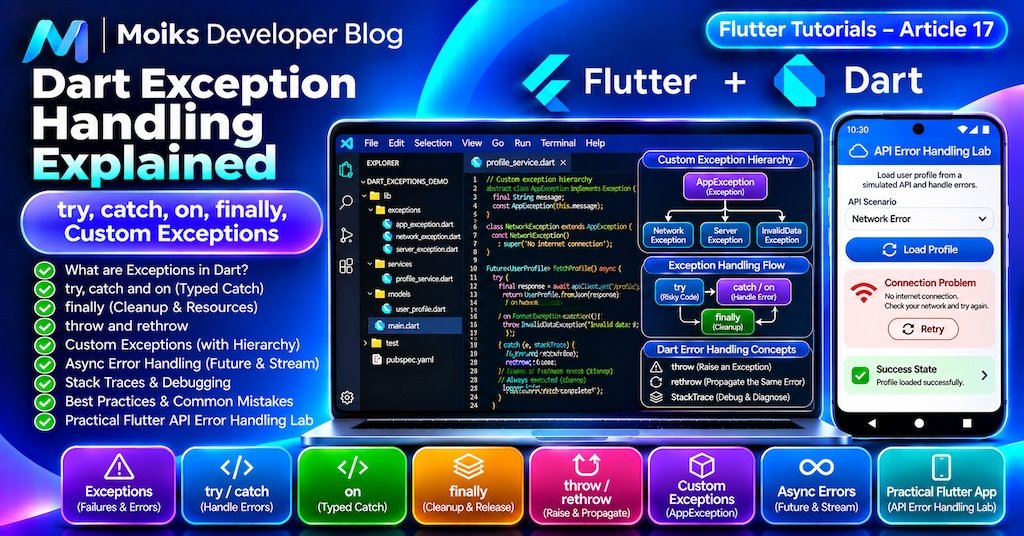
In this comprehensive Dart exception handling tutorial, we’ll explore these concepts from beginner to advanced and build a practical Flutter application that demonstrates error handling, recovery, and retry functionality.
This is Article 17 in the Moiks Developer Blog Flutter Tutorials series.
What You’ll Learn
By the end of this tutorial, you’ll understand:
- What exceptions and errors mean in Dart.
- How
tryandcatchwork. - How to catch specific exception types using
on. - How to use
finallyfor cleanup. - How to throw and rethrow exceptions.
- How to create custom exception classes.
- How to inspect stack traces.
- How to handle asynchronous exceptions.
- How to handle timeout and simulated network failures.
- How to separate technical errors from user-friendly messages.
- How to implement retry functionality.
- How to test success, failure, and recovery scenarios.
1. What Is Exception Handling in Dart?
Exception handling is a mechanism for responding to failures during program execution.
Instead of allowing an exception to remain unhandled, an application can catch it and decide how to respond.
For example, consider a function that divides two numbers.
double divide(double a, double b) {
  if (b == 0) {
    throw ArgumentError('Cannot divide by zero');
  }

  return a / b;
}
If the second argument is zero, the function throws an exception.
The caller can handle that failure:
void main() {
  try {
    final result = divide(100, 0);
    print(result);
  } catch (error) {
    print('Calculation failed: $error');
  }
}
Instead of allowing the exception to escape, the program handles it.
Why Exception Handling Matters
Proper error handling helps applications:
- Display meaningful feedback.
- Recover from temporary failures.
- Avoid losing user-entered data.
- Release resources reliably.
- Record useful diagnostic information.
- Prevent expected failures from becoming unhandled exceptions.
However, exception handling should not replace input validation or correct program logic.
2. Understanding Exceptions vs Errors in Dart
Dart distinguishes between exceptions and errors by convention and class hierarchy.
Exceptions
Exceptions generally represent conditions that applications may reasonably anticipate or handle.
Examples include:
FormatExceptionTimeoutExceptionIOExceptionSocketException- Custom application exceptions
Errors
Errors generally represent programming problems or situations that applications should not normally attempt to recover from.
Examples include:
StateErrorRangeErrorTypeErrorAssertionError
Comparison
| Exception | Error |
|---|---|
| Often represents an operational failure | Often represents a programming problem |
| May be recoverable | Usually requires fixing code |
| Common in networking and parsing | Common in invalid program state |
| Often handled at an application boundary | Usually logged and investigated |
Important: Dart allows any non-null object to be thrown. The distinction between Exception and Error is largely about intended usage.
For application-level failures, custom classes implementing Exception are generally preferable.
3. Using try and catch in Dart
The try block contains code that may throw an exception.
The catch block handles a thrown object.
Basic Syntax
try {
  // Code that may fail
} catch (error) {
  // Handle the failure
}
Example: Parsing a Number
void main() {
  final input = 'abc';

  try {
    final number = int.parse(input);
    print('Number: $number');
  } catch (error) {
    print('Invalid number: $error');
  }
}
Since 'abc' is not a valid integer, int.parse() throws a FormatException.
Better Alternative for Expected Invalid Input
Dart also provides int.tryParse().
void main() {
  final number = int.tryParse('abc');

  if (number == null) {
    print('Please enter a valid number');
    return;
  }

  print(number);
}
For ordinary validation, a non-throwing API may be simpler than exception handling.
Best practice: Use exceptions for exceptional failures and validation APIs for expected user-input mistakes.
4. Catching Specific Exceptions with on
Catching every error with a generic catch block can make it difficult to distinguish different failure types.
Dart provides the on keyword for typed exception handling.
Example
void parseInput(String input) {
  try {
    final number = int.parse(input);
    print(number);
  } on FormatException {
    print('The input is not a valid integer');
  }
}
The handler executes when a FormatException is thrown.
Multiple Exception Types
void processValue(String input, int index) {
  try {
    final values = [10, 20, 30];

    final number = int.parse(input);
    print(values[index] + number);
  } on FormatException {
    print('Invalid number format');
  } on RangeError {
    print('Index is outside the valid range');
  } catch (error) {
    print('Unexpected failure: $error');
  }
}
Why Catch Specific Types?
Different failures may require different recovery strategies.
For example:
- Invalid input: Ask the user to correct the value.
- Network timeout: Offer a retry.
- Authentication failure: Ask the user to sign in.
- Server failure: Display a temporary service error.
Typed exception handling makes these decisions explicit.
5. Understanding finally in Dart
The finally block executes when control leaves the associated try statement, whether the operation succeeds or throws.
It is useful for cleanup.
Example
void main() {
  try {
    print('Opening resource');

    final result = 100 ~/ 2;
    print(result);
  } catch (error) {
    print('Failure: $error');
  } finally {
    print('Cleanup completed');
  }
}
Output:
Opening resource
50
Cleanup completed
Resource Cleanup Example
import 'dart:io';

Future<void> writeLog(File file) async {
  final sink = file.openWrite();

  try {
    sink.writeln('Application started');
    await sink.flush();
  } finally {
    await sink.close();
  }
}
The finally block ensures that the code attempts to close the sink even when writing or flushing fails.
Important Consideration
If cleanup itself throws an exception, it can affect the error observed by the caller.
Production cleanup logic should account for this when preserving the original failure is important.
6. Throwing Exceptions with throw
The throw keyword allows a function to signal a failure.
Example
void validateAge(int age) {
  if (age < 0) {
    throw ArgumentError.value(
      age,
      'age',
      'Age cannot be negative',
    );
  }

  print('Valid age: $age');
}
Usage:
void main() {
  try {
    validateAge(-5);
  } on ArgumentError catch (error) {
    print(error.message);
  }
}
When Should You Throw?
Throw an exception when the operation cannot fulfill its contract.
Examples include:
- Invalid method arguments.
- Missing required application data.
- Failed service operations.
- Invalid response formats.
- Unsupported operations.
Avoid throwing exceptions for normal UI decisions such as selecting a tab or dismissing a dialog.
7. Understanding rethrow
Sometimes a function needs to record or inspect an exception without fully handling it.
Dart provides rethrow to propagate the currently caught exception.
Example
Future<void> loadData() async {
  try {
    throw Exception('Server unavailable');
  } catch (error, stackTrace) {
    print('Logging error: $error');
    print(stackTrace);

    rethrow;
  }
}
The caller can still handle the failure.
Future<void> main() async {
  try {
    await loadData();
  } catch (error) {
    print('Caller handled: $error');
  }
}
throw vs rethrow
| Keyword | Behavior |
|---|---|
throw | Throws an object as an exception |
rethrow | Propagates the currently caught exception |
throw error | Throws the caught object again, potentially changing stack-trace context |
Use rethrow when you want to preserve the original exception propagation information.
8. Understanding Stack Traces
A stack trace records information about the execution path associated with a failure.
It helps developers identify where an exception originated.
Example
void performCalculation() {
  throw StateError('Calculation failed');
}

void main() {
  try {
    performCalculation();
  } catch (error, stackTrace) {
    print('Error: $error');
    print('Stack trace: $stackTrace');
  }
}
Why Stack Traces Matter
Stack traces help with:
- Identifying the failing function.
- Understanding nested calls.
- Debugging asynchronous failures.
- Investigating production incidents.
- Connecting errors to application versions.
Avoid displaying raw stack traces directly to end users.
They are intended primarily for diagnostics.
9. Creating Custom Exceptions in Dart
Built-in exceptions are useful, but applications often need more meaningful domain-specific failures.
For example, a shopping application may need to distinguish between an unavailable product and a payment failure.
A Flutter application communicating with an API may need to distinguish network failures, server failures, and invalid responses.
Custom Exception Example
class ApiException implements Exception {
  final String message;
  final int? statusCode;

  const ApiException(
    this.message, {
    this.statusCode,
  });

  @override
  String toString() {
    return 'ApiException: $message'
        '${statusCode == null ? '' : ' ($statusCode)'}';
  }
}
Usage:
void checkResponse(int statusCode) {
  if (statusCode >= 500) {
    throw ApiException(
      'Server error',
      statusCode: statusCode,
    );
  }
}
Benefits of Custom Exceptions
Custom exceptions provide:
- Meaningful failure categories.
- Consistent error handling.
- Better testability.
- Separation between service logic and UI.
- Easier recovery decisions.
For larger applications, create a small, well-defined exception hierarchy rather than one generic exception for every failure.
10. Creating a Typed Exception Hierarchy
Consider an application that loads information from an API.
We can define a base exception and specialized exceptions.
abstract class AppException implements Exception {
  final String message;

  const AppException(this.message);

  @override
  String toString() => '$runtimeType: $message';
}

class NetworkException extends AppException {
  const NetworkException()
      : super('No internet connection');
}

class ServerException extends AppException {
  const ServerException()
      : super('Server temporarily unavailable');
}

class DataException extends AppException {
  const DataException()
      : super('Invalid response data');
}

class RequestTimeoutException extends AppException {
  const RequestTimeoutException()
      : super('Request timed out');
}
Now callers can handle each category independently.
try {
  await fetchData();
} on NetworkException {
  print('Check your connection');
} on ServerException {
  print('Try again later');
} on DataException {
  print('Received invalid data');
}
This pattern scales better than comparing exception message strings.
11. Exception Handling with async and await
Asynchronous functions can complete with errors.
When awaiting a future, Dart propagates a future error through the await expression.
Example
Future<String> fetchProfile() async {
  await Future<void>.delayed(
    const Duration(milliseconds: 500),
  );

  throw Exception('Unable to load profile');
}

Future<void> main() async {
  try {
    final profile = await fetchProfile();
    print(profile);
  } catch (error) {
    print('Profile error: $error');
  }
}
The catch block handles the error from the awaited future.
Common Mistake: Forgetting await
Future<void> loadProfile() async {
  try {
    fetchProfile();
  } catch (error) {
    print(error);
  }
}
The try block above does not reliably handle a future error because the future is neither awaited nor otherwise handled.
Correct Version
Future<void> loadProfile() async {
  try {
    await fetchProfile();
  } catch (error) {
    print('Handled: $error');
  }
}
Best practice: Await asynchronous operations whose completion and errors matter to the current workflow.
12. Handling TimeoutException
Network operations may take too long.
Dart provides Future.timeout().
Example
import 'dart:async';

Future<String> slowRequest() async {
  await Future<void>.delayed(
    const Duration(seconds: 5),
  );

  return 'Success';
}

Future<void> main() async {
  try {
    final result = await slowRequest().timeout(
      const Duration(seconds: 2),
    );

    print(result);
  } on TimeoutException {
    print('The request took too long');
  }
}
Important Timeout Behavior
Future.timeout() does not automatically cancel the underlying operation.
The original future may continue running.
For real HTTP requests, use the timeout and cancellation mechanisms provided by the networking library where appropriate.
13. Error Handling in Future.wait
Future.wait() combines multiple asynchronous operations.
Example
Future<String> loadUser() async => 'Alex';

Future<String> loadSettings() async {
  throw Exception('Settings unavailable');
}

Future<void> main() async {
  try {
    final results = await Future.wait([
      loadUser(),
      loadSettings(),
    ]);

    print(results);
  } catch (error) {
    print('Combined operation failed: $error');
  }
}
If one operation fails, the combined future completes with an error according to Future.wait() semantics.
Important Detail
Other started futures are not automatically canceled when one fails.
If partial success is acceptable, consider handling failures separately for each operation or using a result type that represents success and failure explicitly.
14. Handling Errors in Streams
Streams can emit both data events and error events.
Example
Stream<int> numberStream() async* {
  yield 1;
  yield 2;

  throw Exception('Stream failed');
}

Future<void> main() async {
  try {
    await for (final number in numberStream()) {
      print(number);
    }
  } catch (error) {
    print('Stream error: $error');
  }
}
Expected output:
1
2
Stream error: Exception: Stream failed
You can also handle errors through listen().
final subscription = numberStream().listen(
  (value) {
    print(value);
  },
  onError: (Object error, StackTrace stackTrace) {
    print('Stream failed: $error');
  },
);
Manage subscriptions appropriately when their owning component is disposed.
15. Practical Flutter Project: API Error Handling Lab
Let’s build a complete Flutter application demonstrating exception handling in a realistic UI.
The application will simulate an API that can succeed or fail in different ways.
Users can select a scenario, load data, inspect the result, and retry failed requests.
Features
- Material 3 interface.
- Simulated API requests.
- Successful response handling.
- Network failure simulation.
- Server failure simulation.
- Invalid response handling.
- Timeout simulation.
- Custom exception hierarchy.
- User-friendly error messages.
- Retry functionality.
- Loading and empty states.
- Unit and widget tests.
The project works offline and requires no third-party packages.
Step 1: Create the Project
flutter create dart_exception_demo
cd dart_exception_demo
Project Structure
lib/
├── main.dart
├── exceptions/
│   └── app_exception.dart
├── models/
│   └── user_profile.dart
├── services/
│   └── profile_service.dart
└── widgets/
    └── error_panel.dart

test/
├── profile_service_test.dart
└── widget_test.dart
Step 2: Create Custom Exceptions
Create lib/exceptions/app_exception.dart:
abstract class AppException implements Exception {
  final String message;

  const AppException(this.message);

  @override
  String toString() => '$runtimeType: $message';
}

class NetworkException extends AppException {
  const NetworkException()
      : super('No internet connection');
}

class ServerException extends AppException {
  const ServerException()
      : super('Server temporarily unavailable');
}

class InvalidDataException extends AppException {
  const InvalidDataException()
      : super('Invalid response data');
}

class RequestTimeoutException extends AppException {
  const RequestTimeoutException()
      : super('Request timed out');
}
Each exception represents a specific failure category.
The UI will use these categories to display appropriate messages.
Step 3: Create the User Profile Model
Create lib/models/user_profile.dart:
import '../exceptions/app_exception.dart';

class UserProfile {
  final int id;
  final String name;
  final String email;

  const UserProfile({
    required this.id,
    required this.name,
    required this.email,
  });

  factory UserProfile.fromJson(
    Map<String, dynamic> json,
  ) {
    final id = json['id'];
    final name = json['name'];
    final email = json['email'];

    if (id is! int ||
        name is! String ||
        email is! String ||
        name.trim().isEmpty ||
        email.trim().isEmpty) {
      throw const InvalidDataException();
    }

    return UserProfile(
      id: id,
      name: name,
      email: email,
    );
  }
}
The factory validates the required fields before creating a profile.
If the response is malformed, it throws InvalidDataException.
In a production application, more comprehensive validation may be appropriate.
Step 4: Create the API Simulation Service
Create lib/services/profile_service.dart:
import 'dart:async';

import '../exceptions/app_exception.dart';
import '../models/user_profile.dart';

enum ApiScenario {
  success,
  networkError,
  serverError,
  invalidData,
  timeout,
}

extension ApiScenarioLabel on ApiScenario {
  String get label {
    switch (this) {
      case ApiScenario.success:
        return 'Success';
      case ApiScenario.networkError:
        return 'Network Error';
      case ApiScenario.serverError:
        return 'Server Error';
      case ApiScenario.invalidData:
        return 'Invalid Data';
      case ApiScenario.timeout:
        return 'Timeout';
    }
  }
}

class ProfileService {
  final Duration responseDelay;
  final Duration requestTimeout;

  const ProfileService({
    this.responseDelay =
        const Duration(milliseconds: 600),
    this.requestTimeout =
        const Duration(seconds: 2),
  });

  Future<UserProfile> fetchProfile(
    ApiScenario scenario,
  ) async {
    try {
      return await _simulateRequest(scenario).timeout(
        requestTimeout,
      );
    } on TimeoutException {
      throw const RequestTimeoutException();
    }
  }

  Future<UserProfile> _simulateRequest(
    ApiScenario scenario,
  ) async {
    if (scenario == ApiScenario.timeout) {
      await Future<void>.delayed(
        requestTimeout +
            const Duration(milliseconds: 100),
      );
    } else {
      await Future<void>.delayed(responseDelay);
    }

    switch (scenario) {
      case ApiScenario.success:
        return UserProfile.fromJson({
          'id': 101,
          'name': 'Flutter Developer',
          'email': 'developer@example.com',
        });

      case ApiScenario.networkError:
        throw const NetworkException();

      case ApiScenario.serverError:
        throw const ServerException();

      case ApiScenario.invalidData:
        return UserProfile.fromJson({
          'id': 'invalid-id',
          'name': null,
          'email': 123,
        });

      case ApiScenario.timeout:
        return UserProfile.fromJson({
          'id': 101,
          'name': 'Delayed User',
          'email': 'delayed@example.com',
        });
    }
  }
}
How the Service Works
The service uses an enum to simulate five API scenarios.
Success: Returns a valid user profile.
Network Error: Throws NetworkException.
Server Error: Throws ServerException.
Invalid Data: Attempts to parse an invalid response, resulting in InvalidDataException.
Timeout: Delays longer than the configured timeout, resulting in RequestTimeoutException.
Why Use a Service Layer?
The service is responsible for data loading and technical error classification.
The widget is responsible for displaying loading, success, and error states.
This separation makes the code easier to test and maintain.
Step 5: Create a Reusable Error Widget
Create lib/widgets/error_panel.dart:
import 'package:flutter/material.dart';

class ErrorPanel extends StatelessWidget {
  final String title;
  final String message;
  final VoidCallback onRetry;

  const ErrorPanel({
    super.key,
    required this.title,
    required this.message,
    required this.onRetry,
  });

  @override
  Widget build(BuildContext context) {
    final colors = Theme.of(context).colorScheme;

    return Card(
      child: Padding(
        padding: const EdgeInsets.all(20),
        child: Column(
          mainAxisSize: MainAxisSize.min,
          children: [
            Icon(
              Icons.error_outline,
              size: 48,
              color: colors.error,
            ),
            const SizedBox(height: 12),
            Text(
              title,
              style: Theme.of(context)
                  .textTheme
                  .titleLarge,
              textAlign: TextAlign.center,
            ),
            const SizedBox(height: 8),
            Text(
              message,
              textAlign: TextAlign.center,
            ),
            const SizedBox(height: 16),
            FilledButton.icon(
              onPressed: onRetry,
              icon: const Icon(Icons.refresh),
              label: const Text('Retry'),
            ),
          ],
        ),
      ),
    );
  }
}
This reusable component provides a consistent error experience.
The same pattern can be used for API errors, database failures, or other recoverable operations.
Step 6: Build the Flutter Application
Replace lib/main.dart:
import 'package:flutter/material.dart';

import 'exceptions/app_exception.dart';
import 'models/user_profile.dart';
import 'services/profile_service.dart';
import 'widgets/error_panel.dart';

void main() {
  runApp(const ExceptionDemoApp());
}

class ExceptionDemoApp extends StatelessWidget {
  const ExceptionDemoApp({super.key});

  @override
  Widget build(BuildContext context) {
    return MaterialApp(
      title: 'Flutter Error Handling Lab',
      debugShowCheckedModeBanner: false,
      theme: ThemeData(
        colorScheme: ColorScheme.fromSeed(
          seedColor: const Color(0xFF004B64),
        ),
        useMaterial3: true,
      ),
      home: const ErrorHandlingScreen(),
    );
  }
}

class ErrorHandlingScreen extends StatefulWidget {
  final ProfileService service;

  const ErrorHandlingScreen({
    super.key,
    this.service = const ProfileService(),
  });

  @override
  State<ErrorHandlingScreen> createState() =>
      _ErrorHandlingScreenState();
}

class _ErrorHandlingScreenState
    extends State<ErrorHandlingScreen> {
  ApiScenario selectedScenario = ApiScenario.success;

  UserProfile? profile;
  AppException? appError;

  bool isLoading = false;
  int requestVersion = 0;

  Future<void> loadProfile() async {
    if (isLoading) return;

    final version = ++requestVersion;

    setState(() {
      isLoading = true;
      profile = null;
      appError = null;
    });

    try {
      final result = await widget.service.fetchProfile(
        selectedScenario,
      );

      if (!mounted || version != requestVersion) {
        return;
      }

      setState(() {
        profile = result;
      });
    } on AppException catch (error, stackTrace) {
      debugPrint('Profile request failed: $error');
      debugPrintStack(stackTrace: stackTrace);

      if (!mounted || version != requestVersion) {
        return;
      }

      setState(() {
        appError = error;
      });
    } catch (error, stackTrace) {
      debugPrint('Unexpected error: $error');
      debugPrintStack(stackTrace: stackTrace);

      if (!mounted || version != requestVersion) {
        return;
      }

      setState(() {
        appError = const ServerException();
      });
    } finally {
      if (mounted && version == requestVersion) {
        setState(() {
          isLoading = false;
        });
      }
    }
  }

  String errorTitle(AppException error) {
    if (error is NetworkException) {
      return 'Connection Problem';
    }

    if (error is ServerException) {
      return 'Service Unavailable';
    }

    if (error is InvalidDataException) {
      return 'Invalid Response';
    }

    if (error is RequestTimeoutException) {
      return 'Request Timed Out';
    }

    return 'Something Went Wrong';
  }

  String errorMessage(AppException error) {
    if (error is NetworkException) {
      return 'Check your internet connection '
          'and try again.';
    }

    if (error is ServerException) {
      return 'The service is temporarily '
          'unavailable. Please try later.';
    }

    if (error is InvalidDataException) {
      return 'We received unexpected data. '
          'Please try again.';
    }

    if (error is RequestTimeoutException) {
      return 'The request took too long. '
          'Please retry.';
    }

    return 'An unexpected problem occurred.';
  }

  Widget buildProfile(UserProfile user) {
    return Card(
      child: Padding(
        padding: const EdgeInsets.all(20),
        child: Column(
          children: [
            const CircleAvatar(
              radius: 32,
              child: Icon(
                Icons.person,
                size: 32,
              ),
            ),
            const SizedBox(height: 12),
            Text(
              user.name,
              style: Theme.of(context)
                  .textTheme
                  .titleLarge,
            ),
            const SizedBox(height: 8),
            Text(user.email),
            const SizedBox(height: 8),
            Text('User ID: ${user.id}'),
            const SizedBox(height: 12),
            const Chip(
              label: Text('Request Successful'),
              avatar: Icon(
                Icons.check_circle_outline,
              ),
            ),
          ],
        ),
      ),
    );
  }

  Widget buildResult() {
    if (isLoading) {
      return const Center(
        child: Column(
          children: [
            CircularProgressIndicator(),
            SizedBox(height: 12),
            Text('Loading profile...'),
          ],
        ),
      );
    }

    if (appError != null) {
      return ErrorPanel(
        title: errorTitle(appError!),
        message: errorMessage(appError!),
        onRetry: loadProfile,
      );
    }

    if (profile != null) {
      return buildProfile(profile!);
    }

    return const Center(
      child: Text(
        'Select a scenario and load the profile.',
        textAlign: TextAlign.center,
      ),
    );
  }

  @override
  void dispose() {
    requestVersion++;
    super.dispose();
  }

  @override
  Widget build(BuildContext context) {
    return Scaffold(
      appBar: AppBar(
        title: const Text(
          'Flutter Error Handling Lab',
        ),
        centerTitle: true,
      ),
      body: SafeArea(
        child: Center(
          child: ConstrainedBox(
            constraints: const BoxConstraints(
              maxWidth: 700,
            ),
            child: ListView(
              padding: const EdgeInsets.all(16),
              children: [
                Card(
                  child: Padding(
                    padding: const EdgeInsets.all(20),
                    child: Column(
                      children: [
                        const Icon(
                          Icons.shield_outlined,
                          size: 52,
                          color: Color(0xFF004B64),
                        ),
                        const SizedBox(height: 12),
                        Text(
                          'Dart Exception Handling',
                          style: Theme.of(context)
                              .textTheme
                              .headlineSmall,
                          textAlign: TextAlign.center,
                        ),
                        const SizedBox(height: 8),
                        const Text(
                          'Explore API failures, custom '
                          'exceptions, timeout handling '
                          'and retry functionality.',
                          textAlign: TextAlign.center,
                        ),
                      ],
                    ),
                  ),
                ),

                const SizedBox(height: 20),

                DropdownButtonFormField<ApiScenario>(
                  initialValue: selectedScenario,
                  decoration: const InputDecoration(
                    labelText: 'API Scenario',
                    border: OutlineInputBorder(),
                  ),
                  items: [
                    for (final scenario
                        in ApiScenario.values)
                      DropdownMenuItem(
                        value: scenario,
                        child: Text(scenario.label),
                      ),
                  ],
                  onChanged: isLoading
                      ? null
                      : (scenario) {
                          if (scenario == null) return;

                          setState(() {
                            selectedScenario = scenario;
                            profile = null;
                            appError = null;
                          });
                        },
                ),

                const SizedBox(height: 16),

                FilledButton.icon(
                  onPressed: isLoading
                      ? null
                      : loadProfile,
                  icon: const Icon(Icons.cloud_download),
                  label: const Text('Load Profile'),
                ),

                const SizedBox(height: 24),

                buildResult(),
              ],
            ),
          ),
        ),
      ),
    );
  }
}
Understanding the UI
The application follows a simple request lifecycle.
Idle: The user selects a scenario.
Loading: A progress indicator appears.
Success: The profile information is displayed.
Failure: A reusable error panel displays a user-friendly message.
Retry: The user can repeat the request.
The widget also checks mounted and uses a request version to avoid applying results after disposal or from outdated requests.
Production Logging Note
The example uses debugPrint() and debugPrintStack() to demonstrate diagnostics.
For production applications, use an appropriate logging and crash-reporting strategy. Avoid logging sensitive information, access tokens, passwords, or unnecessary personal data.
Step 7: Run the Application
flutter runTest the Different Scenarios
Success
Select Success and tap Load Profile.
The application displays:
Flutter Developer
developer@example.com
User ID: 101
Request Successful
Network Error
Select Network Error.
The application displays a connection-related message and a Retry button.
Server Error
Select Server Error.
The application displays a temporary service failure message.
Invalid Data
Select Invalid Data.
The model rejects the malformed response.
Timeout
Select Timeout.
The request exceeds the configured timeout and displays a timeout error.
The application remains usable after each simulated failure.
16. Unit Testing Dart Exceptions
Create test/profile_service_test.dart:
import 'package:flutter_test/flutter_test.dart';

import 'package:dart_exception_demo/exceptions/app_exception.dart';
import 'package:dart_exception_demo/models/user_profile.dart';
import 'package:dart_exception_demo/services/profile_service.dart';

void main() {
  late ProfileService service;

  setUp(() {
    service = const ProfileService(
      responseDelay: Duration.zero,
      requestTimeout:
          Duration(milliseconds: 20),
    );
  });

  test('Loads a valid user profile', () async {
    final profile = await service.fetchProfile(
      ApiScenario.success,
    );

    expect(profile.id, 101);
    expect(profile.name, 'Flutter Developer');
  });

  test('Throws NetworkException', () async {
    await expectLater(
      service.fetchProfile(
        ApiScenario.networkError,
      ),
      throwsA(isA<NetworkException>()),
    );
  });

  test('Throws ServerException', () async {
    await expectLater(
      service.fetchProfile(
        ApiScenario.serverError,
      ),
      throwsA(isA<ServerException>()),
    );
  });

  test('Throws InvalidDataException', () async {
    await expectLater(
      service.fetchProfile(
        ApiScenario.invalidData,
      ),
      throwsA(isA<InvalidDataException>()),
    );
  });

  test('Throws RequestTimeoutException', () async {
    await expectLater(
      service.fetchProfile(
        ApiScenario.timeout,
      ),
      throwsA(isA<RequestTimeoutException>()),
    );
  });

  test('Rejects malformed profile data', () {
    expect(
      () => UserProfile.fromJson({
        'id': 'invalid',
        'name': null,
        'email': 123,
      }),
      throwsA(isA<InvalidDataException>()),
    );
  });
}
What These Tests Verify
The tests cover:
- Successful API responses.
- Network failures.
- Server failures.
- Invalid response data.
- Timeout conversion.
- Model validation.
Run:
flutter test test/profile_service_test.dart17. Flutter Widget Testing
Create test/widget_test.dart:
import 'package:flutter/material.dart';
import 'package:flutter_test/flutter_test.dart';

import 'package:dart_exception_demo/main.dart';
import 'package:dart_exception_demo/services/profile_service.dart';

void main() {
  testWidgets(
    'Displays the application title',
    (tester) async {
      await tester.pumpWidget(
        const ExceptionDemoApp(),
      );

      expect(
        find.text('Flutter Error Handling Lab'),
        findsOneWidget,
      );
    },
  );

  testWidgets(
    'Displays the scenario selector',
    (tester) async {
      await tester.pumpWidget(
        const ExceptionDemoApp(),
      );

      expect(
        find.byType(
          DropdownButtonFormField<ApiScenario>,
        ),
        findsOneWidget,
      );

      expect(
        find.text('Load Profile'),
        findsOneWidget,
      );
    },
  );

  testWidgets(
    'Displays a successful profile',
    (tester) async {
      await tester.pumpWidget(
        const MaterialApp(
          home: ErrorHandlingScreen(
            service: ProfileService(
              responseDelay: Duration.zero,
            ),
          ),
        ),
      );

      await tester.tap(
        find.text('Load Profile'),
      );

      await tester.pump();
      await tester.pump(
        const Duration(milliseconds: 10),
      );

      expect(
        find.text('Flutter Developer'),
        findsOneWidget,
      );

      expect(
        find.text('Request Successful'),
        findsOneWidget,
      );
    },
  );

  testWidgets(
    'Displays loading state',
    (tester) async {
      await tester.pumpWidget(
        const ExceptionDemoApp(),
      );

      await tester.tap(
        find.text('Load Profile'),
      );

      await tester.pump();

      expect(
        find.byType(CircularProgressIndicator),
        findsOneWidget,
      );
    },
  );
}
Running Tests
flutter testRun static analysis:
flutter analyzeRecommended Additional Tests
For production projects, also test:
- Changing error scenarios.
- Retry after a failed request.
- Disposing the screen during a request.
- Multiple rapid user interactions.
- Error message accessibility.
- Different screen sizes.
For widget tests involving timeouts, prefer deterministic fake services or controlled fake time rather than real network requests.
18. FlutterError.onError vs PlatformDispatcher.onError
Dart exception handling inside services is only one part of application reliability.
Flutter also provides mechanisms for reporting errors that escape normal application code.
FlutterError.onError
Flutter uses FlutterError.onError to report many errors caught by the Flutter framework.
void main() {
  FlutterError.onError = (details) {
    FlutterError.presentError(details);
  };

  runApp(const ExceptionDemoApp());
}
PlatformDispatcher.onError
PlatformDispatcher.onError can handle certain unhandled errors on the root isolate that are not caught by the Flutter framework.
import 'dart:ui';

void main() {
  PlatformDispatcher.instance.onError = (
    error,
    stackTrace,
  ) {
    // Send error details to an approved
    // application logging system.
    return true;
  };

  runApp(const ExceptionDemoApp());
}
Returning true indicates that the handler has handled the error.
Important Limitations
These handlers are not substitutes for local exception handling.
They do not guarantee recovery from every crash or native failure.
Errors in separately spawned isolates may require their own error-reporting mechanisms.
For production applications, configure framework and platform error reporting carefully and preserve useful diagnostic information.
19. Error Handling in Flutter Architecture
As applications grow, error handling should be organized into layers.
A common structure is:
Flutter UI
    |
    v
State / ViewModel
    |
    v
Repository
    |
    v
API / Database / Local Storage
Data Layer
Handles low-level failures such as network errors, invalid responses, and storage exceptions.
Repository Layer
Converts implementation-specific failures into meaningful application-level exceptions or result types.
State Layer
Decides whether to retry, preserve existing data, or expose an error state.
UI Layer
Displays user-friendly messages and recovery actions.
This separation prevents widgets from becoming tightly coupled to HTTP status codes or low-level exception messages.
20. Exceptions vs Result Types
Not every failure needs to be represented by a thrown exception.
Some applications use a result type for expected outcomes.
For example:
sealed class Result<T> {
  const Result();
}

class Success<T> extends Result<T> {
  final T data;

  const Success(this.data);
}

class Failure<T> extends Result<T> {
  final String message;

  const Failure(this.message);
}
Usage:
Future<Result<String>> loadUsername() async {
  try {
    return const Success('Flutter Developer');
  } catch (error) {
    return const Failure(
      'Unable to load username',
    );
  }
}
When to Use Result Types
Result types can be useful when failures are expected parts of a workflow and callers must explicitly handle both success and failure.
Examples include:
- Login validation.
- Form submission.
- Payment outcomes.
- Permission decisions.
- Repository operations.
When to Use Exceptions
Exceptions remain useful for unexpected failures and APIs that naturally communicate errors by throwing.
Both approaches can coexist.
Choose a consistent strategy that fits your application’s architecture.
21. Common Exception Handling Mistakes
Mistake 1: Catching Everything and Ignoring It
Avoid:
try {
  await loadData();
} catch (_) {}
Silently swallowing failures makes debugging difficult.
Mistake 2: Showing Raw Exceptions to Users
Avoid displaying:
SocketException: Failed host lookupInstead, display a meaningful message such as:
Unable to connect. Check your internet connection.Mistake 3: Using Exceptions for Ordinary Validation
Prefer tryParse() or explicit validation when invalid input is expected.
Mistake 4: Forgetting await
An unawaited future may fail outside the intended try/catch block.
Mistake 5: Losing Stack Traces
Use rethrow when propagating a caught exception without changing its meaning.
Mistake 6: Retrying Every Failure
Retrying invalid data or authorization failures repeatedly may not help.
Retry policies should depend on the failure category.
Mistake 7: Retrying Without Limits
Unbounded retries can overload services and drain device resources.
Mistake 8: Ignoring Widget Lifecycle
An asynchronous request may finish after its screen is disposed.
Check mounted and cancel supported operations where appropriate.
Mistake 9: Treating Every Error as Recoverable
Programming errors should usually be investigated and fixed rather than hidden behind generic recovery logic.
Mistake 10: Logging Sensitive Information
Avoid recording passwords, authentication tokens, private user data, or unnecessary request payloads.
22. Best Practices for Production Flutter Apps
Use the following guidelines:
- Catch specific exception types whenever practical.
- Use custom exceptions for meaningful domain failures.
- Keep technical diagnostics separate from user-facing messages.
- Preserve stack traces when propagating failures.
- Use
finallyfor appropriate resource cleanup. - Handle asynchronous future and stream errors explicitly.
- Implement bounded retries only for suitable transient failures.
- Prevent stale requests from updating disposed or outdated screens.
- Avoid leaking sensitive data into logs.
- Test success, failure, timeout, and recovery scenarios.
- Use centralized reporting for unexpected application errors.
- Keep error-handling logic consistent across repositories and features.
A reliable application does not simply avoid errors.
It responds to expected failures predictably and makes unexpected failures easier to investigate.
23. Frequently Asked Questions
What is exception handling in Dart?
Exception handling is the process of detecting and responding to thrown failures using constructs such as try, catch, on, and finally.
What is the difference between Exception and Error in Dart?
Exceptions generally represent anticipated operational failures, while errors commonly indicate programming problems or invalid program states.
What does try do in Dart?
A try block contains code whose thrown failures can be handled by associated catch clauses.
What does catch do in Dart?
A catch clause receives a thrown object and allows the application to handle it.
What is the on keyword in Dart?
The on keyword restricts an exception handler to a particular type.
What does finally do in Dart?
A finally block executes when control leaves the associated try statement, making it useful for cleanup.
What is throw in Dart?
throw signals a failure by throwing an object.
What is rethrow in Dart?
rethrow propagates the currently caught exception while preserving its original exception context.
Can I create custom exceptions in Dart?
Yes. You can define classes that implement Exception or extend your own exception hierarchy.
How do I handle Future errors?
Await the future inside a try/catch block or use the future’s error-handling APIs appropriately.
How do I handle Stream errors?
Use try/catch with await for, or provide an onError handler when subscribing to a stream.
What is TimeoutException?
TimeoutException represents a timeout condition in Dart’s asynchronous APIs.
Does Future.timeout cancel a request?
Not necessarily. The underlying operation may continue unless its API supports cancellation.
What is a stack trace?
A stack trace records execution information associated with an error and helps identify where it occurred.
Should I show exception messages directly to users?
Usually not. Technical messages should be translated into clear, safe, user-friendly feedback.
What is a custom API exception?
It is an application-defined exception representing a specific API-related failure, such as a network error or invalid response.
How do I implement retry functionality?
Provide a controlled way to repeat a failed operation, ideally with appropriate retry limits and failure classification.
What is FlutterError.onError?
It is a Flutter framework callback used to report errors caught by the framework.
What is PlatformDispatcher.onError?
It is a callback for certain unhandled errors on the root isolate that are not caught by the Flutter framework.
Should I use exceptions or Result types?
Use exceptions for exceptional failures and consider result types when success and failure are both expected outcomes that callers should handle explicitly.
How do I test exception handling in Flutter?
Write unit and widget tests covering successful operations, expected exceptions, timeouts, error messages, and retry behavior.
Is exception handling important for production Flutter apps?
Yes. Proper exception handling improves reliability, user experience, maintainability, and debugging.
24. Conclusion
Exception handling is an essential skill for professional Dart and Flutter development.
Real applications must deal with unreliable networks, unexpected server responses, invalid data, timeouts, and other operational failures.
In this tutorial, we explored try, catch, on, finally, throw, rethrow, stack traces, and custom exception classes.
We also learned how to handle asynchronous failures from futures and streams, distinguish technical errors from user-facing messages, and organize error handling across application layers.
Finally, we built a practical Flutter API Error Handling Lab featuring simulated API failures, timeout handling, retry functionality, and automated tests.
The key principle is:
Handle expected failures gracefully, preserve useful diagnostic information, and make recovery clear to the user.
By following these practices, you can build Flutter applications that remain understandable, reliable, and maintainable even when operations fail.
What’s Next in the Flutter Tutorials Series?
Flutter Article 18: Dart Records, Patterns and Pattern Matching Explained — Destructuring, Switch Expressions & Practical Flutter Examples (2026 Guide)
In the next tutorial, we’ll explore Dart records, pattern matching, destructuring, switch expressions, object patterns, collection patterns, and practical Flutter use cases.
Continue learning Flutter and Dart:
Moiks Developer Blog: https://moiks.com/blog/
Official Documentation and References
- Dart Error Handling — https://dart.dev/language/error-handling
- Dart Asynchronous Programming — https://dart.dev/language/async
- Dart Futures and Error Handling — https://dart.dev/libraries/async/futures-error-handling
- Dart Streams — https://dart.dev/libraries/async/using-streams
- Dart Exception API — https://api.dart.dev/dart-core/Exception-class.html
- Dart StackTrace API — https://api.dart.dev/dart-core/StackTrace-class.html
- Flutter Error Handling — https://docs.flutter.dev/testing/errors
- Flutter App Architecture — https://docs.flutter.dev/app-architecture
- Flutter Testing Overview — https://docs.flutter.dev/testing/overview
- DartPad — https://dartpad.dev/
Moiks Developer Blog — Practical Flutter, Dart, Android, and iOS development tutorials.


