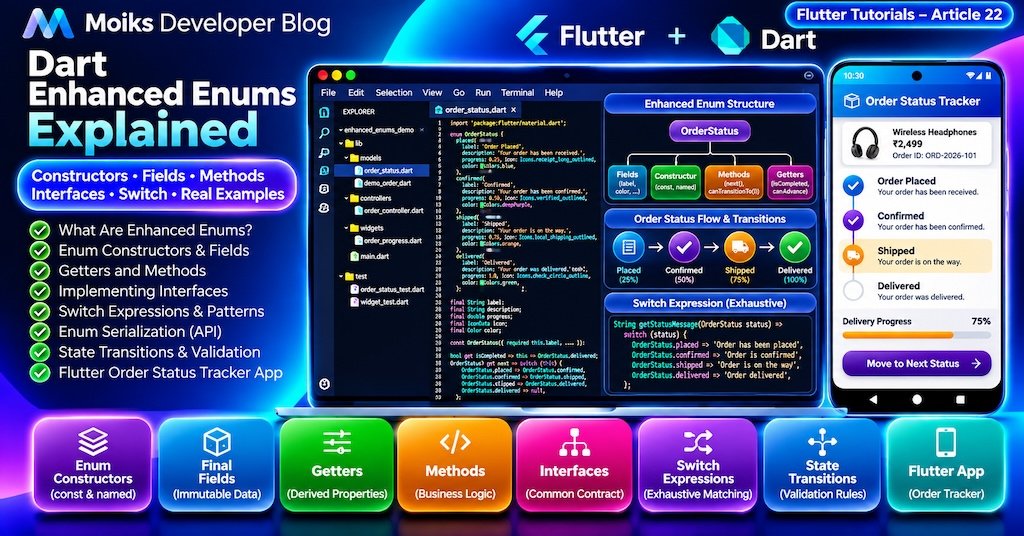
Enums are an essential feature of Dart programming. They help developers represent a fixed collection of related values, such as payment methods, order statuses, user roles, application themes, and network states.
In traditional enum implementations, developers often need separate functions or maps to associate enum values with labels, descriptions, or business rules.
Dart enhanced enums provide a more expressive solution.
With enhanced enums, you can define constructors, immutable fields, getters, methods, and interface implementations directly inside an enum declaration.
This makes enums particularly useful in Flutter applications where states have their own presentation properties and behavior.
In this tutorial, we’ll explore Dart enhanced enums from fundamentals to production-oriented patterns.
We’ll also build a complete Flutter Order Status Tracker that demonstrates enum-based state management, validated status transitions, Material 3 UI, and automated testing.
This is Article 22 in the Moiks Developer Blog Flutter Tutorials series.
What You’ll Learn
By the end of this article, you’ll understand:
- What enhanced enums are and how they differ from basic enums.
- How to define enum constructors and final fields.
- How to add getters and methods to enum values.
- How enums implement interfaces.
- How to use exhaustive switch expressions.
- How to convert enums to and from API values.
- How to implement safe enum-based state transitions.
- How to use enhanced enums in Flutter UI components.
- How to build and test a complete order tracking application.
1. What Is an Enum in Dart?
An enum represents a fixed set of named constant values.
For example, an application might support three themes.
enum AppTheme {
  light,
  dark,
  system,
}
Usage:
void main() {
  final theme = AppTheme.dark;

  print(theme.name);
}
Output:
darkEnums are useful because they restrict values to a predefined collection.
A function accepting AppTheme cannot receive an arbitrary string without explicit conversion.
Why Not Use Strings?
Consider:
void changeTheme(String theme) {}A caller could pass:
changeTheme('drak');The misspelled value is still a valid string.
With an enum:
void changeTheme(AppTheme theme) {}The caller must use a defined enum value.
This provides stronger compile-time safety.
2. What Are Enhanced Enums?
Enhanced enums extend basic enum functionality by allowing enum declarations to contain additional members.
Dart introduced enhanced enums in Dart 2.17.
An enhanced enum can define:
- Constant constructors.
- Final instance fields.
- Getters.
- Methods.
- Static members.
- Implemented interfaces.
- Custom behavior for each enum value.
Example
enum Priority {
  low('Low Priority', 1),
  medium('Medium Priority', 2),
  high('High Priority', 3);

  final String label;
  final int level;

  const Priority(this.label, this.level);
}
Usage:
void main() {
  print(Priority.high.label);
  print(Priority.high.level);
}
Output:
High Priority
3
Each enum value stores its own constant configuration.
This is one of the most useful capabilities of enhanced enums.
3. Understanding Enhanced Enum Syntax
Let’s examine the previous example.
enum Priority {
  low('Low Priority', 1),
  medium('Medium Priority', 2),
  high('High Priority', 3);

  final String label;
  final int level;

  const Priority(this.label, this.level);
}
Enum Values
low('Low Priority', 1)creates an enum constant using the enum’s constructor.
Final Fields
final String label;
final int level;
store immutable values associated with each constant.
Const Constructor
const Priority(this.label, this.level);initializes the enum fields.
Semicolon
The semicolon after the enum constants separates the constant declarations from the enum members.
Important: Enhanced enum instances are constant objects. Instance fields must be final, and generative constructors must be constant.
4. Enhanced Enum Constructors
Enhanced enums support constant generative constructors.
Consider a delivery service.
enum DeliveryType {
  standard('Standard Delivery', 5),
  express('Express Delivery', 2),
  sameDay('Same Day Delivery', 0);

  final String label;
  final int estimatedDays;

  const DeliveryType(
    this.label,
    this.estimatedDays,
  );
}
Usage:
void main() {
  final delivery = DeliveryType.express;

  print(delivery.label);
  print(delivery.estimatedDays);
}
Output:
Express Delivery
2
Named Constructors in Enums
You can also use named constructors.
enum SubscriptionPlan {
  free.basic('Free', 0),
  premium.paid('Premium', 199),
  pro.paid('Pro', 499);

  final String label;
  final int monthlyPrice;

  const SubscriptionPlan.basic(
    this.label,
    this.monthlyPrice,
  );

  const SubscriptionPlan.paid(
    this.label,
    this.monthlyPrice,
  );
}
This example demonstrates multiple named construction entry points.
All enum values are declared inside the enum itself.
You cannot freely instantiate new enum values elsewhere.
5. Adding Getters to Enhanced Enums
Getters allow an enum to expose calculated information.
Example: User Roles
enum UserRole {
  guest,
  member,
  moderator,
  administrator;

  bool get canManageUsers {
    return switch (this) {
      UserRole.administrator => true,
      _ => false,
    };
  }

  bool get canPublishContent {
    return switch (this) {
      UserRole.moderator ||
      UserRole.administrator => true,
      _ => false,
    };
  }
}
Usage:
void main() {
  print(UserRole.guest.canManageUsers);
  print(UserRole.administrator.canManageUsers);
}
Output:
false
true
Why Use Getters?
Getters are useful for derived properties that naturally belong to the enum.
Examples include:
- Whether an order is completed.
- Whether a payment can be refunded.
- Whether a user has a particular permission.
- Whether a task is overdue.
- Whether a network state represents an error.
For security-sensitive permissions, the server must still enforce authorization. Client-side enum checks are not a security boundary.
6. Adding Methods to Enhanced Enums
Enhanced enums can contain methods that operate on their values.
Example: Payment Status
enum PaymentStatus {
  pending,
  processing,
  successful,
  failed,
  refunded;

  bool canRetry() {
    return this == PaymentStatus.failed;
  }

  bool isFinished() {
    return switch (this) {
      PaymentStatus.successful ||
      PaymentStatus.failed ||
      PaymentStatus.refunded => true,
      _ => false,
    };
  }
}
Usage:
void main() {
  final status = PaymentStatus.failed;

  print(status.canRetry());
  print(status.isFinished());
}
Output:
true
true
This approach keeps status-related logic together instead of spreading it across multiple unrelated utility functions.
7. Enhanced Enums Implementing Interfaces
An enhanced enum can implement an interface.
This allows multiple enums or classes to share a common contract.
Example
abstract interface class Describable {
  String get description;
}

enum TaskStatus implements Describable {
  todo('Not started'),
  inProgress('Work in progress'),
  completed('Finished successfully');

  @override
  final String description;

  const TaskStatus(this.description);
}
Usage:
void printDescription(Describable value) {
  print(value.description);
}

void main() {
  printDescription(TaskStatus.completed);
}
Output:
Finished successfullyWhen Are Interfaces Useful?
Interfaces are useful when different types need to provide the same functionality.
For example, both a payment status enum and a delivery status enum might implement a display interface.
However, avoid introducing interfaces for every small enum. Use them when they create meaningful architectural reuse.
8. Enhanced Enums and Switch Expressions
Dart 3 introduced switch expressions and pattern matching.
They work particularly well with enums.
Example
enum NetworkStatus {
  disconnected,
  connecting,
  connected,
  failed,
}

String getStatusMessage(NetworkStatus status) {
  return switch (status) {
    NetworkStatus.disconnected =>
      'No internet connection',
    NetworkStatus.connecting =>
      'Connecting...',
    NetworkStatus.connected =>
      'Connected successfully',
    NetworkStatus.failed =>
      'Connection failed',
  };
}
Usage:
void main() {
  print(getStatusMessage(NetworkStatus.connected));
}
Output:
Connected successfullyExhaustive Switch Expressions
When switching over an enum, Dart can verify that all possible enum values are handled.
If a new enum value is added, a switch expression without a wildcard or default case may produce an exhaustiveness error until the new value is handled.
This makes enum-based logic safer to maintain.
Best Practice
Prefer exhaustive switches when every enum value should be considered explicitly.
Avoid unnecessary wildcard branches that hide newly introduced enum cases.
9. Enhanced Enum Properties: name, index, and values
Every Dart enum provides useful built-in functionality.
name
enum ColorMode {
  light,
  dark,
}

void main() {
  print(ColorMode.dark.name);
}
Output:
darkindex
print(ColorMode.dark.index);Output:
1values
for (final mode in ColorMode.values) {
  print(mode.name);
}
Output:
light
dark
Important Warning
Avoid storing enum index values in persistent databases or APIs.
Reordering enum constants changes their indexes.
Use explicit stable identifiers instead.
10. Enum Serialization and API Integration
Many APIs represent statuses as strings.
For example:
{
  "order_id": "ORD-101",
  "status": "in_transit"
}
The application’s Dart enum may use a different naming convention.
Recommended Approach
enum ShippingStatus {
  pending('pending'),
  packed('packed'),
  inTransit('in_transit'),
  delivered('delivered');

  final String apiValue;

  const ShippingStatus(this.apiValue);

  static ShippingStatus fromApi(String value) {
    for (final status in ShippingStatus.values) {
      if (status.apiValue == value) {
        return status;
      }
    }

    throw FormatException(
      'Unknown shipping status: $value',
    );
  }
}
Usage:
void main() {
  final status = ShippingStatus.fromApi(
    'in_transit',
  );

  print(status);
  print(status.apiValue);
}
Output:
ShippingStatus.inTransit
in_transit
Why Explicit API Values Matter
An enum’s Dart identifier may change during refactoring.
An explicit apiValue helps preserve compatibility with backend contracts.
When an API introduces an unknown value, decide whether to reject it, map it to an unknown state, or handle it through a compatibility layer.
Do not silently map unknown statuses to a success state.
Practical Flutter Project: Order Status Tracker
Now we’ll combine enhanced enum concepts into a complete Flutter application.
The project demonstrates how an enum can hold display information and business behavior while Flutter handles presentation and interaction.
11. Application Features
Our Flutter Order Status Tracker includes:
- Material 3 user interface.
- Moiks Studio teal branding.
- Four order statuses.
- Enum-based labels and descriptions.
- Status-specific colors and icons.
- Delivery progress visualization.
- Validated status transitions.
- Next-status button.
- Restart order simulation.
- Immutable order model.
- ChangeNotifier state management.
- Unit and widget tests.
The app is fully offline and requires no backend or third-party packages.
12. Application Architecture
Flutter Order Status Tracker
           |
           v
       Flutter UI
           |
           v
    OrderController
           |
           v
       Order Model
           |
           v
   Enhanced OrderStatus
       /    |     \
   Labels  Icons  Rules
       \    |     /
       Progress Data
The enum defines the status configuration and transition rules.
The controller manages the current order.
The UI renders the controller’s state.
13. Create the Flutter Project
Run:
flutter create enhanced_enums_demo
cd enhanced_enums_demo
Create the following files:
enhanced_enums_demo/
├── lib/
│   ├── main.dart
│   ├── models/
│   │   ├── order_status.dart
│   │   └── demo_order.dart
│   ├── controllers/
│   │   └── order_controller.dart
│   └── widgets/
│       └── order_progress.dart
└── test/
    ├── order_status_test.dart
    ├── order_controller_test.dart
    └── widget_test.dart
No additional packages are required.
14. Create the Enhanced Order Status Enum
Create lib/models/order_status.dart.
import 'package:flutter/material.dart';

enum OrderStatus {
  placed(
    label: 'Order Placed',
    description: 'Your order has been received.',
    apiValue: 'placed',
    progress: 0.25,
    icon: Icons.receipt_long_outlined,
    color: Colors.blue,
  ),

  confirmed(
    label: 'Confirmed',
    description: 'Your order has been confirmed.',
    apiValue: 'confirmed',
    progress: 0.50,
    icon: Icons.verified_outlined,
    color: Colors.deepPurple,
  ),

  shipped(
    label: 'Shipped',
    description: 'Your order is on the way.',
    apiValue: 'shipped',
    progress: 0.75,
    icon: Icons.local_shipping_outlined,
    color: Colors.orange,
  ),

  delivered(
    label: 'Delivered',
    description: 'Your order was delivered.',
    apiValue: 'delivered',
    progress: 1.0,
    icon: Icons.check_circle_outline,
    color: Colors.green,
  );

  final String label;
  final String description;
  final String apiValue;
  final double progress;
  final IconData icon;
  final Color color;

  const OrderStatus({
    required this.label,
    required this.description,
    required this.apiValue,
    required this.progress,
    required this.icon,
    required this.color,
  });

  bool get isCompleted {
    return this == OrderStatus.delivered;
  }

  bool get canAdvance {
    return !isCompleted;
  }

  OrderStatus? get next {
    return switch (this) {
      OrderStatus.placed => OrderStatus.confirmed,
      OrderStatus.confirmed => OrderStatus.shipped,
      OrderStatus.shipped => OrderStatus.delivered,
      OrderStatus.delivered => null,
    };
  }

  bool canTransitionTo(OrderStatus target) {
    return next == target;
  }

  static OrderStatus fromApi(String value) {
    for (final status in OrderStatus.values) {
      if (status.apiValue == value) {
        return status;
      }
    }

    throw FormatException(
      'Unknown order status: $value',
    );
  }
}Understanding the Implementation
The enum contains four predefined states:
placed
confirmed
shipped
delivered
Each state has its own display configuration.
For example:
OrderStatus.shipped.labelreturns:
ShippedThe next getter defines the permitted sequence:
Placed → Confirmed → Shipped → DeliveredThe canTransitionTo() method validates movement between states.
Why Keep Transition Rules in the Enum?
The rules are small and directly related to the status values.
This keeps the logic centralized and easy to test.
For more complicated workflows with cancellation, returns, payment disputes, or parallel fulfillment states, a dedicated state machine may be more appropriate.
15. Create the Order Model
Create lib/models/demo_order.dart.
import 'order_status.dart';

final class DemoOrder {
  final String id;
  final String productName;
  final int priceInRupees;
  final OrderStatus status;

  const DemoOrder({
    required this.id,
    required this.productName,
    required this.priceInRupees,
    required this.status,
  });

  DemoOrder copyWith({
    String? id,
    String? productName,
    int? priceInRupees,
    OrderStatus? status,
  }) {
    return DemoOrder(
      id: id ?? this.id,
      productName: productName ?? this.productName,
      priceInRupees:
          priceInRupees ?? this.priceInRupees,
      status: status ?? this.status,
    );
  }
}The model is immutable.
When the status changes, the controller creates a new DemoOrder through copyWith().
This keeps updates predictable.
16. Create the Order Controller
Create lib/controllers/order_controller.dart.
import 'package:flutter/foundation.dart';

import '../models/demo_order.dart';
import '../models/order_status.dart';

final class OrderController extends ChangeNotifier {
  DemoOrder _order = const DemoOrder(
    id: 'ORD-2026-101',
    productName: 'Wireless Headphones',
    priceInRupees: 2499,
    status: OrderStatus.placed,
  );

  DemoOrder get order => _order;

  OrderStatus get status => _order.status;

  bool get canAdvance => status.canAdvance;

  bool advance() {
    final nextStatus = status.next;

    if (nextStatus == null) {
      return false;
    }

    _order = _order.copyWith(
      status: nextStatus,
    );

    notifyListeners();
    return true;
  }

  bool updateStatus(OrderStatus target) {
    if (!status.canTransitionTo(target)) {
      return false;
    }

    _order = _order.copyWith(
      status: target,
    );

    notifyListeners();
    return true;
  }

  void reset() {
    _order = _order.copyWith(
      status: OrderStatus.placed,
    );

    notifyListeners();
  }
}Important Design Details
The controller exposes the current status through:
OrderStatus get status => _order.status;The advance() method reads the enum’s next property.
The updateStatus() method rejects invalid transitions.
For example, moving directly from placed to delivered is not permitted.
This prevents the UI from bypassing the defined order progression.
17. Create the Order Progress Widget
Create lib/widgets/order_progress.dart.
import 'package:flutter/material.dart';

import '../models/order_status.dart';

class OrderProgress extends StatelessWidget {
  final OrderStatus status;

  const OrderProgress({
    super.key,
    required this.status,
  });

  @override
  Widget build(BuildContext context) {
    final theme = Theme.of(context);

    return Card(
      child: Padding(
        padding: const EdgeInsets.all(20),
        child: Column(
          crossAxisAlignment:
              CrossAxisAlignment.start,
          children: [
            Text(
              'Delivery Progress',
              style: theme.textTheme.titleLarge,
            ),
            const SizedBox(height: 16),

            LinearProgressIndicator(
              value: status.progress,
              minHeight: 10,
              borderRadius:
                  BorderRadius.circular(8),
              color: status.color,
            ),

            const SizedBox(height: 12),

            Text(
              '${(status.progress * 100).round()}% Complete',
              style: theme.textTheme.bodyMedium,
            ),

            const SizedBox(height: 24),

            for (final step in OrderStatus.values)
              _buildStep(context, step),
          ],
        ),
      ),
    );
  }

  Widget _buildStep(
    BuildContext context,
    OrderStatus step,
  ) {
    final isReached = step.index <= status.index;
    final isCurrent = step == status;

    final color = isReached
        ? step.color
        : Theme.of(context)
            .colorScheme
            .outline;

    return Padding(
      padding: const EdgeInsets.only(
        bottom: 18,
      ),
      child: Row(
        children: [
          Icon(
            isReached
                ? Icons.check_circle
                : Icons.radio_button_unchecked,
            color: color,
          ),
          const SizedBox(width: 12),

          Expanded(
            child: Column(
              crossAxisAlignment:
                  CrossAxisAlignment.start,
              children: [
                Text(
                  step.label,
                  style: TextStyle(
                    fontWeight: isCurrent
                        ? FontWeight.bold
                        : FontWeight.normal,
                  ),
                ),
                if (isCurrent)
                  Text(
                    step.description,
                    style: Theme.of(context)
                        .textTheme
                        .bodySmall,
                  ),
              ],
            ),
          ),

          if (isCurrent)
            const Icon(
              Icons.arrow_left,
              size: 28,
            ),
        ],
      ),
    );
  }
}How It Works
The widget receives an OrderStatus enum value.
The enum supplies:
- Progress percentage.
- Display label.
- Description.
- Icon.
- Color.
The widget uses these properties to render the progress indicator and delivery timeline.
For this linear demonstration, enum declaration order corresponds to progress order. More complex production workflows should use explicit stage metadata rather than relying on index.
18. Build the Flutter Order Status Tracker UI
Replace lib/main.dart.
import 'package:flutter/material.dart';

import 'controllers/order_controller.dart';
import 'models/order_status.dart';
import 'widgets/order_progress.dart';

void main() {
  runApp(const OrderTrackerApp());
}

class OrderTrackerApp extends StatelessWidget {
  const OrderTrackerApp({super.key});

  @override
  Widget build(BuildContext context) {
    return MaterialApp(
      title: 'Order Status Tracker',
      debugShowCheckedModeBanner: false,
      theme: ThemeData(
        colorScheme: ColorScheme.fromSeed(
          seedColor: const Color(0xFF004B64),
        ),
        useMaterial3: true,
      ),
      home: const OrderTrackerScreen(),
    );
  }
}

class OrderTrackerScreen extends StatefulWidget {
  const OrderTrackerScreen({super.key});

  @override
  State<OrderTrackerScreen> createState() =>
      _OrderTrackerScreenState();
}

class _OrderTrackerScreenState
    extends State<OrderTrackerScreen> {
  late final OrderController controller;

  @override
  void initState() {
    super.initState();
    controller = OrderController();
  }

  @override
  void dispose() {
    controller.dispose();
    super.dispose();
  }

  @override
  Widget build(BuildContext context) {
    return Scaffold(
      appBar: AppBar(
        title: const Text('Order Status Tracker'),
        centerTitle: true,
      ),
      body: SafeArea(
        child: Center(
          child: ConstrainedBox(
            constraints: const BoxConstraints(
              maxWidth: 700,
            ),
            child: AnimatedBuilder(
              animation: controller,
              builder: (context, child) {
                final order = controller.order;
                final status = order.status;

                return ListView(
                  padding: const EdgeInsets.all(16),
                  children: [
                    Card(
                      child: Padding(
                        padding: const EdgeInsets.all(20),
                        child: Column(
                          children: [
                            Icon(
                              status.icon,
                              size: 56,
                              color: status.color,
                            ),
                            const SizedBox(height: 12),

                            Text(
                              'Flutter Order Tracker',
                              style: Theme.of(context)
                                  .textTheme
                                  .headlineSmall,
                            ),

                            const SizedBox(height: 8),

                            const Text(
                              'Enhanced enums in action',
                            ),
                          ],
                        ),
                      ),
                    ),

                    const SizedBox(height: 16),

                    Card(
                      child: Padding(
                        padding: const EdgeInsets.all(20),
                        child: Column(
                          crossAxisAlignment:
                              CrossAxisAlignment.start,
                          children: [
                            Text(
                              'Order Details',
                              style: Theme.of(context)
                                  .textTheme
                                  .titleLarge,
                            ),

                            const SizedBox(height: 16),

                            Text('Order ID: ${order.id}'),
                            const SizedBox(height: 8),

                            Text(
                              'Product: ${order.productName}',
                            ),
                            const SizedBox(height: 8),

                            Text(
                              'Price: ₹${order.priceInRupees}',
                            ),

                            const SizedBox(height: 20),

                            Container(
                              key: const Key('status_badge'),
                              padding: const EdgeInsets.symmetric(
                                horizontal: 14,
                                vertical: 10,
                              ),
                              decoration: BoxDecoration(
                                color: status.color.withValues(
                                  alpha: 0.12,
                                ),
                                borderRadius:
                                    BorderRadius.circular(12),
                              ),
                              child: Row(
                                mainAxisSize: MainAxisSize.min,
                                children: [
                                  Icon(
                                    status.icon,
                                    color: status.color,
                                  ),
                                  const SizedBox(width: 8),
                                  Text(
                                    status.label,
                                    style: TextStyle(
                                      color: status.color,
                                      fontWeight: FontWeight.bold,
                                    ),
                                  ),
                                ],
                              ),
                            ),

                            const SizedBox(height: 12),

                            Text(status.description),
                          ],
                        ),
                      ),
                    ),

                    const SizedBox(height: 16),

                    OrderProgress(status: status),

                    const SizedBox(height: 20),

                    FilledButton.icon(
                      key: const Key('advance_button'),
                      onPressed: controller.canAdvance
                          ? controller.advance
                          : null,
                      icon: const Icon(
                        Icons.arrow_forward,
                      ),
                      label: Text(
                        status.isCompleted
                            ? 'Order Completed'
                            : 'Move to Next Status',
                      ),
                    ),

                    const SizedBox(height: 12),

                    OutlinedButton.icon(
                      onPressed: controller.reset,
                      icon: const Icon(Icons.refresh),
                      label: const Text(
                        'Restart Order Simulation',
                      ),
                    ),

                    const SizedBox(height: 20),

                    Card(
                      child: Padding(
                        padding: const EdgeInsets.all(16),
                        child: Column(
                          crossAxisAlignment:
                              CrossAxisAlignment.start,
                          children: [
                            Text(
                              'Enhanced Enum Concepts',
                              style: Theme.of(context)
                                  .textTheme
                                  .titleMedium,
                            ),
                            const SizedBox(height: 12),
                            const Text(
                              '• Constant enum constructors\n'
                              '• Immutable enum fields\n'
                              '• Enum getters and methods\n'
                              '• Exhaustive switch expressions\n'
                              '• Validated state transitions\n'
                              '• Enum-driven Flutter UI',
                            ),
                          ],
                        ),
                      ),
                    ),
                  ],
                );
              },
            ),
          ),
        ),
      ),
    );
  }
}Understanding the UI
The screen contains an order details card, a status badge, a delivery progress indicator, and buttons to advance or restart the order simulation.
When the status changes, the controller notifies its listeners.
AnimatedBuilder rebuilds the relevant UI.
The enum supplies all status-specific presentation information.
For example:
status.color
status.icon
status.label
status.description
status.progress
This reduces repeated conditional statements throughout the widget tree.
19. Run the Flutter Application
Execute:
flutter runThe initial order status is:
Order Placed
25% Complete
Tap Move to Next Status.
The order changes to:
Confirmed
50% Complete
Tap again:
Shipped
75% Complete
Finally:
Delivered
100% Complete
The advance button becomes disabled when the order reaches delivered.
Tap Restart Order Simulation to return to the initial state.
Automated Testing
20. Unit Testing Enhanced Enums
Create test/order_status_test.dart.
import 'package:flutter_test/flutter_test.dart';

import 'package:enhanced_enums_demo/models/order_status.dart';

void main() {
  group('OrderStatus enhanced enum', () {
    test('Contains four statuses', () {
      expect(OrderStatus.values.length, 4);
    });

    test('Provides display metadata', () {
      expect(
        OrderStatus.placed.label,
        'Order Placed',
      );

      expect(
        OrderStatus.shipped.progress,
        0.75,
      );
    });

    test('Identifies completed state', () {
      expect(
        OrderStatus.delivered.isCompleted,
        isTrue,
      );

      expect(
        OrderStatus.placed.isCompleted,
        isFalse,
      );
    });

    test('Provides next status', () {
      expect(
        OrderStatus.placed.next,
        OrderStatus.confirmed,
      );

      expect(
        OrderStatus.confirmed.next,
        OrderStatus.shipped,
      );

      expect(
        OrderStatus.shipped.next,
        OrderStatus.delivered,
      );

      expect(
        OrderStatus.delivered.next,
        isNull,
      );
    });

    test('Validates allowed transitions', () {
      expect(
        OrderStatus.placed.canTransitionTo(
          OrderStatus.confirmed,
        ),
        isTrue,
      );

      expect(
        OrderStatus.placed.canTransitionTo(
          OrderStatus.delivered,
        ),
        isFalse,
      );
    });

    test('Parses API values', () {
      expect(
        OrderStatus.fromApi('shipped'),
        OrderStatus.shipped,
      );
    });

    test('Rejects unknown API values', () {
      expect(
        () => OrderStatus.fromApi('unknown'),
        throwsFormatException,
      );
    });
  });
}These tests verify enum metadata, state completion, transition rules, and API parsing.
21. Unit Testing the Order Controller
Create test/order_controller_test.dart.
import 'package:flutter_test/flutter_test.dart';

import 'package:enhanced_enums_demo/controllers/order_controller.dart';
import 'package:enhanced_enums_demo/models/order_status.dart';

void main() {
  late OrderController controller;

  setUp(() {
    controller = OrderController();
  });

  tearDown(() {
    controller.dispose();
  });

  test('Starts with placed status', () {
    expect(
      controller.status,
      OrderStatus.placed,
    );
  });

  test('Advances to confirmed', () {
    final success = controller.advance();

    expect(success, isTrue);

    expect(
      controller.status,
      OrderStatus.confirmed,
    );
  });

  test('Rejects invalid transition', () {
    final success = controller.updateStatus(
      OrderStatus.delivered,
    );

    expect(success, isFalse);

    expect(
      controller.status,
      OrderStatus.placed,
    );
  });

  test('Completes the order', () {
    controller.advance();
    controller.advance();
    controller.advance();

    expect(
      controller.status,
      OrderStatus.delivered,
    );

    expect(controller.canAdvance, isFalse);
  });

  test('Does not advance after delivery', () {
    controller.advance();
    controller.advance();
    controller.advance();

    expect(controller.advance(), isFalse);
  });

  test('Resets the order', () {
    controller.advance();
    controller.reset();

    expect(
      controller.status,
      OrderStatus.placed,
    );
  });

  test('Notifies listeners after advance', () {
    var notificationCount = 0;

    controller.addListener(() {
      notificationCount++;
    });

    controller.advance();

    expect(notificationCount, 1);
  });
}The controller is tested independently of the UI.
This helps verify business rules without requiring widget rendering.
22. Flutter Widget Testing
Create test/widget_test.dart.
import 'package:flutter/material.dart';
import 'package:flutter_test/flutter_test.dart';

import 'package:enhanced_enums_demo/main.dart';

void main() {
  testWidgets('Displays order tracker', (
    tester,
  ) async {
    await tester.pumpWidget(
      const OrderTrackerApp(),
    );

    expect(
      find.text('Order Status Tracker'),
      findsOneWidget,
    );

    expect(
      find.text('Order Placed'),
      findsWidgets,
    );
  });

  testWidgets('Advances order status', (
    tester,
  ) async {
    await tester.pumpWidget(
      const OrderTrackerApp(),
    );

    await tester.ensureVisible(
      find.byKey(const Key('advance_button')),
    );

    await tester.tap(
      find.byKey(const Key('advance_button')),
    );

    await tester.pump();

    expect(
      find.text('Confirmed'),
      findsWidgets,
    );
  });

  testWidgets('Completes the order', (
    tester,
  ) async {
    await tester.pumpWidget(
      const OrderTrackerApp(),
    );

    for (var i = 0; i < 3; i++) {
      await tester.ensureVisible(
        find.byKey(const Key('advance_button')),
      );

      await tester.tap(
        find.byKey(const Key('advance_button')),
      );

      await tester.pump();
    }

    expect(
      find.text('Order Completed'),
      findsOneWidget,
    );

    final button = tester.widget<FilledButton>(
      find.byKey(const Key('advance_button')),
    );

    expect(button.onPressed, isNull);
  });

  testWidgets('Restarts order simulation', (
    tester,
  ) async {
    await tester.pumpWidget(
      const OrderTrackerApp(),
    );

    await tester.ensureVisible(
      find.byKey(const Key('advance_button')),
    );

    await tester.tap(
      find.byKey(const Key('advance_button')),
    );

    await tester.pump();

    await tester.ensureVisible(
      find.text('Restart Order Simulation'),
    );

    await tester.tap(
      find.text('Restart Order Simulation'),
    );

    await tester.pump();

    expect(
      find.text('Order Placed'),
      findsWidgets,
    );
  });
}Run Tests
flutter testRun Static Analysis
flutter analyzeFormat Source Code
dart format lib testThe example targets modern Flutter and Dart SDKs.
Run the analyzer and tests against your installed Flutter version before publishing the code as a verified sample.
Advanced Enhanced Enum Concepts
23. Enum Mixins
Enums can use compatible mixins.
A mixin can provide reusable behavior to multiple enums.
Example
mixin DisplayLabel {
  String get label;

  String get uppercaseLabel {
    return label.toUpperCase();
  }
}

enum TicketPriority with DisplayLabel {
  low('Low'),
  medium('Medium'),
  high('High');

  @override
  final String label;

  const TicketPriority(this.label);
}
Usage:
void main() {
  print(TicketPriority.high.uppercaseLabel);
}
Output:
HIGHThis is useful when multiple enum types share presentation behavior.
However, mixins should not be introduced solely to avoid a few lines of straightforward code.
24. Generic Functions with Enums
Enums can also be used with generic APIs.
For example:
T parseEnum<T extends Enum>(
  Iterable<T> values,
  String name,
) {
  for (final value in values) {
    if (value.name == name) {
      return value;
    }
  }

  throw FormatException(
    'Unknown enum value: $name',
  );
}
Usage:
enum AppMode {
  development,
  staging,
  production,
}

void main() {
  final mode = parseEnum(
    AppMode.values,
    'production',
  );

  print(mode);
}
Output:
AppMode.productionFor public APIs, explicit serialization identifiers are usually safer than depending on Dart enum names.
25. Enhanced Enums vs Sealed Classes
Enhanced enums and sealed classes can both represent a restricted collection of states.
However, they solve different problems.
| Feature | Enhanced Enum | Sealed Class |
|---|---|---|
| Fixed named instances | Yes | Not necessarily |
| Per-value constant metadata | Yes | Yes, through subclasses |
| Custom methods | Yes | Yes |
| Exhaustive pattern matching | Yes | Yes |
| Different payload types per state | Limited | Excellent |
| Runtime-created state instances | No additional enum values | Yes |
| Simple status workflows | Excellent | Possible |
| Complex result types | Limited | Excellent |
When to Use Enhanced Enums
Use enhanced enums for fixed states such as:
- Order status.
- Payment status.
- User role.
- Priority.
- Theme mode.
- Delivery type.
When to Use Sealed Classes
Use sealed classes when different states carry different data.
For example:
sealed class ApiResult {}

final class Success extends ApiResult {
  final String data;

  Success(this.data);
}

final class Failure extends ApiResult {
  final String message;

  Failure(this.message);
}
A success result carries data, while a failure result carries an error message.
This is a good fit for a sealed class hierarchy.
26. Enhanced Enums in Production Flutter Architecture
Enhanced enums can simplify several parts of Flutter application development.
Form Validation
Use an enum to represent validation outcomes.
Network Connectivity
Represent disconnected, connecting, connected, and failed states.
Payment Processing
Associate payment states with display information and allowed actions.
Order Tracking
Centralize delivery status metadata and transition rules.
App Themes
Associate theme options with labels and settings.
Notifications
Represent notification categories with their corresponding icons and priorities.
Navigation
Represent a fixed set of navigation destinations.
Background Tasks
Model task priorities and lifecycle states.
The goal is not to move every business rule into an enum.
Instead, place behavior inside the enum when it is intrinsic to the enum’s meaning.
27. Common Mistakes to Avoid
Mistake 1: Using Strings Instead of Enums
Strings allow arbitrary values and can introduce spelling errors.
Use enums for genuinely fixed collections.
Mistake 2: Persisting Enum Indexes
Indexes can change when constants are reordered.
Use explicit stable identifiers.
Mistake 3: Using Enum Names as Permanent API Contracts
Renaming an enum constant can break serialized values.
Use explicit API values when compatibility matters.
Mistake 4: Adding Mutable Instance Fields
Enhanced enum instances are constant.
Instance fields must be final.
Mistake 5: Attempting to Instantiate New Enum Values
Enum instances are limited to the constants declared in the enum.
Mistake 6: Overloading Enums with Business Logic
Large, complex workflows may belong in dedicated services or state machines.
Mistake 7: Using Default Cases Everywhere
Default cases can hide missing handling when new enum values are introduced.
Prefer exhaustive switches where appropriate.
Mistake 8: Assuming UI Validation Is Sufficient
The application layer must also enforce valid transitions.
Mistake 9: Ignoring Unknown API Values
External systems can introduce unexpected statuses.
Handle them deliberately.
Mistake 10: Skipping Automated Tests
Enums with business behavior should be tested like any other domain component.
28. Best Practices for Dart Enhanced Enums
- Use enhanced enums for small, fixed sets of related values.
- Keep enum constructors constant.
- Use final fields for immutable metadata.
- Prefer meaningful labels and descriptions.
- Keep simple status-specific behavior inside the enum.
- Use exhaustive switch expressions.
- Define stable API serialization values.
- Avoid storing enum indexes.
- Validate state transitions in the application layer.
- Keep complex workflows in dedicated services.
- Use interfaces when multiple types share a meaningful contract.
- Use mixins only when they provide useful reuse.
- Keep Flutter presentation code separate from domain rules where practical.
- Test enum parsing and transition behavior.
- Review enum changes for backward compatibility.
Frequently Asked Questions
29. Dart Enhanced Enums FAQs
1. What is an enhanced enum in Dart?
An enhanced enum is an enum that defines additional members such as fields, constructors, getters, methods, and interface implementations.
2. When were enhanced enums introduced?
Enhanced enums were introduced in Dart 2.17.
3. Can enhanced enums have constructors?
Yes. Enhanced enums can define constant generative constructors.
4. Can enums have final fields?
Yes. Enhanced enums can contain final instance fields.
5. Can enums have mutable instance fields?
No. Enum instance fields must be final.
6. Can enhanced enums have methods?
Yes. They can define instance methods and static methods.
7. Can enhanced enums have getters?
Yes.
8. Can enhanced enums implement interfaces?
Yes.
9. Can enhanced enums use mixins?
Yes, provided the mixins satisfy Dart’s enum restrictions.
10. Can an enum extend another class?
Enums have special inheritance restrictions and cannot extend arbitrary classes.
11. Can I create new enum instances at runtime?
No. Enum instances are the predefined constants declared by the enum.
12. What is Enum.name?
It returns the declared name of an enum constant.
13. What is Enum.index?
It returns the position of an enum constant in its declaration.
14. Should I store enum indexes in a database?
Generally, no. Reordering constants can change their indexes.
15. Can enums be serialized to JSON?
Yes. Convert enum values into JSON-compatible representations such as strings.
16. Can enums use switch expressions?
Yes.
17. Are switch expressions exhaustive for enums?
Dart can check exhaustiveness for enum switches, helping detect missing cases.
18. Can enum values have different colors and icons?
Yes. Enhanced enum fields can store Flutter colors, icons, labels, and other constant metadata.
19. Are enhanced enums useful for Flutter state management?
Yes, especially for fixed state sets with simple transitions.
20. Should I use an enum or sealed class?
Use an enum for a fixed collection of named values. Prefer sealed classes when states need different payloads or more complex representations.
21. Can enhanced enums implement reusable behavior?
Yes, through methods, interfaces, and compatible mixins.
22. Can enhanced enums contain static methods?
Yes.
23. Can enum constructors accept named parameters?
Yes.
24. Are enhanced enums suitable for API status values?
Yes, especially when explicit serialization identifiers are defined.
25. Are enhanced enums production-ready?
Yes. They are established Dart language features supported by modern Flutter and Dart versions.
30. Conclusion
Dart enhanced enums provide a clean and expressive way to represent fixed collections of values with associated behavior.
Unlike basic enums, enhanced enums support constructors, final fields, getters, methods, interfaces, and mixins.
They work particularly well with Dart 3 switch expressions and pattern matching.
In this tutorial, we explored enhanced enums from simple examples to real-world application architecture.
We also built a complete Flutter Order Status Tracker using:
- Enhanced
OrderStatusenum. - Constant constructors.
- Immutable status metadata.
- Status-specific labels, colors, and icons.
- Validated order transitions.
- ChangeNotifier state management.
- Material 3 UI.
- Unit tests.
- Widget tests.
The key takeaway is that enhanced enums are ideal when a fixed set of values needs consistent metadata and simple, well-defined behavior.
Use them to improve readability, maintainability, and compile-time safety in your Flutter applications.
What’s Next in the Flutter Tutorials Series?
Flutter Article 23: Dart Typedefs and Function Types Explained — Function Signatures, Callbacks, Generics & Practical Flutter Examples (2026 Guide)
In the next tutorial, we’ll explore Dart typedefs, function signatures, callback types, generic type aliases, higher-order functions, and reusable Flutter application patterns.
Continue learning Flutter and Dart on Moiks Developer Blog:
Official Documentation and References
- Dart Enums — https://dart.dev/language/enums
- Dart Patterns — https://dart.dev/language/patterns
- Dart Branches and Switch Expressions — https://dart.dev/language/branches
- Dart Class Modifiers — https://dart.dev/language/class-modifiers
- Dart Mixins — https://dart.dev/language/mixins
- Flutter Material 3 — https://docs.flutter.dev/ui/design/material
- Flutter App Architecture — https://docs.flutter.dev/app-architecture
- Flutter Testing Overview — https://docs.flutter.dev/testing/overview
- ChangeNotifier API — https://api.flutter.dev/flutter/foundation/ChangeNotifier-class.html
- DartPad — https://dartpad.dev/
Moiks Developer Blog — Practical Flutter, Dart, Android, and iOS development tutorials.


