Modern mobile applications constantly perform operations that take time to complete.
A Flutter application may need to fetch information from an API, read data from a local database, download images, upload files, listen for real-time updates, or communicate with connected devices.
If these operations block the user interface, the application becomes unresponsive.
Dart solves many of these problems through asynchronous programming, using Future, async, await, and Stream.
Understanding these features is essential for building responsive, reliable Flutter applications.
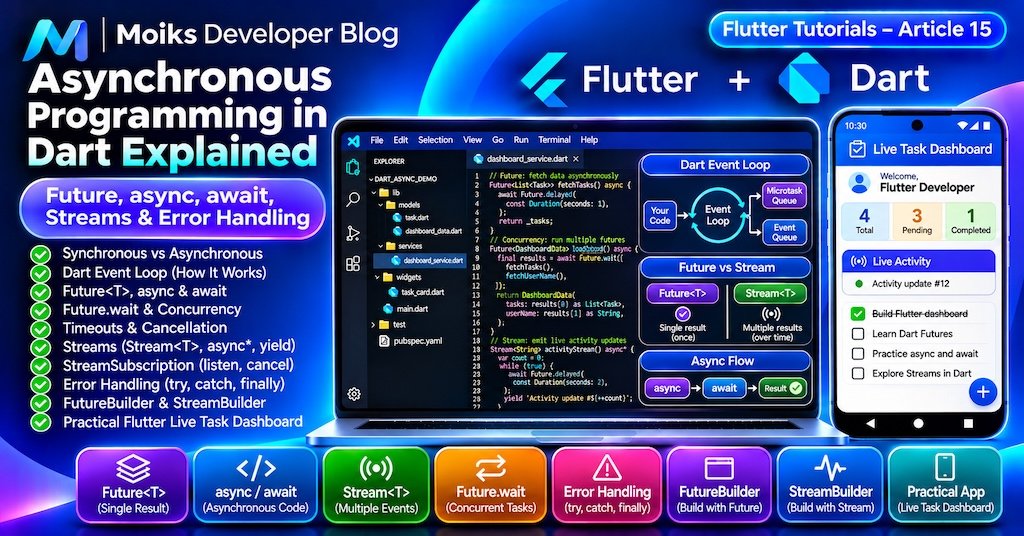
In this tutorial, we’ll explore Dart’s asynchronous programming model, learn how to handle errors and concurrent operations, and build a practical Flutter Live Task Dashboard using FutureBuilder and StreamBuilder.
This is Flutter Article 15 in the Moiks Developer Blog Flutter Tutorials series.
What You’ll Learn
By the end of this tutorial, you’ll understand:
- Synchronous vs asynchronous programming.
- How Dart’s event loop works.
- What
Future<T>represents. - How to use
asyncandawait. - How to handle errors with
try,catch, andfinally. - How to execute concurrent asynchronous operations with
Future.wait. - How to use
Future.timeout. - What
Stream<T>represents. - Single-subscription vs broadcast streams.
- How to manage stream subscriptions.
- How to use
async*andyield. - How to use
FutureBuilderandStreamBuilder. - How to handle loading, empty, success, and error states.
- How to prevent outdated asynchronous results from updating the UI.
- How to test asynchronous Dart code and Flutter widgets.
1. What Is Asynchronous Programming in Dart?
Asynchronous programming allows an application to initiate an operation and continue processing other work while waiting for that operation to complete.
Consider a Flutter application requesting data from a server.
The server may take several hundred milliseconds to respond.
Instead of freezing the interface, the application can display a loading indicator and remain responsive.
Synchronous Example
void main() {
  print('Start');

  print('Processing');

  print('End');
}
Output:
Start
Processing
End
Each statement executes in sequence.
Asynchronous Example
Future<void> main() async {
  print('Start');

  await Future<void>.delayed(
    const Duration(seconds: 1),
  );

  print('End');
}
The function suspends at await until the future completes.
Other eligible work can execute through the Dart event loop during this suspension.
Important: Asynchronous programming does not automatically move CPU-intensive work to another thread. Expensive synchronous computation can still block Flutter’s UI isolate.
2. Understanding Dart’s Event Loop
Dart uses an event-driven execution model.
Each isolate has its own memory and event loop.
An isolate processes synchronous code and schedules asynchronous callbacks.
Two important scheduling mechanisms are:
- The microtask queue.
- The event queue.
Microtasks are generally processed before the next event.
Example
import 'dart:async';

void main() {
  print('A');

  Future<void>.delayed(
    Duration.zero,
    () => print('D'),
  );

  scheduleMicrotask(
    () => print('C'),
  );

  print('B');
}
Output:
A
B
C
D
The synchronous statements run first.
The microtask executes before the scheduled timer event.
Why Does This Matter?
Understanding the event loop helps explain:
- Why asynchronous callbacks run later.
- Why long synchronous loops freeze the UI.
- How microtasks affect execution order.
- Why scheduling too many microtasks can delay event processing.
Avoid manually scheduling microtasks unless you have a specific reason.
For most Flutter applications, async and await provide a clearer abstraction.
3. What Is a Future in Dart?
A Future<T> represents the eventual completion of an asynchronous operation.
A future can complete successfully with a value of type T, or complete with an error.
Example
Future<String> fetchUsername() async {
  await Future<void>.delayed(
    const Duration(seconds: 1),
  );

  return 'Alex';
}
The return type:
Future<String>indicates that the function eventually produces a string.
Consuming a Future
Future<void> main() async {
  final username = await fetchUsername();

  print(username);
}
Output:
AlexCommon Future Types
| Type | Meaning |
|---|---|
Future<String> | Eventually returns a string |
Future<int> | Eventually returns an integer |
Future<bool> | Eventually returns a boolean |
Future<List<T>> | Eventually returns a list |
Future<void> | Completes without a useful result |
A future is not a background thread. It is a representation of asynchronous completion.
4. Understanding the async Keyword
The async keyword marks a function as asynchronous.
An asynchronous function returns a Future.
Example
Future<int> calculateTotal() async {
  return 100 + 200;
}
Usage:
Future<void> main() async {
  final total = await calculateTotal();

  print(total);
}
Output:
300Even though the calculation is simple, the asynchronous function returns a future.
When Should You Use async?
Use async when a function needs to await asynchronous work or when it makes an asynchronous workflow clearer.
Do not mark every function as asynchronous unnecessarily.
For example, a normal price calculation should usually remain synchronous.
5. Understanding the await Keyword
The await keyword waits for a future’s completion without blocking the isolate in the way a synchronous waiting loop would.
Example
Future<String> loadProfile() async {
  await Future<void>.delayed(
    const Duration(milliseconds: 500),
  );

  return 'Profile loaded';
}

Future<void> main() async {
  print('Loading...');

  final result = await loadProfile();

  print(result);
}
Output:
Loading...
Profile loaded
The code after await continues when the awaited operation completes successfully.
If the future completes with an error, that error is propagated through the await expression.
6. Future.then() vs async/await
Dart supports multiple ways to consume futures.
Using then()
Future<String> fetchData() async {
  return 'Data loaded';
}

void main() {
  fetchData().then((value) {
    print(value);
  });
}
Using async/await
Future<void> main() async {
  final value = await fetchData();

  print(value);
}
Both approaches can work.
However, async and await often make sequential asynchronous workflows easier to read.
Comparison
| Feature | then() | async/await |
|---|---|---|
| Style | Callback chaining | Sequential-looking code |
| Error handling | catchError() or returned future | try/catch |
| Multiple dependent operations | Can become nested | Usually easier to follow |
| Best use | Callback-style composition | Most application workflows |
Neither approach is universally better. Choose the one that makes the operation clear.
7. Sequential vs Concurrent Futures
Suppose your application needs to load a user profile and application settings.
If the operations are independent, they can often run concurrently.
Sequential Execution
Future<String> loadProfile() async {
  await Future<void>.delayed(
    const Duration(seconds: 1),
  );

  return 'Profile';
}

Future<String> loadSettings() async {
  await Future<void>.delayed(
    const Duration(seconds: 1),
  );

  return 'Settings';
}

Future<void> main() async {
  final profile = await loadProfile();
  final settings = await loadSettings();

  print('$profile, $settings');
}
The delays happen sequentially.
The example takes approximately two seconds, excluding overhead.
Concurrent Execution with Future.wait
Future<void> main() async {
  final results = await Future.wait<String>([
    loadProfile(),
    loadSettings(),
  ]);

  print(results);
}
Both operations are started before awaiting their combined completion.
The example takes approximately one second, excluding overhead.
Important Distinction
Future.wait provides asynchronous concurrency, not necessarily parallel CPU execution.
For network requests and other independent I/O operations, concurrency can reduce total waiting time.
For CPU-intensive tasks, isolates may be more appropriate.
8. Error Handling with try, catch, and finally
Asynchronous operations can fail.
Network requests may time out, files may be unavailable, and database operations may throw exceptions.
Dart supports structured exception handling.
Example
Future<String> fetchUser(bool shouldFail) async {
  await Future<void>.delayed(
    const Duration(milliseconds: 300),
  );

  if (shouldFail) {
    throw Exception('Unable to load user');
  }

  return 'Alex';
}

Future<void> main() async {
  try {
    final user = await fetchUser(true);

    print(user);
  } catch (error) {
    print('Error: $error');
  } finally {
    print('Operation finished');
  }
}
The catch block handles errors thrown by the awaited operation.
The finally block executes when control leaves the try/catch structure, whether the operation succeeds or fails.
Catching Specific Exceptions
try {
  await fetchUser(true);
} on FormatException catch (error) {
  print('Invalid format: $error');
} on Exception catch (error) {
  print('Operation failed: $error');
}
Specific exception handling makes recovery behavior clearer.
Avoid silently ignoring errors.
9. Future.timeout()
Sometimes an operation takes longer than the application should wait.
Dart provides Future.timeout().
Example
Future<String> slowRequest() async {
  await Future<void>.delayed(
    const Duration(seconds: 5),
  );

  return 'Completed';
}

Future<void> main() async {
  try {
    final result = await slowRequest().timeout(
      const Duration(seconds: 2),
    );

    print(result);
  } on TimeoutException {
    print('Request timed out');
  }
}
Add the import:
import 'dart:async';Output:
Request timed outImportant Timeout Behavior
Calling timeout() does not necessarily cancel the original operation.
The underlying request may continue executing.
For real networking or other resources, use the cancellation capabilities supported by the relevant API or package.
10. What Is a Stream in Dart?
A Future represents one eventual completion.
A Stream represents a sequence of asynchronous events.
For example, a stream may deliver:
- Location updates.
- Download progress.
- Bluetooth sensor readings.
- Database changes.
- Chat messages.
- Timer ticks.
- Live application activity.
Basic Stream Example
Stream<int> countNumbers() async* {
  for (var number = 1; number <= 5; number++) {
    await Future<void>.delayed(
      const Duration(milliseconds: 300),
    );

    yield number;
  }
}

Future<void> main() async {
  await for (final number in countNumbers()) {
    print(number);
  }
}
Output:
1
2
3
4
5
The stream emits values over time.
11. Understanding async* and yield
Dart uses async* to create asynchronous generator functions.
The yield keyword emits a value to the stream.
Example
Stream<String> loadMessages() async* {
  yield 'Connecting...';

  await Future<void>.delayed(
    const Duration(milliseconds: 500),
  );

  yield 'Connected';

  await Future<void>.delayed(
    const Duration(milliseconds: 500),
  );

  yield 'Data received';
}
Consume it:
Future<void> main() async {
  await for (final message in loadMessages()) {
    print(message);
  }
}
yield vs yield*
yield emits one event.
yield* forwards events from another stream.
Stream<int> firstStream() async* {
  yield 1;
  yield 2;
}

Stream<int> combinedStream() async* {
  yield* firstStream();
  yield 3;
}
The combined stream emits 1, 2, and 3.
12. Single-Subscription vs Broadcast Streams
Dart supports two important stream categories.
Single-Subscription Streams
A single-subscription stream is intended for one listener.
An async* generator normally produces a single-subscription stream.
final stream = countNumbers();

stream.listen(print);
Trying to listen to the same single-subscription stream again generally throws a state error.
Broadcast Streams
A broadcast stream can support multiple listeners.
import 'dart:async';

void main() async {
  final controller =
      StreamController<int>.broadcast();

  final first = controller.stream.listen(
    (value) => print('First: $value'),
  );

  final second = controller.stream.listen(
    (value) => print('Second: $value'),
  );

  controller.add(10);
  controller.add(20);

  await Future<void>.delayed(Duration.zero);

  await first.cancel();
  await second.cancel();
  await controller.close();
}
Which Should You Choose?
| Requirement | Stream Type |
|---|---|
| One consumer of an event sequence | Single-subscription |
| Multiple independent listeners | Broadcast |
| File reading | Usually single-subscription |
| Shared application events | Broadcast may be appropriate |
async* generator | Normally single-subscription |
Broadcast streams do not automatically replay previously emitted events to new listeners.
13. StreamSubscription and Cancellation
When using listen(), Dart returns a StreamSubscription.
You can pause, resume, or cancel the subscription.
Example
import 'dart:async';

Future<void> main() async {
  final controller = StreamController<int>();

  final subscription = controller.stream.listen(
    (value) {
      print('Received: $value');
    },
  );

  controller.add(10);
  controller.add(20);

  await Future<void>.delayed(Duration.zero);

  await subscription.cancel();

  await controller.close();
}
Why Is Cancellation Important in Flutter?
A widget may be removed while a stream is still active.
If the subscription is not managed correctly, it can continue holding resources or executing callbacks.
A common pattern is:
@override
void dispose() {
  subscription.cancel();
  super.dispose();
}
For subscriptions that require asynchronous cancellation, initiate cancellation in dispose() and ensure any resource ownership is handled appropriately.
Widgets using StreamBuilder manage their own subscriptions when configured correctly.
14. FutureBuilder in Flutter
FutureBuilder<T> builds a widget based on a future’s state.
It is commonly used for loading data from asynchronous sources.
Example
Future<String> loadMessage() async {
  await Future<void>.delayed(
    const Duration(seconds: 1),
  );

  return 'Welcome to Flutter';
}

class MessageScreen extends StatefulWidget {
  const MessageScreen({super.key});

  @override
  State<MessageScreen> createState() =>
      _MessageScreenState();
}

class _MessageScreenState extends State<MessageScreen> {
  late final Future<String> messageFuture;

  @override
  void initState() {
    super.initState();
    messageFuture = loadMessage();
  }

  @override
  Widget build(BuildContext context) {
    return FutureBuilder<String>(
      future: messageFuture,
      builder: (context, snapshot) {
        if (snapshot.connectionState !=
            ConnectionState.done) {
          return const CircularProgressIndicator();
        }

        if (snapshot.hasError) {
          return Text('Error: ${snapshot.error}');
        }

        return Text(snapshot.data ?? 'No message');
      },
    );
  }
}
Why Create the Future in initState()?
Avoid creating a new future every time build() executes.
Recreating the future in build() can cause unnecessary repeated requests.
Create it in initState() or another suitable lifecycle method, then update it intentionally when refreshing.
15. StreamBuilder in Flutter
StreamBuilder<T> rebuilds its widget when new stream events are observed.
Example
Stream<int> timerStream() async* {
  for (var i = 1; i <= 10; i++) {
    await Future<void>.delayed(
      const Duration(seconds: 1),
    );

    yield i;
  }
}
Inside a stateful widget, initialize the stream once:
late final Stream<int> counterStream;

@override
void initState() {
  super.initState();
  counterStream = timerStream();
}
Then build the UI:
StreamBuilder<int>(
  stream: counterStream,
  initialData: 0,
  builder: (context, snapshot) {
    if (snapshot.hasError) {
      return const Text('Stream error');
    }

    return Text(
      'Count: ${snapshot.data ?? 0}',
    );
  },
)
StreamBuilder subscribes to the stream and rebuilds when relevant events arrive.
It does not guarantee that every intermediate event will result in a separately rendered frame.
16. Practical Flutter Project: Live Task Dashboard
Now let’s build a complete Flutter application using asynchronous programming.
The app demonstrates two different asynchronous workflows.
Future-based data loading: Simulated API calls retrieve a list of tasks and dashboard statistics.
Stream-based live updates: A stream emits activity messages periodically.
The application also supports loading indicators, retry, simulated failures, task completion, and proper resource management.
Project Features
- Material 3 interface.
- Concurrent asynchronous data loading.
- Generic result handling through typed models.
FutureBuilderfor dashboard data.StreamBuilderfor live activity.- Searchable task list.
- Task completion controls.
- Retry functionality.
- Simulated API errors.
- Automatic stream cleanup.
- Unit and widget tests.
The example does not require an internet connection or third-party dependencies.
Step 1: Create the Project
flutter create dart_async_demo
cd dart_async_demo
Project Structure
lib/
├── main.dart
├── models/
│   ├── task.dart
│   └── dashboard_data.dart
├── services/
│   └── dashboard_service.dart
└── widgets/
    └── task_card.dart

test/
├── dashboard_service_test.dart
└── dashboard_widget_test.dart
Step 2: Create the Task Model
Create lib/models/task.dart:
class Task {
  final int id;
  final String title;
  final bool completed;

  const Task({
    required this.id,
    required this.title,
    this.completed = false,
  });

  Task copyWith({bool? completed}) {
    return Task(
      id: id,
      title: title,
      completed: completed ?? this.completed,
    );
  }
}
The model is immutable.
Its copyWith() method produces an updated object.
Step 3: Create the Dashboard Data Model
Create lib/models/dashboard_data.dart:
import 'task.dart';

class DashboardData {
  final List<Task> tasks;
  final String userName;

  DashboardData({
    required List<Task> tasks,
    required this.userName,
  }) : tasks = List.unmodifiable(tasks);

  int get total => tasks.length;

  int get completed =>
      tasks.where((task) => task.completed).length;

  int get pending => total - completed;

  DashboardData toggleTask(int id) {
    return DashboardData(
      userName: userName,
      tasks: [
        for (final task in tasks)
          if (task.id == id)
            task.copyWith(
              completed: !task.completed,
            )
          else
            task,
      ],
    );
  }
}
The dashboard data object provides task statistics and immutable updates.
Step 4: Create the Asynchronous Service
Create lib/services/dashboard_service.dart:
import 'dart:async';

import '../models/dashboard_data.dart';
import '../models/task.dart';

class DashboardService {
  final Duration requestDelay;
  final Duration activityInterval;

  bool _disposed = false;

  DashboardService({
    this.requestDelay =
        const Duration(milliseconds: 600),
    this.activityInterval =
        const Duration(seconds: 2),
  });

  Future<List<Task>> fetchTasks({
    bool simulateError = false,
  }) async {
    await Future<void>.delayed(requestDelay);

    if (_disposed) {
      throw StateError('Service disposed');
    }

    if (simulateError) {
      throw Exception('Unable to load tasks');
    }

    return const [
      Task(
        id: 1,
        title: 'Learn Dart Futures',
      ),
      Task(
        id: 2,
        title: 'Practice async and await',
      ),
      Task(
        id: 3,
        title: 'Explore Dart Streams',
      ),
      Task(
        id: 4,
        title: 'Build Flutter dashboard',
        completed: true,
      ),
    ];
  }

  Future<String> fetchUserName() async {
    await Future<void>.delayed(requestDelay);

    if (_disposed) {
      throw StateError('Service disposed');
    }

    return 'Flutter Developer';
  }

  Future<DashboardData> loadDashboard({
    bool simulateError = false,
  }) async {
    final results = await Future.wait<Object>([
      fetchTasks(simulateError: simulateError),
      fetchUserName(),
    ]);

    return DashboardData(
      tasks: results[0] as List<Task>,
      userName: results[1] as String,
    );
  }

  Stream<String> activityStream() async* {
    var counter = 0;

    while (!_disposed) {
      await Future<void>.delayed(
        activityInterval,
      );

      if (_disposed) break;

      counter++;

      yield 'Activity update #$counter';
    }
  }

  void dispose() {
    _disposed = true;
  }
}
Understanding the Service
The service demonstrates several concepts.
Future-based operations:
Future<List<Task>> fetchTasks()Concurrent loading:
Future.wait<Object>(...)Asynchronous generator:
Stream<String> activityStream() async*Periodic event emission:
yield 'Activity update #$counter';Resource cleanup:
void dispose() {
  _disposed = true;
}
The service uses a boolean flag to stop future stream events after disposal. This is sufficient for the educational simulation, but it does not interrupt an in-progress Future.delayed.
For real HTTP requests, use an API client with explicit cancellation or appropriate lifecycle handling.
Step 5: Create the Task Card Widget
Create lib/widgets/task_card.dart:
import 'package:flutter/material.dart';

import '../models/task.dart';

class TaskCard extends StatelessWidget {
  final Task task;
  final ValueChanged<bool?> onChanged;

  const TaskCard({
    super.key,
    required this.task,
    required this.onChanged,
  });

  @override
  Widget build(BuildContext context) {
    return Card(
      child: CheckboxListTile(
        value: task.completed,
        onChanged: onChanged,
        title: Text(
          task.title,
          style: TextStyle(
            decoration: task.completed
                ? TextDecoration.lineThrough
                : null,
          ),
        ),
        secondary: Icon(
          task.completed
              ? Icons.check_circle
              : Icons.pending_actions,
        ),
      ),
    );
  }
}
This widget displays a task and allows its completion state to be changed.
Step 6: Build the Flutter Dashboard UI
Replace lib/main.dart:
import 'package:flutter/material.dart';

import 'models/dashboard_data.dart';
import 'services/dashboard_service.dart';
import 'widgets/task_card.dart';

void main() {
  runApp(const AsyncDashboardApp());
}

class AsyncDashboardApp extends StatelessWidget {
  const AsyncDashboardApp({super.key});

  @override
  Widget build(BuildContext context) {
    return MaterialApp(
      title: 'Dart Async Dashboard',
      debugShowCheckedModeBanner: false,
      theme: ThemeData(
        colorScheme: ColorScheme.fromSeed(
          seedColor: const Color(0xFF004B64),
        ),
        useMaterial3: true,
      ),
      home: const AsyncDashboardScreen(),
    );
  }
}

class AsyncDashboardScreen extends StatefulWidget {
  const AsyncDashboardScreen({super.key});

  @override
  State<AsyncDashboardScreen> createState() =>
      _AsyncDashboardScreenState();
}

class _AsyncDashboardScreenState
    extends State<AsyncDashboardScreen> {
  late final DashboardService service;

  late Future<DashboardData> dashboardFuture;
  late Stream<String> activityUpdates;

  DashboardData? currentData;

  bool simulateError = false;
  String searchQuery = '';
  int requestVersion = 0;

  @override
  void initState() {
    super.initState();

    service = DashboardService();
    activityUpdates = service.activityStream();

    loadDashboard();
  }

  void loadDashboard() {
    final version = ++requestVersion;

    currentData = null;

    dashboardFuture = service.loadDashboard(
      simulateError: simulateError,
    ).then((data) {
      if (mounted && version == requestVersion) {
        currentData = data;
      }

      return data;
    });
  }

  void refreshDashboard() {
    setState(() {
      loadDashboard();
    });
  }

  void toggleTask(int id) {
    final data = currentData;

    if (data == null) return;

    setState(() {
      currentData = data.toggleTask(id);
    });
  }

  @override
  void dispose() {
    requestVersion++;
    service.dispose();
    super.dispose();
  }

  Widget buildSummary(DashboardData data) {
    return Card(
      child: Padding(
        padding: const EdgeInsets.all(16),
        child: Wrap(
          alignment: WrapAlignment.spaceAround,
          spacing: 24,
          runSpacing: 12,
          children: [
            summaryItem(
              'Total',
              data.total,
              Icons.list_alt,
            ),
            summaryItem(
              'Pending',
              data.pending,
              Icons.pending_actions,
            ),
            summaryItem(
              'Completed',
              data.completed,
              Icons.check_circle_outline,
            ),
          ],
        ),
      ),
    );
  }

  Widget summaryItem(
    String label,
    int count,
    IconData icon,
  ) {
    return Column(
      mainAxisSize: MainAxisSize.min,
      children: [
        Icon(icon),
        const SizedBox(height: 4),
        Text(
          '$count',
          style: const TextStyle(
            fontSize: 22,
            fontWeight: FontWeight.bold,
          ),
        ),
        Text(label),
      ],
    );
  }

  Widget buildTaskList(DashboardData data) {
    final visibleTasks = data.tasks.where((task) {
      return task.title.toLowerCase().contains(
        searchQuery.toLowerCase(),
      );
    }).toList();

    if (visibleTasks.isEmpty) {
      return const Center(
        child: Text('No tasks found'),
      );
    }

    return ListView.builder(
      shrinkWrap: true,
      physics: const NeverScrollableScrollPhysics(),
      itemCount: visibleTasks.length,
      itemBuilder: (context, index) {
        final task = visibleTasks[index];

        return TaskCard(
          task: task,
          onChanged: (_) => toggleTask(task.id),
        );
      },
    );
  }

  Widget buildDashboard(
    AsyncSnapshot<DashboardData> snapshot,
  ) {
    if (snapshot.connectionState !=
        ConnectionState.done) {
      return const Center(
        child: Padding(
          padding: EdgeInsets.all(40),
          child: CircularProgressIndicator(),
        ),
      );
    }

    if (snapshot.hasError) {
      return Center(
        child: Column(
          mainAxisSize: MainAxisSize.min,
          children: [
            const Icon(
              Icons.error_outline,
              size: 48,
              color: Colors.red,
            ),
            const SizedBox(height: 12),
            const Text('Unable to load dashboard'),
            const SizedBox(height: 12),
            FilledButton.icon(
              onPressed: refreshDashboard,
              icon: const Icon(Icons.refresh),
              label: const Text('Retry'),
            ),
          ],
        ),
      );
    }

    final data = currentData ?? snapshot.data;

    if (data == null) {
      return const Center(
        child: Text('No dashboard data'),
      );
    }

    return Column(
      crossAxisAlignment: CrossAxisAlignment.stretch,
      children: [
        Text(
          'Welcome, ${data.userName}',
          style: Theme.of(context)
              .textTheme
              .titleLarge,
        ),

        const SizedBox(height: 12),

        buildSummary(data),

        const SizedBox(height: 16),

        TextField(
          onChanged: (value) {
            setState(() {
              searchQuery = value;
            });
          },
          decoration: const InputDecoration(
            labelText: 'Search Tasks',
            prefixIcon: Icon(Icons.search),
            border: OutlineInputBorder(),
          ),
        ),

        const SizedBox(height: 12),

        buildTaskList(data),
      ],
    );
  }

  Widget buildActivity() {
    return Card(
      child: Padding(
        padding: const EdgeInsets.all(16),
        child: Column(
          crossAxisAlignment:
              CrossAxisAlignment.start,
          children: [
            const Text(
              'Live Activity',
              style: TextStyle(
                fontSize: 18,
                fontWeight: FontWeight.bold,
              ),
            ),

            const SizedBox(height: 8),

            StreamBuilder<String>(
              stream: activityUpdates,
              builder: (context, snapshot) {
                if (snapshot.hasError) {
                  return const Text(
                    'Activity stream error',
                  );
                }

                return Text(
                  snapshot.data ??
                      'Waiting for activity...',
                );
              },
            ),
          ],
        ),
      ),
    );
  }

  @override
  Widget build(BuildContext context) {
    return Scaffold(
      appBar: AppBar(
        title: const Text('Live Task Dashboard'),
        centerTitle: true,
        actions: [
          IconButton(
            tooltip: 'Refresh dashboard',
            onPressed: refreshDashboard,
            icon: const Icon(Icons.refresh),
          ),
        ],
      ),
      body: SafeArea(
        child: Center(
          child: ConstrainedBox(
            constraints: const BoxConstraints(
              maxWidth: 760,
            ),
            child: ListView(
              padding: const EdgeInsets.all(16),
              children: [
                SwitchListTile(
                  title: const Text(
                    'Simulate API Error',
                  ),
                  subtitle: const Text(
                    'Enable and refresh to test retry',
                  ),
                  value: simulateError,
                  onChanged: (value) {
                    setState(() {
                      simulateError = value;
                    });
                  },
                ),

                const SizedBox(height: 12),

                FutureBuilder<DashboardData>(
                  future: dashboardFuture,
                  builder: (context, snapshot) {
                    return buildDashboard(snapshot);
                  },
                ),

                const SizedBox(height: 16),

                buildActivity(),
              ],
            ),
          ),
        ),
      ),
    );
  }
}
How the UI Works
The application uses FutureBuilder to display the dashboard’s loading, success, and error states.
It uses StreamBuilder to display periodically emitted activity messages.
The refresh button starts a new dashboard load.
The requestVersion value helps prevent an older request from replacing the latest dashboard state.
The task completion feature updates the in-memory dashboard data without requiring another simulated API request.
Important Production Consideration
The sample uses Future.wait<Object> with explicit casts to combine results of different types.
For larger applications, a typed record can provide a cleaner alternative:
Future<(List<Task>, String)> loadParts() async {
  final tasksFuture = fetchTasks();
  final userFuture = fetchUserName();

  final tasks = await tasksFuture;
  final user = await userFuture;

  return (tasks, user);
}
Both futures are started before either result is awaited.
The example project uses Future.wait to demonstrate that API directly.
Step 7: Run the Application
flutter runExpected Behavior
When the application opens:
- A loading indicator appears.
- The simulated dashboard requests complete.
- Four tasks appear.
- The summary displays total, pending, and completed tasks.
- Live activity messages update periodically.
- Users can search and complete tasks.
- Refresh reloads the dashboard.
- Enabling simulated API errors and refreshing displays an error state.
The dashboard starts with four tasks, one completed and three pending.
The activity stream continues emitting events while the screen remains active.
17. Unit Testing Asynchronous Dart Code
Create test/dashboard_service_test.dart:
import 'package:flutter_test/flutter_test.dart';

import 'package:dart_async_demo/services/dashboard_service.dart';

void main() {
  late DashboardService service;

  setUp(() {
    service = DashboardService(
      requestDelay: Duration.zero,
      activityInterval:
          const Duration(milliseconds: 10),
    );
  });

  tearDown(() {
    service.dispose();
  });

  test('Loads tasks asynchronously', () async {
    final tasks = await service.fetchTasks();

    expect(tasks.length, 4);
    expect(tasks.first.title, 'Learn Dart Futures');
  });

  test('Loads dashboard data', () async {
    final dashboard = await service.loadDashboard();

    expect(dashboard.userName, 'Flutter Developer');
    expect(dashboard.total, 4);
    expect(dashboard.completed, 1);
    expect(dashboard.pending, 3);
  });

  test('Handles simulated errors', () async {
    expect(
      service.loadDashboard(simulateError: true),
      throwsException,
    );
  });

  test('Emits stream activity', () async {
    final firstEvent =
        await service.activityStream().first;

    expect(firstEvent, 'Activity update #1');
  });

  test('Toggles task completion', () async {
    final dashboard = await service.loadDashboard();

    final updated = dashboard.toggleTask(1);

    expect(updated.completed, 2);
    expect(updated.pending, 2);
    expect(dashboard.completed, 1);
  });
}
What These Tests Cover
The tests verify asynchronous task loading, concurrent dashboard loading, simulated exceptions, stream events, and immutable task updates.
Run:
flutter test test/dashboard_service_test.dartThe stream test consumes only the first event, so it does not wait for the infinite stream to finish.
18. Flutter Widget Testing
Create test/dashboard_widget_test.dart:
import 'package:flutter/material.dart';
import 'package:flutter_test/flutter_test.dart';

import 'package:dart_async_demo/main.dart';

void main() {
  testWidgets(
    'Displays dashboard title',
    (tester) async {
      await tester.pumpWidget(
        const AsyncDashboardApp(),
      );

      expect(
        find.text('Live Task Dashboard'),
        findsOneWidget,
      );
    },
  );

  testWidgets(
    'Displays loading indicator',
    (tester) async {
      await tester.pumpWidget(
        const AsyncDashboardApp(),
      );

      expect(
        find.byType(CircularProgressIndicator),
        findsOneWidget,
      );
    },
  );

  testWidgets(
    'Loads dashboard tasks',
    (tester) async {
      await tester.pumpWidget(
        const AsyncDashboardApp(),
      );

      await tester.pump(
        const Duration(milliseconds: 700),
      );

      await tester.pump();

      expect(
        find.text('Learn Dart Futures'),
        findsOneWidget,
      );
    },
  );

  testWidgets(
    'Displays live activity section',
    (tester) async {
      await tester.pumpWidget(
        const AsyncDashboardApp(),
      );

      expect(
        find.text('Live Activity'),
        findsOneWidget,
      );
    },
  );
}
Running Widget Tests
flutter test test/dashboard_widget_test.dartRun the complete test suite:
flutter testRun static analysis:
flutter analyzeTesting Note
Avoid using pumpAndSettle() indiscriminately when widgets contain continuously running animations or streams.
In this example, controlled pump() calls are preferable because the activity stream emits events indefinitely while active.
For larger applications, inject fake services or configurable delays so tests do not depend on real waiting times.
19. Common Mistakes in Dart Asynchronous Programming
Mistake 1: Forgetting await
final result = fetchUsername();Here, result is a future, not the username.
If you need the completed value, use:
final result = await fetchUsername();Mistake 2: Blocking the UI Isolate
Avoid expensive synchronous computations inside widget callbacks or build methods.
Use isolates for substantial CPU-intensive work when appropriate.
Mistake 3: Creating Futures Inside build()
Avoid:
FutureBuilder(
  future: fetchData(),
  builder: ...,
)
when fetchData() starts a new operation every time it is called.
Prefer creating and retaining the future in an appropriate lifecycle method.
Mistake 4: Ignoring Errors
Always consider what happens when an asynchronous operation fails.
Display meaningful messages and provide recovery actions when appropriate.
Mistake 5: Forgetting Stream Cancellation
Subscriptions that outlive their owners may waste resources or cause unexpected callbacks.
Cancel manually managed subscriptions when they are no longer needed.
Mistake 6: Assuming Future.timeout Cancels Work
A timeout changes which result the caller receives, but does not automatically terminate the underlying operation.
Mistake 7: Calling setState After dispose()
An asynchronous operation may complete after a widget is removed.
Check mounted before updating state from an asynchronous callback.
Mistake 8: Ignoring Request Races
An older request may complete after a newer request.
Use request identifiers, cancellation mechanisms, or state management patterns to prevent stale results from replacing current data.
Mistake 9: Misusing Future.wait
Use Future.wait for independent operations that can execute concurrently.
Do not run dependent operations concurrently when one requires another’s result.
Mistake 10: Treating Async as Parallelism
async and await do not automatically execute expensive computations on separate CPU cores.
Dart isolates provide a different mechanism for concurrent execution of CPU-bound work.
20. Best Practices for Flutter Async Programming
Prefer async/await for Readability
Use async and await for clear asynchronous control flow.
Keep Futures Outside build()
Initialize futures in initState(), update them intentionally, or manage them through an appropriate application state layer.
Handle Every Important State
Consider loading, success, empty, error, retry, and cancellation behavior.
Use Timeouts Where Appropriate
Avoid leaving users waiting indefinitely for operations that may never complete.
Cancel Owned Resources
Dispose of subscriptions, controllers, and other resources when their owners are destroyed.
Avoid Unnecessary Concurrent Requests
Concurrency can improve responsiveness, but excessive simultaneous requests may overload services or consume resources.
Separate Business Logic from Widgets
Keep API access, data transformation, and domain logic in services or repositories.
Test Success and Failure Paths
A reliable asynchronous application needs tests for both normal operation and errors.
Avoid Stale UI Updates
Prevent outdated requests from overwriting newer application state.
Understand the Difference Between Futures and Streams
Use a future for a single eventual result.
Use a stream for a sequence of asynchronous events.
21. Frequently Asked Questions
What is asynchronous programming in Dart?
Asynchronous programming allows Dart applications to perform operations that take time without blocking other eligible work on the event loop.
What is Future in Dart?
A Future<T> represents an operation that will eventually complete with a value of type T or an error.
What is async in Dart?
The async keyword marks a function as asynchronous and makes it return a future.
What is await in Dart?
The await keyword suspends an asynchronous function until a future completes.
What is the difference between Future and Stream?
A future represents one eventual completion, while a stream delivers a sequence of asynchronous events.
What is Future.wait?
Future.wait combines multiple futures and completes when all succeed, or completes with an error according to its error-handling configuration.
Does Future.wait execute operations in parallel?
It allows asynchronous operations to progress concurrently, but it does not automatically create separate threads or isolates.
What is Future.timeout?
Future.timeout provides a timeout for waiting on a future’s result. It does not necessarily cancel the original operation.
What is async* in Dart?
async* declares an asynchronous generator that produces a stream.
What does yield mean in Dart?
yield emits an event from a synchronous or asynchronous generator.
What is yield*?
yield* delegates event emission to another iterable or stream, depending on the generator type.
What is StreamSubscription?
StreamSubscription represents a listener attached to a stream and provides methods for cancellation, pausing, and resuming.
What is the difference between single-subscription and broadcast streams?
Single-subscription streams support one listener, while broadcast streams can support multiple listeners.
What is FutureBuilder in Flutter?
FutureBuilder builds widgets based on snapshots of a future’s completion state.
What is StreamBuilder in Flutter?
StreamBuilder builds widgets based on snapshots of events from a stream.
Should I use FutureBuilder or StreamBuilder?
Use FutureBuilder for a single asynchronous result and StreamBuilder for a sequence of updates.
Can I use async/await inside initState()?
You cannot declare initState() itself as async because it must return void synchronously.
You can start an asynchronous method from initState().
How do I avoid setState after dispose?
Check mounted before updating state from an asynchronous callback, and manage cancellation where supported.
How can I handle API errors in Flutter?
Use structured exception handling, meaningful error states, retry actions, and appropriate logging.
Does async/await make CPU-heavy operations faster?
No. CPU-heavy synchronous work can still block the isolate. Consider isolates for substantial computation.
Is asynchronous programming important for Flutter developers?
Yes. Networking, databases, device communication, file operations, and many framework APIs rely on asynchronous programming.
22. Conclusion
Asynchronous programming is a fundamental part of professional Dart and Flutter development.
It enables applications to remain responsive while performing operations such as networking, database access, file processing, and real-time event handling.
In this tutorial, we explored Dart’s event loop, Future, async, await, concurrent operations, timeouts, and structured error handling.
We also learned how streams deliver multiple asynchronous events, how to create generators using async* and yield, and how to manage stream subscriptions safely.
Finally, we built a Flutter Live Task Dashboard demonstrating FutureBuilder, StreamBuilder, concurrent data loading, live updates, retry functionality, and automated tests.
The key lesson is simple:
Use Future for one asynchronous result, Stream for multiple asynchronous events, and always design for errors, lifecycle changes, and cancellation.
These principles will help you build reliable Flutter applications that communicate with APIs, databases, Bluetooth devices, and other asynchronous data sources.
What’s Next in the Flutter Tutorials Series?
Flutter Article 16: Dart Isolates and Concurrency Explained — Isolate.run, compute, Message Passing & Flutter Performance (2026 Guide)
In the next tutorial, we’ll explore CPU-bound operations, Dart isolates, background computation, message passing, Isolate.run, Flutter’s compute() helper, and performance optimization with practical examples.
Continue learning Flutter and Dart:
Moiks Developer Blog: https://moiks.com/blog/
Official Documentation and References
- Dart Asynchronous Programming — https://dart.dev/language/async
- Dart Futures and Error Handling — https://dart.dev/libraries/async/futures-error-handling
- Dart Streams — https://dart.dev/libraries/async/using-streams
- Dart Concurrency — https://dart.dev/language/concurrency
- Flutter FutureBuilder — https://api.flutter.dev/flutter/widgets/FutureBuilder-class.html
- Flutter StreamBuilder — https://api.flutter.dev/flutter/widgets/StreamBuilder-class.html
- Flutter Testing Overview — https://docs.flutter.dev/testing/overview
- Flutter App Architecture — https://docs.flutter.dev/app-architecture
- DartPad — https://dartpad.dev/
Moiks Developer Blog — Practical Flutter, Dart, Android, and iOS development tutorials.


