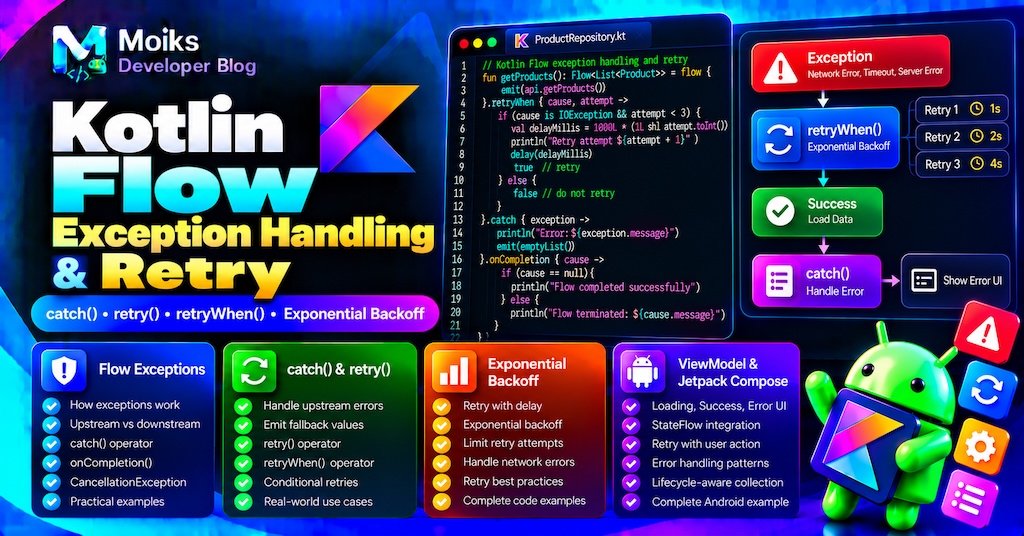
Handling errors is an essential part of building reliable Android applications.
In real-world applications, asynchronous operations can fail for many reasons:
- Internet connection problems
- API server errors
- Request timeouts
- Database failures
- Invalid responses
- Authentication errors
- Temporary service interruptions
If these errors are not handled correctly, users may experience unexpected application behavior or crashes.
Kotlin Flow provides powerful operators for handling exceptions and retrying failed operations.
The most important operators include:
catch()retry()retryWhen()onCompletion()
In this tutorial, we’ll learn how these operators work and how to use them with Kotlin Coroutines, ViewModel, StateFlow, and Jetpack Compose.
We’ll also build a practical Android mini-project that demonstrates error handling and retry functionality.
What You’ll Learn
By the end of this tutorial, you’ll understand:
- Why exception handling matters in Kotlin Flow
- How Flow exceptions propagate
- How catch() works
- Upstream vs downstream exceptions
- How retry() works
- How retryWhen() works
- Retry with exponential backoff
- Handling CancellationException
- Handling network failures
- Using onCompletion()
- Representing loading, success, and error states
- Flow exception handling with ViewModel
- Jetpack Compose error and retry UI
- Common mistakes
- Production best practices
Let’s begin!
1. Why Exception Handling Matters in Kotlin Flow
Consider an Android application that fetches products from a REST API.
The application requests product information.
However, the request may fail because the device loses internet connectivity.
Without proper error handling, the application may fail to display meaningful feedback.
A better approach is to represent the operation’s status explicitly.
Typical Flow
User Opens Screen
        |
        v
ViewModel Requests Data
        |
        v
Repository Calls API
        |
        +------ Success ------> Display Data
        |
        +------ Failure ------> Show Error
                                  |
                                  v
                              Retry Action
Benefits of Proper Error Handling
- Prevents unhandled failures
- Provides meaningful feedback
- Supports retry functionality
- Improves user experience
- Makes asynchronous operations predictable
- Simplifies debugging and testing
2. Understanding Exceptions in Kotlin Flow
A Flow can throw exceptions while producing or transforming values.
Example
fun numbersFlow(): Flow<Int> = flow {

    emit(1)

    emit(2)

    throw IllegalStateException(
        "Something went wrong"
    )

    emit(3)
}
Collecting the Flow
fun main() = runBlocking {

    try {

        numbersFlow().collect { value ->

            println(value)
        }

    } catch (exception: Exception) {

        println(
            "Error: ${exception.message}"
        )
    }
}
Output
1
2
Error: Something went wrong
Explanation
The Flow emits values 1 and 2.
Then an exception occurs.
The Flow stops emitting values, and the exception propagates to the collector.
The value 3 is never emitted.
3. Kotlin Flow catch() Operator
The catch() operator handles exceptions from upstream Flow operations.
Example
fun main() = runBlocking {

    flow {

        emit(10)

        emit(20)

        throw IllegalStateException(
            "Data loading failed"
        )

    }.catch { exception ->

        println(
            "Caught: ${exception.message}"
        )

    }.collect { value ->

        println(value)
    }
}
Output
10
20
Caught: Data loading failed
Explanation
The catch operator intercepts the upstream exception.
Instead of allowing it to propagate to the caller, we handle it inside catch.
Practical Uses
- Network error handling
- Database failures
- Data transformation errors
- Providing fallback values
- Converting exceptions into UI states
4. Emitting Fallback Values with catch()
The catch operator can emit a fallback value after an upstream failure.
Example
fun main() = runBlocking {

    flow {

        emit("Android")

        throw IllegalStateException(
            "Server unavailable"
        )

    }.catch {

        emit("Offline Mode")

    }.collect {

        println(it)
    }
}
Output
Android
Offline Mode
Explanation
The Flow initially emits Android.
When an exception occurs, catch emits Offline Mode.
Important
Emitting a fallback value does not automatically restart the failed upstream Flow.
The stream normally completes after the fallback emission.
Use retry operators when an upstream operation should be attempted again.
5. Upstream vs Downstream Exceptions
Understanding exception propagation is essential.
The catch operator handles exceptions from operators placed before it.
It does not catch exceptions thrown by downstream collectors.
Example
fun main() = runBlocking {

    flowOf(1, 2, 3)

        .catch { exception ->

            println(
                "Caught: ${exception.message}"
            )
        }

        .collect { value ->

            if (value == 2) {

                throw IllegalStateException(
                    "Collector failed"
                )
            }

            println(value)
        }
}
Explanation
The exception occurs inside collect.
Because collect is downstream from catch, the catch operator does not intercept it.
The exception propagates to the caller.
Correct Approach
If the collector itself can fail, handle its exception at the collection boundary.
Alternatively, move the relevant processing into an upstream operator when that fits the application’s design.
Example
flowOf(1, 2, 3)

    .map { value ->

        if (value == 2) {

            throw IllegalStateException(
                "Processing failed"
            )
        }

        value
    }

    .catch { exception ->

        println(
            "Caught: ${exception.message}"
        )
    }

    .collect { value ->

        println(value)
    }
Now catch can handle the exception thrown by map.
6. Kotlin Flow retry() Operator
The retry() operator restarts upstream Flow collection when an exception occurs and the retry condition allows it.
Example
fun main() = runBlocking {

    var attempts = 0

    flow {

        attempts++

        println("Attempt: $attempts")

        if (attempts < 3) {

            throw IllegalStateException(
                "Temporary failure"
            )
        }

        emit("Success")

    }.retry(
        retries = 2
    ).collect {

        println(it)
    }
}
Output
Attempt: 1
Attempt: 2
Attempt: 3
Success
Explanation
The first attempt fails.
The second attempt also fails.
The third attempt succeeds.
Important
retries = 2 means two additional attempts after the initial collection.
The maximum number of attempts in this example is three.
7. Conditional Retry with retry()
Not every exception should trigger a retry.
For example:
- Temporary server failures may be retryable.
- Invalid user credentials generally require user action.
- Invalid request data should not be retried without correction.
Example
flow {

    emit(fetchData())

}.retry(
    retries = 3
) { exception ->

    exception is IOException

}
Explanation
This retries only when the exception is an IOException.
The Flow does not retry other exception types.
Important
IOException can represent different failure conditions.
In production, classify failures carefully rather than treating every IOException as retryable.
8. Kotlin Flow retryWhen() Operator
The retryWhen() operator provides more control over retry behavior.
It receives:
- The exception
- The current retry attempt index
Example
fun main() = runBlocking {

    var requestCount = 0

    flow {

        requestCount++

        if (requestCount < 3) {

            throw IOException(
                "Network unavailable"
            )
        }

        emit("Data loaded")

    }.retryWhen { cause, attempt ->

        println(
            "Retry attempt: ${attempt + 1}"
        )

        cause is IOException && attempt < 2

    }.collect {

        println(it)
    }
}
Output
Retry attempt: 1
Retry attempt: 2
Data loaded
Explanation
The retryWhen operator receives the failure and the number of previous retries.
The first retry has attempt index 0.
The second retry has attempt index 1.
When the condition returns true, upstream collection starts again.
9. Retry with Delay
Immediate retries are not always appropriate.
If a server is temporarily unavailable, retrying continuously may increase unnecessary load.
A delay between attempts is often more appropriate.
Example
flow {

    emit(fetchData())

}.retryWhen { cause, attempt ->

    if (
        cause is IOException &&
        attempt < 3
    ) {

        delay(1000)

        true

    } else {

        false
    }
}
Explanation
The Flow waits one second between retry attempts.
This provides a simple fixed-delay retry strategy.
10. Exponential Backoff in Kotlin Flow
Exponential backoff increases the waiting time between retries.
For example:
| Retry | Delay |
|---|---|
| First | 1 second |
| Second | 2 seconds |
| Third | 4 seconds |
| Fourth | 8 seconds |
Why Use Exponential Backoff?
It helps reduce repeated requests when a service is temporarily unavailable.
It is commonly used for:
- Network requests
- Remote API calls
- Temporary server failures
- Rate-limited operations
Example
flow {

    emit(fetchData())

}.retryWhen { cause, attempt ->

    if (
        cause is IOException &&
        attempt < 4
    ) {

        val delayMillis =
            1000L * (1L shl attempt.toInt())

        delay(delayMillis)

        true

    } else {

        false
    }
}
Explanation
The delay increases after each failed attempt.
Production Best Practice
For real network applications:
- Limit the maximum retry count.
- Cap the maximum delay.
- Consider adding random jitter.
- Respect server Retry-After instructions.
- Retry only appropriate failures.
- Avoid retrying non-idempotent operations without safeguards.
11. Handling CancellationException
Coroutine cancellation is an important part of Kotlin Coroutines.
When a coroutine is cancelled, it commonly throws CancellationException.
Cancellation should normally propagate.
Incorrect Approach
try {

    performOperation()

} catch (exception: Exception) {

    // Ignoring every exception
}
This can accidentally swallow cancellation.
Recommended Approach
try {

    performOperation()

} catch (exception: CancellationException) {

    throw exception

} catch (exception: Exception) {

    println(
        "Operation failed: ${exception.message}"
    )
}
Explanation
CancellationException is rethrown.
Other exceptions can be handled normally.
Important
Kotlin Flow catch and retry operators are designed to respect coroutine cancellation.
When writing your own try/catch blocks, preserve cancellation explicitly.
12. Kotlin Flow onCompletion()
The onCompletion() operator executes when a Flow collection completes, fails, or is cancelled.
Example
fun main() = runBlocking {

    flowOf(1, 2, 3)

        .onCompletion { cause ->

            if (cause == null) {

                println("Completed successfully")

            } else {

                println("Flow terminated: $cause")
            }
        }

        .collect {

            println(it)
        }
}
Output
1
2
3
Completed successfully
Explanation
The cause parameter is null when the Flow completes normally.
Otherwise, it contains the exception responsible for termination.
Important
onCompletion is not a replacement for catch.
It is primarily used to observe completion and perform appropriate cleanup or finalization.
13. Combining retryWhen() and catch()
A common production pattern is to retry appropriate failures and then convert the final failure into an error state.
Example
flow {

    emit(fetchData())

}

    .retryWhen { cause, attempt ->

        if (
            cause is IOException &&
            attempt < 3
        ) {

            delay(1000)

            true

        } else {

            false
        }
    }

    .catch { exception ->

        println(
            "Final failure: ${exception.message}"
        )
    }

    .collect { result ->

        println(result)
    }
Explanation
First, the Flow attempts the operation.
If a retryable failure occurs, retryWhen restarts upstream collection.
When retries are exhausted, the exception reaches catch.
The application can then display an error state.
Best Practice
For a typical retry pipeline, place retryWhen before catch.
14. Handling Network Errors in Android
Real Android applications frequently use Retrofit for API communication.
Different failures may require different handling strategies.
Common Network Errors
| Error | Typical Action |
|---|---|
| No internet connection | Show connectivity error |
| Connection timeout | Offer retry |
| HTTP 401 | Handle authentication |
| HTTP 403 | Show permission error |
| HTTP 404 | Show not-found state |
| HTTP 429 | Respect rate limits |
| HTTP 500 | Consider retry |
| HTTP 503 | Consider retry with backoff |
Example Error Classification
sealed interface NetworkError {

    data object NoConnection : NetworkError

    data object Unauthorized : NetworkError

    data object ServerError : NetworkError

    data object Unknown : NetworkError
}
Important
Avoid displaying raw exception messages directly to users.
Convert technical failures into understandable UI messages.
15. Loading, Success, and Error UI States
A reliable Android screen should represent its state explicitly.
Example
sealed interface UiState<out T> {

    data object Loading : UiState<Nothing>

    data class Success<T>(
        val data: T
    ) : UiState<T>

    data class Error(
        val message: String
    ) : UiState<Nothing>
}
Explanation
The screen can display one of three states:
- Loading
- Success
- Error
This pattern works naturally with StateFlow and Jetpack Compose.
Practical Android Mini-Project: Product Loading with Retry
Now let’s build a simple Android application that demonstrates:
- Loading products
- Simulating network failures
- Automatic retry
- Exponential backoff
- Manual retry
- ViewModel integration
- StateFlow UI state
- Jetpack Compose error handling
Technology Stack
- Kotlin
- Kotlin Coroutines
- Kotlin Flow
- ViewModel
- StateFlow
- Jetpack Compose
- Material 3
- MVVM architecture
For simplicity, we’ll simulate a network repository.
16. Create the Product Model
data class Product(
    val id: Int,
    val name: String,
    val price: Double
)
Explanation
Each product contains:
- ID
- Name
- Price
17. Create the Product Repository
We’ll simulate a repository that fails twice before succeeding.
class ProductRepository {

    private var requestCount = 0

    fun getProducts(): Flow<List<Product>> = flow {

        delay(500)

        requestCount++

        if (requestCount <= 2) {

            throw IOException(
                "Temporary network failure"
            )
        }

        emit(
            listOf(
                Product(1, "Android Phone", 19999.0),
                Product(2, "Bluetooth Speaker", 2499.0),
                Product(3, "Smart Watch", 4999.0),
                Product(4, "Wireless Headphones", 2999.0)
            )
        )
    }
}
Explanation
The first request fails.
The second request also fails.
The third request succeeds.
This helps demonstrate retry behavior.
Important
This repository is a learning simulation.
A real repository would call an API using Retrofit or another networking library.
18. Create the Product UI State
sealed interface ProductUiState {

    data object Loading : ProductUiState

    data class Success(
        val products: List<Product>
    ) : ProductUiState

    data class Error(
        val message: String
    ) : ProductUiState
}
Explanation
This sealed interface represents the complete screen state.
19. Create the Product ViewModel
class ProductViewModel : ViewModel() {

    private val repository = ProductRepository()

    private val _uiState =
        MutableStateFlow<ProductUiState>(
            ProductUiState.Loading
        )

    val uiState: StateFlow<ProductUiState> =
        _uiState.asStateFlow()

    private var loadJob: Job? = null

    init {
        loadProducts()
    }

    fun loadProducts() {

        loadJob?.cancel()

        loadJob = viewModelScope.launch {

            repository.getProducts()

                .retryWhen { cause, attempt ->

                    if (
                        cause is IOException &&
                        attempt < 3
                    ) {

                        val delayMillis =
                            1000L * (1L shl attempt.toInt())

                        delay(delayMillis)

                        true

                    } else {

                        false
                    }
                }

                .map<List<Product>, ProductUiState> { products ->

                    ProductUiState.Success(products)
                }

                .onStart {

                    emit(ProductUiState.Loading)
                }

                .catch { exception ->

                    emit(
                        ProductUiState.Error(
                            message = "Unable to load products. Please try again."
                        )
                    )
                }

                .collect { state ->

                    _uiState.value = state
                }
        }
    }
}
Explanation
The ViewModel starts loading products.
The repository initially fails.
retryWhen automatically retries temporary failures.
When the operation succeeds, the ViewModel publishes a Success state.
If all retries fail, catch converts the failure into an Error state.
The UI observes the latest state through StateFlow.
Why Track loadJob?
Cancelling the previous load operation prevents overlapping requests from updating the screen unexpectedly.
Production Note
For production applications, inject the repository through the ViewModel constructor using Hilt.
Also, retry delays should be capped and network failures should be classified carefully.
20. Create the Jetpack Compose Product Screen
Now let’s create the UI.
@Composable
fun ProductScreen(
    viewModel: ProductViewModel = viewModel()
) {

    val uiState by viewModel.uiState
        .collectAsStateWithLifecycle()

    Column(
        modifier = Modifier
            .fillMaxSize()
            .padding(20.dp)
    ) {

        Text(
            text = "Product Store",
            style = MaterialTheme.typography.headlineMedium
        )

        Spacer(
            modifier = Modifier.height(24.dp)
        )

        when (val state = uiState) {

            ProductUiState.Loading -> {

                Box(
                    modifier = Modifier.fillMaxWidth(),
                    contentAlignment = Alignment.Center
                ) {

                    CircularProgressIndicator()
                }
            }

            is ProductUiState.Success -> {

                LazyColumn(
                    verticalArrangement =
                        Arrangement.spacedBy(12.dp)
                ) {

                    items(
                        items = state.products,
                        key = { product -> product.id }
                    ) { product ->

                        Card(
                            modifier = Modifier.fillMaxWidth()
                        ) {

                            Column(
                                modifier = Modifier.padding(16.dp)
                            ) {

                                Text(
                                    text = product.name,
                                    style = MaterialTheme.typography.titleMedium
                                )

                                Spacer(
                                    modifier = Modifier.height(6.dp)
                                )

                                Text(
                                    text = "₹${product.price}",
                                    style = MaterialTheme.typography.bodyLarge
                                )
                            }
                        }
                    }
                }
            }

            is ProductUiState.Error -> {

                Text(
                    text = state.message,
                    color = MaterialTheme.colorScheme.error
                )

                Spacer(
                    modifier = Modifier.height(16.dp)
                )

                Button(
                    onClick = {
                        viewModel.loadProducts()
                    }
                ) {

                    Text("Retry")
                }
            }
        }
    }
}
Explanation
The Compose screen observes the ViewModel’s StateFlow.
When the state is Loading, it displays a progress indicator.
When the state is Success, it displays a product list.
When the state is Error, it displays an error message and Retry button.
This provides a simple and predictable user experience.
21. Required Imports
Kotlin Coroutines and Flow
import kotlinx.coroutines.Job
import kotlinx.coroutines.delay
import kotlinx.coroutines.launch
import kotlinx.coroutines.flow.Flow
import kotlinx.coroutines.flow.MutableStateFlow
import kotlinx.coroutines.flow.StateFlow
import kotlinx.coroutines.flow.asStateFlow
import kotlinx.coroutines.flow.catch
import kotlinx.coroutines.flow.collect
import kotlinx.coroutines.flow.flow
import kotlinx.coroutines.flow.map
import kotlinx.coroutines.flow.onStart
import kotlinx.coroutines.flow.retryWhen
ViewModel and Lifecycle
import androidx.lifecycle.ViewModel
import androidx.lifecycle.viewModelScope
import androidx.lifecycle.viewmodel.compose.viewModel
import androidx.lifecycle.compose.collectAsStateWithLifecycle
Jetpack Compose
import androidx.compose.foundation.layout.Arrangement
import androidx.compose.foundation.layout.Box
import androidx.compose.foundation.layout.Column
import androidx.compose.foundation.layout.Spacer
import androidx.compose.foundation.layout.fillMaxSize
import androidx.compose.foundation.layout.fillMaxWidth
import androidx.compose.foundation.layout.height
import androidx.compose.foundation.layout.padding
import androidx.compose.foundation.lazy.LazyColumn
import androidx.compose.foundation.lazy.items
import androidx.compose.material3.Button
import androidx.compose.material3.Card
import androidx.compose.material3.CircularProgressIndicator
import androidx.compose.material3.MaterialTheme
import androidx.compose.material3.Text
import androidx.compose.runtime.Composable
import androidx.compose.runtime.getValue
import androidx.compose.ui.Alignment
import androidx.compose.ui.Modifier
import androidx.compose.ui.unit.dp
Java IOException
import java.io.IOException22. Expected UI — Loading
+--------------------------------+
|                                |
|         Product Store          |
|                                |
|              ○                 |
|                                |
|        Loading products...     |
|                                |
+--------------------------------+
23. Expected UI — Success
+--------------------------------+
|                                |
|         Product Store          |
|                                |
| +----------------------------+ |
| | Android Phone              | |
| | ₹19999.0                   | |
| +----------------------------+ |
|                                |
| +----------------------------+ |
| | Bluetooth Speaker          | |
| | ₹2499.0                    | |
| +----------------------------+ |
|                                |
| +----------------------------+ |
| | Smart Watch                | |
| | ₹4999.0                    | |
| +----------------------------+ |
|                                |
| +----------------------------+ |
| | Wireless Headphones        | |
| | ₹2999.0                    | |
| +----------------------------+ |
|                                |
+--------------------------------+
24. Expected UI — Error
+--------------------------------+
|                                |
|         Product Store          |
|                                |
|   Unable to load products.     |
|        Please try again.       |
|                                |
|            [ Retry ]           |
|                                |
+--------------------------------+
25. How the Complete Application Works
Step 1: Screen Opens
Jetpack Compose requests the ViewModel.
Step 2: ViewModel Starts Loading
The ViewModel begins collecting the repository Flow.
Step 3: Repository Simulates Failure
The first request throws IOException.
Step 4: retryWhen Handles Failure
The retryWhen operator checks the exception and retry count.
Step 5: Exponential Backoff
The Flow waits before retrying.
Step 6: Repository Retries
The second request also fails.
Step 7: Final Attempt Succeeds
The repository returns the product list.
Step 8: ViewModel Updates StateFlow
The ViewModel publishes ProductUiState.Success.
Step 9: Compose Displays Products
The product list appears automatically.
If retries are exhausted, the screen displays an error state instead.
26. Common Kotlin Flow Exception Handling Mistakes
Mistake 1: Using catch() After collect()
catch must be part of the Flow pipeline.
It cannot intercept exceptions thrown by a downstream collect block.
Mistake 2: Retrying Every Exception
Not every failure is temporary.
Avoid retrying authentication failures, invalid requests, and other non-retryable conditions.
Mistake 3: Unlimited Retries
Unlimited retries can waste resources and create a poor user experience.
Always consider retry limits.
Mistake 4: Ignoring CancellationException
Cancellation must normally propagate.
Avoid swallowing cancellation inside broad try/catch blocks.
Mistake 5: Using Immediate Retries for Network Failures
Repeated immediate retries can increase server load.
Consider delay or exponential backoff.
Mistake 6: Displaying Raw Exception Messages
Technical exception messages may confuse users or expose internal details.
Display user-friendly messages.
Mistake 7: Ignoring Flow Operator Order
The position of catch and retryWhen affects behavior.
Understand upstream and downstream exception handling.
Mistake 8: Performing Network Requests Directly in Composables
Use ViewModel and repository layers.
Mistake 9: Forgetting Lifecycle-Aware Collection
Use collectAsStateWithLifecycle() when observing StateFlow in Android Compose.
Mistake 10: Treating retry() as a Universal Recovery Mechanism
Retry is appropriate only when repeating an operation is safe and likely to succeed.
27. Kotlin Flow Exception Handling Best Practices
Follow these recommendations:
- Handle failures at meaningful boundaries.
- Use catch() for upstream Flow exceptions.
- Use retry() for simple retry policies.
- Use retryWhen() for advanced retry logic.
- Preserve coroutine cancellation.
- Retry only appropriate exceptions.
- Limit retry attempts.
- Use capped exponential backoff for temporary failures.
- Respect server rate limits.
- Consider adding jitter to retry delays.
- Avoid exposing raw exception messages.
- Represent loading, success, and error states explicitly.
- Keep business logic inside ViewModels and repositories.
- Use lifecycle-aware StateFlow collection.
- Test success and failure scenarios.
- Avoid unnecessary repeated network requests.
28. Kotlin Flow Exception Handling Quick Reference
| API | Purpose |
|---|---|
| catch() | Handle upstream exceptions |
| retry() | Retry upstream collection |
| retryWhen() | Conditional retry with attempt count |
| onCompletion() | Observe Flow termination |
| CancellationException | Represents coroutine cancellation |
| IOException | Common network-related failure type |
| delay() | Suspend before retrying |
| StateFlow | Expose current UI state |
| viewModelScope | Manage ViewModel coroutines |
| collectAsStateWithLifecycle() | Lifecycle-aware Compose collection |
29. Practical Exercises
Try these exercises to strengthen your understanding.
Exercise 1: Basic catch()
Create a Flow that throws an exception and handle it with catch().
Exercise 2: Fallback Value
Emit a fallback value when a Flow fails.
Exercise 3: retry()
Create a Flow that fails twice and succeeds on the third attempt.
Exercise 4: Conditional Retry
Retry only IOException failures.
Exercise 5: retryWhen()
Log retry attempt numbers.
Exercise 6: Fixed Delay
Add a one-second delay between retries.
Exercise 7: Exponential Backoff
Implement retry delays of one, two, and four seconds.
Exercise 8: Cancellation
Verify that coroutine cancellation is preserved.
Exercise 9: ViewModel
Expose loading, success, and error states using StateFlow.
Exercise 10: Jetpack Compose
Build the complete product loading mini-project with automatic and manual retry.
30. Frequently Asked Questions
What is exception handling in Kotlin Flow?
Exception handling in Kotlin Flow involves managing failures that occur during Flow production, transformation, or collection.
What does catch() do in Kotlin Flow?
catch() handles exceptions from upstream Flow operations.
Does catch() handle exceptions inside collect()?
No. Exceptions thrown by downstream collect operations are not intercepted by an upstream catch operator.
What does retry() do?
retry() restarts upstream Flow collection when an exception occurs and the retry condition allows it.
What is retryWhen()?
retryWhen() provides access to the exception and retry attempt count, allowing custom retry behavior.
What is exponential backoff?
Exponential backoff increases the delay between retry attempts.
Should every network failure be retried?
No. Retry only when the operation is safe to repeat and the failure is likely temporary.
What is CancellationException?
CancellationException is commonly used to signal coroutine cancellation.
What is onCompletion()?
onCompletion() observes whether Flow collection completed normally or terminated because of an exception or cancellation.
Can Flow exception handling be used with Jetpack Compose?
Yes. ViewModels can convert Flow results and errors into StateFlow UI state, which Jetpack Compose observes.
What We’ve Learned
In this tutorial, we learned:
- Kotlin Flow exception propagation
- catch operator
- Upstream vs downstream exceptions
- Fallback values
- retry operator
- retryWhen operator
- Conditional retries
- Fixed-delay retries
- Exponential backoff
- CancellationException
- onCompletion
- Network error classification
- Loading, success, and error UI states
- ViewModel integration
- Jetpack Compose integration
- Product loading mini-project
- Common mistakes and best practices
Proper error handling is essential for building reliable Android applications.
By combining Kotlin Flow exception operators with ViewModel, StateFlow, and Jetpack Compose, developers can create responsive applications that recover gracefully from temporary failures.
Understanding these concepts prepares you for production-ready networking, repository architecture, Retrofit integration, and advanced Android application development.
What’s Next?
In our next tutorial, we’ll explore:
Kotlin Flow Testing in Android: Turbine, runTest & TestDispatchers
You’ll learn:
- Why Flow testing matters
- Testing cold Flows
- Testing StateFlow
- Testing SharedFlow
- kotlinx-coroutines-test
- runTest()
- StandardTestDispatcher
- UnconfinedTestDispatcher
- Testing Flow operators
- Testing debounce
- Testing retryWhen
- Turbine library
- ViewModel testing
- Practical Android unit tests
Happy Coding!
Continue learning modern Android development with Moiks Developer Blog.


