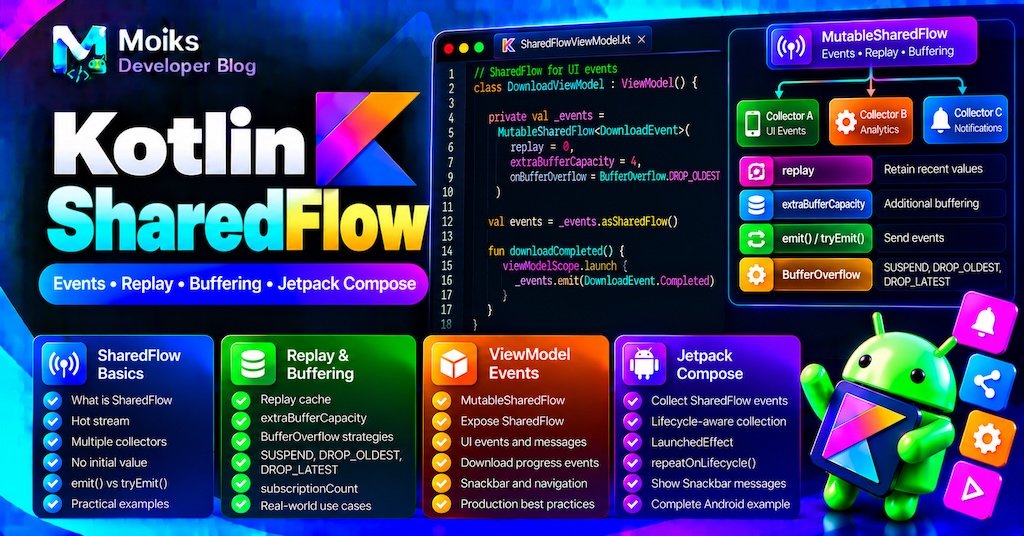
Modern Android applications frequently need to communicate events between different parts of an application.
For example:
- A download starts or finishes.
- A user completes an action.
- A background operation reports an event.
- Multiple components need to receive the same update.
- A message must be broadcast to active subscribers.
Kotlin provides SharedFlow, a powerful coroutine-based API for broadcasting values to multiple collectors.
SharedFlow is part of Kotlin Flow and works naturally with Kotlin Coroutines, ViewModel, and Jetpack Compose.
In our previous tutorial, we learned how StateFlow manages observable UI state.
Now we’ll explore how SharedFlow works, how it differs from StateFlow, and when it should be used in real Android applications.
What You’ll Learn
By the end of this tutorial, you’ll understand:
- What Kotlin SharedFlow is
- How hot streams work
- MutableSharedFlow vs SharedFlow
- How to emit and collect values
- emit() vs tryEmit()
- Multiple collectors
- Replay cache
- Buffering and overflow strategies
- subscriptionCount
- SharedFlow vs StateFlow
- SharedFlow vs Channel
- shareIn()
- ViewModel integration
- Lifecycle-aware collection
- SharedFlow with Jetpack Compose
- Common event delivery problems
- Practical Android mini-project
- Production best practices
Let’s begin!
1. What Is Kotlin SharedFlow?
SharedFlow is a hot Flow that broadcasts emitted values to its subscribers.
Unlike a standard cold Flow, SharedFlow does not restart a separate producer for every collector.
Basic Example
val events = MutableSharedFlow<String>()This creates a mutable SharedFlow that can broadcast String values.
We can emit a value:
events.emit("Download started")Collectors can receive the event:
events.collect { event ->
    println(event)
}
Key Characteristics
SharedFlow:
- Is a hot stream
- Supports multiple subscribers
- Does not require an initial value
- Supports configurable replay
- Supports optional buffering
- Supports different overflow strategies
- Does not complete normally
Important
A default MutableSharedFlow has no replay cache.
If an event is emitted while no subscribers are active, it will not be delivered to future subscribers.
This behavior is important when designing Android UI events.
2. Why Use SharedFlow in Android?
Consider an application that broadcasts download status messages.
Different components may want to observe these messages:
- A download screen
- A logging component
- A status monitor
SharedFlow allows active collectors to observe the same stream.
Basic Architecture
Background Operation
        |
        v
Repository / Event Source
        |
        v
MutableSharedFlow
        |
        v
SharedFlow
        |
        +----> Collector A
        |
        +----> Collector B
        |
        +----> Collector C
Common Use Cases
SharedFlow can be useful for:
- Broadcasting application events
- Sharing a stream among multiple collectors
- Observing download milestones
- Distributing real-time notifications
- Sharing updates from a long-lived data source
However, SharedFlow is not automatically a reliable event queue.
For actions that must survive screen recreation or process death, persistent state may be more appropriate.
3. Add Kotlin SharedFlow Dependencies
SharedFlow is included in the Kotlin Coroutines library.
In an Android project, add the appropriate dependency.
build.gradle.kts
dependencies {

    implementation(
        "org.jetbrains.kotlinx:kotlinx-coroutines-android:<version>"
    )

    implementation(
        "androidx.lifecycle:lifecycle-viewmodel-ktx:<version>"
    )

    implementation(
        "androidx.lifecycle:lifecycle-runtime-ktx:<version>"
    )

    implementation(
        "androidx.lifecycle:lifecycle-runtime-compose:<version>"
    )
}
Replace the placeholders with compatible stable versions.
If your project uses a Gradle Version Catalog, manage dependencies through libs.versions.toml.
Common Imports
import kotlinx.coroutines.flow.MutableSharedFlow
import kotlinx.coroutines.flow.SharedFlow
import kotlinx.coroutines.flow.asSharedFlow
import kotlinx.coroutines.flow.collect
import kotlinx.coroutines.launch
4. MutableSharedFlow vs SharedFlow
Kotlin provides two closely related interfaces.
MutableSharedFlow
MutableSharedFlow allows values to be emitted.
val events = MutableSharedFlow<String>()SharedFlow
SharedFlow provides a read-only interface for collectors.
val events: SharedFlow<String>Recommended ViewModel Pattern
class EventViewModel : ViewModel() {

    private val _events =
        MutableSharedFlow<String>()

    val events: SharedFlow<String> =
        _events.asSharedFlow()

    fun sendEvent(message: String) {

        viewModelScope.launch {
            _events.emit(message)
        }
    }
}
Explanation
The ViewModel owns the mutable event stream.
Other components observe the public SharedFlow.
This prevents external components from emitting events directly.
Best Practice
Keep MutableSharedFlow private and expose SharedFlow publicly.
5. Your First Complete SharedFlow Example
Let’s create a simple program that emits and collects events.
fun main() = runBlocking {

    val events = MutableSharedFlow<String>()

    val collectorJob = launch {

        events.collect { event ->
            println("Received: $event")
        }
    }

    events.subscriptionCount.first {
        it > 0
    }

    events.emit("Download started")

    events.emit("Download completed")

    collectorJob.cancelAndJoin()
}
Expected Output
Received: Download started
Received: Download completed
Explanation
First, we create a MutableSharedFlow.
Next, we launch a collector.
We wait until a subscriber is registered.
Then we emit two events.
Finally, we cancel the collector.
Why Wait for subscriptionCount?
A default SharedFlow does not replay past emissions.
Without waiting for the collector to subscribe, the emitted events could be missed.
Important
SharedFlow collection normally continues until the collecting coroutine is cancelled.
6. Understanding Hot Streams
A hot stream exists independently of individual collectors.
SharedFlow and StateFlow are both hot streams.
Cold Flow Example
val numbers = flow {

    println("Producer started")

    emit(1)
    emit(2)
}
Each collector starts a new execution of the cold Flow.
Hot SharedFlow Example
val events = MutableSharedFlow<Int>()The SharedFlow exists independently of whether any collector is active.
Multiple collectors can observe the same emissions.
Comparison
| Feature | Cold Flow | SharedFlow |
|---|---|---|
| Starts per collector | Usually yes | No |
| Shared emissions | Not by default | Yes |
| Replay | Depends on implementation | Configurable |
| Multiple subscribers | Yes | Yes |
| Typical purpose | Data pipeline | Broadcast stream |
7. Broadcasting Events to Multiple Collectors
SharedFlow supports multiple subscribers.
Let’s create two collectors.
fun main() = runBlocking {

    val events = MutableSharedFlow<String>()

    val collectorA = launch {

        events.collect { event ->
            println("Collector A: $event")
        }
    }

    val collectorB = launch {

        events.collect { event ->
            println("Collector B: $event")
        }
    }

    events.subscriptionCount.first {
        it == 2
    }

    events.emit("New update available")

    collectorA.cancelAndJoin()
    collectorB.cancelAndJoin()
}
Expected Output
Collector A: New update available
Collector B: New update available
Explanation
Both collectors subscribe to the same SharedFlow.
When an event is emitted, both active collectors receive it.
Practical Uses
- Broadcasting status updates
- Multiple observers monitoring a shared service
- Application-wide notifications
- Logging and monitoring
8. Understanding SharedFlow Replay
Replay controls how many recent values are retained for new subscribers.
Example
val events = MutableSharedFlow<String>(
    replay = 2
)
This SharedFlow retains the two most recent emitted values.
Complete Example
fun main() = runBlocking {

    val events = MutableSharedFlow<String>(
        replay = 2
    )

    events.emit("Event 1")
    events.emit("Event 2")
    events.emit("Event 3")

    println(events.replayCache)

    events.take(2).collect {
        println("Received: $it")
    }
}
Output
[Event 2, Event 3]
Received: Event 2
Received: Event 3
Explanation
The replay cache retains the two most recent values.
When a new collector subscribes, it immediately receives those values.
When to Use Replay
Replay can be useful when new subscribers should receive recent information.
Important
Replay can also cause repeated event handling.
For example, replaying a navigation command after screen recreation could trigger navigation again.
Choose replay settings carefully.
9. What Is replayCache?
The replayCache property provides a snapshot of values currently retained for replay.
Example
val events = MutableSharedFlow<Int>(
    replay = 3
)

events.emit(10)
events.emit(20)
events.emit(30)

println(events.replayCache)
Output
[10, 20, 30]Explanation
The replay cache contains recent emitted values up to the configured replay count.
Important
Replay cache is not a persistent database.
Its contents exist only while the SharedFlow instance remains alive.
10. SharedFlow Buffering
SharedFlow can maintain additional buffered values for active subscribers.
Example
val events = MutableSharedFlow<String>(
    replay = 0,
    extraBufferCapacity = 5
)
Explanation
This configuration provides additional buffering capacity for active subscribers.
It can help producers continue temporarily when collectors are slower.
Parameters
replay
Number of recent values retained for new subscribers.
extraBufferCapacity
Additional capacity beyond replay for slow active subscribers.
onBufferOverflow
Determines behavior when the buffer is full.
Important
Extra buffer capacity does not store events for future subscribers when no subscribers are present.
With no subscribers, only replay values are retained.
11. SharedFlow Buffer Overflow Strategies
SharedFlow supports several overflow strategies.
BufferOverflow.SUSPEND
The producer suspends when necessary until buffer space becomes available.
MutableSharedFlow<Int>(
    replay = 1,
    extraBufferCapacity = 2,
    onBufferOverflow = BufferOverflow.SUSPEND
)
BufferOverflow.DROP_OLDEST
The oldest buffered values are dropped when necessary to make room for newer values.
MutableSharedFlow<Int>(
    replay = 1,
    extraBufferCapacity = 2,
    onBufferOverflow = BufferOverflow.DROP_OLDEST
)
BufferOverflow.DROP_LATEST
New values are dropped when the buffer is full.
MutableSharedFlow<Int>(
    replay = 1,
    extraBufferCapacity = 2,
    onBufferOverflow = BufferOverflow.DROP_LATEST
)
Comparison
| Strategy | Behavior |
|---|---|
| SUSPEND | Wait for available capacity |
| DROP_OLDEST | Discard oldest buffered values |
| DROP_LATEST | Discard new values when full |
Important
Non-suspending overflow strategies require positive replay or extra buffer capacity.
Also, overflow occurs only when at least one subscriber is slow enough to create backpressure.
12. emit() vs tryEmit()
MutableSharedFlow provides two common ways to emit values.
emit()
events.emit("Download started")The emit() function is a suspend function.
Depending on configuration and subscriber behavior, it may suspend.
tryEmit()
val accepted = events.tryEmit(
    "Download started"
)
tryEmit() is non-suspending.
It returns a Boolean indicating whether the value was accepted under the configured buffer behavior.
Comparison
| Feature | emit() | tryEmit() |
|---|---|---|
| Suspend function | Yes | No |
| May suspend | Yes | No |
| Returns Boolean | No | Yes |
| Typical use | Coroutine-based emission | Non-suspending emission attempt |
Important
A successful tryEmit() call does not guarantee that a subscriber processed the value.
For a default unbuffered SharedFlow with no subscribers, tryEmit() can return true even though the event is discarded.
Best Practice
Use emit() when suspension and backpressure are acceptable.
Use tryEmit() only when non-suspending behavior fits the stream’s delivery requirements.
13. Understanding subscriptionCount
MutableSharedFlow exposes the number of active subscribers.
Example
val events = MutableSharedFlow<String>()

events.subscriptionCount.collect { count ->

    println("Active subscribers: $count")
}
Explanation
subscriptionCount is a StateFlow containing the current number of subscribers.
Practical Uses
- Monitoring active collectors
- Starting work when subscribers exist
- Debugging event delivery
- Managing shared producers
Important
A subscription count is not a guarantee that an event will be handled successfully.
Subscribers may be cancelled or fail after registration.
14. SharedFlow vs StateFlow
Both SharedFlow and StateFlow are hot streams.
However, they have different semantics.
| Feature | SharedFlow | StateFlow |
|---|---|---|
| Initial value required | No | Yes |
| Current value property | No | Yes |
| Replay | Configurable | Latest value |
| Equality conflation | Not automatic | Yes |
| Buffering | Configurable | Conflated state |
| Typical use | Broadcasting values | Current state |
Use StateFlow For
- Screen UI state
- Loading indicators
- Selected tabs
- Form values
- User profiles
- Application settings
Use SharedFlow For
- Broadcasting messages to active subscribers
- Shared event streams
- Download milestone events
- Application-wide notifications
Key Principle
StateFlow represents what the application currently knows.
SharedFlow represents values broadcast through a shared stream.
15. SharedFlow vs Channel
Kotlin also provides Channel for coroutine communication.
Channel Example
val channel = Channel<String>()SharedFlow Example
val events = MutableSharedFlow<String>()Key Difference
A Channel normally distributes each element to one receiver.
A SharedFlow broadcasts emissions to all active subscribers.
Comparison
| Feature | SharedFlow | Channel |
|---|---|---|
| Multiple receivers | Yes | Yes |
| Broadcast each value to all | Yes, active subscribers | No, normally one receiver |
| Replay | Configurable | No replay cache |
| Buffering | Configurable | Configurable |
| Typical use | Broadcasting | Coroutine communication |
Important
Neither mechanism automatically guarantees durable delivery across Android lifecycle changes or process death.
For critical events, consider persistent application state or a database-backed queue.
16. Understanding shareIn()
The shareIn() operator converts a cold Flow into a hot SharedFlow.
This is useful when multiple collectors should share one upstream operation.
Example
class NewsRepository(
    private val scope: CoroutineScope
) {

    private val newsFlow = flow {

        while (true) {

            emit(fetchLatestNews())

            delay(5000)
        }
    }

    val sharedNews = newsFlow.shareIn(
        scope = scope,
        started = SharingStarted.WhileSubscribed(5000),
        replay = 1
    )
}
Assume fetchLatestNews() is an existing suspend function.
Explanation
The upstream Flow is shared among subscribers.
Instead of creating a separate upstream operation for every collector, shareIn manages a shared producer.
Parameters
scope
Defines the lifetime of sharing.
started
Controls when upstream collection starts and stops.
replay
Determines how many recent emissions are retained.
Best Practice
Use an appropriately owned CoroutineScope.
Avoid creating unmanaged long-lived scopes inside repositories.
17. SharedFlow with ViewModel
Let’s create a ViewModel that broadcasts application messages.
Example
class MessageViewModel : ViewModel() {

    private val _messages =
        MutableSharedFlow<String>(
            extraBufferCapacity = 1
        )

    val messages: SharedFlow<String> =
        _messages.asSharedFlow()

    fun sendMessage(message: String) {

        viewModelScope.launch {

            _messages.emit(message)
        }
    }
}
Explanation
The ViewModel exposes a read-only SharedFlow.
When sendMessage() is called, the message is emitted to active subscribers.
Important
Extra buffer capacity does not guarantee delivery when the UI is not collecting.
For messages that must remain visible after screen recreation, consider representing the message in UI state until it has been handled.
18. Collecting SharedFlow in Jetpack Compose
Jetpack Compose provides LaunchedEffect for running suspend operations associated with composition.
Example
@Composable
fun MessageScreen(
    viewModel: MessageViewModel = viewModel()
) {

    val snackbarHostState = remember {
        SnackbarHostState()
    }

    LaunchedEffect(viewModel) {

        viewModel.messages.collect { message ->

            snackbarHostState.showSnackbar(message)
        }
    }

    Scaffold(
        snackbarHost = {
            SnackbarHost(snackbarHostState)
        }
    ) { paddingValues ->

        Button(
            onClick = {
                viewModel.sendMessage(
                    "Message sent successfully"
                )
            },
            modifier = Modifier.padding(
                paddingValues
            )
        ) {

            Text("Send Message")
        }
    }
}
Explanation
LaunchedEffect starts a coroutine when the effect enters composition.
The coroutine collects the SharedFlow.
When an event arrives, a Snackbar is displayed.
Important
LaunchedEffect is tied to composition, not automatically to the STARTED lifecycle state.
For lifecycle-aware collection, use repeatOnLifecycle() when appropriate.
19. Lifecycle-Aware SharedFlow Collection
For Android screens, lifecycle-aware collection can help avoid processing UI events while the screen is stopped.
Example
@Composable
fun LifecycleMessageScreen(
    viewModel: MessageViewModel = viewModel()
) {

    val lifecycleOwner = LocalLifecycleOwner.current

    val snackbarHostState = remember {
        SnackbarHostState()
    }

    LaunchedEffect(
        lifecycleOwner,
        viewModel
    ) {

        lifecycleOwner.lifecycle.repeatOnLifecycle(
            Lifecycle.State.STARTED
        ) {

            viewModel.messages.collect { message ->

                snackbarHostState.showSnackbar(message)
            }
        }
    }

    Scaffold(
        snackbarHost = {
            SnackbarHost(snackbarHostState)
        }
    ) { paddingValues ->

        Button(
            onClick = {
                viewModel.sendMessage(
                    "Operation completed"
                )
            },
            modifier = Modifier.padding(
                paddingValues
            )
        ) {

            Text("Perform Action")
        }
    }
}
Explanation
The collector becomes active when the lifecycle reaches STARTED.
Collection stops when the lifecycle falls below STARTED.
Important
Events emitted while collection is stopped may be missed when replay is zero.
This is expected SharedFlow behavior, not a lifecycle collection bug.
Practical Android Mini-Project: Download Status Events with SharedFlow
Now let’s build a small Android application using:
- Kotlin
- Jetpack Compose
- Material 3
- ViewModel
- StateFlow
- SharedFlow
- Kotlin Coroutines
- MVVM architecture
The application will:
- Display a Start Download button.
- Simulate a download operation.
- Update download progress.
- Broadcast download milestone events.
- Display recent events.
- Show a Snackbar when the download completes.
We’ll use StateFlow for current screen state and SharedFlow for event broadcasting.
This demonstrates how both APIs can work together.
20. Create the Download Event Model
sealed interface DownloadEvent {

    data object Started : DownloadEvent

    data class Milestone(
        val progress: Int
    ) : DownloadEvent

    data object Completed : DownloadEvent
}
Explanation
The event model represents three event types.
- Download started
- Progress milestone reached
- Download completed
Using a sealed interface makes event handling explicit.
21. Create the Download UI State
data class DownloadUiState(
    val isDownloading: Boolean = false,
    val progress: Int = 0,
    val isCompleted: Boolean = false
)
Explanation
This model represents the current download state.
StateFlow will expose it to Jetpack Compose.
22. Create the Download ViewModel
class DownloadViewModel : ViewModel() {

    private val _uiState = MutableStateFlow(
        DownloadUiState()
    )

    val uiState: StateFlow<DownloadUiState> =
        _uiState.asStateFlow()

    private val _events =
        MutableSharedFlow<DownloadEvent>(
            extraBufferCapacity = 4
        )

    val events: SharedFlow<DownloadEvent> =
        _events.asSharedFlow()

    private var downloadJob: Job? = null

    fun startDownload() {

        if (downloadJob?.isActive == true) {
            return
        }

        downloadJob = viewModelScope.launch {

            _uiState.value = DownloadUiState(
                isDownloading = true
            )

            _events.emit(DownloadEvent.Started)

            for (progress in 1..100) {

                delay(40)

                _uiState.update { current ->

                    current.copy(
                        progress = progress
                    )
                }

                if (progress % 25 == 0 && progress < 100) {

                    _events.emit(
                        DownloadEvent.Milestone(progress)
                    )
                }
            }

            _uiState.update { current ->

                current.copy(
                    isDownloading = false,
                    isCompleted = true
                )
            }

            _events.emit(DownloadEvent.Completed)
        }
    }
}
Explanation
The ViewModel manages two streams.
StateFlow
Stores current download progress and completion state.
SharedFlow
Broadcasts download milestones.
Why Use Both?
Download progress is current state.
Download milestones are events.
This separation makes the application easier to understand.
Important
This tutorial simulates a download.
For a real file download, use an appropriate networking API and consider WorkManager or another suitable execution mechanism for work that must survive leaving the screen.
23. Create the Jetpack Compose Download Screen
@Composable
fun DownloadScreen(
    viewModel: DownloadViewModel = viewModel()
) {

    val uiState by viewModel.uiState
        .collectAsStateWithLifecycle()

    val snackbarHostState = remember {
        SnackbarHostState()
    }

    val lifecycleOwner = LocalLifecycleOwner.current

    var recentEvents by remember {
        mutableStateOf(emptyList<String>())
    }

    LaunchedEffect(
        lifecycleOwner,
        viewModel
    ) {

        lifecycleOwner.lifecycle.repeatOnLifecycle(
            Lifecycle.State.STARTED
        ) {

            viewModel.events.collect { event ->

                val message = when (event) {

                    DownloadEvent.Started ->
                        "Download started"

                    is DownloadEvent.Milestone ->
                        "Download ${event.progress}% completed"

                    DownloadEvent.Completed ->
                        "Download completed successfully"
                }

                recentEvents =
                    (recentEvents + message).takeLast(5)

                if (event == DownloadEvent.Completed) {

                    snackbarHostState.showSnackbar(message)
                }
            }
        }
    }

    Scaffold(
        snackbarHost = {
            SnackbarHost(snackbarHostState)
        }
    ) { paddingValues ->

        Column(
            modifier = Modifier
                .fillMaxSize()
                .padding(paddingValues)
                .padding(24.dp),
            verticalArrangement = Arrangement.spacedBy(20.dp)
        ) {

            Text(
                text = "Download Manager",
                style = MaterialTheme.typography.headlineMedium
            )

            LinearProgressIndicator(
                progress = {
                    uiState.progress / 100f
                },
                modifier = Modifier.fillMaxWidth()
            )

            Text(
                text = "${uiState.progress}%",
                style = MaterialTheme.typography.titleLarge
            )

            Button(
                onClick = {
                    viewModel.startDownload()
                },
                enabled = !uiState.isDownloading
            ) {

                Text(
                    if (uiState.isDownloading) {
                        "Downloading..."
                    } else {
                        "Start Download"
                    }
                )
            }

            if (uiState.isCompleted) {

                Text(
                    text = "Download completed",
                    color = MaterialTheme.colorScheme.primary
                )
            }

            Text(
                text = "Recent Events",
                style = MaterialTheme.typography.titleMedium
            )

            recentEvents.forEach { event ->

                Text(
                    text = "• $event"
                )
            }
        }
    }
}
Explanation
The screen observes StateFlow using collectAsStateWithLifecycle().
It also collects SharedFlow while the lifecycle is STARTED.
The current progress is displayed using a progress indicator.
Recent events appear in a small list.
A Snackbar is displayed when the download completes.
Production Note
The recent-events list is local Compose state and is not intended as durable history.
If event history must survive screen recreation or process death, store it in ViewModel state or persistent storage.
Also, the completion status is already represented by StateFlow, so the UI can still show completion even if the SharedFlow completion event is missed.
24. Required Imports
Kotlin Coroutines and Flow
import kotlinx.coroutines.Job
import kotlinx.coroutines.delay
import kotlinx.coroutines.launch
import kotlinx.coroutines.flow.MutableSharedFlow
import kotlinx.coroutines.flow.SharedFlow
import kotlinx.coroutines.flow.MutableStateFlow
import kotlinx.coroutines.flow.StateFlow
import kotlinx.coroutines.flow.asSharedFlow
import kotlinx.coroutines.flow.asStateFlow
import kotlinx.coroutines.flow.update
ViewModel and Lifecycle
import androidx.lifecycle.ViewModel
import androidx.lifecycle.viewModelScope
import androidx.lifecycle.Lifecycle
import androidx.lifecycle.repeatOnLifecycle
import androidx.lifecycle.compose.LocalLifecycleOwner
import androidx.lifecycle.compose.collectAsStateWithLifecycle
import androidx.lifecycle.viewmodel.compose.viewModel
Jetpack Compose
import androidx.compose.foundation.layout.Arrangement
import androidx.compose.foundation.layout.Column
import androidx.compose.foundation.layout.fillMaxSize
import androidx.compose.foundation.layout.fillMaxWidth
import androidx.compose.foundation.layout.padding
import androidx.compose.material3.Button
import androidx.compose.material3.LinearProgressIndicator
import androidx.compose.material3.MaterialTheme
import androidx.compose.material3.Scaffold
import androidx.compose.material3.SnackbarHost
import androidx.compose.material3.SnackbarHostState
import androidx.compose.material3.Text
import androidx.compose.runtime.Composable
import androidx.compose.runtime.LaunchedEffect
import androidx.compose.runtime.getValue
import androidx.compose.runtime.mutableStateOf
import androidx.compose.runtime.remember
import androidx.compose.runtime.setValue
import androidx.compose.ui.Modifier
import androidx.compose.ui.unit.dp
25. Expected UI — Initial State
+--------------------------------+
|                                |
|       Download Manager         |
|                                |
| [--------------------------]   |
|                                |
|              0%                |
|                                |
|       [ Start Download ]       |
|                                |
| Recent Events                  |
|                                |
+--------------------------------+
26. Expected UI — Downloading
+--------------------------------+
|                                |
|       Download Manager         |
|                                |
| [#############-------------]   |
|                                |
|             50%                |
|                                |
|        Downloading...          |
|                                |
| Recent Events                  |
|                                |
| • Download started             |
| • Download 25% completed       |
| • Download 50% completed       |
|                                |
+--------------------------------+
27. Expected UI — Completed
+--------------------------------+
|                                |
|       Download Manager         |
|                                |
| [##########################]   |
|                                |
|             100%               |
|                                |
|       [ Start Download ]       |
|                                |
| Download completed             |
|                                |
| Recent Events                  |
|                                |
| • Download 25% completed       |
| • Download 50% completed       |
| • Download 75% completed       |
| • Download completed           |
|                                |
+--------------------------------+
A Snackbar may also appear:
Download completed successfully28. How the Complete Application Works
Step 1: User Starts Download
The user taps Start Download.
Step 2: ViewModel Starts a Coroutine
The ViewModel launches a coroutine using viewModelScope.
Step 3: StateFlow Updates Progress
The progress value changes from 0 to 100.
Step 4: SharedFlow Broadcasts Events
The ViewModel emits Started, Milestone, and Completed events.
Step 5: Compose Observes StateFlow
The progress indicator updates automatically.
Step 6: Compose Collects SharedFlow
The active collector receives milestone messages.
Step 7: Download Completes
StateFlow records completion.
SharedFlow broadcasts the completion event.
Step 8: UI Displays Result
The UI shows completion state and, when the event is received, displays a Snackbar.
This demonstrates the different responsibilities of StateFlow and SharedFlow.
29. Common SharedFlow Mistakes
Mistake 1: Assuming Every Event Is Delivered
SharedFlow does not guarantee delivery to collectors that are not active.
Mistake 2: Using Replay for Every UI Event
Replay can cause old events to be handled again.
Mistake 3: Confusing Buffering with Persistence
SharedFlow buffering is in-memory and is not durable storage.
Mistake 4: Ignoring Lifecycle Changes
Collectors may stop when screens become inactive.
Design event delivery accordingly.
Mistake 5: Assuming tryEmit() Guarantees Processing
tryEmit() reports whether the value was accepted, not whether a subscriber handled it.
Mistake 6: Using SharedFlow for All UI State
Use StateFlow for current screen state.
Mistake 7: Forgetting to Cancel Collectors
SharedFlow collection does not normally complete.
Use structured concurrency and lifecycle-aware scopes.
Mistake 8: Creating Unmanaged Application-Wide Scopes
Use clearly owned CoroutineScopes for shared producers.
Mistake 9: Ignoring Buffer Overflow Behavior
Choose SUSPEND, DROP_OLDEST, or DROP_LATEST based on the requirements.
Mistake 10: Treating SharedFlow as a Persistent Queue
For important operations, use persistent state or an appropriate durable queue.
30. Kotlin SharedFlow Best Practices
Follow these recommendations:
- Use SharedFlow for appropriate broadcast streams.
- Use StateFlow for current UI state.
- Keep MutableSharedFlow private.
- Expose read-only SharedFlow.
- Choose replay values intentionally.
- Understand buffering and overflow strategies.
- Preserve coroutine cancellation.
- Use lifecycle-aware collection for Android UI.
- Avoid depending on events emitted without subscribers.
- Use viewModelScope for ViewModel-owned work.
- Use shareIn() when multiple collectors should share upstream work.
- Use appropriate CoroutineScope ownership.
- Test event delivery and lifecycle behavior.
- Avoid using SharedFlow as durable storage.
- Prefer explicit state for important user-visible outcomes.
31. Kotlin SharedFlow Quick Reference
| Concept | Purpose |
|---|---|
| SharedFlow | Hot broadcast stream |
| MutableSharedFlow | Mutable broadcast stream |
| asSharedFlow() | Expose read-only interface |
| emit() | Suspending emission |
| tryEmit() | Non-suspending emission attempt |
| replay | Retain recent values |
| replayCache | Inspect replayed values |
| extraBufferCapacity | Additional buffering |
| BufferOverflow.SUSPEND | Suspend when needed |
| BufferOverflow.DROP_OLDEST | Drop oldest buffered values |
| BufferOverflow.DROP_LATEST | Drop new values when full |
| subscriptionCount | Observe subscriber count |
| shareIn() | Convert Flow into shared hot stream |
| repeatOnLifecycle() | Lifecycle-aware collection |
| viewModelScope | ViewModel-owned coroutine scope |
32. Practical Exercises
Try these exercises to improve your understanding.
Exercise 1: Basic SharedFlow
Create a MutableSharedFlow that emits three messages.
Exercise 2: Multiple Collectors
Create two collectors that receive the same events.
Exercise 3: Replay
Configure replay = 2 and verify that a new collector receives the last two values.
Exercise 4: Buffering
Experiment with extraBufferCapacity.
Exercise 5: Overflow Strategies
Compare SUSPEND, DROP_OLDEST, and DROP_LATEST.
Exercise 6: emit vs tryEmit
Test both emission methods under different buffer configurations.
Exercise 7: subscriptionCount
Observe the number of active subscribers.
Exercise 8: ViewModel Integration
Create a ViewModel that exposes a read-only SharedFlow.
Exercise 9: Jetpack Compose
Collect SharedFlow events and display a Snackbar.
Exercise 10: Download Manager
Build the complete download status mini-project from this tutorial.
33. Frequently Asked Questions
What is SharedFlow in Kotlin?
SharedFlow is a hot Flow that broadcasts values to multiple subscribers.
What is MutableSharedFlow?
MutableSharedFlow is the mutable implementation used to emit values into a SharedFlow.
What is the difference between SharedFlow and StateFlow?
StateFlow represents current observable state.
SharedFlow broadcasts values and supports configurable replay and buffering.
Does SharedFlow require an initial value?
No. SharedFlow does not require an initial value.
What is replay in SharedFlow?
Replay determines how many recent values are delivered to new subscribers.
What is extraBufferCapacity?
It provides additional buffering capacity for active subscribers beyond the replay cache.
What is the difference between emit and tryEmit?
emit() is suspending and can wait when necessary.
tryEmit() is non-suspending and returns whether the value was accepted.
Does SharedFlow guarantee event delivery?
No. Delivery depends on active subscribers, replay, buffering, cancellation, and other stream behavior.
Can SharedFlow be used with Jetpack Compose?
Yes. SharedFlow can be collected in Compose using LaunchedEffect and lifecycle-aware collection APIs.
What is shareIn()?
shareIn converts a cold Flow into a hot SharedFlow within a CoroutineScope.
Should SharedFlow be used for navigation events?
It can be used for event broadcasting, but navigation outcomes that must survive lifecycle changes are often better modeled as durable UI state.
What We’ve Learned
In this tutorial, we learned:
- Kotlin SharedFlow fundamentals
- Hot streams
- MutableSharedFlow vs SharedFlow
- Multiple collectors
- Replay cache
- Buffering
- Overflow strategies
- emit vs tryEmit
- subscriptionCount
- SharedFlow vs StateFlow
- SharedFlow vs Channel
- shareIn
- ViewModel integration
- Jetpack Compose integration
- Lifecycle-aware collection
- Download status mini-project
- Common mistakes and best practices
SharedFlow is a useful tool for broadcasting asynchronous values to multiple collectors.
However, successful Android development requires choosing the correct mechanism for each responsibility.
Use StateFlow for current UI state.
Use SharedFlow when broadcasting values to active subscribers is appropriate.
Use persistent state or durable storage when information must survive lifecycle changes or process death.
By understanding these differences, developers can build more reliable Android applications using Kotlin Coroutines, ViewModel, and Jetpack Compose.
What’s Next?
In our next tutorial, we’ll explore:
Kotlin Flow Exception Handling & Retry: catch, retry, retryWhen & Android Best Practices
You’ll learn:
- Flow exception propagation
- catch operator
- retry operator
- retryWhen operator
- CancellationException
- Network error handling
- Retry with exponential backoff
- Flow completion handling
- ViewModel error state
- Jetpack Compose error and retry UI
- Practical Android examples
Happy Coding!
Continue learning modern Android development with Moiks Developer Blog.


