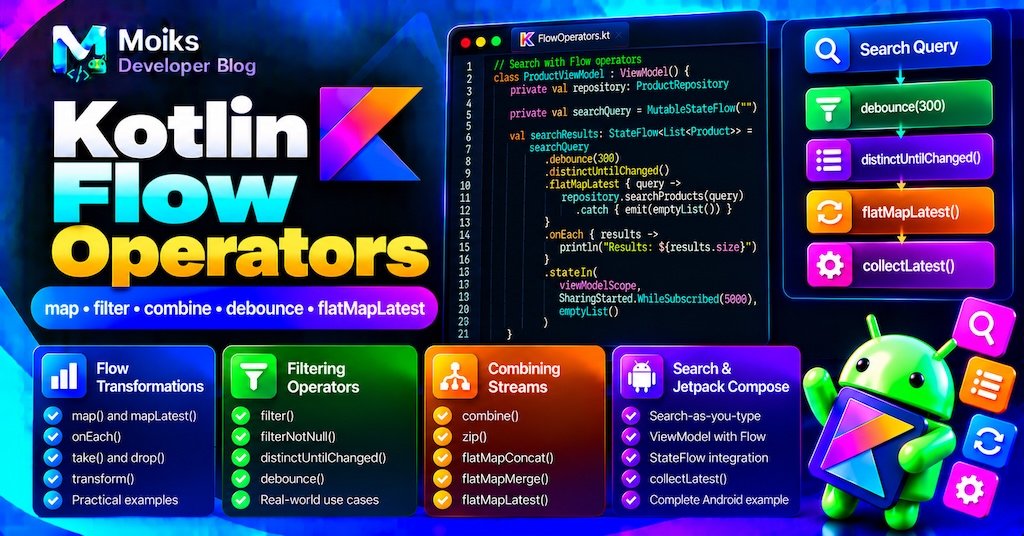
Kotlin Flow is one of the most important tools for building reactive Android applications.
In our previous tutorial, we learned how Flow, StateFlow, and SharedFlow work.
Now it’s time to explore Kotlin Flow Operators.
Flow operators allow developers to transform, filter, combine, and control asynchronous streams of data.
For example, imagine building an Android application where users can search thousands of products.
As users type:
- The application receives search queries.
- Empty queries are ignored or handled separately.
- Duplicate queries are skipped.
- Search execution is delayed until typing pauses.
- Previous search requests are cancelled when newer queries arrive.
- Updated results appear automatically in Jetpack Compose.
Kotlin Flow operators make these behaviors easier to implement.
In this tutorial, we’ll explore the most useful Flow operators with beginner-friendly explanations and practical Android examples.
What You’ll Learn
By the end of this tutorial, you’ll understand:
- What Kotlin Flow operators are
- Intermediate vs terminal operators
map()mapLatest()filter()filterNotNull()take()drop()distinctUntilChanged()debounce()onEach()combine()zip()flatMapConcat()flatMapMerge()flatMapLatest()collectLatest()catch()retry()- Flow operator execution order
- Search-as-you-type implementation
- ViewModel and StateFlow integration
- Jetpack Compose integration
- Common mistakes and best practices
Let’s begin!
1. What Are Kotlin Flow Operators?
Flow operators are functions that transform, filter, combine, or consume values emitted by a Flow.
Example
flowOf(1, 2, 3, 4, 5)
    .filter { it % 2 == 0 }
    .map { it * 10 }
    .collect { println(it) }
Output
20
40
Explanation
The Flow initially emits:
1, 2, 3, 4, 5
The filter() operator keeps only even numbers:
2, 4
The map() operator multiplies each value by 10:
20, 40
Finally, collect() receives the transformed values.
This is called a Flow processing pipeline.
2. Intermediate vs Terminal Flow Operators
Kotlin Flow operators are commonly divided into two categories.
Intermediate Operators
Intermediate operators transform or configure a Flow and return another Flow.
Examples:
- map()
- filter()
- debounce()
- distinctUntilChanged()
- combine()
- flatMapLatest()
- catch()
Intermediate operators are generally lazy when applied to a cold Flow.
Terminal Operators
Terminal operators start collecting a cold Flow or produce a final result.
Examples:
- collect()
- collectLatest()
- first()
- single()
- toList()
- reduce()
- fold()
Example
val numbers = flowOf(1, 2, 3)
    .map { it * 2 }

// No collection has started yet.

runBlocking {
    numbers.collect {
        println(it)
    }
}
Important
A cold Flow pipeline normally does not execute until a terminal operation starts collection.
3. Kotlin Flow map()
The map() operator transforms each emitted value into another value.
Example
fun main() = runBlocking {

    flowOf(1, 2, 3, 4)
        .map { number ->
            number * 10
        }
        .collect {
            println(it)
        }
}
Output
10
20
30
40
Practical Android Example
Imagine receiving user information from an API.
data class User(
    val firstName: String,
    val lastName: String
)
We can transform the data:
val users = flowOf(
    User("Alex", "Johnson"),
    User("Emma", "Wilson")
)

users
    .map { user ->
        "${user.firstName} ${user.lastName}"
    }
    .collect {
        println(it)
    }
Output
Alex Johnson
Emma Wilson
When to Use map()
Use map for:
- Converting API models to UI models
- Formatting text
- Transforming numbers
- Mapping database entities
- Creating derived UI state
4. Kotlin Flow mapLatest()
The mapLatest() operator transforms values while cancelling an unfinished previous transformation when a new value arrives.
Example
fun main() = runBlocking {

    flow {
        emit("A")
        delay(100)
        emit("B")
        delay(100)
        emit("C")
    }
        .mapLatest { value ->
            delay(300)
            "Processed $value"
        }
        .collect {
            println(it)
        }
}
Expected Output
Processed CExplanation
Each new value cancels the previous transformation if it has not completed.
Only the latest transformation finishes in this example.
Practical Uses
- Search query processing
- Image preview generation
- Dynamic filtering
- Recalculating derived results
Important
mapLatest() is marked with an experimental Flow API annotation in some coroutine library versions.
You may need to opt in to ExperimentalCoroutinesApi.
5. Kotlin Flow filter()
The filter() operator emits only values that satisfy a condition.
Example
fun main() = runBlocking {

    flowOf(1, 2, 3, 4, 5, 6)
        .filter { number ->
            number % 2 == 0
        }
        .collect {
            println(it)
        }
}
Output
2
4
6
Practical Android Example
Filter active users:
data class AppUser(
    val name: String,
    val isActive: Boolean
)
val users = flowOf(
AppUser("Alex", true),
AppUser("John", false),
AppUser("Emma", true)
)
users
.filter { it.isActive }
.collect {
println(it.name)
}Output
Alex
Emma
6. Kotlin Flow filterNotNull()
The filterNotNull() operator removes null values.
Example
fun main() = runBlocking {

    flowOf(
        "Android",
        null,
        "Kotlin",
        null,
        "Jetpack Compose"
    )
        .filterNotNull()
        .collect {
            println(it)
        }
}
Output
Android
Kotlin
Jetpack Compose
Practical Uses
- Removing missing database values
- Ignoring null API fields
- Processing optional inputs
- Simplifying nullable data streams
7. Kotlin Flow take()
The take() operator collects only a specified number of emissions.
Example
fun main() = runBlocking {

    (1..10)
        .asFlow()
        .take(3)
        .collect {
            println(it)
        }
}
Output
1
2
3
Explanation
The Flow stops after the first three values.
Practical Uses
- Previewing stream data
- Limiting results
- Processing a fixed number of emissions
8. Kotlin Flow drop()
The drop() operator skips a specified number of initial values.
Example
fun main() = runBlocking {

    (1..5)
        .asFlow()
        .drop(2)
        .collect {
            println(it)
        }
}
Output
3
4
5
Explanation
The first two values are ignored.
The remaining values reach the collector.
9. Kotlin Flow distinctUntilChanged()
The distinctUntilChanged() operator prevents consecutive equal values from being emitted.
Example
fun main() = runBlocking {

    flowOf(
        "Android",
        "Android",
        "Kotlin",
        "Kotlin",
        "Compose"
    )
        .distinctUntilChanged()
        .collect {
            println(it)
        }
}
Output
Android
Kotlin
Compose
Practical Android Uses
- Search input processing
- Filter selection
- Avoiding repeated network requests
- Reacting to preference changes
Important
This operator removes consecutive duplicates, not every repeated value across the entire stream.
Also, StateFlow already applies equality-based conflation, so applying distinctUntilChanged directly to StateFlow has no additional effect.
10. Kotlin Flow debounce()
The debounce() operator waits for a quiet period before emitting a value.
If a newer value arrives before the timeout expires, the pending value is replaced.
Example
fun main() = runBlocking {

    flow {
        emit("A")
        delay(100)

        emit("An")
        delay(100)

        emit("And")
        delay(500)
    }
        .debounce(300)
        .collect {
            println(it)
        }
}
Expected Output
AndExplanation
The first two values are replaced because newer values arrive within 300 milliseconds.
The final value is emitted after the quiet period.
Practical Android Uses
- Search-as-you-type
- Form validation
- Auto-save
- Filtering large lists
- Reducing unnecessary API requests
Important
debounce() may require opting in to FlowPreview, depending on the kotlinx.coroutines version.
11. Kotlin Flow onEach()
The onEach() operator performs an action for each emission without changing the value.
Example
fun main() = runBlocking {

    flowOf(10, 20, 30)
        .onEach {
            println("Processing: $it")
        }
        .collect {
            println("Collected: $it")
        }
}
Output
Processing: 10
Collected: 10
Processing: 20
Collected: 20
Processing: 30
Collected: 30
Practical Uses
- Debugging
- Logging
- Monitoring stream activity
- Lightweight side effects
Avoid performing expensive blocking work in onEach when the stream is collected on the main thread.
12. Kotlin Flow combine()
The combine() operator combines the latest values from multiple Flows.
Example
fun main() = runBlocking {

    val firstName = MutableStateFlow("Alex")
    val lastName = MutableStateFlow("Johnson")

    combine(
        firstName,
        lastName
    ) { first, last ->
        "$first $last"
    }
        .take(1)
        .collect {
            println(it)
        }
}
Output
Alex JohnsonExplanation
combine waits until each input Flow has emitted at least one value.
After that, updates from either input can produce a new combined value.
Practical Android Uses
- Combining form fields
- Calculating shopping cart totals
- Combining UI filters
- Building dashboard state
- Observing multiple repositories
13. Kotlin Flow zip()
The zip() operator pairs emissions from two Flows.
Example
fun main() = runBlocking {

    val names = flowOf(
        "Alex",
        "Emma",
        "John"
    )

    val ages = flowOf(
        25,
        30,
        28
    )

    names.zip(ages) { name, age ->
        "$name is $age years old"
    }
        .collect {
            println(it)
        }
}
Output
Alex is 25 years old
Emma is 30 years old
John is 28 years old
Explanation
zip combines corresponding emissions by position.
The first name is paired with the first age.
The second name is paired with the second age.
combine vs zip
| Feature | combine | zip |
|---|---|---|
| Combines latest values | Yes | No |
| Pairs corresponding emissions | No | Yes |
| Emits when either source updates | After both have emitted, generally yes | Only when a pair is available |
| Typical use | Reactive UI state | Pairing related sequences |
14. Kotlin Flow flatMapConcat()
The flatMapConcat() operator transforms each upstream value into another Flow and collects those inner Flows sequentially.
Example
fun main() = runBlocking {

    flowOf(1, 2, 3)
        .flatMapConcat { number ->

            flow {
                emit("Start $number")
                delay(100)
                emit("End $number")
            }
        }
        .collect {
            println(it)
        }
}
Output
Start 1
End 1
Start 2
End 2
Start 3
End 3
Explanation
Each inner Flow completes before the next inner Flow is collected.
When to Use flatMapConcat()
Use it when operations must be processed sequentially.
15. Kotlin Flow flatMapMerge()
The flatMapMerge() operator collects multiple inner Flows concurrently.
Example
fun main() = runBlocking {

    flowOf(1, 2, 3)
        .flatMapMerge { number ->

            flow {
                delay(300)
                emit("Completed $number")
            }
        }
        .collect {
            println(it)
        }
}
Explanation
The inner Flows can run concurrently.
Results are emitted as they become available.
Important
Emission order is not guaranteed to match the original upstream order.
Practical Uses
- Concurrent independent API requests
- Processing multiple data sources
- Parallel asynchronous operations
Use appropriate concurrency limits when working with many tasks.
16. Kotlin Flow flatMapLatest()
The flatMapLatest() operator switches to the newest inner Flow when a new upstream value arrives.
If the previous inner Flow is still running, its collection is cancelled.
Example
fun searchUsers(query: String): Flow<List<String>> = flow {

    delay(500)

    emit(
        listOf(
            "$query Result 1",
            "$query Result 2"
        )
    )
}
Usage
fun main() = runBlocking {

    flow {
        emit("A")
        delay(100)

        emit("An")
        delay(100)

        emit("Android")
    }
        .flatMapLatest { query ->
            searchUsers(query)
        }
        .collect {
            println(it)
        }
}
Expected Output
[Android Result 1, Android Result 2]Explanation
The first search begins.
Before it completes, a new query arrives.
The previous search collection is cancelled.
The latest search result is collected.
Practical Android Uses
- Search-as-you-type
- Dynamic filtering
- Switching user accounts
- Loading details for selected items
- Cancelling outdated data requests
Important
Cancellation is cooperative. An underlying blocking operation that does not support cancellation may continue even after its Flow collection is cancelled.
17. Kotlin Flow collectLatest()
The collectLatest() terminal operator cancels processing of the previous value when a newer value arrives.
Example
fun main() = runBlocking {

    flow {
        emit(1)
        delay(100)

        emit(2)
        delay(100)

        emit(3)
    }
        .collectLatest { value ->

            delay(300)

            println("Processed $value")
        }
}
Expected Output
Processed 3Explanation
The processing of values 1 and 2 is cancelled when newer values arrive.
Only the latest value finishes processing.
collect vs collectLatest
| Feature | collect | collectLatest |
|---|---|---|
| Processes every value sequentially | Yes | Not necessarily |
| Cancels previous collector action | No | Yes |
| Suitable for expensive latest-only work | Less suitable | Yes |
| Typical use | Processing all events | Rendering or processing latest data |
18. Kotlin Flow catch()
The catch() operator handles exceptions thrown by upstream Flow operations.
Example
fun main() = runBlocking {

    flow {

        emit(10)

        throw IllegalStateException(
            "Unable to load data"
        )
    }
        .catch { exception ->

            println(
                "Error: ${exception.message}"
            )
        }
        .collect {
            println(it)
        }
}
Output
10
Error: Unable to load data
Important
catch handles upstream exceptions.
It does not automatically catch exceptions thrown by downstream collect operations.
It also preserves coroutine cancellation.
19. Kotlin Flow retry()
The retry() operator can retry an upstream Flow when an exception occurs.
Example
fun main() = runBlocking {

    var attempts = 0

    flow {

        attempts++

        if (attempts < 3) {
            throw IllegalStateException(
                "Temporary failure"
            )
        }

        emit("Success")
    }
        .retry(retries = 2)
        .collect {
            println(it)
        }
}
Output
SuccessExplanation
The first two attempts fail.
The retry operator restarts upstream collection.
The third attempt succeeds.
Best Practice
Avoid retrying every exception automatically.
Retry only failures that are likely to be temporary.
For network operations, consider retryWhen with a bounded retry count and appropriate backoff.
20. Flow Operator Execution Order
The order of Flow operators matters.
Example
flowOf(1, 2, 3, 4, 5)
    .filter { it > 2 }
    .map { it * 10 }
    .collect {
        println(it)
    }
Output
30
40
50
Explanation
First, filter removes values 1 and 2.
Then map transforms the remaining values.
Best Practice
Filter early when possible to avoid unnecessary transformations.
However, always preserve the intended behavior of your pipeline.
Practical Android Mini-Project: Search-as-You-Type with Kotlin Flow
Now let’s build a practical search screen using Kotlin Flow, ViewModel, StateFlow, and Jetpack Compose.
Our application will:
- Display a search text field
- Observe search input changes
- Apply a debounce delay
- Ignore consecutive duplicate queries
- Cancel outdated search requests
- Filter sample products
- Show a loading indicator
- Display matching results
- Handle errors
- Update the UI automatically
This is a common pattern in modern Android applications.
21. Create the Product Model
data class Product(
    val id: Int,
    val name: String,
    val category: String
)
Explanation
Each product contains:
- Product ID
- Product name
- Category
22. Create the Product Repository
For this tutorial, we’ll use local sample data.
class ProductRepository {

    private val products = listOf(
        Product(1, "Android Phone", "Electronics"),
        Product(2, "Android Tablet", "Electronics"),
        Product(3, "Wireless Headphones", "Audio"),
        Product(4, "Bluetooth Speaker", "Audio"),
        Product(5, "Smart Watch", "Wearables"),
        Product(6, "Laptop", "Computers"),
        Product(7, "USB Cable", "Accessories"),
        Product(8, "Phone Charger", "Accessories"),
        Product(9, "Gaming Mouse", "Computers"),
        Product(10, "Mechanical Keyboard", "Computers")
    )

    fun searchProducts(
        query: String
    ): Flow<List<Product>> = flow {

        delay(500)

        val results = if (query.isBlank()) {

            products

        } else {

            products.filter { product ->

                product.name.contains(
                    query,
                    ignoreCase = true
                ) || product.category.contains(
                    query,
                    ignoreCase = true
                )
            }
        }

        emit(results)
    }
}
Explanation
The repository simulates a search operation using delay().
In a real application, this function could use Retrofit or Room Database.
23. Create Search UI State
data class SearchUiState(
    val query: String = "",
    val isLoading: Boolean = false,
    val products: List<Product> = emptyList(),
    val errorMessage: String? = null
)
Explanation
This state represents:
- Current search query
- Loading status
- Search results
- Error message
24. Create the Search ViewModel
We’ll use:
- MutableStateFlow
- debounce
- distinctUntilChanged
- flatMapLatest
- stateIn
- viewModelScope
ViewModel Code
@OptIn(
    FlowPreview::class,
    ExperimentalCoroutinesApi::class
)
class SearchViewModel : ViewModel() {

    private val repository = ProductRepository()

    private val searchQuery = MutableStateFlow("")

    val uiState: StateFlow<SearchUiState> =
        searchQuery
            .debounce(300)
            .distinctUntilChanged()
            .flatMapLatest { query ->

                repository.searchProducts(query)
                    .map<List<Product>, SearchUiState> { products ->

                        SearchUiState(
                            query = query,
                            isLoading = false,
                            products = products
                        )
                    }
                    .onStart {

                        emit(
                            SearchUiState(
                                query = query,
                                isLoading = true
                            )
                        )
                    }
                    .catch {

                        emit(
                            SearchUiState(
                                query = query,
                                errorMessage = "Search failed"
                            )
                        )
                    }
            }
            .stateIn(
                scope = viewModelScope,
                started = SharingStarted.WhileSubscribed(5000),
                initialValue = SearchUiState(
                    isLoading = true
                )
            )

    fun updateSearchQuery(query: String) {

        searchQuery.value = query
    }
}
Explanation
MutableStateFlow
Stores the search query.
debounce(300)
Waits for 300 milliseconds of inactivity before processing the query.
distinctUntilChanged()
Skips consecutive duplicate queries.
flatMapLatest()
Cancels collection of the previous search Flow when a newer query arrives.
map()
Converts search results into UI state.
onStart()
Emits a loading state for each new search.
catch()
Converts recoverable upstream errors into an error UI state.
stateIn()
Converts the pipeline into a StateFlow that the UI can observe.
Important
The debounce and search simulation delays are intentionally included for learning purposes.
For local filtering of a very small dataset, this additional delay is unnecessary.
In production, choose debounce durations based on actual UX requirements and API behavior.
25. Create the Jetpack Compose Search Screen
Now let’s create the UI using Material 3.
@Composable
fun ProductSearchScreen(
    viewModel: SearchViewModel = viewModel()
) {

    val uiState by viewModel.uiState
        .collectAsStateWithLifecycle()

    var searchText by rememberSaveable {
        mutableStateOf("")
    }

    Column(
        modifier = Modifier
            .fillMaxSize()
            .padding(16.dp)
    ) {

        Text(
            text = "Search Products",
            style = MaterialTheme.typography.headlineMedium
        )

        Spacer(
            modifier = Modifier.height(16.dp)
        )

        OutlinedTextField(
            value = searchText,
            onValueChange = { query ->

                searchText = query

                viewModel.updateSearchQuery(query)
            },
            modifier = Modifier.fillMaxWidth(),
            label = {
                Text("Search products")
            },
            singleLine = true
        )

        Spacer(
            modifier = Modifier.height(16.dp)
        )

        if (uiState.isLoading) {

            Box(
                modifier = Modifier.fillMaxWidth(),
                contentAlignment = Alignment.Center
            ) {

                CircularProgressIndicator()
            }

        } else if (uiState.errorMessage != null) {

            Text(
                text = uiState.errorMessage ?: "",
                color = MaterialTheme.colorScheme.error
            )

        } else if (uiState.products.isEmpty()) {

            Text("No products found")

        } else {

            LazyColumn(
                verticalArrangement = Arrangement.spacedBy(8.dp)
            ) {

                items(
                    items = uiState.products,
                    key = { product -> product.id }
                ) { product ->

                    Card(
                        modifier = Modifier.fillMaxWidth()
                    ) {

                        Column(
                            modifier = Modifier.padding(16.dp)
                        ) {

                            Text(
                                text = product.name,
                                style = MaterialTheme.typography.titleMedium
                            )

                            Text(
                                text = product.category,
                                style = MaterialTheme.typography.bodyMedium
                            )
                        }
                    }
                }
            }
        }
    }
}
Explanation
The screen contains a search field and a results list.
When users type, the ViewModel receives the updated query.
Flow operators process the query and produce updated UI state.
Jetpack Compose observes the StateFlow and renders the corresponding content.
Production Improvement
For a single source of truth, expose the query as a public read-only StateFlow from the ViewModel and collect it in Compose rather than maintaining a separate searchText variable.
Also, this simplified example can briefly show the previous search results during the debounce interval. A production implementation can combine the immediate query state with the debounced search state to distinguish pending input from completed results.
26. Expected UI — Initial State
+--------------------------------+
|                                |
|       Search Products          |
|                                |
| +----------------------------+ |
| | Search products            | |
| +----------------------------+ |
|                                |
| +----------------------------+ |
| | Android Phone              | |
| | Electronics                | |
| +----------------------------+ |
|                                |
| +----------------------------+ |
| | Android Tablet             | |
| | Electronics                | |
| +----------------------------+ |
|                                |
| +----------------------------+ |
| | Wireless Headphones        | |
| | Audio                      | |
| +----------------------------+ |
|                                |
+--------------------------------+
27. Expected UI — Search Results
Suppose the user enters:
Android
+--------------------------------+
|                                |
|       Search Products          |
|                                |
| +----------------------------+ |
| | Android                    | |
| +----------------------------+ |
|                                |
| +----------------------------+ |
| | Android Phone              | |
| | Electronics                | |
| +----------------------------+ |
|                                |
| +----------------------------+ |
| | Android Tablet             | |
| | Electronics                | |
| +----------------------------+ |
|                                |
+--------------------------------+
How It Works
- User types Android.
- Search query StateFlow updates.
- debounce waits for typing to pause.
- distinctUntilChanged skips consecutive duplicate queries.
- flatMapLatest starts the latest search and cancels collection of obsolete searches.
- Repository filters the products.
- ViewModel updates StateFlow.
- Jetpack Compose displays matching products.
28. Required Imports
Kotlin Flow and Coroutines
import kotlinx.coroutines.ExperimentalCoroutinesApi
import kotlinx.coroutines.FlowPreview
import kotlinx.coroutines.delay
import kotlinx.coroutines.flow.Flow
import kotlinx.coroutines.flow.MutableStateFlow
import kotlinx.coroutines.flow.StateFlow
import kotlinx.coroutines.flow.SharingStarted
import kotlinx.coroutines.flow.catch
import kotlinx.coroutines.flow.debounce
import kotlinx.coroutines.flow.distinctUntilChanged
import kotlinx.coroutines.flow.flatMapLatest
import kotlinx.coroutines.flow.flow
import kotlinx.coroutines.flow.map
import kotlinx.coroutines.flow.onStart
import kotlinx.coroutines.flow.stateIn
Android ViewModel
import androidx.lifecycle.ViewModel
import androidx.lifecycle.viewModelScope
import androidx.lifecycle.viewmodel.compose.viewModel
import androidx.lifecycle.compose.collectAsStateWithLifecycle
Jetpack Compose
import androidx.compose.foundation.layout.Arrangement
import androidx.compose.foundation.layout.Box
import androidx.compose.foundation.layout.Column
import androidx.compose.foundation.layout.Spacer
import androidx.compose.foundation.layout.fillMaxSize
import androidx.compose.foundation.layout.fillMaxWidth
import androidx.compose.foundation.layout.height
import androidx.compose.foundation.layout.padding
import androidx.compose.foundation.lazy.LazyColumn
import androidx.compose.foundation.lazy.items
import androidx.compose.material3.Card
import androidx.compose.material3.CircularProgressIndicator
import androidx.compose.material3.MaterialTheme
import androidx.compose.material3.OutlinedTextField
import androidx.compose.material3.Text
import androidx.compose.runtime.Composable
import androidx.compose.runtime.getValue
import androidx.compose.runtime.mutableStateOf
import androidx.compose.runtime.saveable.rememberSaveable
import androidx.compose.runtime.setValue
import androidx.compose.ui.Alignment
import androidx.compose.ui.Modifier
import androidx.compose.ui.unit.dp
Required Dependencies
Ensure your Android project includes compatible versions of:
- kotlinx-coroutines-android
- lifecycle-viewmodel-ktx
- lifecycle-viewmodel-compose
- lifecycle-runtime-compose
- Compose Material 3
Use current stable versions compatible with your Android Gradle Plugin and Kotlin setup.
29. Common Kotlin Flow Operator Mistakes
Mistake 1: Using map Instead of flatMapLatest
Use map for ordinary transformations.
Use flatMapLatest when each input creates a new Flow and older collections should be cancelled.
Mistake 2: Applying debounce to Every Flow
Debounce is useful for rapidly changing input.
It is not necessary for every data stream.
Mistake 3: Assuming distinctUntilChanged Removes All Duplicates
It only removes consecutive equal values.
Mistake 4: Confusing combine and zip
combine uses the latest values.
zip pairs corresponding emissions.
Mistake 5: Ignoring Cancellation
Cancellation is an important part of latest-only Flow operators.
Avoid blocking operations that ignore cancellation.
Mistake 6: Launching Multiple Search Collectors
Avoid starting unmanaged collectors every time users type.
Prefer one reactive Flow pipeline.
Mistake 7: Blocking the Main Thread
Use appropriate dispatchers for expensive work.
Mistake 8: Forgetting Lifecycle-Aware Collection
Use collectAsStateWithLifecycle() for Android Compose UI state.
Mistake 9: Using flatMapMerge Without Considering Concurrency
Unbounded concurrent work can overwhelm resources.
Use appropriate concurrency limits.
Mistake 10: Treating All Errors as Retryable
Only retry operations when the failure is likely temporary.
30. Kotlin Flow Operators Best Practices
Follow these recommendations:
- Use map for simple transformations.
- Use filter to remove unnecessary values.
- Use distinctUntilChanged to avoid consecutive duplicates.
- Use debounce for rapidly changing user input.
- Use combine for reactive UI state.
- Use zip for pairing corresponding emissions.
- Use flatMapConcat for sequential inner Flow processing.
- Use flatMapMerge for concurrent independent inner Flows.
- Use flatMapLatest for latest-only operations.
- Use collectLatest when older processing results are no longer needed.
- Handle exceptions at meaningful boundaries.
- Preserve coroutine cancellation.
- Prefer StateFlow for observable screen state.
- Use lifecycle-aware collection in Compose.
- Avoid unnecessary blocking work.
- Test Flow timing and cancellation behavior.
31. Kotlin Flow Operators Quick Reference
| Operator | Purpose |
|---|---|
| map | Transform each value |
| mapLatest | Cancel previous unfinished transformation |
| filter | Keep matching values |
| filterNotNull | Remove null values |
| take | Limit emissions |
| drop | Skip initial emissions |
| distinctUntilChanged | Skip consecutive duplicates |
| debounce | Wait for quiet period |
| onEach | Perform action per emission |
| combine | Combine latest values |
| zip | Pair corresponding values |
| flatMapConcat | Process inner Flows sequentially |
| flatMapMerge | Collect inner Flows concurrently |
| flatMapLatest | Switch to latest inner Flow |
| collectLatest | Cancel previous collector processing |
| catch | Handle upstream exceptions |
| retry | Retry upstream collection |
32. Practical Exercises
Try these exercises to improve your Kotlin Flow skills.
Exercise 1: map
Create a Flow of numbers and multiply each number by five.
Exercise 2: filter
Filter numbers greater than 10.
Exercise 3: distinctUntilChanged
Create a Flow containing duplicate strings and remove consecutive duplicates.
Exercise 4: debounce
Create a Flow that simulates rapid typing and emits the final query after a delay.
Exercise 5: combine
Combine first name and last name StateFlows into a full name.
Exercise 6: zip
Combine a Flow of product names with a Flow of product prices.
Exercise 7: flatMapConcat
Process three tasks sequentially.
Exercise 8: flatMapMerge
Process independent tasks concurrently.
Exercise 9: flatMapLatest
Create a search Flow that cancels outdated searches.
Exercise 10: Jetpack Compose
Build a search screen using ViewModel, StateFlow, debounce, and flatMapLatest.
33. Frequently Asked Questions
What are Kotlin Flow operators?
Kotlin Flow operators are functions used to transform, filter, combine, or consume asynchronous streams.
What is the difference between map and mapLatest?
map processes transformations sequentially.
mapLatest cancels an unfinished transformation when a newer value arrives.
What is debounce in Kotlin Flow?
debounce delays emission until a specified quiet period has passed.
What is distinctUntilChanged?
It removes consecutive equal emissions from a Flow.
What is the difference between combine and zip?
combine uses the latest values from its input Flows.
zip pairs corresponding emissions.
What is flatMapLatest?
flatMapLatest switches to the newest inner Flow and cancels collection of the previous one.
What is the difference between collect and collectLatest?
collect processes emissions sequentially.
collectLatest cancels unfinished processing when a newer emission arrives.
Which Flow operators are useful for Android search?
Common operators include debounce, distinctUntilChanged, flatMapLatest, map, and catch.
Can Kotlin Flow operators be used with Jetpack Compose?
Yes. Flow operators are commonly used in ViewModels, while Compose observes the resulting StateFlow.
Are Kotlin Flow operators executed on the main thread?
Flow operators execute according to their coroutine context.
Use flowOn or appropriate dispatchers for expensive upstream operations.
What We’ve Learned
In this tutorial, we learned:
- Kotlin Flow operators
- Intermediate and terminal operators
- map and mapLatest
- filter and filterNotNull
- take and drop
- distinctUntilChanged
- debounce
- onEach
- combine
- zip
- flatMapConcat
- flatMapMerge
- flatMapLatest
- collectLatest
- catch and retry
- Flow operator execution order
- Search-as-you-type implementation
- ViewModel and StateFlow integration
- Jetpack Compose integration
- Common mistakes and best practices
Kotlin Flow operators make reactive Android development more powerful and maintainable.
By combining Flow operators with ViewModel, StateFlow, and Jetpack Compose, developers can create responsive applications that efficiently handle changing data.
These concepts are especially useful for search interfaces, filtering, database observation, networking, form validation, and reactive UI state management.
What’s Next?
In our next tutorial, we’ll explore:
Kotlin StateFlow in Android: Complete Guide with ViewModel & Jetpack Compose
You’ll learn:
- StateFlow fundamentals
- MutableStateFlow
- StateFlow vs LiveData
- StateFlow vs SharedFlow
- StateFlow lifecycle behavior
- stateIn and SharingStarted
- UI state management
- Immutable state updates
- StateFlow with ViewModel
- StateFlow with Jetpack Compose
- Loading, success, and error states
- Practical Android examples
Happy Coding!
Continue learning modern Android development with Moiks Developer Blog.


