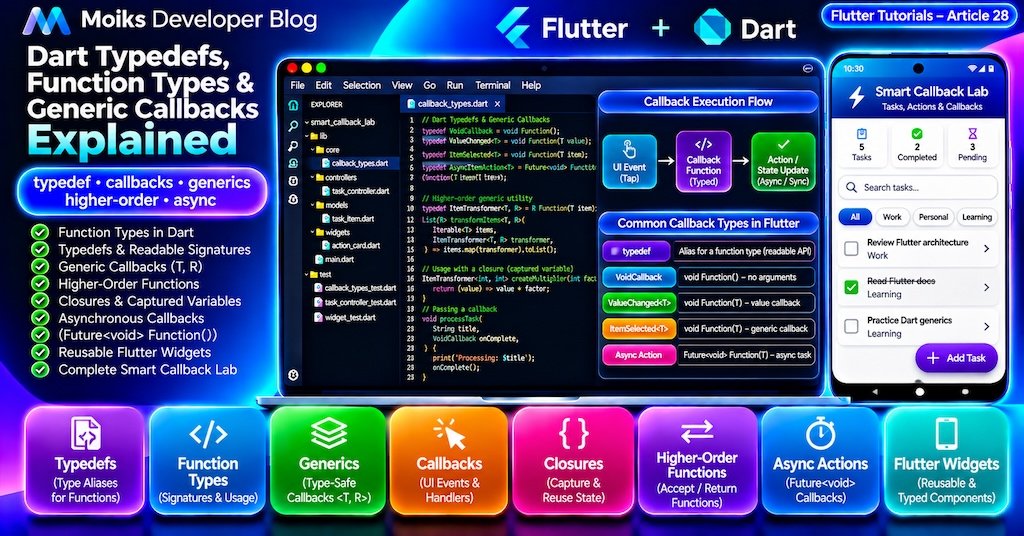
Callbacks are everywhere in Flutter development.
Every time a user taps a button, changes a text field, selects a list item, or completes an asynchronous operation, your application may execute a callback function.
For example:
ElevatedButton(
  onPressed: () {
    print('Button tapped');
  },
  child: const Text('Continue'),
)
This works well for simple interactions. However, as applications grow, callbacks often need to accept arguments, return values, support asynchronous operations, and remain reusable across different data types.
Dart provides several language features that make these patterns easier to manage:
- Function types
- Typedefs
- Generic function signatures
- Higher-order functions
- Closures
- Asynchronous callbacks
- Strongly typed event handlers
In this tutorial, you’ll learn how these features work together and build a complete Flutter Smart Callback Lab application.
The application will demonstrate reusable task cards, generic selection callbacks, configurable filtering, asynchronous task actions, loading states, and error handling.
This is Article 28 in the Moiks Developer Blog Flutter Tutorials series.
1. What You’ll Learn
By the end of this article, you’ll understand how to:
- Declare function types in Dart.
- Create readable callback signatures using typedefs.
- Pass functions as arguments.
- Return functions from other functions.
- Use generic callbacks with different model types.
- Understand closures and captured variables.
- Distinguish
void Function()fromFuture<void> Function(). - Handle asynchronous callbacks safely.
- Build reusable Flutter widgets with typed callbacks.
- Avoid common callback mistakes.
- Test callback-based business logic.
- Write production-friendly callback APIs.
We’ll use Dart 3 syntax and modern Flutter Material 3 components.
Part 1: Dart Function Types
2. Functions Are First-Class Objects in Dart
Dart treats functions as objects.
That means you can assign a function to a variable, pass it into another function, or return it from a function.
Consider:
int add(int a, int b) {
  return a + b;
}

void main() {
  final operation = add;

  print(operation(10, 20));
}
Output:
30Here, operation refers to the add function.
It does not execute the function until we call operation(10, 20).
This distinction is important when working with Flutter event handlers.
3. Explicit Function Type Syntax
Dart lets you declare a function signature directly.
int Function(int, int) calculator = add;The type means:
- Accept two integer arguments.
- Return an integer.
A complete example:
int multiply(int a, int b) {
  return a * b;
}

void main() {
  int Function(int, int) operation = multiply;

  print(operation(4, 5));
}
Output:
20Function types provide compile-time checking.
For example, assigning a function that requires a String argument to a variable expecting an int argument would be rejected by the type system.
Common Function Signatures
| Function type | Meaning |
|---|---|
void Function() | No arguments, no meaningful return value |
void Function(String) | Receives a string |
int Function(int, int) | Receives two integers and returns an integer |
bool Function(String) | Receives a string and returns a Boolean |
Future<void> Function() | Asynchronous operation with no result value |
Future<T> Function(T) | Generic asynchronous transformation |
These signatures form the foundation of typed Flutter callbacks.
4. Positional and Named Parameters in Function Types
Function types can include positional or named parameters.
Positional parameters
typedef PriceCalculator = double Function(
  double price,
  double discount,
);
Named parameters
typedef PriceFormatter = String Function(
  double amount, {
  required String currency,
});
Example:
String formatPrice(
  double amount, {
  required String currency,
}) {
  return '$currency ${amount.toStringAsFixed(2)}';
}

void main() {
  PriceFormatter formatter = formatPrice;

  print(
    formatter(
      499.5,
      currency: 'INR',
    ),
  );
}
Output:
INR 499.50Named parameters are useful when callback signatures contain multiple values that could otherwise be confused.
Part 2: Dart Typedefs Explained
5. What Is a Typedef?
A typedef creates an alias for an existing type.
For function types, it provides a meaningful name for a function signature.
Without a typedef:
void process(
  bool Function(String, int) validator,
) {
  // ...
}
With a typedef:
typedef UserValidator = bool Function(
  String username,
  int age,
);

void process(UserValidator validator) {
  // ...
}
The second version communicates intent more clearly.
Important Distinction
A typedef does not create a new runtime function type.
It creates a type alias.
This means typedefs improve readability and API design without introducing a separate wrapper object.
6. Practical Typedef Example
typedef NumberOperation = int Function(
  int first,
  int second,
);

int calculate(
  int a,
  int b,
  NumberOperation operation,
) {
  return operation(a, b);
}

void main() {
  final sum = calculate(
    10,
    5,
    (a, b) => a + b,
  );

  final product = calculate(
    10,
    5,
    (a, b) => a * b,
  );

  print(sum);
  print(product);
}
Output:
15
50
The calculate() function does not need to know which mathematical operation will be performed.
It delegates that behavior to the callback.
This is a simple example of dependency injection through functions.
7. Modern Typedef Syntax
Modern Dart uses the following syntax:
typedef MessageHandler = void Function(
  String message,
);
Older Dart code may contain function-type aliases using a different declaration style.
For new applications, prefer the modern alias syntax because it is consistent with other Dart type aliases.
Typedefs can also alias non-function types:
typedef UserId = int;
typedef StringMap = Map<String, String>;
However, a typedef is not a strong domain wrapper.
For example, UserId remains an alias of int.
If you need stronger separation between domain identifiers, consider Dart extension types or dedicated value objects, as discussed in Article 21.
Part 3: Higher-Order Functions
8. What Is a Higher-Order Function?
A higher-order function either accepts another function as an argument or returns a function.
Consider a function that processes a number:
int processNumber(
  int value,
  int Function(int) transformer,
) {
  return transformer(value);
}

void main() {
  final doubled = processNumber(
    10,
    (number) => number * 2,
  );

  print(doubled);
}
Output:
20The transformer callback determines how the input is processed.
Dart’s map(), where(), fold(), and many other collection methods are examples of APIs that accept functions.
9. Returning Functions from Functions
A function can also create and return another function.
int Function(int) createMultiplier(int factor) {
  return (value) => value * factor;
}

void main() {
  final doubleValue = createMultiplier(2);
  final tripleValue = createMultiplier(3);

  print(doubleValue(10));
  print(tripleValue(10));
}
Output:
20
30
This pattern is useful when configuring reusable behavior.
For example, you could create different validators, formatters, filters, or pricing rules using the same factory function.
Part 4: Closures in Dart
10. Understanding Closures
A closure is a function that can access variables from its surrounding lexical scope.
void main() {
  int counter = 0;

  void increment() {
    counter++;
  }

  increment();
  increment();

  print(counter);
}
Output:
2The increment() function accesses the counter variable declared outside it.
Closures are common in Flutter.
For example:
onPressed: () {
  controller.selectItem(item.id);
}
The callback captures the surrounding controller and item references.
Why Closures Matter
Closures make it possible to attach contextual behavior to reusable components without creating a separate class for every action.
However, avoid retaining closures that unnecessarily capture large objects or references to disposed widget state.
Part 5: Generic Callbacks
11. Why Generic Callbacks Are Useful
Suppose you create a reusable list component.
One screen displays products, another displays users, and another displays orders.
You could create a separate callback type for every model.
But often, the interaction is conceptually identical: select an item.
A generic typedef allows the same callback contract to work with different types.
typedef ItemSelected<T> = void Function(T item);Usage:
ItemSelected<String> onNameSelected = (name) {
  print('Selected: $name');
};

ItemSelected<int> onIdSelected = (id) {
  print('Selected ID: $id');
};
The type parameter T represents the item type.
The compiler ensures that each callback receives the expected type.
12. Generic Predicates and Transformers
Two especially useful generic callback types are predicates and transformers.
typedef ItemPredicate<T> = bool Function(T item);

typedef ItemTransformer<T, R> = R Function(T item);
A predicate returns a Boolean.
A transformer converts one value into another.
Example:
List<T> filterItems<T>(
  Iterable<T> items,
  ItemPredicate<T> predicate,
) {
  return items.where(predicate).toList();
}

List<R> transformItems<T, R>(
  Iterable<T> items,
  ItemTransformer<T, R> transformer,
) {
  return items.map(transformer).toList();
}

void main() {
  final numbers = [1, 2, 3, 4, 5];

  final evenNumbers = filterItems(
    numbers,
    (number) => number.isEven,
  );

  final labels = transformItems<int, String>(
    numbers,
    (number) => 'Number $number',
  );

  print(evenNumbers);
  print(labels);
}
Output:
[2, 4]
[Number 1, Number 2, Number 3, Number 4, Number 5]
This approach keeps the collection logic reusable while preserving static type safety.
13. Generic Function Typedefs
There is a useful distinction between a generic typedef and a generic function signature.
Consider:
typedef ItemMapper<T> = T Function(T value);Each use of ItemMapper<T> has a particular type argument.
For example:
ItemMapper<int> doubleNumber = (value) => value * 2;By contrast, this typedef describes a function that is itself generic:
typedef IdentityFunction = T Function<T>(T value);A compatible implementation:
T identity<T>(T value) => value;

void main() {
  IdentityFunction operation = identity;

  print(operation<int>(10));
  print(operation<String>('Flutter'));
}
A generic function can be invoked with different type arguments.
This is a more advanced concept than simply declaring a generic class or generic callback alias.
Part 6: Flutter Callback Types
14. Common Flutter Callback Patterns
Flutter provides several commonly used callback signatures.
Examples include:
VoidCallback onTap;
ValueChanged<String> onTextChanged;
ValueSetter<int> onCountChanged;
ValueGetter<bool> isEnabled;
These are function type aliases.
VoidCallback represents a function that accepts no arguments and returns void.
ValueChanged<T> represents a function that accepts a value of type T and returns void.
For example:
TextField(
  onChanged: (String value) {
    print(value);
  },
)
The onChanged callback receives the updated text.
When Should You Create Your Own Typedef?
Use a custom typedef when it communicates domain intent or when a complex signature appears repeatedly.
For a simple one-off callback, an inline function type or Flutter’s built-in callback aliases may be sufficient.
Avoid creating aliases for every trivial function signature.
15. Nullable Callbacks
Many Flutter callbacks are optional.
For example:
final VoidCallback? onPressed;The question mark means the callback may be null.
To invoke it safely:
onPressed?.call();This executes the callback only when it is non-null.
A common reusable widget pattern is:
ElevatedButton(
  onPressed: onPressed,
  child: const Text('Submit'),
)
For Flutter buttons, a null onPressed callback typically disables the button.
This makes nullable callbacks useful for controlling interaction availability.
Part 7: Asynchronous Callbacks
16. Future-Based Callback Signatures
Some callbacks perform asynchronous work.
Examples include saving data, uploading a file, refreshing a screen, or submitting a form.
A typed asynchronous callback can be declared as:
typedef AsyncAction = Future<void> Function();Example:
Future<void> saveChanges() async {
  await Future<void>.delayed(
    const Duration(milliseconds: 200),
  );

  print('Changes saved');
}

Future<void> executeAction(
  AsyncAction action,
) async {
  await action();
}
This allows the caller to wait for the operation to complete.
Important Difference
These signatures describe different contracts:
void Function()
Future<void> Function()
The first does not require the caller to receive a Future.
The second explicitly returns a Future that can be awaited.
When your component must manage loading, completion, or errors, prefer an explicit asynchronous callback contract.
17. Avoid Unhandled Asynchronous Errors
Consider:
onPressed: () async {
  await saveChanges();
}
Flutter accepts asynchronous closures in many void callback positions.
However, a callback returning void does not provide its caller with a Future to await.
For robust error handling, use a dedicated asynchronous method:
Future<void> submit() async {
  try {
    await saveChanges();
  } catch (error) {
    // Display or report the failure.
  }
}
Then invoke it through the widget callback.
In reusable components, expose Future<void> Function() when the component itself is responsible for awaiting the action.
Part 8: Build Flutter Smart Callback Lab
18. Application Overview
We’ll build a task management demo that uses typed callbacks to manage interactions.
The application demonstrates:
- A generic task selection callback.
- Generic predicate-based filtering.
- Higher-order task transformations.
- Reusable task cards.
- Asynchronous completion actions.
- Loading indicators.
- Error handling.
- Material 3 filter chips.
- Search and task statistics.
- Unit and widget tests.
No additional runtime packages are required.
Project Architecture
Flutter Smart Callback Lab
│
├── Task Model
│   └── Immutable task data
│
├── Callback Types
│   ├── ItemSelected<T>
│   ├── ItemPredicate<T>
│   └── AsyncItemAction<T>
│
├── Task Controller
│   ├── Filtering
│   ├── Selection
│   ├── Async completion
│   └── Notifications
│
├── Reusable Widgets
│   └── Generic ActionCard<T>
│
└── Material 3 UI
    ├── Dashboard
    ├── Search
    ├── Filters
    └── Task Cards
19. Create the Flutter Project
Run:
flutter create smart_callback_lab
cd smart_callback_lab
Create the following files:
smart_callback_lab/
├── lib/
│   ├── main.dart
│   ├── models/
│   │   └── task_item.dart
│   ├── core/
│   │   └── callback_types.dart
│   ├── controllers/
│   │   └── task_controller.dart
│   └── widgets/
│       └── action_card.dart
└── test/
    ├── callback_types_test.dart
    ├── task_controller_test.dart
    └── widget_test.dart
20. Create the Task Model
Code Block Pro — lib/models/task_item.dart
Language: Dart
enum TaskCategory {
  work('Work'),
  personal('Personal'),
  learning('Learning');

  final String label;

  const TaskCategory(this.label);
}

final class TaskItem {
  final int id;
  final String title;
  final TaskCategory category;
  final bool completed;

  const TaskItem({
    required this.id,
    required this.title,
    required this.category,
    this.completed = false,
  });

  TaskItem copyWith({
    String? title,
    TaskCategory? category,
    bool? completed,
  }) {
    return TaskItem(
      id: id,
      title: title ?? this.title,
      category: category ?? this.category,
      completed: completed ?? this.completed,
    );
  }
}
The model is immutable.
The copyWith() method creates a new object when a task changes.
The enhanced enum provides readable category labels.
21. Create the Callback Type Definitions
Code Block Pro — lib/core/callback_types.dart
Language: Dart
typedef ItemSelected<T> = void Function(T item);

typedef ItemPredicate<T> = bool Function(T item);

typedef ItemTransformer<T, R> = R Function(T item);

typedef AsyncItemAction<T> = Future<void> Function(
  T item,
);

List<T> filterItems<T>(
  Iterable<T> items,
  ItemPredicate<T> predicate,
) {
  return items.where(predicate).toList();
}

List<R> transformItems<T, R>(
  Iterable<T> items,
  ItemTransformer<T, R> transformer,
) {
  return items.map(transformer).toList();
}
These definitions are intentionally generic.
They can be reused for tasks, products, orders, or other models.
The filtering and transformation functions demonstrate higher-order functions while maintaining static type safety.
22. Create the Task Controller
Code Block Pro — lib/controllers/task_controller.dart
Language: Dart
import 'package:flutter/foundation.dart';

import '../core/callback_types.dart';
import '../models/task_item.dart';

final class TaskController extends ChangeNotifier {
  TaskController({
    AsyncItemAction<TaskItem>? completeAction,
  }) : _completeAction =
           completeAction ?? _defaultCompleteAction;

  final AsyncItemAction<TaskItem> _completeAction;

  static Future<void> _defaultCompleteAction(
    TaskItem task,
  ) async {
    await Future<void>.delayed(
      const Duration(milliseconds: 250),
    );
  }

  List<TaskItem> _tasks = [
    const TaskItem(
      id: 1,
      title: 'Review Flutter architecture',
      category: TaskCategory.work,
    ),
    const TaskItem(
      id: 2,
      title: 'Practice Dart generics',
      category: TaskCategory.learning,
    ),
    const TaskItem(
      id: 3,
      title: 'Plan weekend activities',
      category: TaskCategory.personal,
    ),
    const TaskItem(
      id: 4,
      title: 'Write widget tests',
      category: TaskCategory.work,
    ),
    const TaskItem(
      id: 5,
      title: 'Read Flutter documentation',
      category: TaskCategory.learning,
      completed: true,
    ),
  ];

  String _query = '';
  TaskCategory? _category;
  int? _selectedTaskId;
  int? _busyTaskId;
  String? _error;

  String get query => _query;
  TaskCategory? get category => _category;
  int? get selectedTaskId => _selectedTaskId;
  int? get busyTaskId => _busyTaskId;
  String? get error => _error;

  int get totalCount => _tasks.length;

  int get completedCount =>
      _tasks.where((task) => task.completed).length;

  List<TaskItem> get visibleTasks {
    final normalized = _query.trim().toLowerCase();

    return filterItems<TaskItem>(
      _tasks,
      (task) {
        final matchesQuery =
            task.title.toLowerCase().contains(normalized);

        final matchesCategory =
            _category == null ||
            task.category == _category;

        return matchesQuery && matchesCategory;
      },
    );
  }

  void setQuery(String value) {
    _query = value;
    notifyListeners();
  }

  void setCategory(TaskCategory? value) {
    _category = value;
    notifyListeners();
  }

  void selectTask(TaskItem task) {
    _selectedTaskId = task.id;
    notifyListeners();
  }

  void clearError() {
    _error = null;
    notifyListeners();
  }

  Future<void> completeTask(TaskItem task) async {
    if (_busyTaskId != null || task.completed) {
      return;
    }

    final index = _tasks.indexWhere(
      (item) => item.id == task.id,
    );

    if (index == -1) {
      _error = 'Task not found';
      notifyListeners();
      return;
    }

    _busyTaskId = task.id;
    _error = null;
    notifyListeners();

    try {
      await _completeAction(task);

      if (_disposed) return;

      _tasks = [
        for (final item in _tasks)
          if (item.id == task.id)
            item.copyWith(completed: true)
          else
            item,
      ];
    } catch (error) {
      if (_disposed) return;

      _error = 'Unable to complete task: $error';
    } finally {
      if (!_disposed) {
        _busyTaskId = null;
        notifyListeners();
      }
    }
  }

  bool _disposed = false;

  @override
  void dispose() {
    _disposed = true;
    super.dispose();
  }
}How the Controller Uses Callbacks
The controller receives an asynchronous task action through its constructor.
TaskController({
  AsyncItemAction<TaskItem>? completeAction,
})
This is function-based dependency injection.
The default action simulates a short asynchronous operation.
In a real application, you could inject a repository operation instead.
For example:
final controller = TaskController(
  completeAction: (task) async {
    await repository.completeTask(task.id);
  },
);
The controller does not need to know how the repository stores data.
It only depends on the callback contract.
Lifecycle Safety
The controller tracks whether it has been disposed.
After awaiting the injected operation, it checks this state before notifying listeners.
This prevents notifications after disposal.
The example also prevents multiple completion operations from running simultaneously.
For a more advanced application, consider independent loading states per task, cancellation strategies, and structured error types.
23. Create a Generic Reusable Action Card
Code Block Pro — lib/widgets/action_card.dart
Language: Dart
import 'package:flutter/material.dart';

import '../core/callback_types.dart';

class ActionCard<T> extends StatelessWidget {
  final T item;
  final String Function(T) titleBuilder;
  final String Function(T) subtitleBuilder;
  final ItemSelected<T> onSelected;
  final AsyncItemAction<T>? onAction;
  final bool selected;
  final bool busy;
  final bool actionEnabled;

  const ActionCard({
    super.key,
    required this.item,
    required this.titleBuilder,
    required this.subtitleBuilder,
    required this.onSelected,
    this.onAction,
    this.selected = false,
    this.busy = false,
    this.actionEnabled = true,
  });

  @override
  Widget build(BuildContext context) {
    return Card(
      color: selected
          ? Theme.of(context)
              .colorScheme
              .primaryContainer
          : null,
      child: Padding(
        padding: const EdgeInsets.all(12),
        child: Column(
          crossAxisAlignment: CrossAxisAlignment.start,
          children: [
            ListTile(
              contentPadding: EdgeInsets.zero,
              title: Text(titleBuilder(item)),
              subtitle: Text(subtitleBuilder(item)),
              trailing: selected
                  ? const Icon(Icons.check_circle)
                  : const Icon(Icons.circle_outlined),
              onTap: () => onSelected(item),
            ),
            if (onAction != null)
              Align(
                alignment: Alignment.centerRight,
                child: busy
                    ? const SizedBox(
                        width: 24,
                        height: 24,
                        child: CircularProgressIndicator(
                          strokeWidth: 2,
                        ),
                      )
                    : FilledButton.tonalIcon(
                        onPressed: actionEnabled
                            ? () async {
                                await onAction!(item);
                              }
                            : null,
                        icon: const Icon(Icons.done),
                        label: const Text('Complete'),
                      ),
              ),
          ],
        ),
      ),
    );
  }
}Why This Widget Is Generic
The widget is declared as:
class ActionCard<T> extends StatelessWidgetIt does not depend on TaskItem.
Instead, callers provide functions describing how to display and interact with the item.
For example:
ActionCard<TaskItem>(
  item: task,
  titleBuilder: (task) => task.title,
  subtitleBuilder: (task) => task.category.label,
  onSelected: controller.selectTask,
)
The same widget could display another model type by supplying different builders and callbacks.
This is a practical example of type-safe component reuse.
24. Build the Complete Flutter UI
Code Block Pro — lib/main.dart
Language: Dart
import 'package:flutter/material.dart';

import 'controllers/task_controller.dart';
import 'models/task_item.dart';
import 'widgets/action_card.dart';

void main() {
  runApp(const SmartCallbackLabApp());
}

class SmartCallbackLabApp extends StatelessWidget {
  const SmartCallbackLabApp({super.key});

  @override
  Widget build(BuildContext context) {
    return MaterialApp(
      title: 'Flutter Smart Callback Lab',
      debugShowCheckedModeBanner: false,
      theme: ThemeData(
        useMaterial3: true,
        colorScheme: ColorScheme.fromSeed(
          seedColor: const Color(0xFF004B64),
        ),
      ),
      home: const SmartCallbackLabScreen(),
    );
  }
}

class SmartCallbackLabScreen extends StatefulWidget {
  const SmartCallbackLabScreen({super.key});

  @override
  State<SmartCallbackLabScreen> createState() =>
      _SmartCallbackLabScreenState();
}

class _SmartCallbackLabScreenState
    extends State<SmartCallbackLabScreen> {
  late final TaskController controller;
  final searchController = TextEditingController();

  @override
  void initState() {
    super.initState();
    controller = TaskController();
  }

  @override
  void dispose() {
    searchController.dispose();
    controller.dispose();
    super.dispose();
  }

  @override
  Widget build(BuildContext context) {
    return Scaffold(
      appBar: AppBar(
        title: const Text('Smart Callback Lab'),
        centerTitle: true,
      ),
      body: SafeArea(
        child: Center(
          child: ConstrainedBox(
            constraints: const BoxConstraints(
              maxWidth: 800,
            ),
            child: AnimatedBuilder(
              animation: controller,
              builder: (context, child) {
                final tasks = controller.visibleTasks;

                return ListView(
                  padding: const EdgeInsets.all(16),
                  children: [
                    _buildHeader(),
                    const SizedBox(height: 16),
                    _buildSummary(),
                    const SizedBox(height: 16),
                    _buildFilters(),
                    const SizedBox(height: 16),
                    if (controller.error != null)
                      _buildError(),
                    Text(
                      'Tasks (${tasks.length})',
                      style: Theme.of(context)
                          .textTheme
                          .titleLarge,
                    ),
                    const SizedBox(height: 12),
                    if (tasks.isEmpty)
                      const Card(
                        child: Padding(
                          padding: EdgeInsets.all(24),
                          child: Text(
                            'No matching tasks found.',
                            textAlign: TextAlign.center,
                          ),
                        ),
                      ),
                    for (final task in tasks)
                      Padding(
                        padding: const EdgeInsets.only(
                          bottom: 8,
                        ),
                        child: ActionCard<TaskItem>(
                          key: Key('task_${task.id}'),
                          item: task,
                          titleBuilder: (item) =>
                              item.title,
                          subtitleBuilder: (item) =>
                              '${item.category.label} • '
                              '${item.completed ? "Completed" : "Pending"}',
                          selected:
                              controller.selectedTaskId ==
                              task.id,
                          busy:
                              controller.busyTaskId ==
                              task.id,
                          actionEnabled:
                              !task.completed &&
                              controller.busyTaskId == null,
                          onSelected: controller.selectTask,
                          onAction: task.completed
                              ? null
                              : controller.completeTask,
                        ),
                      ),
                  ],
                );
              },
            ),
          ),
        ),
      ),
    );
  }

  Widget _buildHeader() {
    return Card(
      child: Padding(
        padding: const EdgeInsets.all(20),
        child: Column(
          children: [
            const Icon(
              Icons.hub_outlined,
              size: 48,
              color: Color(0xFF004B64),
            ),
            const SizedBox(height: 12),
            Text(
              'Type-Safe Callback Architecture',
              style: Theme.of(context)
                  .textTheme
                  .headlineSmall,
              textAlign: TextAlign.center,
            ),
            const SizedBox(height: 8),
            const Text(
              'Typedefs • Generics • Async Actions',
              textAlign: TextAlign.center,
            ),
          ],
        ),
      ),
    );
  }

  Widget _buildSummary() {
    return Card(
      child: Padding(
        padding: const EdgeInsets.all(16),
        child: Row(
          children: [
            Expanded(
              child: _metric(
                'Total Tasks',
                '${controller.totalCount}',
                Icons.list_alt,
              ),
            ),
            Expanded(
              child: _metric(
                'Completed',
                '${controller.completedCount}',
                Icons.task_alt,
              ),
            ),
          ],
        ),
      ),
    );
  }

  Widget _metric(
    String label,
    String value,
    IconData icon,
  ) {
    return Column(
      children: [
        Icon(icon),
        const SizedBox(height: 6),
        Text(
          value,
          style: const TextStyle(
            fontSize: 24,
            fontWeight: FontWeight.bold,
          ),
        ),
        Text(
          label,
          textAlign: TextAlign.center,
        ),
      ],
    );
  }

  Widget _buildFilters() {
    return Card(
      child: Padding(
        padding: const EdgeInsets.all(16),
        child: Column(
          crossAxisAlignment: CrossAxisAlignment.start,
          children: [
            TextField(
              key: const Key('task_search'),
              controller: searchController,
              onChanged: controller.setQuery,
              decoration: const InputDecoration(
                labelText: 'Search tasks',
                prefixIcon: Icon(Icons.search),
                border: OutlineInputBorder(),
              ),
            ),
            const SizedBox(height: 12),
            Wrap(
              spacing: 8,
              runSpacing: 8,
              children: [
                ChoiceChip(
                  label: const Text('All'),
                  selected: controller.category == null,
                  onSelected: (_) {
                    controller.setCategory(null);
                  },
                ),
                for (final category
                    in TaskCategory.values)
                  ChoiceChip(
                    label: Text(category.label),
                    selected:
                        controller.category == category,
                    onSelected: (_) {
                      controller.setCategory(category);
                    },
                  ),
              ],
            ),
          ],
        ),
      ),
    );
  }

  Widget _buildError() {
    return Card(
      color: Theme.of(context)
          .colorScheme
          .errorContainer,
      child: Padding(
        padding: const EdgeInsets.all(12),
        child: Row(
          children: [
            Expanded(
              child: Text(
                controller.error!,
                key: const Key('task_error'),
              ),
            ),
            IconButton(
              onPressed: controller.clearError,
              icon: const Icon(Icons.close),
              tooltip: 'Dismiss error',
            ),
          ],
        ),
      ),
    );
  }
}How the Application Works
The screen uses an AnimatedBuilder to listen to the controller.
When a user selects a task, the generic ItemSelected<TaskItem> callback invokes controller.selectTask.
When a user completes a task, the AsyncItemAction<TaskItem> callback invokes controller.completeTask.
The controller awaits the operation, updates the task, and notifies the UI.
The action card remains reusable because it depends on generic callbacks rather than application-specific business logic.
Part 9: Automated Testing
25. Unit Tests for Generic Callbacks
Code Block Pro — test/callback_types_test.dart
Language: Dart
import 'package:flutter_test/flutter_test.dart';

import 'package:smart_callback_lab/core/callback_types.dart';

void main() {
  test('Filters integers with a generic predicate', () {
    final result = filterItems<int>(
      [1, 2, 3, 4, 5, 6],
      (number) => number.isEven,
    );

    expect(result, [2, 4, 6]);
  });

  test('Transforms integers into strings', () {
    final result = transformItems<int, String>(
      [1, 2, 3],
      (number) => 'Item $number',
    );

    expect(
      result,
      ['Item 1', 'Item 2', 'Item 3'],
    );
  });

  test('Generic selection callback receives item', () {
    String? selected;

    ItemSelected<String> callback = (value) {
      selected = value;
    };

    callback('Flutter');

    expect(selected, 'Flutter');
  });

  test('Async callback completes successfully', () async {
    int? completedId;

    AsyncItemAction<int> action = (id) async {
      completedId = id;
    };

    await action(42);

    expect(completedId, 42);
  });
}These tests verify that the generic callbacks accept the expected types and invoke the correct behavior.
26. Unit Tests for the Task Controller
Code Block Pro — test/task_controller_test.dart
Language: Dart
import 'package:flutter_test/flutter_test.dart';

import 'package:smart_callback_lab/controllers/task_controller.dart';
import 'package:smart_callback_lab/models/task_item.dart';

void main() {
  late TaskController controller;

  setUp(() {
    controller = TaskController(
      completeAction: (task) async {},
    );
  });

  tearDown(() {
    controller.dispose();
  });

  test('Starts with five tasks', () {
    expect(controller.totalCount, 5);
  });

  test('Filters tasks by search query', () {
    controller.setQuery('generics');

    expect(controller.visibleTasks.length, 1);
    expect(
      controller.visibleTasks.first.id,
      2,
    );
  });

  test('Filters tasks by category', () {
    controller.setCategory(TaskCategory.learning);

    expect(controller.visibleTasks.length, 2);
  });

  test('Selects a task using callback logic', () {
    final task = controller.visibleTasks.first;

    controller.selectTask(task);

    expect(controller.selectedTaskId, task.id);
  });

  test('Completes a task asynchronously', () async {
    final task = controller.visibleTasks.first;

    await controller.completeTask(task);

    expect(controller.completedCount, 2);
  });

  test('Prevents completing an already completed task',
      () async {
    final completedTask = controller.visibleTasks
        .firstWhere((task) => task.completed);

    await controller.completeTask(completedTask);

    expect(controller.completedCount, 1);
  });

  test('Handles asynchronous callback errors', () async {
    final failingController = TaskController(
      completeAction: (task) async {
        throw StateError('Network unavailable');
      },
    );

    try {
      final task = failingController.visibleTasks.first;

      await failingController.completeTask(task);

      expect(
        failingController.error,
        contains('Network unavailable'),
      );

      expect(failingController.completedCount, 1);
    } finally {
      failingController.dispose();
    }
  });
}Testing Asynchronous Callbacks
Injecting a custom callback makes the controller easy to test.
The tests do not need to wait for real network requests or the default artificial delay.
This is one of the main advantages of function-based dependency injection.
27. Flutter Widget Tests
Code Block Pro — test/widget_test.dart
Language: Dart
import 'package:flutter/material.dart';
import 'package:flutter_test/flutter_test.dart';

import 'package:smart_callback_lab/main.dart';

void main() {
  testWidgets('Displays the callback lab', (
    tester,
  ) async {
    await tester.pumpWidget(
      const SmartCallbackLabApp(),
    );

    expect(
      find.text('Smart Callback Lab'),
      findsOneWidget,
    );

    expect(
      find.text('Type-Safe Callback Architecture'),
      findsOneWidget,
    );
  });

  testWidgets('Shows five tasks initially', (
    tester,
  ) async {
    await tester.pumpWidget(
      const SmartCallbackLabApp(),
    );

    expect(
      find.text('Tasks (5)'),
      findsOneWidget,
    );
  });

  testWidgets('Filters tasks by search query', (
    tester,
  ) async {
    await tester.pumpWidget(
      const SmartCallbackLabApp(),
    );

    await tester.enterText(
      find.byKey(const Key('task_search')),
      'generics',
    );

    await tester.pump();

    expect(
      find.text('Tasks (1)'),
      findsOneWidget,
    );
  });

  testWidgets('Displays empty search results', (
    tester,
  ) async {
    await tester.pumpWidget(
      const SmartCallbackLabApp(),
    );

    await tester.enterText(
      find.byKey(const Key('task_search')),
      'nonexistent-task',
    );

    await tester.pump();

    expect(
      find.text('Tasks (0)'),
      findsOneWidget,
    );

    expect(
      find.text('No matching tasks found.'),
      findsOneWidget,
    );
  });

  testWidgets('Selects a task', (
    tester,
  ) async {
    await tester.pumpWidget(
      const SmartCallbackLabApp(),
    );

    final card = find.byKey(
      const Key('task_1'),
    );

    await tester.ensureVisible(card);

    await tester.tap(
      find.descendant(
        of: card,
        matching: find.byType(ListTile),
      ),
    );

    await tester.pump();

    expect(
      find.descendant(
        of: card,
        matching: find.byIcon(Icons.check_circle),
      ),
      findsOneWidget,
    );
  });
}Run the Tests
flutter testRun Static Analysis
flutter analyzeFormat the Source
dart format lib testThe examples are designed for a current Flutter SDK. Execute the tests and static analysis locally before publishing the project as verified.
Part 10: Advanced Callback Patterns
28. Callback-Based Dependency Injection
Traditional dependency injection often uses interfaces or abstract classes.
For small operations, a function can be enough.
Consider:
typedef TokenProvider = Future<String> Function();

class ApiClient {
  final TokenProvider tokenProvider;

  ApiClient({
    required this.tokenProvider,
  });

  Future<String> getAuthorizationHeader() async {
    final token = await tokenProvider();
    return 'Bearer $token';
  }
}
The API client depends on a function contract.
The caller decides how the token is retrieved.
This makes the class easier to test and configure.
However, for complex dependencies with multiple operations, lifecycle management, or shared state, a dedicated interface or service may be more appropriate.
29. Debouncing Callbacks
Search fields often produce a callback on every keystroke.
If each callback triggers an expensive API request, this can cause unnecessary work.
A debounce mechanism delays execution until the user stops typing for a short interval.
A basic Dart implementation:
import 'dart:async';

class Debouncer {
  Debouncer(this.delay);

  final Duration delay;
  Timer? _timer;

  void run(void Function() action) {
    _timer?.cancel();

    _timer = Timer(delay, action);
  }

  void dispose() {
    _timer?.cancel();
  }
}
Usage:
final debouncer = Debouncer(
  const Duration(milliseconds: 300),
);

debouncer.run(() {
  // Perform search.
});
Remember to dispose the debouncer when its owner is disposed.
Also, debouncing does not cancel an already-started network request. Production search implementations may need request cancellation or stale-response protection.
30. Avoid Calling Callbacks During Build
A common Flutter mistake is:
ElevatedButton(
  onPressed: submitForm(),
  child: const Text('Submit'),
)
This invokes submitForm() immediately while constructing the widget.
For a normal void function, it also produces an invalid value for onPressed.
Correct:
ElevatedButton(
  onPressed: submitForm,
  child: const Text('Submit'),
)
Or:
ElevatedButton(
  onPressed: () {
    submitForm();
  },
  child: const Text('Submit'),
)
The callback should execute in response to the interaction, not during widget construction.
31. Callback Identity and Rebuilds
Closures created inside build() are new function objects on each build.
For most Flutter applications, this is normal and not a performance concern by itself.
However, callback identity can matter when implementing memoization, listener registration, or custom widgets that compare callbacks.
Do not introduce unnecessary caching solely to avoid creating small closures.
Profile actual performance problems first.
32. Callbacks vs Streams vs State Management
Callbacks are useful for direct communication between components.
Streams are useful for asynchronous sequences of events.
State-management solutions coordinate shared or evolving application state.
| Requirement | Common choice |
|---|---|
| Button tap | Callback |
| Child-to-parent selection | Typed callback |
| Single asynchronous operation | Future-based callback |
| Continuous asynchronous events | Stream |
| Shared application state | Controller or state-management solution |
| Complex business operations | Service or repository |
These approaches are complementary rather than mutually exclusive.
A Flutter application may use all of them.
Part 11: Common Mistakes
33. Dart Callback Mistakes to Avoid
Mistake 1: Using dynamic Everywhere
Avoid:
typedef Handler = void Function(dynamic value);when the expected type is known.
Prefer:
typedef Handler<T> = void Function(T value);Mistake 2: Creating Unnecessary Typedefs
Simple one-off signatures often do not require aliases.
Mistake 3: Ignoring Async Errors
Handle errors from asynchronous callbacks deliberately.
Mistake 4: Calling Functions Instead of Passing Them
Use onPressed: save rather than onPressed: save() when a callback is expected.
Mistake 5: Forgetting Nullable Callback Handling
Use null-aware invocation or appropriate disabled states.
Mistake 6: Capturing Disposed Widget State
Check mounted after asynchronous work before using a widget’s BuildContext or updating widget state.
Mistake 7: Mixing Business Logic into Reusable Widgets
Widgets should generally receive actions through callbacks rather than implement unrelated domain operations.
Mistake 8: Using Callbacks for Complex Global State
For larger applications, introduce appropriate state-management architecture.
Mistake 9: Ignoring Function Parameter Types
Prefer explicit, strongly typed callback contracts.
Mistake 10: Skipping Callback Tests
Test both successful and failing asynchronous operations.
Part 12: Frequently Asked Questions
34. Dart Typedefs and Flutter Callback FAQs
1. What is a typedef in Dart?
A typedef creates an alias for an existing type, including a function type.
2. Why use typedefs for callbacks?
They make complex function signatures more readable and reusable.
3. Does a typedef create a new type?
No. It creates a type alias.
4. What is a function type?
A type describing a function’s parameters and return value.
5. What is a higher-order function?
A function that accepts another function or returns a function.
6. What is a closure?
A function that can access variables from its surrounding lexical scope.
7. What is a generic callback?
A callback whose signature uses one or more type parameters.
8. What does VoidCallback mean?
A function accepting no arguments and returning void.
9. What does ValueChanged<T> mean?
A callback that receives a value of type T and returns void.
10. Can callbacks be asynchronous?
Yes. A callback can return a Future.
11. What is Future<void> Function()?
A function type representing an asynchronous operation with no result value.
12. Can callbacks throw exceptions?
Yes. Synchronous callbacks can throw, and asynchronous callbacks can complete with errors.
13. Can typedefs be generic?
Yes.
14. Can a function itself be generic?
Yes. Dart supports generic functions.
15. Can callbacks have named parameters?
Yes.
16. Can callbacks be nullable?
Yes. For example, VoidCallback?.
17. How do I invoke a nullable callback?
Use callback?.call().
18. Are callbacks useful for dependency injection?
Yes. Function-based dependency injection works well for small, focused operations.
19. Can I pass callbacks between Flutter widgets?
Yes. This is a standard Flutter communication pattern.
20. Can generic callbacks work with different model classes?
Yes. Each use can specify the required model type.
21. Are closures expensive?
Small closures are usually inexpensive. Optimize only when profiling identifies a real problem.
22. Can callbacks replace state management?
Not entirely. They solve different problems.
23. How can I test an asynchronous callback?
Inject a deterministic callback and await its execution in a unit test.
24. What is the difference between callbacks and Streams?
Callbacks typically represent individual invocations, while Streams represent asynchronous sequences of events.
25. Are typedefs and generic callbacks suitable for production Flutter applications?
Yes. They are standard Dart language features and useful for reusable, type-safe APIs.
35. Conclusion
Dart typedefs, function types, and generic callbacks are essential tools for designing reusable Flutter applications.
Function types provide compile-time contracts.
Typedefs give those contracts meaningful names.
Higher-order functions allow behavior to be passed into reusable logic.
Generic callbacks preserve type safety across different models.
Asynchronous callback signatures make it possible to manage loading, completion, and errors predictably.
In this tutorial, we explored these concepts and built a complete Flutter Smart Callback Lab featuring:
- Generic task selection.
- Reusable action cards.
- Predicate-based filtering.
- Asynchronous task completion.
- Callback-based dependency injection.
- Loading and error states.
- Material 3 UI.
- Unit tests.
- Widget tests.
The key takeaway is that a well-designed callback API describes not only what data is passed, but also who owns the operation, how completion is handled, and where errors are managed.
Understanding these responsibilities will help you build cleaner, more maintainable Flutter applications.
What’s Next in the Flutter Tutorials Series?
Flutter Article 29: Dart Null-Aware Operators & Null Safety Patterns — Advanced Practical Flutter Examples (2026 Guide)
The next article will focus on advanced null-handling patterns, nullable callbacks, null-aware access, safe model parsing, and practical Flutter application architecture.
Continue learning Flutter and Dart at:
Official Documentation and References
- Dart Functions — https://dart.dev/language/functions
- Dart Typedefs — https://dart.dev/language/typedefs
- Dart Generics — https://dart.dev/language/generics
- Dart Type System — https://dart.dev/language/type-system
- Dart Asynchronous Programming — https://dart.dev/language/async
- Flutter Callback API — https://api.flutter.dev/flutter/foundation/VoidCallback.html
- Flutter ValueChanged API — https://api.flutter.dev/flutter/foundation/ValueChanged.html
- Flutter State Management — https://docs.flutter.dev/data-and-backend/state-mgmt
- Flutter Testing Overview — https://docs.flutter.dev/testing/overview
- Flutter Performance Best Practices — https://docs.flutter.dev/perf/best-practices
Moiks Developer Blog — Practical Flutter, Dart, Android, and iOS development tutorials.


