Working with collections is one of the most common tasks in Dart and Flutter development.
Whether you’re building an e-commerce application, displaying API responses, filtering search results, calculating totals, or generating analytics, you’ll frequently transform collections of objects into new forms.
Dart provides a powerful Iterable API that makes these operations expressive and reusable.
For example, imagine filtering available products from a catalog.
final availableProducts = products
    .where((product) => product.inStock)
    .toList();
Or calculating the total value of a shopping cart:
final total = cartItems.fold<double>(
  0,
  (sum, item) => sum + item.price,
);
These examples are concise, but understanding their execution behavior is essential.
Not every collection operation executes immediately.
Some Iterable transformations are lazy, meaning they perform work only when their results are requested.
Others are eager, meaning they immediately traverse or materialize their input.
Understanding this distinction helps you write efficient, predictable Flutter applications.
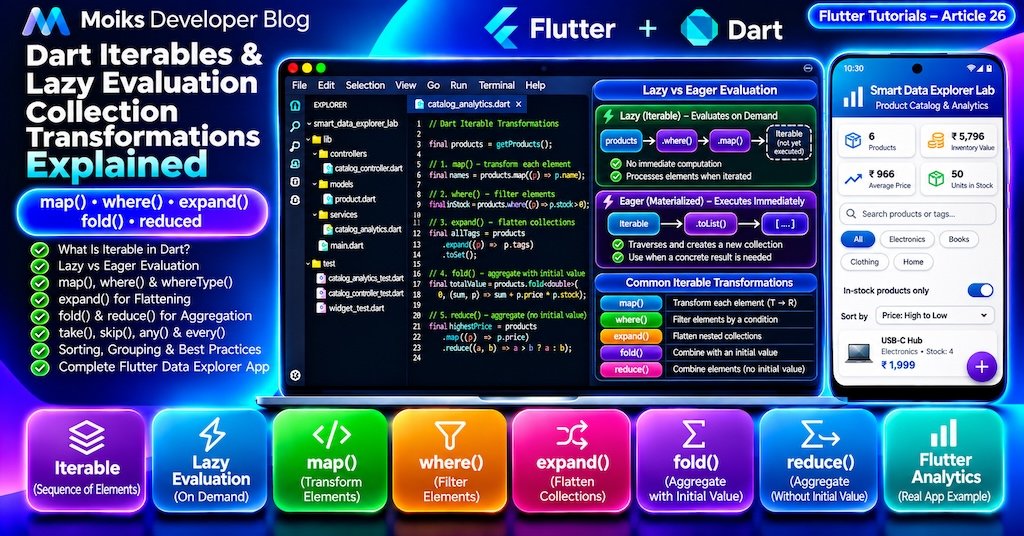
In this tutorial, you’ll learn the Dart Iterable API in depth and build a complete Flutter Smart Data Explorer Lab application.
This is Article 26 in the Moiks Developer Blog Flutter Tutorials series.
1. What You’ll Learn
By the end of this article, you’ll understand:
- What
Iterablemeans in Dart. - How
Iterablediffers fromList,Set, andMap. - Lazy versus eager evaluation.
map()andwhere().whereType()andcast().expand()for flattening collections.fold()andreduce()for aggregation.take(),skip(),takeWhile(), andskipWhile().any(),every(),contains(), andfirstWhere().- Sorting and comparing collections.
- Grouping data using maps.
- Chaining transformations efficiently.
- Common Iterable performance mistakes.
- Practical Flutter data-processing patterns.
- Unit and widget testing.
We’ll use modern Dart and Flutter with Material 3, without additional third-party packages.
Part 1: Understanding Dart Iterable
2. What Is an Iterable in Dart?
An Iterable represents a sequence of elements that can be accessed one at a time through an iterator.
Many familiar Dart collections implement Iterable, including List and Set.
Consider:
Code Block Pro — Dart
void main() {
  final numbers = <int>[10, 20, 30];

  Iterable<int> iterable = numbers;

  for (final number in iterable) {
    print(number);
  }
}
Output:
10
20
30
The variable iterable provides access to the sequence without requiring callers to depend on list-specific operations.
Iterable vs List vs Set vs Map
| Type | Main purpose | Indexed access | Duplicates |
|---|---|---|---|
Iterable<T> | Iterate through elements | Not generally | Depends on source |
List<T> | Ordered indexed collection | Yes | Allowed |
Set<T> | Unique elements | No | Not retained |
Map<K,V> | Key-value entries | By key | Keys unique |
A Map itself is not an Iterable, but its keys, values, and entries expose iterable views.
final prices = {
  'Apple': 100,
  'Banana': 50,
};

final names = prices.keys;
final amounts = prices.values;
final entries = prices.entries;
3. Understanding the Iterator
Every Iterable provides an iterator through its iterator property.
An iterator advances using moveNext().
void main() {
  final numbers = [10, 20, 30];

  final iterator = numbers.iterator;

  while (iterator.moveNext()) {
    print(iterator.current);
  }
}
Output:
10
20
30
Most application code should use for-in loops or Iterable methods instead of manually managing iterators.
However, understanding the iterator helps explain lazy evaluation.
Part 2: Lazy Evaluation
4. What Is Lazy Evaluation?
Lazy evaluation means that a transformation does not immediately calculate every result when it is created.
Instead, values are produced as the resulting Iterable is traversed.
Consider:
void main() {
  final numbers = [1, 2, 3, 4];

  final doubled = numbers.map((number) {
    print('Processing $number');
    return number * 2;
  });

  print('Iterable created');

  print(doubled.toList());
}
Output:
Iterable created
Processing 1
Processing 2
Processing 3
Processing 4
[2, 4, 6, 8]
Notice that map() does not immediately execute the callback for every element.
The callback runs when toList() traverses the Iterable.
Why This Matters
Lazy evaluation can avoid unnecessary calculations when only a portion of the result is needed.
It can also reduce intermediate allocations when transformations are chained.
However, lazy Iterables are not automatically cached.
5. Lazy Iterables Can Be Evaluated Repeatedly
Consider:
void main() {
  final numbers = [1, 2, 3];

  final doubled = numbers.map((number) {
    print('Mapping $number');
    return number * 2;
  });

  print(doubled.toList());
  print(doubled.toList());
}
The mapping callback runs during both traversals.
This is important when callbacks perform expensive work.
Materializing Results
Use toList() when you need a snapshot of the transformed results.
final doubled = numbers
    .map((number) => number * 2)
    .toList();
Now doubled is a concrete list.
Subsequent traversals do not repeat the mapping callback.
Important Distinction
toList() creates a new list, but it does not deeply copy mutable objects contained in that list.
6. Lazy vs Eager Operations
Common Iterable operations can be grouped by how they evaluate data.
| Operation | Behavior |
|---|---|
map() | Lazy transformation |
where() | Lazy filtering |
expand() | Lazy flattening |
take() | Lazy selection |
skip() | Lazy selection |
whereType() | Lazy filtering |
toList() | Eager materialization |
toSet() | Eager materialization |
fold() | Eager traversal |
reduce() | Eager traversal |
forEach() | Eager traversal |
any() | Eager, short-circuiting |
every() | Eager, short-circuiting |
firstWhere() | Eager, short-circuiting |
Methods such as any() and every() traverse immediately but may stop before visiting every element.
This distinction matters when optimizing large data-processing pipelines.
Part 3: Dart map() Explained
7. Transforming Elements with map()
The map() method transforms each element into another value.
void main() {
  final prices = [100, 200, 300];

  final discounted = prices
      .map((price) => price * 0.9)
      .toList();

  print(discounted);
}
Output:
[90.0, 180.0, 270.0]The original list remains unchanged.
Transforming Objects
class User {
  final String name;

  const User(this.name);
}

void main() {
  final users = [
    const User('Alex'),
    const User('Sam'),
  ];

  final names = users
      .map((user) => user.name)
      .toList();

  print(names);
}
Output:
[Alex, Sam]This is useful when converting API models into display values.
8. map() in Flutter
Imagine displaying a small list of category labels.
final categories = [
  'Electronics',
  'Books',
  'Clothing',
];

final widgets = categories
    .map(
      (category) => Chip(
        label: Text(category),
      ),
    )
    .toList();
The resulting list can be passed to a Wrap widget.
Wrap(
  spacing: 8,
  children: widgets,
)
For large datasets, use lazy widget builders such as ListView.builder.
Remember that Dart’s lazy Iterable evaluation is different from Flutter’s lazy widget construction.
Part 4: Dart where() Explained
9. Filtering Collections with where()
The where() method returns an Iterable containing elements that satisfy a predicate.
void main() {
  final numbers = [1, 2, 3, 4, 5, 6];

  final evenNumbers = numbers
      .where((number) => number.isEven)
      .toList();

  print(evenNumbers);
}
Output:
[2, 4, 6]The predicate must return a Boolean value.
Filtering Product Objects
final availableProducts = products.where(
  (product) => product.inStock,
);
The returned Iterable contains only matching products when traversed.
Combining Conditions
final results = products.where(
  (product) =>
      product.inStock &&
      product.price < 1000,
);
You can combine multiple conditions using normal Boolean operators.
10. Combining map() and where()
One of the most common patterns is chaining filters and transformations.
void main() {
  final numbers = [1, 2, 3, 4, 5, 6];

  final results = numbers
      .where((number) => number.isEven)
      .map((number) => number * number)
      .toList();

  print(results);
}
Output:
[4, 16, 36]This pipeline:
- Filters even numbers.
- Squares the matching values.
- Materializes the results as a list.
Why Operation Order Matters
Filtering before mapping can avoid unnecessary transformations.
For example:
final names = users
    .where((user) => user.isActive)
    .map((user) => expensiveFormat(user))
    .toList();
Only active users are formatted.
This is usually preferable to formatting every user and then discarding unwanted results.
Part 5: whereType() and cast()
11. Filtering by Type with whereType()
The whereType<T>() method selects elements that have a particular runtime type.
void main() {
  final values = <Object>[
    'Flutter',
    42,
    'Dart',
    true,
  ];

  final strings = values
      .whereType<String>()
      .toList();

  print(strings);
}
Output:
[Flutter, Dart]This is useful when processing mixed-type data.
whereType() vs cast()
whereType<String>() filters out values that are not strings.
cast<String>() creates a typed view and can throw when an incompatible element is accessed.
final values = <Object>['Dart', 42];

final strings = values.whereType<String>();

print(strings.toList());
This succeeds and produces ['Dart'].
By contrast:
final strings = values.cast<String>();

print(strings.toList());
This throws when the integer is accessed as a string.
Use whereType() when filtering is intended.
Use cast() only when the elements are expected to conform to the requested type.
Part 6: Dart expand() Explained
12. Flattening Nested Collections
The expand() method transforms each element into an Iterable and flattens those Iterables into one sequence.
void main() {
  final nested = [
    [1, 2],
    [3, 4],
    [5, 6],
  ];

  final flattened = nested
      .expand((numbers) => numbers)
      .toList();

  print(flattened);
}
Output:
[1, 2, 3, 4, 5, 6]Practical Example
Imagine an order containing multiple groups of products.
final orders = [
  ['Laptop', 'Mouse'],
  ['Keyboard'],
  ['Monitor', 'Cable'],
];

final products = orders
    .expand((order) => order)
    .toList();
The result contains every product in one list.
map() vs expand()
map() preserves the one-result-per-input relationship, even when each result is itself a collection.
expand() flattens the resulting collections into a single sequence.
Part 7: fold() and reduce()
13. Aggregating Values with fold()
The fold() method combines elements into a single accumulated result.
It accepts an initial value.
void main() {
  final prices = [100, 200, 300];

  final total = prices.fold<int>(
    0,
    (sum, price) => sum + price,
  );

  print(total);
}
Output:
600How fold() Works
| Step | Accumulator | Current value | New accumulator |
|---|---|---|---|
| Initial | 0 | — | 0 |
| 1 | 0 | 100 | 100 |
| 2 | 100 | 200 | 300 |
| 3 | 300 | 300 | 600 |
The initial accumulator can have a different type from the collection’s elements.
Building a String
final words = ['Learn', 'Dart', 'Today'];

final sentence = words.fold<String>(
  '',
  (result, word) =>
      result.isEmpty ? word : '$result $word',
);

print(sentence);
Output:
Learn Dart Today14. Aggregating Values with reduce()
The reduce() method also combines elements.
However, it uses the first element as the initial accumulator.
void main() {
  final prices = [100, 200, 300];

  final total = prices.reduce(
    (a, b) => a + b,
  );

  print(total);
}
Output:
600fold() vs reduce()
| Feature | fold() | reduce() |
|---|---|---|
| Initial value | Required | Uses first element |
| Empty collection | Returns initial value | Throws StateError |
| Accumulator type | Can differ from element type | Same element type |
| Common use | Totals, maps, strings, summaries | Same-type aggregation |
Empty Collection Example
final empty = <int>[];

final total = empty.fold<int>(
  0,
  (sum, value) => sum + value,
);

print(total);
Output:
0Using reduce() on the same empty collection would throw a StateError.
Recommendation: Prefer fold() when empty collections are possible or when the accumulated result has a different type.
Part 8: take(), skip() and Other Iterable Methods
15. take() and skip()
The take() method selects up to a specified number of elements.
final numbers = [10, 20, 30, 40, 50];

print(numbers.take(3).toList());
Output:
[10, 20, 30]The skip() method ignores a specified number of elements.
print(numbers.skip(2).toList());Output:
[30, 40, 50]Simple Pagination
List<T> paginate<T>(
  Iterable<T> source, {
  required int page,
  required int pageSize,
}) {
  if (page < 1 || pageSize < 1) {
    throw ArgumentError(
      'Page and pageSize must be positive',
    );
  }

  return source
      .skip((page - 1) * pageSize)
      .take(pageSize)
      .toList();
}
This works well for small in-memory collections.
For large server-backed datasets, use backend pagination rather than downloading everything and paginating locally.
16. takeWhile() and skipWhile()
These methods operate based on a predicate.
final numbers = [2, 4, 6, 7, 8, 10];

print(
  numbers.takeWhile((n) => n.isEven).toList(),
);
Output:
[2, 4, 6]takeWhile() stops when the first element fails the predicate.
print(
  numbers.skipWhile((n) => n.isEven).toList(),
);
Output:
[7, 8, 10]Important Difference from where()
where() examines all elements when fully traversed.
takeWhile() stops at the first failure.
These methods are not interchangeable.
17. any() and every()
Use any() when at least one element must satisfy a condition.
final scores = [70, 80, 95];

final hasHighScore = scores.any(
  (score) => score >= 90,
);

print(hasHighScore);
Output:
trueUse every() when all elements must satisfy a condition.
final allPassed = scores.every(
  (score) => score >= 50,
);

print(allPassed);
Output:
trueEmpty Iterable Behavior
For an empty Iterable:
any()returnsfalse.every()returnstrue.
This follows the logical definitions of existential and universal conditions.
Both methods can stop evaluating as soon as the answer is determined.
18. firstWhere() and Safe Lookups
firstWhere() returns the first matching element.
final numbers = [10, 20, 30];

final result = numbers.firstWhere(
  (number) => number > 15,
);

print(result);
Output:
20If no element matches, firstWhere() throws unless an orElse callback is provided.
final result = numbers.firstWhere(
  (number) => number > 100,
  orElse: () => -1,
);
For nullable lookup results, you can use a suitable nullable representation or an extension/package providing a firstWhereOrNull helper.
Avoid returning arbitrary sentinel values when they could also be valid domain values.
Part 9: Sorting and Grouping
19. Sorting Lists
The sort() method belongs to List, not the general Iterable interface.
It modifies the list in place.
final prices = [300, 100, 200];

prices.sort();

print(prices);
Output:
[100, 200, 300]Sorting Without Modifying the Original List
final original = [300, 100, 200];

final sorted = [...original]..sort();

print(original);
print(sorted);
Output:
[300, 100, 200]
[100, 200, 300]
This combines the spread operator from Article 25 with cascade notation.
Sorting Objects
final sortedProducts = [...products]
  ..sort(
    (a, b) => a.price.compareTo(b.price),
  );
This sorts products by ascending price.
Use b.price.compareTo(a.price) for descending order.
20. Grouping Data with Maps
Dart’s core Iterable API does not provide a built-in groupBy() method.
You can implement grouping using putIfAbsent().
Map<K, List<T>> groupBy<T, K>(
  Iterable<T> values,
  K Function(T) keyOf,
) {
  final result = <K, List<T>>{};

  for (final value in values) {
    final key = keyOf(value);

    result.putIfAbsent(
      key,
      () => <T>[],
    ).add(value);
  }

  return result;
}
This groups values in a single traversal.
For example, group products by category:
final groups = groupBy(
  products,
  (product) => product.category,
);
Grouping is useful for dashboards, reports, sectioned lists, and category-based interfaces.
Part 10: Complete Flutter Smart Data Explorer Lab
21. Application Overview
We’ll now build a complete Flutter application that demonstrates these concepts through a searchable product catalog.
The application includes:
- Product search.
- Category filters.
- In-stock filtering.
- Sorting by price.
- Product analytics.
- Category grouping.
- Total inventory value.
- Average product price.
- Top-product selection.
- Material 3 cards and filter chips.
- Responsive layouts.
- Unit and widget tests.
The application uses in-memory sample data, so no backend or network connection is required.
Architecture
Flutter Smart Data Explorer Lab
              |
              v
         Material 3 UI
              |
              v
        CatalogController
              |
              v
        CatalogAnalytics
              |
              v
          Product Model
The model defines product data.
The analytics service performs transformations.
The controller manages filters and state.
The UI displays the results.
22. Create the Flutter Project
Run:
flutter create smart_data_explorer_lab
cd smart_data_explorer_lab
Create the following structure:
smart_data_explorer_lab/
├── lib/
│   ├── main.dart
│   ├── models/
│   │   └── product.dart
│   ├── services/
│   │   └── catalog_analytics.dart
│   └── controllers/
│       └── catalog_controller.dart
└── test/
    ├── catalog_analytics_test.dart
    ├── catalog_controller_test.dart
    └── widget_test.dart
No additional packages are required beyond the standard Flutter project dependencies.
23. Create the Product Model
Code Block Pro — lib/models/product.dart
Language: Dart
enum ProductCategory {
  electronics('Electronics'),
  books('Books'),
  clothing('Clothing'),
  home('Home');

  final String label;

  const ProductCategory(this.label);
}

final class Product {
  final int id;
  final String name;
  final ProductCategory category;
  final double price;
  final int stock;
  final List<String> tags;

  const Product({
    required this.id,
    required this.name,
    required this.category,
    required this.price,
    required this.stock,
    required this.tags,
  });

  bool get inStock => stock > 0;

  double get inventoryValue => price * stock;
}
Understanding the Model
The model contains the information needed for filtering and analytics.
The inStock getter is derived from the stock quantity.
The inventoryValue getter calculates the total value of available units.
The model uses final fields. For strict deep immutability, avoid exposing mutable collections directly or create defensive immutable copies of fields such as tags.
24. Create the Catalog Analytics Service
Code Block Pro — lib/services/catalog_analytics.dart
Language: Dart
import '../models/product.dart';

enum ProductSort {
  name,
  priceLowToHigh,
  priceHighToLow,
}

final class CatalogAnalytics {
  const CatalogAnalytics();

  List<Product> filter({
    required Iterable<Product> products,
    String query = '',
    ProductCategory? category,
    bool inStockOnly = false,
    ProductSort sort = ProductSort.name,
  }) {
    final normalized = query.trim().toLowerCase();

    final filtered = products.where((product) {
      final matchesQuery =
          product.name.toLowerCase().contains(normalized) ||
          product.tags.any(
            (tag) => tag.toLowerCase().contains(normalized),
          );

      final matchesCategory =
          category == null || product.category == category;

      final matchesStock =
          !inStockOnly || product.inStock;

      return matchesQuery &&
          matchesCategory &&
          matchesStock;
    }).toList();

    switch (sort) {
      case ProductSort.name:
        filtered.sort(
          (a, b) => a.name.compareTo(b.name),
        );

      case ProductSort.priceLowToHigh:
        filtered.sort(
          (a, b) => a.price.compareTo(b.price),
        );

      case ProductSort.priceHighToLow:
        filtered.sort(
          (a, b) => b.price.compareTo(a.price),
        );
    }

    return filtered;
  }

  double totalInventoryValue(
    Iterable<Product> products,
  ) {
    return products.fold<double>(
      0,
      (total, product) =>
          total + product.inventoryValue,
    );
  }

  double averagePrice(
    Iterable<Product> products,
  ) {
    final values = products.toList();

    if (values.isEmpty) return 0;

    final total = values.fold<double>(
      0,
      (sum, product) => sum + product.price,
    );

    return total / values.length;
  }

  int totalStock(Iterable<Product> products) {
    return products.fold<int>(
      0,
      (sum, product) => sum + product.stock,
    );
  }

  bool hasOutOfStockItems(
    Iterable<Product> products,
  ) {
    return products.any(
      (product) => !product.inStock,
    );
  }

  bool allInStock(Iterable<Product> products) {
    return products.every(
      (product) => product.inStock,
    );
  }

  List<String> uniqueTags(
    Iterable<Product> products,
  ) {
    final tags = products
        .expand((product) => product.tags)
        .toSet()
        .toList();

    tags.sort();

    return tags;
  }

  Map<ProductCategory, List<Product>> groupByCategory(
    Iterable<Product> products,
  ) {
    final groups = <ProductCategory, List<Product>>{};

    for (final product in products) {
      groups.putIfAbsent(
        product.category,
        () => <Product>[],
      ).add(product);
    }

    return groups;
  }

  List<Product> topExpensive(
    Iterable<Product> products, {
    int limit = 3,
  }) {
    if (limit < 0) {
      throw ArgumentError.value(
        limit,
        'limit',
        'Cannot be negative',
      );
    }

    final sorted = products.toList()
      ..sort(
        (a, b) => b.price.compareTo(a.price),
      );

    return sorted.take(limit).toList();
  }

  double highestPrice(
    Iterable<Product> products,
  ) {
    final prices = products
        .map((product) => product.price)
        .toList();

    if (prices.isEmpty) return 0;

    return prices.reduce(
      (a, b) => a > b ? a : b,
    );
  }
}
How This Service Demonstrates Iterable Operations
| Method | Dart features |
|---|---|
filter() | where(), any(), toList(), sort() |
totalInventoryValue() | fold() |
averagePrice() | fold(), toList() |
totalStock() | fold() |
hasOutOfStockItems() | any() |
allInStock() | every() |
uniqueTags() | expand(), toSet(), toList() |
groupByCategory() | Iteration and putIfAbsent() |
topExpensive() | sort(), take() |
highestPrice() | map(), reduce() |
Important Design Choice
The service accepts Iterable<Product> instead of requiring List<Product> for every method.
This makes the methods usable with lists, sets, and lazy Iterable pipelines.
When sorting is required, the service creates a list because sort() is a List operation.
25. Create the Catalog Controller
Code Block Pro — lib/controllers/catalog_controller.dart
Language: Dart
import 'package:flutter/foundation.dart';

import '../models/product.dart';
import '../services/catalog_analytics.dart';

final class CatalogController extends ChangeNotifier {
  final CatalogAnalytics _analytics;

  CatalogController({
    CatalogAnalytics analytics = const CatalogAnalytics(),
  }) : _analytics = analytics;

  final List<Product> _products = [
    const Product(
      id: 1,
      name: 'Wireless Keyboard',
      category: ProductCategory.electronics,
      price: 1499,
      stock: 12,
      tags: ['keyboard', 'wireless', 'office'],
    ),
    const Product(
      id: 2,
      name: 'Bluetooth Mouse',
      category: ProductCategory.electronics,
      price: 899,
      stock: 20,
      tags: ['mouse', 'bluetooth', 'office'],
    ),
    const Product(
      id: 3,
      name: 'Flutter Development Guide',
      category: ProductCategory.books,
      price: 699,
      stock: 8,
      tags: ['flutter', 'dart', 'programming'],
    ),
    const Product(
      id: 4,
      name: 'Cotton T-Shirt',
      category: ProductCategory.clothing,
      price: 499,
      stock: 0,
      tags: ['cotton', 'casual'],
    ),
    const Product(
      id: 5,
      name: 'Desk Lamp',
      category: ProductCategory.home,
      price: 1299,
      stock: 6,
      tags: ['lamp', 'desk', 'lighting'],
    ),
    const Product(
      id: 6,
      name: 'USB-C Hub',
      category: ProductCategory.electronics,
      price: 1999,
      stock: 4,
      tags: ['usb', 'adapter', 'office'],
    ),
  ];

  String _query = '';
  ProductCategory? _category;
  bool _inStockOnly = false;
  ProductSort _sort = ProductSort.name;

  String get query => _query;
  ProductCategory? get category => _category;
  bool get inStockOnly => _inStockOnly;
  ProductSort get sort => _sort;

  List<Product> get visibleProducts {
    return _analytics.filter(
      products: _products,
      query: _query,
      category: _category,
      inStockOnly: _inStockOnly,
      sort: _sort,
    );
  }

  int get totalProducts => _products.length;

  int get visibleCount => visibleProducts.length;

  double get visibleInventoryValue =>
      _analytics.totalInventoryValue(
        visibleProducts,
      );

  double get visibleAveragePrice =>
      _analytics.averagePrice(
        visibleProducts,
      );

  int get visibleStock =>
      _analytics.totalStock(
        visibleProducts,
      );

  List<String> get allTags =>
      _analytics.uniqueTags(_products);

  Map<ProductCategory, List<Product>>
      get groupedVisibleProducts =>
          _analytics.groupByCategory(
            visibleProducts,
          );

  void setQuery(String value) {
    _query = value;
    notifyListeners();
  }

  void setCategory(ProductCategory? value) {
    _category = value;
    notifyListeners();
  }

  void setInStockOnly(bool value) {
    _inStockOnly = value;
    notifyListeners();
  }

  void setSort(ProductSort value) {
    _sort = value;
    notifyListeners();
  }

  void resetFilters() {
    _query = '';
    _category = null;
    _inStockOnly = false;
    _sort = ProductSort.name;

    notifyListeners();
  }
}
Understanding Controller Responsibilities
The controller owns the sample catalog and current filter settings.
The analytics service handles transformations and calculations.
The UI reads the controller’s computed values and reacts to notifications.
Production Optimization
The getters intentionally recompute their results to keep the example simple.
In a large application, repeated calls to visibleProducts can cause repeated filtering and sorting.
A production implementation should consider caching derived results and invalidating the cache when filters or source data change.
26. Build the Flutter Smart Data Explorer UI
Code Block Pro — lib/main.dart
Language: Dart
import 'package:flutter/material.dart';

import 'controllers/catalog_controller.dart';
import 'models/product.dart';
import 'services/catalog_analytics.dart';

void main() {
  runApp(const SmartDataExplorerApp());
}

class SmartDataExplorerApp extends StatelessWidget {
  const SmartDataExplorerApp({super.key});

  @override
  Widget build(BuildContext context) {
    return MaterialApp(
      title: 'Flutter Smart Data Explorer Lab',
      debugShowCheckedModeBanner: false,
      theme: ThemeData(
        colorScheme: ColorScheme.fromSeed(
          seedColor: const Color(0xFF004B64),
        ),
        useMaterial3: true,
      ),
      home: const SmartDataExplorerScreen(),
    );
  }
}

class SmartDataExplorerScreen extends StatefulWidget {
  const SmartDataExplorerScreen({super.key});

  @override
  State<SmartDataExplorerScreen> createState() =>
      _SmartDataExplorerScreenState();
}

class _SmartDataExplorerScreenState
    extends State<SmartDataExplorerScreen> {
  late final CatalogController controller;
  final searchController = TextEditingController();

  @override
  void initState() {
    super.initState();
    controller = CatalogController();
  }

  @override
  void dispose() {
    searchController.dispose();
    controller.dispose();
    super.dispose();
  }

  String formatPrice(double value) {
    return '₹${value.toStringAsFixed(2)}';
  }

  @override
  Widget build(BuildContext context) {
    return Scaffold(
      appBar: AppBar(
        title: const Text('Smart Data Explorer Lab'),
        centerTitle: true,
      ),
      body: SafeArea(
        child: Center(
          child: ConstrainedBox(
            constraints: const BoxConstraints(
              maxWidth: 1000,
            ),
            child: AnimatedBuilder(
              animation: controller,
              builder: (context, child) {
                final products = controller.visibleProducts;

                final totalValue =
                    const CatalogAnalytics()
                        .totalInventoryValue(products);

                final averagePrice =
                    const CatalogAnalytics()
                        .averagePrice(products);

                final stockCount =
                    const CatalogAnalytics()
                        .totalStock(products);

                return ListView(
                  padding: const EdgeInsets.all(16),
                  children: [
                    _buildHeader(context),
                    const SizedBox(height: 16),
                    _buildAnalytics(
                      context,
                      count: products.length,
                      totalValue: totalValue,
                      averagePrice: averagePrice,
                      stockCount: stockCount,
                    ),
                    const SizedBox(height: 16),
                    _buildFilters(),
                    const SizedBox(height: 20),
                    Text(
                      'Products (${products.length})',
                      style: Theme.of(context)
                          .textTheme
                          .titleLarge,
                    ),
                    const SizedBox(height: 12),
                    if (products.isEmpty)
                      const Card(
                        child: Padding(
                          padding: EdgeInsets.all(24),
                          child: Text(
                            'No matching products found.',
                            textAlign: TextAlign.center,
                          ),
                        ),
                      ),
                    for (final product in products)
                      _buildProductCard(product),
                    const SizedBox(height: 24),
                    _buildCategorySummary(products),
                  ],
                );
              },
            ),
          ),
        ),
      ),
    );
  }

  Widget _buildHeader(BuildContext context) {
    return Card(
      child: Padding(
        padding: const EdgeInsets.all(20),
        child: Column(
          children: [
            const Icon(
              Icons.analytics_outlined,
              size: 48,
              color: Color(0xFF004B64),
            ),
            const SizedBox(height: 12),
            Text(
              'Dart Iterable Analytics',
              style: Theme.of(context)
                  .textTheme
                  .headlineSmall,
              textAlign: TextAlign.center,
            ),
            const SizedBox(height: 8),
            const Text(
              'Explore map, where, expand, fold and reduce',
              textAlign: TextAlign.center,
            ),
          ],
        ),
      ),
    );
  }

  Widget _buildAnalytics(
    BuildContext context, {
    required int count,
    required double totalValue,
    required double averagePrice,
    required int stockCount,
  }) {
    return LayoutBuilder(
      builder: (context, constraints) {
        final columns =
            constraints.maxWidth >= 650 ? 4 : 2;

        final width =
            (constraints.maxWidth - (columns - 1) * 8) /
                columns;

        return Wrap(
          spacing: 8,
          runSpacing: 8,
          children: [
            _metricCard(
              width,
              'Products',
              '$count',
              Icons.inventory_2_outlined,
            ),
            _metricCard(
              width,
              'Inventory Value',
              formatPrice(totalValue),
              Icons.currency_rupee,
            ),
            _metricCard(
              width,
              'Average Price',
              formatPrice(averagePrice),
              Icons.calculate_outlined,
            ),
            _metricCard(
              width,
              'Units in Stock',
              '$stockCount',
              Icons.warehouse_outlined,
            ),
          ],
        );
      },
    );
  }

  Widget _metricCard(
    double width,
    String title,
    String value,
    IconData icon,
  ) {
    return SizedBox(
      width: width,
      child: Card(
        child: Padding(
          padding: const EdgeInsets.all(12),
          child: Column(
            children: [
              Icon(icon),
              const SizedBox(height: 8),
              Text(
                title,
                textAlign: TextAlign.center,
                style: const TextStyle(fontSize: 12),
              ),
              const SizedBox(height: 4),
              FittedBox(
                fit: BoxFit.scaleDown,
                child: Text(
                  value,
                  style: const TextStyle(
                    fontSize: 17,
                    fontWeight: FontWeight.bold,
                  ),
                ),
              ),
            ],
          ),
        ),
      ),
    );
  }

  Widget _buildFilters() {
    return Card(
      child: Padding(
        padding: const EdgeInsets.all(16),
        child: Column(
          crossAxisAlignment: CrossAxisAlignment.start,
          children: [
            const Text(
              'Search & Filters',
              style: TextStyle(
                fontSize: 18,
                fontWeight: FontWeight.bold,
              ),
            ),
            const SizedBox(height: 12),
            TextField(
              key: const Key('product_search'),
              controller: searchController,
              onChanged: controller.setQuery,
              decoration: const InputDecoration(
                prefixIcon: Icon(Icons.search),
                hintText: 'Search products or tags',
                border: OutlineInputBorder(),
              ),
            ),
            const SizedBox(height: 12),
            Wrap(
              spacing: 8,
              runSpacing: 8,
              children: [
                ChoiceChip(
                  label: const Text('All'),
                  selected: controller.category == null,
                  onSelected: (_) {
                    controller.setCategory(null);
                  },
                ),
                for (final category
                    in ProductCategory.values)
                  ChoiceChip(
                    label: Text(category.label),
                    selected:
                        controller.category == category,
                    onSelected: (_) {
                      controller.setCategory(category);
                    },
                  ),
              ],
            ),
            const SizedBox(height: 12),
            SwitchListTile(
              key: const Key('stock_filter'),
              title: const Text('In-stock products only'),
              value: controller.inStockOnly,
              onChanged: controller.setInStockOnly,
            ),
            const SizedBox(height: 8),
            DropdownButtonFormField<ProductSort>(
              key: const Key('product_sort'),
              initialValue: controller.sort,
              decoration: const InputDecoration(
                labelText: 'Sort products',
                border: OutlineInputBorder(),
              ),
              items: const [
                DropdownMenuItem(
                  value: ProductSort.name,
                  child: Text('Name'),
                ),
                DropdownMenuItem(
                  value: ProductSort.priceLowToHigh,
                  child: Text('Price: Low to High'),
                ),
                DropdownMenuItem(
                  value: ProductSort.priceHighToLow,
                  child: Text('Price: High to Low'),
                ),
              ],
              onChanged: (value) {
                if (value != null) {
                  controller.setSort(value);
                }
              },
            ),
            const SizedBox(height: 8),
            TextButton.icon(
              onPressed: () {
                searchController.clear();
                controller.resetFilters();
              },
              icon: const Icon(Icons.restart_alt),
              label: const Text('Reset Filters'),
            ),
          ],
        ),
      ),
    );
  }

  Widget _buildProductCard(Product product) {
    return Card(
      key: Key('product_${product.id}'),
      child: ListTile(
        leading: CircleAvatar(
          child: Icon(
            switch (product.category) {
              ProductCategory.electronics =>
                Icons.devices_outlined,
              ProductCategory.books =>
                Icons.menu_book_outlined,
              ProductCategory.clothing =>
                Icons.checkroom_outlined,
              ProductCategory.home =>
                Icons.home_outlined,
            },
          ),
        ),
        title: Text(product.name),
        subtitle: Text(
          '${product.category.label} • '
          'Stock: ${product.stock}',
        ),
        trailing: Column(
          mainAxisAlignment: MainAxisAlignment.center,
          mainAxisSize: MainAxisSize.min,
          children: [
            Text(
              formatPrice(product.price),
              style: const TextStyle(
                fontWeight: FontWeight.bold,
              ),
            ),
            if (!product.inStock)
              const Text(
                'Out of stock',
                style: TextStyle(
                  color: Colors.red,
                  fontSize: 11,
                ),
              ),
          ],
        ),
      ),
    );
  }

  Widget _buildCategorySummary(
    List<Product> products,
  ) {
    final groups = const CatalogAnalytics()
        .groupByCategory(products);

    return Card(
      child: Padding(
        padding: const EdgeInsets.all(16),
        child: Column(
          crossAxisAlignment: CrossAxisAlignment.start,
          children: [
            const Text(
              'Category Summary',
              style: TextStyle(
                fontSize: 18,
                fontWeight: FontWeight.bold,
              ),
            ),
            const SizedBox(height: 12),
            if (groups.isEmpty)
              const Text('No categories to display.'),
            for (final entry in groups.entries)
              Padding(
                padding: const EdgeInsets.symmetric(
                  vertical: 6,
                ),
                child: Row(
                  children: [
                    Expanded(
                      child: Text(entry.key.label),
                    ),
                    Text(
                      '${entry.value.length} products',
                    ),
                  ],
                ),
              ),
          ],
        ),
      ),
    );
  }
}
How the UI Uses Iterable Operations
The controller filters and sorts products using the analytics service.
The dashboard calculates totals using fold().
The analytics service uses expand() to collect product tags.
The category summary groups products using a map.
The product list uses collection for to generate widgets.
Responsive UI
The analytics section displays four metric columns on wider layouts and two columns on smaller screens.
For very large catalogs, replace the eagerly constructed product cards with a builder-based list.
27. Run the Application
Execute:
flutter runThe application displays six sample products.
Try these interactions:
- Search for
office. - Filter products by Electronics.
- Enable the in-stock filter.
- Sort by price.
- Reset all filters.
- Observe the analytics summary.
- Review the category breakdown.
The displayed metrics update based on the currently visible products.
The application works without internet access.
Part 11: Automated Testing
28. Unit Test the Analytics Service
Code Block Pro — test/catalog_analytics_test.dart
Language: Dart
import 'package:flutter_test/flutter_test.dart';

import 'package:smart_data_explorer_lab/models/product.dart';
import 'package:smart_data_explorer_lab/services/catalog_analytics.dart';

void main() {
  const analytics = CatalogAnalytics();

  const products = [
    Product(
      id: 1,
      name: 'Keyboard',
      category: ProductCategory.electronics,
      price: 100,
      stock: 2,
      tags: ['office', 'input'],
    ),
    Product(
      id: 2,
      name: 'Dart Book',
      category: ProductCategory.books,
      price: 200,
      stock: 0,
      tags: ['dart', 'learning'],
    ),
    Product(
      id: 3,
      name: 'Mouse',
      category: ProductCategory.electronics,
      price: 50,
      stock: 4,
      tags: ['office', 'input'],
    ),
  ];

  test('Filters by category', () {
    final result = analytics.filter(
      products: products,
      category: ProductCategory.electronics,
    );

    expect(result.length, 2);
  });

  test('Filters by search query', () {
    final result = analytics.filter(
      products: products,
      query: 'dart',
    );

    expect(result.length, 1);
    expect(result.first.name, 'Dart Book');
  });

  test('Filters in-stock products', () {
    final result = analytics.filter(
      products: products,
      inStockOnly: true,
    );

    expect(result.length, 2);
  });

  test('Sorts prices ascending', () {
    final result = analytics.filter(
      products: products,
      sort: ProductSort.priceLowToHigh,
    );

    expect(result.first.price, 50);
    expect(result.last.price, 200);
  });

  test('Calculates inventory value', () {
    final total = analytics.totalInventoryValue(
      products,
    );

    expect(total, 400);
  });

  test('Calculates average price', () {
    final average = analytics.averagePrice(
      products,
    );

    expect(average, closeTo(116.6667, 0.001));
  });

  test('Calculates total stock', () {
    expect(
      analytics.totalStock(products),
      6,
    );
  });

  test('Detects out-of-stock products', () {
    expect(
      analytics.hasOutOfStockItems(products),
      isTrue,
    );
  });

  test('Checks all products in stock', () {
    expect(
      analytics.allInStock(products),
      isFalse,
    );
  });

  test('Flattens and deduplicates tags', () {
    final tags = analytics.uniqueTags(products);

    expect(tags, contains('office'));
    expect(
      tags.where((tag) => tag == 'office').length,
      1,
    );
  });

  test('Groups products by category', () {
    final groups = analytics.groupByCategory(
      products,
    );

    expect(
      groups[ProductCategory.electronics]?.length,
      2,
    );
  });

  test('Returns top expensive products', () {
    final result = analytics.topExpensive(
      products,
      limit: 2,
    );

    expect(result.length, 2);
    expect(result.first.price, 200);
  });

  test('Finds highest price using reduce', () {
    expect(
      analytics.highestPrice(products),
      200,
    );
  });

  test('Handles empty collections', () {
    expect(
      analytics.averagePrice(<Product>[]),
      0,
    );

    expect(
      analytics.highestPrice(<Product>[]),
      0,
    );

    expect(
      analytics.totalInventoryValue(<Product>[]),
      0,
    );
  });

  test('Rejects negative top limit', () {
    expect(
      () => analytics.topExpensive(
        products,
        limit: -1,
      ),
      throwsArgumentError,
    );
  });
}
These tests verify filtering, sorting, flattening, grouping, aggregation, and empty-collection handling.
29. Unit Test the Catalog Controller
Code Block Pro — test/catalog_controller_test.dart
Language: Dart
import 'package:flutter_test/flutter_test.dart';

import 'package:smart_data_explorer_lab/controllers/catalog_controller.dart';
import 'package:smart_data_explorer_lab/models/product.dart';
import 'package:smart_data_explorer_lab/services/catalog_analytics.dart';

void main() {
  late CatalogController controller;

  setUp(() {
    controller = CatalogController();
  });

  tearDown(() {
    controller.dispose();
  });

  test('Starts with sample products', () {
    expect(controller.totalProducts, 6);
  });

  test('Searches products', () {
    controller.setQuery('keyboard');

    expect(controller.visibleCount, 1);
    expect(
      controller.visibleProducts.first.name,
      'Wireless Keyboard',
    );
  });

  test('Filters by category', () {
    controller.setCategory(
      ProductCategory.electronics,
    );

    expect(controller.visibleCount, 3);
  });

  test('Filters out-of-stock products', () {
    controller.setInStockOnly(true);

    expect(controller.visibleCount, 5);
  });

  test('Sorts by descending price', () {
    controller.setSort(
      ProductSort.priceHighToLow,
    );

    expect(
      controller.visibleProducts.first.name,
      'USB-C Hub',
    );
  });

  test('Calculates visible stock', () {
    expect(controller.visibleStock, 50);
  });

  test('Calculates visible average price', () {
    expect(
      controller.visibleAveragePrice,
      greaterThan(0),
    );
  });

  test('Extracts unique tags', () {
    expect(
      controller.allTags,
      contains('office'),
    );
  });

  test('Resets filters', () {
    controller.setQuery('mouse');

    controller.setInStockOnly(true);

    controller.resetFilters();

    expect(controller.visibleCount, 6);
    expect(controller.query, isEmpty);
    expect(controller.inStockOnly, isFalse);
  });
}
The controller tests verify state changes independently from widget rendering.
30. Flutter Widget Tests
Code Block Pro — test/widget_test.dart
Language: Dart
import 'package:flutter/material.dart';
import 'package:flutter_test/flutter_test.dart';

import 'package:smart_data_explorer_lab/main.dart';

void main() {
  testWidgets('Displays the analytics application', (
    tester,
  ) async {
    await tester.pumpWidget(
      const SmartDataExplorerApp(),
    );

    expect(
      find.text('Smart Data Explorer Lab'),
      findsOneWidget,
    );

    expect(
      find.text('Dart Iterable Analytics'),
      findsOneWidget,
    );
  });

  testWidgets('Shows six products initially', (
    tester,
  ) async {
    await tester.pumpWidget(
      const SmartDataExplorerApp(),
    );

    expect(
      find.text('Products (6)'),
      findsOneWidget,
    );
  });

  testWidgets('Search filters the product list', (
    tester,
  ) async {
    await tester.pumpWidget(
      const SmartDataExplorerApp(),
    );

    await tester.enterText(
      find.byKey(const Key('product_search')),
      'keyboard',
    );

    await tester.pump();

    expect(
      find.text('Products (1)'),
      findsOneWidget,
    );
  });

  testWidgets('Displays empty search results', (
    tester,
  ) async {
    await tester.pumpWidget(
      const SmartDataExplorerApp(),
    );

    await tester.enterText(
      find.byKey(const Key('product_search')),
      'nonexistent-product',
    );

    await tester.pump();

    expect(
      find.text('Products (0)'),
      findsOneWidget,
    );

    expect(
      find.text('No matching products found.'),
      findsOneWidget,
    );
  });

  testWidgets('Filters products by category', (
    tester,
  ) async {
    await tester.pumpWidget(
      const SmartDataExplorerApp(),
    );

    final electronics = find.text('Electronics').first;

    await tester.ensureVisible(electronics);

    await tester.tap(electronics);

    await tester.pump();

    expect(
      find.text('Products (3)'),
      findsOneWidget,
    );
  });

  testWidgets('Toggles the stock filter', (
    tester,
  ) async {
    await tester.pumpWidget(
      const SmartDataExplorerApp(),
    );

    final stockFilter = find.byKey(
      const Key('stock_filter'),
    );

    await tester.ensureVisible(stockFilter);

    await tester.tap(stockFilter);

    await tester.pump();

    expect(
      find.text('Products (5)'),
      findsOneWidget,
    );
  });
}
Testing Note
The application uses a scrollable layout.
For widgets outside the visible viewport, use ensureVisible() or scroll helpers before interacting with them.
The tests target a modern Flutter SDK with Material 3 support.
They are provided as project source examples and should be executed locally before publication as verified tests.
31. Run Tests and Static Analysis
Run all tests:
flutter testRun static analysis:
flutter analyzeFormat the source code:
dart format lib testRun on a connected device or emulator:
flutter runFor a production project, also test on actual Android and iOS devices, particularly when adding networking, local persistence, or platform integrations.
Part 12: Advanced Iterable Patterns
32. Efficient Iterable Pipelines
Consider a product-processing pipeline:
final names = products
    .where((product) => product.inStock)
    .map((product) => product.name)
    .take(5)
    .toList();
This is a useful example of lazy transformations.
The pipeline filters products, extracts their names, and takes up to five matches.
Because where() and map() are lazy, the pipeline can stop after finding enough matching elements.
Avoid Unnecessary Intermediate Lists
Less efficient for many use cases:
final filtered = products
    .where((product) => product.inStock)
    .toList();

final names = filtered
    .map((product) => product.name)
    .toList();
More concise:
final names = products
    .where((product) => product.inStock)
    .map((product) => product.name)
    .toList();
The second version avoids an intermediate list.
However, materializing intermediate results can be useful when those results must be reused.
33. Avoid Repeated Traversals
Consider:
final filtered = products.where(
  (product) => product.inStock,
);

print(filtered.length);

for (final product in filtered) {
  print(product.name);
}
For a filtering Iterable, obtaining its length can require traversal.
The subsequent loop may repeat the filtering work.
If you need to reuse the results, materialize them:
final filtered = products
    .where((product) => product.inStock)
    .toList();

print(filtered.length);

for (final product in filtered) {
  print(product.name);
}
This trades additional memory for avoiding repeated filtering.
34. Beware of Source Collection Changes
Lazy Iterable transformations may observe changes to their underlying source collection.
void main() {
  final numbers = [1, 2, 3];

  final doubled = numbers.map(
    (number) => number * 2,
  );

  numbers.add(4);

  print(doubled.toList());
}
Output:
[2, 4, 6, 8]The transformation reads the collection when traversed.
If you need a snapshot, create a concrete list at the appropriate time.
Also avoid structurally modifying a collection while actively iterating over it; many Dart collection iterators detect concurrent modification and throw.
35. Iterable Pipelines vs Database Queries
Dart Iterable methods operate on local objects.
For example:
products.where(
  (product) => product.price < 1000,
);
This filters a Dart collection.
It does not automatically translate into a SQL query or server-side API filter.
For large datasets, push filtering, sorting, and pagination to the database or backend when appropriate.
Local Iterable transformations are best suited to data already available in application memory.
36. Iterables vs Streams
An Iterable represents a synchronous sequence of values.
A Stream represents asynchronous events or values over time.
Example Iterable:
final numbers = [1, 2, 3];

for (final number in numbers) {
  print(number);
}
Example Stream:
Stream<int> numbers() async* {
  yield 1;
  yield 2;
  yield 3;
}

Future<void> main() async {
  await for (final number in numbers()) {
    print(number);
  }
}
Use Iterables for synchronous collection processing.
Use Streams for asynchronous sequences such as network events, database updates, and real-time data.
Part 13: Common Mistakes
37. Dart Iterable Mistakes to Avoid
Mistake 1: Assuming map() Runs Immediately
map() returns a lazy Iterable.
The transformation happens during traversal.
Mistake 2: Repeatedly Calling toList()
Materializing results unnecessarily creates additional allocations.
Mistake 3: Using reduce() on Empty Collections
reduce() throws on an empty Iterable.
Use fold() with an appropriate initial value when empty input is valid.
Mistake 4: Confusing map() and expand()
map() transforms elements.
expand() transforms and flattens nested Iterables.
Mistake 5: Assuming where() Changes the Original List
where() returns a filtered Iterable.
It does not remove elements from the source.
Mistake 6: Assuming Iterable Has sort()
sort() is a List operation.
Convert to a list before sorting.
Mistake 7: Ignoring Short-Circuit Behavior
Methods such as any(), every(), and firstWhere() may stop before visiting every element.
Mistake 8: Using Expensive Callbacks Repeatedly
Lazy pipelines can recompute transformations during each traversal.
Mistake 9: Confusing Local Filtering with Server-Side Filtering
Iterable methods do not automatically perform database or API queries.
Mistake 10: Building Huge Flutter Widget Lists Eagerly
Use builder-based widgets for large collections.
Part 14: Best Practices
38. Production Recommendations
- Use
Iterable<T>in APIs that only require iteration. - Prefer
map()for transformations. - Use
where()for filtering. - Use
expand()for flattening nested sequences. - Prefer
fold()when an initial accumulator is meaningful. - Use
reduce()only when nonempty input is guaranteed or handled. - Chain lazy operations when intermediate collections are unnecessary.
- Materialize results when they must be reused or snapshotted.
- Avoid expensive repeated traversals.
- Use
any()andevery()for Boolean checks. - Use
take()andskip()for small local pagination tasks. - Avoid sorting source collections accidentally.
- Keep filtering and aggregation logic outside UI widgets.
- Use lazy Flutter builders for large widget lists.
- Profile performance before introducing complex optimizations.
Part 15: Frequently Asked Questions
39. Dart Iterable FAQs
1. What is Iterable in Dart?
Iterable represents a synchronous sequence of elements that can be traversed using an iterator.
2. Is List an Iterable?
Yes. Dart lists implement the Iterable interface.
3. Is Set an Iterable?
Yes.
4. Is Map an Iterable?
No. However, its keys, values, and entries provide Iterables.
5. What is lazy evaluation?
Lazy evaluation delays computation until the result is requested.
6. Is map() lazy in Dart?
Yes.
7. Is where() lazy?
Yes.
8. Is expand() lazy?
Yes.
9. Does toList() execute a lazy pipeline?
Yes. It traverses the Iterable to create a list.
10. What is the difference between map() and where()?
map() transforms elements, while where() filters them.
11. What is expand() used for?
It transforms each element into an Iterable and flattens the results.
12. What is fold()?
A method that combines elements using an initial accumulator.
13. What is reduce()?
A method that combines elements using the first element as the initial accumulator.
14. What happens when reduce() receives an empty Iterable?
It throws a StateError.
15. Can fold() work with empty collections?
Yes. It returns the initial accumulator.
16. What does take() do?
It selects up to a specified number of elements from the beginning of an Iterable.
17. What does skip() do?
It skips a specified number of elements.
18. What is takeWhile()?
It takes elements until a predicate first returns false.
19. What is skipWhile()?
It skips elements until a predicate first returns false.
20. What does any() return?
True when at least one element satisfies the predicate.
21. What does every() return?
True when all elements satisfy the predicate.
22. What is whereType()?
A method that selects elements matching a specified runtime type.
23. What is the difference between whereType() and cast()?
whereType() filters incompatible values, while cast() provides a typed view that can throw on incompatible elements.
24. Does Iterable have a sort() method?
No. Sorting is provided by List.
25. Are lazy Iterables automatically cached?
No. Their transformations can be recomputed during repeated traversal.
26. Can Iterable pipelines improve performance?
They can reduce unnecessary intermediate allocations and support short-circuiting, depending on the operations used.
27. Can Iterables replace Streams?
No. Iterables are synchronous, while Streams represent asynchronous sequences.
28. Should Flutter use Iterable.map() for every widget list?
No. For large datasets, builder-based widgets are generally more efficient.
29. Can I group objects using Dart Iterables?
Yes. You can group values using a Map and iteration, or use appropriate collection utilities.
30. Are these Dart features suitable for production applications?
Yes. They are core Dart language and library features widely used in Flutter development.
40. Conclusion
Dart’s Iterable API provides a powerful foundation for collection processing.
Methods such as map(), where(), expand(), fold(), and reduce() help developers write expressive transformations without unnecessary manual loops.
Lazy evaluation allows transformations to be composed and executed when needed.
Eager operations such as fold(), reduce(), and toList() provide concrete results when aggregation or materialization is required.
In this tutorial, we explored these concepts and built a complete Flutter Smart Data Explorer Lab featuring:
- Product search.
- Category filtering.
- Inventory analytics.
- Sorting.
- Tag flattening.
- Category grouping.
- Responsive Material 3 UI.
- Unit testing.
- Widget testing.
The key takeaway is that understanding when and how an Iterable is evaluated is just as important as knowing which transformation method to use.
With these skills, you can write cleaner, more predictable, and more maintainable Dart and Flutter applications.
What’s Next in the Flutter Tutorials Series?
Flutter Article 27: Dart Enums & Enhanced Enums Explained — Properties, Methods, Interfaces, Switch Expressions & Practical Flutter Examples (2026 Guide)
The next tutorial will explore enhanced enums, enum properties, constructors, methods, interfaces, exhaustive switch expressions, and practical enum-driven Flutter UI patterns.
Continue learning Flutter and Dart at:
Official Documentation and References
- Dart Collections — https://dart.dev/language/collections
- Dart Iterable API — https://api.dart.dev/dart-core/Iterable-class.html
- Dart List API — https://api.dart.dev/dart-core/List-class.html
- Dart Map API — https://api.dart.dev/dart-core/Map-class.html
- Dart Set API — https://api.dart.dev/dart-core/Set-class.html
- Dart Asynchronous Programming — https://dart.dev/language/async
- Dart Effective Usage — https://dart.dev/effective-dart/usage
- Flutter Performance Best Practices — https://docs.flutter.dev/perf/best-practices
- Flutter Testing Overview — https://docs.flutter.dev/testing/overview
- Flutter Material Widgets — https://docs.flutter.dev/ui/widgets/material
Moiks Developer Blog — Practical Flutter, Dart, Android, and iOS development tutorials.


