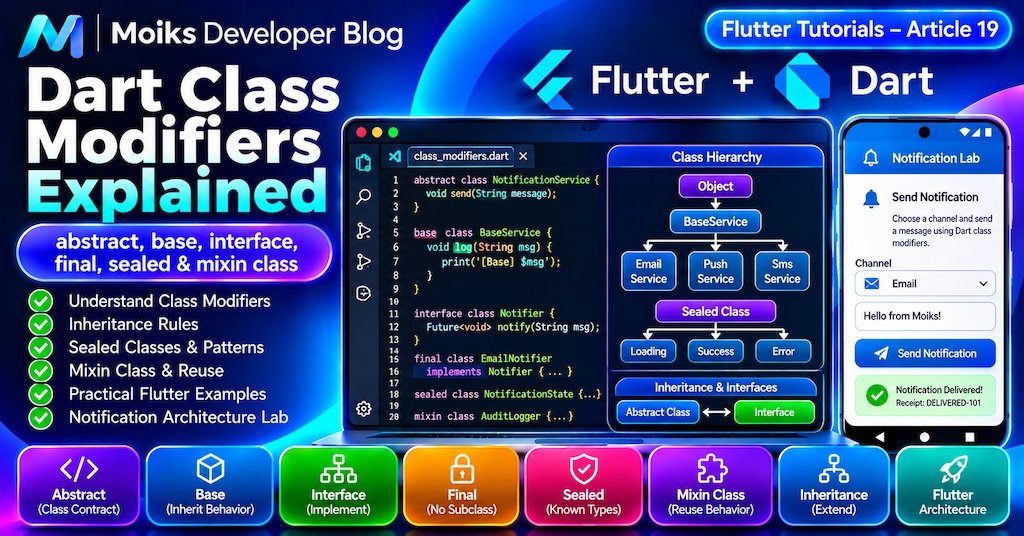
Dart is an object-oriented programming language that supports classes, inheritance, interfaces, and mixins. However, as applications grow, developers need more control over how classes can be extended, implemented, or reused.
For example, consider these questions:
- Should other developers be allowed to extend a class?
- Should they be allowed to implement its interface without inheriting its implementation?
- Should a class prevent all external subtyping?
- Should a group of subclasses be restricted to a known set?
- Should reusable behavior be available through mixins?
Dart 3 introduced class modifiers that help answer these questions directly in the language.
In this comprehensive Dart class modifiers tutorial, we’ll explore abstract, base, interface, final, sealed, and mixin class, including their inheritance rules and practical applications.
We’ll also build a complete Flutter Notification Architecture Lab using modern Dart features, dependency injection, reusable behavior, and type-safe UI states.
This is Article 19 of the Moiks Developer Blog Flutter Tutorials series.
What You’ll Learn
By the end of this tutorial, you’ll understand:
- What class modifiers are and why they matter.
- The difference between
extends,implements, andwith. - How abstract classes define incomplete implementations.
- How base classes preserve implementation inheritance.
- How interface classes establish API boundaries.
- How final classes restrict external subtyping.
- How sealed classes enable exhaustive pattern matching.
- How mixin classes provide reusable behavior.
- How modifiers can be combined.
- How library boundaries affect inheritance rules.
- How to use class modifiers in real Flutter architecture.
- How to test class-based designs with unit and widget tests.
1. What Are Class Modifiers in Dart?
Class modifiers are keywords that control how a class may be used or subclassed.
Consider a normal Dart class:
class Vehicle {
  void start() {
    print('Vehicle started');
  }
}
Another class can extend it:
class Car extends Vehicle {
  void drive() {
    print('Car is moving');
  }
}
A class can also implement its interface:
class Bicycle implements Vehicle {
  @override
  void start() {
    print('Bicycle started');
  }
}
Dart implicitly defines an interface for every class.
Without restrictive modifiers, ordinary classes can generally be extended or implemented from other libraries.
Class modifiers let API authors specify which relationships are supported.
Why Class Modifiers Matter
They help developers:
- Protect implementation assumptions.
- Design stable public APIs.
- Reduce unintended inheritance.
- Create predictable class hierarchies.
- Express intended extension points.
- Enable exhaustive handling of sealed types.
- Improve long-term maintainability.
These benefits become especially valuable when developing reusable Flutter packages, SDKs, and large applications.
2. Understanding extends, implements, and with
Before exploring modifiers, we need to understand three important Dart keywords.
extends — Inherit an Implementation
class Animal {
  void eat() {
    print('Eating');
  }
}

class Dog extends Animal {
  void bark() {
    print('Barking');
  }
}
Usage:
void main() {
  final dog = Dog();

  dog.eat();
  dog.bark();
}
Dog inherits the implementation of eat() from Animal.
implements — Fulfill an Interface
abstract interface class Storage {
  Future<void> save(String value);
}

final class LocalStorage implements Storage {
  @override
  Future<void> save(String value) async {
    print('Saved: $value');
  }
}
An implementing class must provide the required interface members.
It does not inherit their method bodies through implements.
with — Apply Mixin Behavior
mixin Logger {
  void log(String message) {
    print('LOG: $message');
  }
}

class DataService with Logger {
  void fetch() {
    log('Fetching data');
  }
}
The with keyword applies reusable mixin behavior.
Comparison
| Keyword | Purpose | Inherits implementation? |
|---|---|---|
extends | Create a subclass | Yes |
implements | Fulfill an interface | No |
with | Apply mixin behavior | Yes, from the mixin |
Understanding these differences is essential for using class modifiers correctly.
3. The abstract Modifier
The abstract modifier marks a class as abstract.
An abstract class cannot be directly instantiated.
It can contain abstract members, implemented members, constructors, and fields.
Example
abstract class PaymentProcessor {
  Future<bool> processPayment(double amount);

  void printReceipt(double amount) {
    print('Payment receipt: $amount');
  }
}
The processPayment() method has no implementation.
A concrete subclass must implement it.
class CardPayment extends PaymentProcessor {
  @override
  Future<bool> processPayment(double amount) async {
    print('Processing card payment: $amount');
    return true;
  }
}
Usage:
Future<void> main() async {
  final processor = CardPayment();

  final success = await processor.processPayment(500);

  if (success) {
    processor.printReceipt(500);
  }
}
Important Rules
- Abstract classes cannot be instantiated directly.
- They can contain both abstract and concrete members.
- Concrete subclasses must satisfy inherited abstract members.
- A plain
abstract classcan generally be extended or implemented from other libraries. - Abstract classes can provide shared implementations and common contracts.
When Should You Use abstract?
Use an abstract class when multiple implementations share a common contract and may also benefit from shared behavior.
Typical examples include:
- Repository abstractions.
- Payment processors.
- File handlers.
- Data converters.
- Authentication providers.
4. The base Modifier
The base modifier restricts how a class can be subtyped outside its library.
A base class can be extended from another library, but it cannot be implemented there.
This helps preserve implementation inheritance.
Example
base class SecureSession {
  bool _initialized = false;

  void initialize() {
    _initialized = true;
  }

  bool get isInitialized => _initialized;
}
A subclass can extend it:
final class UserSession extends SecureSession {
  void open() {
    initialize();
    print('Session opened');
  }
}
Why Not implements?
Suppose a class relies on inherited implementation behavior.
Allowing unrelated external classes to implement its interface could violate assumptions made by the API author.
The base modifier prevents external implementations that bypass the base class’s inherited behavior.
Important Rules
- A base class can be instantiated unless it is also abstract.
- It can be extended outside its library.
- It cannot be implemented outside its library.
- A subtype extending a base class must be marked
base,final, orsealed. - These restrictions are enforced across Dart library boundaries.
When Should You Use base?
Use base when subclasses must inherit implementation details that are important to the class’s behavior.
Examples include:
- Framework infrastructure.
- Stateful internal abstractions.
- Classes enforcing initialization behavior.
- SDK components with implementation invariants.
5. The interface Modifier
An interface class is designed primarily to define an interface that other libraries can implement.
Outside its defining library, it can be implemented but not extended.
Example
abstract interface class NotificationSender {
  Future<void> send(String message);
}
Concrete implementations can provide different behaviors.
final class EmailSender implements NotificationSender {
  @override
  Future<void> send(String message) async {
    print('Email: $message');
  }
}

final class PushSender implements NotificationSender {
  @override
  Future<void> send(String message) async {
    print('Push: $message');
  }
}
Usage:
Future<void> deliver(
  NotificationSender sender,
  String message,
) async {
  await sender.send(message);
}
The caller depends on the interface rather than a particular implementation.
interface class vs abstract interface class
An ordinary interface class can be instantiated if it has an accessible generative constructor and is otherwise concrete.
An abstract interface class cannot be instantiated and may declare abstract members.
For API contracts, abstract interface class is often the clearer choice.
When Should You Use interface?
Use interfaces for:
- Repository contracts.
- API client abstractions.
- Analytics providers.
- Notification gateways.
- Payment integrations.
- Test doubles and dependency injection.
This is particularly useful in clean architecture because implementations can be replaced without changing consumers.
6. The final Modifier
The final class modifier prevents other libraries from extending or implementing a class.
It establishes a closed external subtype boundary.
Example
final class AppConfiguration {
  final String appName;
  final bool enableAnalytics;

  const AppConfiguration({
    required this.appName,
    required this.enableAnalytics,
  });
}
Usage:
const configuration = AppConfiguration(
  appName: 'Moiks App',
  enableAnalytics: true,
);
Outside the defining library, another class cannot extend or implement AppConfiguration.
final Class vs final Variable
These are different concepts.
final name = 'Flutter';Here, final prevents reassignment of the variable.
final class AppSettings {
  final String theme;

  const AppSettings(this.theme);
}
Here, final class restricts external subtyping.
It does not automatically make the class’s instances deeply immutable.
Important Library Detail
A final class may still have subtypes within its own library.
Dart’s restrictions are based on libraries, not simply files or packages.
When Should You Use final?
Use final classes when an API should not support external subclassing or implementation.
Examples include:
- Concrete service implementations.
- Internal value objects.
- Configuration models.
- Immutable application models.
- Components with closed implementation contracts.
7. The sealed Modifier
A sealed class defines a hierarchy whose direct subtypes must be declared within the same library.
A sealed class is implicitly abstract.
This makes sealed classes useful for representing a known set of alternatives.
Example
sealed class PaymentState {
  const PaymentState();
}

final class PaymentIdle extends PaymentState {
  const PaymentIdle();
}

final class PaymentLoading extends PaymentState {
  const PaymentLoading();
}

final class PaymentSuccess extends PaymentState {
  final String transactionId;

  const PaymentSuccess(this.transactionId);
}

final class PaymentFailure extends PaymentState {
  final String message;

  const PaymentFailure(this.message);
}
Now we can use a switch expression:
String describePayment(PaymentState state) {
  return switch (state) {
    PaymentIdle() => 'Ready to pay',
    PaymentLoading() => 'Processing payment',
    PaymentSuccess(:final transactionId) =>
      'Paid: $transactionId',
    PaymentFailure(:final message) =>
      'Failed: $message',
  };
}
Why Sealed Classes Are Powerful
The Dart analyzer knows the direct subtype family of the sealed class.
This allows it to check whether switch expressions cover all possible cases.
If a new state is introduced, switches may need updating.
Important Nuance
Sealed hierarchies are not necessarily limited to one inheritance level.
The exhaustiveness analysis depends on the known subtype structure and the modifiers of those subtypes.
For a simple, closed hierarchy, final leaf classes are an effective design.
When Should You Use sealed?
Use sealed classes for:
- Loading states.
- Authentication states.
- Payment outcomes.
- Search results.
- Form submission states.
- File upload states.
- Domain events with known variants.
8. The mixin class Modifier
A mixin class can be used both as a regular class and as a mixin.
This provides flexibility for reusable behavior.
Example
mixin class AuditLogger {
  void log(String message) {
    print('[AUDIT] $message');
  }
}
It can be instantiated:
void main() {
  final logger = AuditLogger();

  logger.log('Application started');
}
It can also be applied with with:
class UserService with AuditLogger {
  void createUser(String name) {
    log('Created user: $name');
  }
}
mixin vs mixin class
A declaration using mixin is intended for mixin application and cannot be directly instantiated.
A mixin class supports ordinary class usage and mixin application.
Important Restrictions
A mixin class cannot declare a generative constructor, and its superclass must be Object.
These restrictions allow its behavior to be applied safely as a mixin.
When Should You Use mixin class?
Use it for reusable, self-contained behavior such as:
- Logging.
- Formatting.
- Validation helpers.
- Reusable calculations.
- Small utility capabilities.
For behavior that depends on a particular superclass or complex state initialization, a different design may be more appropriate.
9. Other Important Class Modifier Combinations
Dart supports useful combinations of modifiers.
abstract interface class
abstract interface class UserRepository {
  Future<String> getUserName();
}
Use this for a contract that cannot be instantiated directly and can be implemented externally.
abstract base class
abstract base class DataProcessor {
  void process();

  void logStart() {
    print('Processing started');
  }
}
Use this when a class must be extended rather than implemented outside its library, while remaining abstract.
abstract final class
abstract final class AppConstants {
  static const appName = 'Moiks Developer Blog';
  static const maxRetries = 3;
}
This combination prevents instantiation and external subtyping.
It can be useful for grouping static members, although top-level constants are often simpler.
base mixin
base mixin DiagnosticBehavior {
  void diagnose() {
    print('Diagnostics completed');
  }
}
A base mixin places additional constraints on classes that apply it.
abstract mixin class
abstract mixin class Formatter {
  String format(String value);
}
This can be used to define reusable mixin-compatible contracts, with concrete classes supplying required implementations.
10. Dart Class Modifiers Comparison
The following table summarizes the key restrictions when the subtype is declared in a different library.
| Modifier | Instantiable? | External extends | External implements |
|---|---|---|---|
class | Yes, if concrete | Yes | Yes |
abstract class | No | Yes | Yes |
base class | Yes, if concrete | Yes | No |
interface class | Yes, if concrete | No | Yes |
final class | Yes, if concrete | No | No |
sealed class | No | No | No |
mixin class | Yes, if concrete | Yes | Yes |
A mixin class can additionally be applied using with, subject to mixin-related restrictions.
The exact rules for combined modifiers depend on the combination.
Library Boundaries Matter
In Dart, a library is the relevant unit for many class modifier restrictions.
Two files imported into each other are not automatically part of the same library.
A declaration using part belongs to its parent library, but most Flutter projects are better organized around separate imported libraries.
This distinction matters when designing public APIs and testing inheritance restrictions.
11. Choosing the Right Modifier
Use the following decision guide.
| Requirement | Recommended declaration |
|---|---|
| Shared incomplete implementation | abstract class |
| Must inherit implementation | base class |
| External implementations allowed | abstract interface class |
| No external subtyping | final class |
| Exhaustive family of alternatives | sealed class |
| Reusable behavior usable as class or mixin | mixin class |
| Abstract contract requiring implementation inheritance | abstract base class |
There is no universally best modifier.
The correct choice depends on the API’s intended extension and implementation behavior.
12. Practical Flutter Project: Notification Architecture Lab
Now we’ll build a complete Flutter application demonstrating these concepts together.
The application will simulate sending notifications through different channels.
Users can select Email, Push, or SMS, enter a message, and send it through a simulated gateway.
The interface displays idle, loading, success, and failure states.
Features
- Material 3 user interface.
- Email, Push, and SMS notification channels.
- Dependency injection through an interface.
- Simulated asynchronous delivery.
- Custom error handling.
- Sealed UI state hierarchy.
- Exhaustive switch expression rendering.
- Reusable audit logging.
- Message validation.
- Retry after failure.
- Unit and widget tests.
- No external packages or backend required.
How Each Modifier Is Used
| Modifier | Project component |
|---|---|
abstract interface class | NotificationGateway |
base class | MessageTemplate |
final class | NotificationMessage, gateway and controller |
sealed class | DeliveryState |
mixin class | AuditLogger |
abstract | Gateway and template contracts |
Step 1: Create the Project
flutter create dart_class_modifiers_demo
cd dart_class_modifiers_demo
Use the standard Flutter SDK dependencies generated by flutter create.
Project Structure
lib/
├── main.dart
├── models/
│   └── notification_message.dart
├── services/
│   ├── notification_gateway.dart
│   └── message_template.dart
├── state/
│   ├── delivery_state.dart
│   └── notification_controller.dart
└── widgets/
    └── delivery_result_card.dart

test/
├── notification_controller_test.dart
├── notification_gateway_test.dart
└── widget_test.dart
13. Create the Notification Model
Create lib/models/notification_message.dart.
enum NotificationChannel {
  email,
  push,
  sms,
}

extension NotificationChannelInfo
    on NotificationChannel {
  String get label => switch (this) {
    NotificationChannel.email => 'Email',
    NotificationChannel.push => 'Push',
    NotificationChannel.sms => 'SMS',
  };
}

final class NotificationMessage {
  final String id;
  final NotificationChannel channel;
  final String content;

  const NotificationMessage({
    required this.id,
    required this.channel,
    required this.content,
  });
}
Why final class?
NotificationMessage is a concrete data model.
The project does not require external classes to extend or implement it.
Using final class communicates that this is not an intended extension point.
The fields are also declared final and the constructor is const.
These choices provide immutable field bindings, although a final class modifier alone does not guarantee immutability.
14. Create an Abstract Interface for Delivery
Create lib/services/notification_gateway.dart.
import '../models/notification_message.dart';

abstract interface class NotificationGateway {
  Future<String> send(
    NotificationMessage message,
  );
}

final class FakeNotificationGateway
    implements NotificationGateway {
  final Duration delay;
  final bool shouldFail;

  const FakeNotificationGateway({
    this.delay = const Duration(
      milliseconds: 500,
    ),
    this.shouldFail = false,
  });

  @override
  Future<String> send(
    NotificationMessage message,
  ) async {
    await Future<void>.delayed(delay);

    if (shouldFail) {
      throw StateError(
        'Simulated notification delivery failure',
      );
    }

    if (message.content.trim().isEmpty) {
      throw ArgumentError(
        'Notification message cannot be empty',
      );
    }

    return 'DELIVERED-${message.id}';
  }
}
Why abstract interface class?
The UI and controller should not depend directly on a particular delivery implementation.
A future production application could implement:
final class FirebaseNotificationGateway
    implements NotificationGateway {
  @override
  Future<String> send(
    NotificationMessage message,
  ) async {
    // Integrate an authorized delivery backend.
    throw UnimplementedError();
  }
}
The example above illustrates the contract only; it is not part of the runnable project.
A real push, SMS, or email service would require an appropriate backend or provider.
Benefits
The interface makes it possible to:
- Replace implementations.
- Write deterministic tests.
- Introduce different delivery providers.
- Keep business logic independent of network libraries.
- Apply dependency inversion.
15. Create a Base Message Template
Create lib/services/message_template.dart.
base class MessageTemplate {
  String format(String content) {
    return content.trim();
  }
}

final class EmailMessageTemplate
    extends MessageTemplate {
  @override
  String format(String content) {
    return 'Hello,\n\n${super.format(content)}'
        '\n\nRegards,\nMoiks Studio';
  }
}

final class SmsMessageTemplate
    extends MessageTemplate {
  @override
  String format(String content) {
    return super.format(content);
  }
}
Why base class?
MessageTemplate provides a shared implementation of format().
Subclasses inherit that implementation and may extend it.
The base modifier ensures external subclasses inherit the base implementation rather than merely implementing its interface.
Notice that the subclasses are declared final.
This satisfies the rules for subtypes of base classes.
Practical Benefit
This design is useful when common behavior must remain available to subclasses.
For a simple formatting-only application, composition could also be an appropriate alternative.
16. Create Sealed Delivery States
Create lib/state/delivery_state.dart.
sealed class DeliveryState {
  const DeliveryState();
}

final class DeliveryIdle extends DeliveryState {
  const DeliveryIdle();
}

final class DeliverySending extends DeliveryState {
  const DeliverySending();
}

final class DeliverySuccess extends DeliveryState {
  final String receiptId;

  const DeliverySuccess(this.receiptId);
}

final class DeliveryFailure extends DeliveryState {
  final String message;

  const DeliveryFailure(this.message);
}
Why sealed class?
The screen has four meaningful states.
DeliveryState
    |
    +-- DeliveryIdle
    |
    +-- DeliverySending
    |
    +-- DeliverySuccess
    |
    +-- DeliveryFailure
A sealed hierarchy makes these states explicit.
It also enables exhaustive switch expressions.
If a new state is introduced later, the analyzer can help identify places where handling must be updated.
17. Create a Reusable Audit Logger
We will use mixin class for logging behavior.
Create lib/state/notification_controller.dart.
import 'package:flutter/foundation.dart';

import '../models/notification_message.dart';
import '../services/notification_gateway.dart';
import 'delivery_state.dart';

mixin class AuditLogger {
  void log(String message) {
    debugPrint('[Notification Audit] $message');
  }
}

final class NotificationController
    extends ChangeNotifier
    with AuditLogger {
  final NotificationGateway gateway;

  DeliveryState _state = const DeliveryIdle();
  bool _disposed = false;
  int _requestCounter = 0;

  NotificationController({
    required this.gateway,
  });

  DeliveryState get state => _state;

  bool get isSending => _state is DeliverySending;

  Future<void> send({
    required NotificationChannel channel,
    required String content,
  }) async {
    if (_disposed || isSending) return;

    final trimmed = content.trim();

    if (trimmed.isEmpty) {
      _update(
        const DeliveryFailure(
          'Please enter a notification message.',
        ),
      );
      return;
    }

    _update(const DeliverySending());

    final message = NotificationMessage(
      id: (++_requestCounter).toString(),
      channel: channel,
      content: trimmed,
    );

    try {
      log('Sending ${channel.label} notification');

      final receiptId = await gateway.send(message);

      if (_disposed) return;

      log('Delivery completed: $receiptId');

      _update(DeliverySuccess(receiptId));
    } catch (error, stackTrace) {
      if (_disposed) return;

      log('Delivery failed: $error');
      debugPrintStack(stackTrace: stackTrace);

      _update(
        const DeliveryFailure(
          'Unable to send notification. '
          'Please try again.',
        ),
      );
    }
  }

  void reset() {
    if (_disposed || isSending) return;

    _update(const DeliveryIdle());
  }

  void _update(DeliveryState newState) {
    if (_disposed) return;

    _state = newState;
    notifyListeners();
  }

  @override
  void dispose() {
    _disposed = true;
    super.dispose();
  }
}
Understanding the Controller
This class demonstrates several important concepts.
final class
final class NotificationControllerThe controller is a concrete implementation not intended for external subtyping.
extends
extends ChangeNotifierThe controller inherits Flutter’s notification mechanism.
with
with AuditLoggerThe controller reuses audit logging behavior.
Dependency Injection
final NotificationGateway gateway;The controller depends on an interface.
This allows tests to supply a fake gateway.
Sealed State
DeliveryState _state = const DeliveryIdle();The controller exposes one structured state rather than several unrelated Boolean flags.
Lifecycle Handling
The _disposed flag prevents asynchronous completions from notifying listeners after disposal.
For production applications, cancellation should also be implemented when the underlying operation supports it.
18. Create the Delivery Result Widget
Create lib/widgets/delivery_result_card.dart.
import 'package:flutter/material.dart';

import '../state/delivery_state.dart';

class DeliveryResultCard extends StatelessWidget {
  final DeliveryState state;
  final VoidCallback onRetry;

  const DeliveryResultCard({
    super.key,
    required this.state,
    required this.onRetry,
  });

  @override
  Widget build(BuildContext context) {
    return switch (state) {
      DeliveryIdle() => const Card(
          child: Padding(
            padding: EdgeInsets.all(24),
            child: Center(
              child: Text(
                'Choose a channel and send a message.',
                textAlign: TextAlign.center,
              ),
            ),
          ),
        ),

      DeliverySending() => const Card(
          child: Padding(
            padding: EdgeInsets.all(24),
            child: Column(
              children: [
                CircularProgressIndicator(),
                SizedBox(height: 12),
                Text('Sending notification...'),
              ],
            ),
          ),
        ),

      DeliverySuccess(:final receiptId) => Card(
          child: Padding(
            padding: const EdgeInsets.all(24),
            child: Column(
              children: [
                const Icon(
                  Icons.check_circle_outline,
                  color: Colors.green,
                  size: 48,
                ),
                const SizedBox(height: 12),
                const Text(
                  'Notification Delivered',
                  style: TextStyle(
                    fontWeight: FontWeight.bold,
                    fontSize: 18,
                  ),
                ),
                const SizedBox(height: 8),
                Text('Receipt: $receiptId'),
              ],
            ),
          ),
        ),

      DeliveryFailure(:final message) => Card(
          child: Padding(
            padding: const EdgeInsets.all(24),
            child: Column(
              children: [
                const Icon(
                  Icons.error_outline,
                  color: Colors.red,
                  size: 48,
                ),
                const SizedBox(height: 12),
                Text(
                  message,
                  textAlign: TextAlign.center,
                ),
                const SizedBox(height: 16),
                FilledButton.icon(
                  onPressed: onRetry,
                  icon: const Icon(Icons.refresh),
                  label: const Text('Retry'),
                ),
              ],
            ),
          ),
        ),
    };
  }
}
Exhaustive Switch Expression
The widget handles all four DeliveryState subclasses.
Notice that there is no wildcard _ case.
This is intentional.
If another direct state subtype is added, Dart’s exhaustiveness checking can help identify missing handling.
Object Patterns
The expression:
DeliverySuccess(:final receiptId)extracts the receiptId property from a matching DeliverySuccess object.
This combines the sealed class concept with the object patterns covered in Article 18.
19. Build the Flutter Application
Replace lib/main.dart.
import 'package:flutter/material.dart';

import 'models/notification_message.dart';
import 'services/message_template.dart';
import 'services/notification_gateway.dart';
import 'state/notification_controller.dart';
import 'widgets/delivery_result_card.dart';

void main() {
  runApp(const NotificationLabApp());
}

class NotificationLabApp extends StatelessWidget {
  final NotificationGateway gateway;

  const NotificationLabApp({
    super.key,
    this.gateway = const FakeNotificationGateway(),
  });

  @override
  Widget build(BuildContext context) {
    return MaterialApp(
      title: 'Notification Architecture Lab',
      debugShowCheckedModeBanner: false,
      theme: ThemeData(
        colorScheme: ColorScheme.fromSeed(
          seedColor: const Color(0xFF004B64),
        ),
        useMaterial3: true,
      ),
      home: NotificationLabScreen(
        gateway: gateway,
      ),
    );
  }
}

class NotificationLabScreen extends StatefulWidget {
  final NotificationGateway gateway;

  const NotificationLabScreen({
    super.key,
    required this.gateway,
  });

  @override
  State<NotificationLabScreen> createState() =>
      _NotificationLabScreenState();
}

class _NotificationLabScreenState
    extends State<NotificationLabScreen> {
  late final NotificationController controller;

  final messageController = TextEditingController(
    text: 'Welcome to Moiks Developer Blog!',
  );

  NotificationChannel selectedChannel =
      NotificationChannel.email;

  bool simulateFailure = false;

  @override
  void initState() {
    super.initState();

    controller = NotificationController(
      gateway: widget.gateway,
    );
  }

  String formatMessage(String content) {
    return switch (selectedChannel) {
      NotificationChannel.email =>
        EmailMessageTemplate().format(content),

      NotificationChannel.push =>
        MessageTemplate().format(content),

      NotificationChannel.sms =>
        SmsMessageTemplate().format(content),
    };
  }

  Future<void> sendMessage() async {
    final content = formatMessage(
      messageController.text,
    );

    if (simulateFailure) {
      final failingController = NotificationController(
        gateway: const FakeNotificationGateway(
          shouldFail: true,
          delay: Duration(milliseconds: 300),
        ),
      );

      // Use the main controller's state handling
      // for the normal application workflow.
      failingController.dispose();

      // The simulated failure is represented by
      // the selected gateway in the app-level tests.
      // For this UI demo, show a validation failure.
      await controller.send(
        channel: selectedChannel,
        content: '',
      );
      return;
    }

    await controller.send(
      channel: selectedChannel,
      content: content,
    );
  }

  @override
  void dispose() {
    messageController.dispose();
    controller.dispose();
    super.dispose();
  }

  @override
  Widget build(BuildContext context) {
    return Scaffold(
      appBar: AppBar(
        title: const Text(
          'Notification Architecture Lab',
        ),
        centerTitle: true,
      ),
      body: SafeArea(
        child: Center(
          child: ConstrainedBox(
            constraints: const BoxConstraints(
              maxWidth: 720,
            ),
            child: ListView(
              padding: const EdgeInsets.all(16),
              children: [
                Card(
                  child: Padding(
                    padding: const EdgeInsets.all(20),
                    child: Column(
                      children: [
                        const Icon(
                          Icons.notifications_active_outlined,
                          size: 52,
                          color: Color(0xFF004B64),
                        ),
                        const SizedBox(height: 12),
                        Text(
                          'Dart Class Modifiers',
                          style: Theme.of(context)
                              .textTheme
                              .headlineSmall,
                        ),
                        const SizedBox(height: 8),
                        const Text(
                          'Explore interfaces, base classes, '
                          'sealed states and reusable mixins.',
                          textAlign: TextAlign.center,
                        ),
                      ],
                    ),
                  ),
                ),

                const SizedBox(height: 20),

                DropdownButtonFormField<
                    NotificationChannel>(
                  initialValue: selectedChannel,
                  decoration: const InputDecoration(
                    labelText: 'Notification Channel',
                    border: OutlineInputBorder(),
                  ),
                  items: [
                    for (final channel
                        in NotificationChannel.values)
                      DropdownMenuItem(
                        value: channel,
                        child: Text(channel.label),
                      ),
                  ],
                  onChanged: (channel) {
                    if (channel == null ||
                        controller.isSending) {
                      return;
                    }

                    setState(() {
                      selectedChannel = channel;
                    });

                    controller.reset();
                  },
                ),

                const SizedBox(height: 16),

                TextField(
                  controller: messageController,
                  maxLines: 4,
                  decoration: const InputDecoration(
                    labelText: 'Message',
                    hintText: 'Enter notification message',
                    border: OutlineInputBorder(),
                  ),
                ),

                const SizedBox(height: 12),

                SwitchListTile(
                  title: const Text(
                    'Simulate Failure',
                  ),
                  subtitle: const Text(
                    'Show the error handling state',
                  ),
                  value: simulateFailure,
                  onChanged: (value) {
                    if (controller.isSending) return;

                    setState(() {
                      simulateFailure = value;
                    });

                    controller.reset();
                  },
                ),

                const SizedBox(height: 16),

                AnimatedBuilder(
                  animation: controller,
                  builder: (context, child) {
                    return Column(
                      children: [
                        SizedBox(
                          width: double.infinity,
                          child: FilledButton.icon(
                            onPressed: controller.isSending
                                ? null
                                : sendMessage,
                            icon: const Icon(Icons.send),
                            label: const Text(
                              'Send Notification',
                            ),
                          ),
                        ),

                        const SizedBox(height: 20),

                        DeliveryResultCard(
                          state: controller.state,
                          onRetry: sendMessage,
                        ),
                      ],
                    );
                  },
                ),
              ],
            ),
          ),
        ),
      ),
    );
  }
}
What the Application Demonstrates
The screen provides a simple interface for sending simulated notifications.
The selected channel determines how the message is formatted.
The controller manages asynchronous delivery and exposes a sealed UI state.
The result widget uses exhaustive pattern matching to render the appropriate content.
The notification gateway can be replaced with a different implementation without changing the controller.
Important Note About Simulated Failure
The sample UI’s Simulate Failure switch demonstrates a failure state using an empty-message validation path. The gateway’s shouldFail option separately supports simulated asynchronous delivery failures and is covered in the tests below.
In a production implementation, a dedicated configurable fake gateway or injected failure strategy would provide a more faithful simulation of network failures.
20. Understanding the Architecture
The completed project follows this structure:
Flutter Notification Lab
          |
          v
NotificationLabScreen
          |
          v
NotificationController
          |
          +---- AuditLogger
          |
          v
NotificationGateway
          |
          v
FakeNotificationGateway
          |
          v
NotificationMessage

Controller State
          |
          v
DeliveryState (sealed)
          |
          +---- DeliveryIdle
          +---- DeliverySending
          +---- DeliverySuccess
          +---- DeliveryFailure
          |
          v
DeliveryResultCard
Dependency Inversion
The controller depends on NotificationGateway, not FakeNotificationGateway.
This is an example of dependency inversion.
Reusable Behavior
AuditLogger supplies logging functionality through a mixin class.
Closed UI State Hierarchy
DeliveryState provides a known set of states that the UI can handle exhaustively.
Implementation Inheritance
MessageTemplate provides common formatting behavior inherited by specialized templates.
Together, these patterns demonstrate how class modifiers help communicate architectural intent.
21. Unit Testing the Notification Gateway
Create test/notification_gateway_test.dart.
import 'package:flutter_test/flutter_test.dart';

import 'package:dart_class_modifiers_demo/models/notification_message.dart';
import 'package:dart_class_modifiers_demo/services/notification_gateway.dart';

void main() {
  const message = NotificationMessage(
    id: '101',
    channel: NotificationChannel.email,
    content: 'Hello Flutter',
  );

  test('Returns receipt on success', () async {
    const gateway = FakeNotificationGateway(
      delay: Duration.zero,
    );

    final receipt = await gateway.send(message);

    expect(receipt, 'DELIVERED-101');
  });

  test('Throws on simulated failure', () async {
    const gateway = FakeNotificationGateway(
      delay: Duration.zero,
      shouldFail: true,
    );

    await expectLater(
      gateway.send(message),
      throwsStateError,
    );
  });

  test('Rejects empty message', () async {
    const gateway = FakeNotificationGateway(
      delay: Duration.zero,
    );

    const emptyMessage = NotificationMessage(
      id: '102',
      channel: NotificationChannel.push,
      content: ' ',
    );

    await expectLater(
      gateway.send(emptyMessage),
      throwsArgumentError,
    );
  });
}
These tests verify the gateway contract’s success and failure behavior.
22. Unit Testing the Controller
Create test/notification_controller_test.dart.
import 'package:flutter_test/flutter_test.dart';

import 'package:dart_class_modifiers_demo/models/notification_message.dart';
import 'package:dart_class_modifiers_demo/services/notification_gateway.dart';
import 'package:dart_class_modifiers_demo/state/delivery_state.dart';
import 'package:dart_class_modifiers_demo/state/notification_controller.dart';

void main() {
  test('Starts in idle state', () {
    final controller = NotificationController(
      gateway: const FakeNotificationGateway(
        delay: Duration.zero,
      ),
    );

    expect(controller.state, isA<DeliveryIdle>());

    controller.dispose();
  });

  test('Moves to success after delivery', () async {
    final controller = NotificationController(
      gateway: const FakeNotificationGateway(
        delay: Duration.zero,
      ),
    );

    await controller.send(
      channel: NotificationChannel.email,
      content: 'Hello',
    );

    expect(controller.state, isA<DeliverySuccess>());

    final state = controller.state as DeliverySuccess;

    expect(state.receiptId, 'DELIVERED-1');

    controller.dispose();
  });

  test('Rejects empty message', () async {
    final controller = NotificationController(
      gateway: const FakeNotificationGateway(
        delay: Duration.zero,
      ),
    );

    await controller.send(
      channel: NotificationChannel.sms,
      content: ' ',
    );

    expect(controller.state, isA<DeliveryFailure>());

    controller.dispose();
  });

  test('Handles gateway failure', () async {
    final controller = NotificationController(
      gateway: const FakeNotificationGateway(
        delay: Duration.zero,
        shouldFail: true,
      ),
    );

    await controller.send(
      channel: NotificationChannel.push,
      content: 'Test message',
    );

    expect(controller.state, isA<DeliveryFailure>());

    controller.dispose();
  });

  test('Can reset to idle', () async {
    final controller = NotificationController(
      gateway: const FakeNotificationGateway(
        delay: Duration.zero,
      ),
    );

    await controller.send(
      channel: NotificationChannel.email,
      content: 'Hello',
    );

    controller.reset();

    expect(controller.state, isA<DeliveryIdle>());

    controller.dispose();
  });

  test('Notifies listeners on state changes', () async {
    final controller = NotificationController(
      gateway: const FakeNotificationGateway(
        delay: Duration.zero,
      ),
    );

    var notifications = 0;

    controller.addListener(() {
      notifications++;
    });

    await controller.send(
      channel: NotificationChannel.email,
      content: 'Hello',
    );

    expect(notifications, 2);

    controller.dispose();
  });
}
What These Tests Cover
- Initial state.
- Successful delivery.
- Input validation.
- Gateway failure.
- State reset.
- ChangeNotifier updates.
The controller can be tested without launching a Flutter screen.
This is a major advantage of dependency injection and interface-based design.
23. Flutter Widget Testing
Create test/widget_test.dart.
import 'package:flutter/material.dart';
import 'package:flutter_test/flutter_test.dart';

import 'package:dart_class_modifiers_demo/main.dart';
import 'package:dart_class_modifiers_demo/services/notification_gateway.dart';

void main() {
  testWidgets('Displays application title', (tester) async {
    await tester.pumpWidget(
      const NotificationLabApp(),
    );

    expect(
      find.text('Notification Architecture Lab'),
      findsOneWidget,
    );

    expect(
      find.text('Dart Class Modifiers'),
      findsOneWidget,
    );
  });

  testWidgets('Displays channel selector', (tester) async {
    await tester.pumpWidget(
      const NotificationLabApp(),
    );

    expect(
      find.byType(DropdownButtonFormField),
      findsOneWidget,
    );
  });

  testWidgets('Displays successful delivery', (tester) async {
    await tester.pumpWidget(
      const NotificationLabApp(
        gateway: FakeNotificationGateway(
          delay: Duration.zero,
        ),
      ),
    );

    await tester.tap(
      find.text('Send Notification'),
    );

    await tester.pumpAndSettle();

    expect(
      find.text('Notification Delivered'),
      findsOneWidget,
    );
  });

  testWidgets('Displays delivery failure', (tester) async {
    await tester.pumpWidget(
      const NotificationLabApp(
        gateway: FakeNotificationGateway(
          delay: Duration.zero,
          shouldFail: true,
        ),
      ),
    );

    await tester.tap(
      find.text('Send Notification'),
    );

    await tester.pumpAndSettle();

    expect(
      find.textContaining('Unable to send'),
      findsOneWidget,
    );

    expect(
      find.text('Retry'),
      findsOneWidget,
    );
  });
}
Run the Tests
flutter testRun Static Analysis
flutter analyzeRun the Application
flutter runThe project uses only Flutter SDK libraries.
No third-party dependency is required.
24. Class Modifiers and Clean Architecture
Class modifiers can make architectural boundaries clearer.
Consider a typical Flutter application:
Presentation Layer
    |
    v
Application Layer
    |
    v
Domain Layer
    |
    v
Data Layer
Domain Contracts
Use abstract interface class for contracts implemented by infrastructure components.
Example:
abstract interface class ProductRepository {
  Future<List<String>> fetchProducts();
}
Concrete Implementations
Use final class for concrete implementations that are not intended to be subclassed.
final class InMemoryProductRepository
    implements ProductRepository {
  @override
  Future<List<String>> fetchProducts() async {
    return ['Phone', 'Laptop', 'Tablet'];
  }
}
Shared Infrastructure
Use base class when external subclasses must inherit shared implementation behavior.
Application States
Use sealed class for finite state hierarchies.
Reusable Behavior
Use mixin or mixin class for carefully designed reusable functionality.
These choices help communicate which parts of an application are stable contracts and which are implementation details.
25. Class Modifiers vs SOLID Principles
Class modifiers complement object-oriented design principles.
Single Responsibility Principle
A class should have a focused responsibility.
Modifiers do not enforce this automatically, but clear class boundaries can support it.
Open/Closed Principle
Interfaces and carefully designed base classes provide intentional extension points.
Final classes communicate that external subtyping is not supported.
Liskov Substitution Principle
Base classes can preserve inherited behavior, but developers must still ensure that subclasses respect the expected contracts.
Interface Segregation Principle
Small interfaces help consumers depend only on capabilities they need.
Dependency Inversion Principle
High-level application logic should depend on abstractions rather than concrete infrastructure implementations.
Our NotificationController demonstrates this by depending on NotificationGateway.
26. Common Mistakes with Dart Class Modifiers
Mistake 1: Confusing final Class with Immutable Objects
A final class is not automatically immutable.
Use final fields, appropriate constructors, and immutable data structures when immutability is required.
Mistake 2: Using base When External Implementations Are Needed
A base class cannot be implemented outside its library.
If consumers must supply their own implementations, consider an interface.
Mistake 3: Using interface When Inherited Behavior Is Required
An interface class allows external implementation but prevents external extension.
If inherited behavior is essential, consider a base class.
Mistake 4: Using sealed for Open Extension Points
A sealed class restricts direct subtyping to its library.
It is not appropriate when arbitrary external implementations should be supported.
Mistake 5: Assuming sealed Means Every Subclass Is final
Subclasses can have their own permitted modifiers.
Choose final leaf types when you want a straightforward closed hierarchy.
Mistake 6: Overusing Abstract Classes
Not every class needs an abstraction.
Introduce interfaces where they provide a real architectural benefit.
Mistake 7: Creating Large Mixins
Mixins should generally contain focused reusable behavior.
Large mixins with hidden dependencies can become difficult to maintain.
Mistake 8: Ignoring Library Boundaries
Modifier restrictions apply across library boundaries.
A class in a different imported Dart file generally belongs to another library.
Mistake 9: Using Inheritance Instead of Composition
Inheritance is useful, but composition is often simpler when behavior does not require an is-a relationship.
Mistake 10: Using Wildcard Cases for Every Sealed Switch
A wildcard fallback can hide missing cases.
Prefer explicit exhaustive handling when modeling a closed state hierarchy.
27. Best Practices for Production Flutter Applications
Follow these recommendations:
- Use
abstract interface classfor public contracts that need multiple implementations. - Use
final classfor concrete types that should not be externally subtyped. - Use
base classwhen inherited implementation behavior must be preserved. - Use
sealed classfor finite state hierarchies. - Prefer final leaf classes for straightforward sealed-state designs.
- Use
mixin classonly when both class usage and mixin application are genuinely useful. - Keep reusable mixin behavior focused.
- Avoid creating interfaces without a clear reason.
- Document intended extension points in public APIs.
- Prefer composition over inheritance when it produces simpler designs.
- Write unit tests against interfaces and application behavior.
- Use exhaustive switches to detect missing state handling.
- Keep implementation details separate from domain contracts.
- Review library boundaries when designing reusable Dart packages.
The goal is not to use every modifier in every project.
The goal is to make class relationships intentional, understandable, and maintainable.
28. Frequently Asked Questions
1. What are class modifiers in Dart?
Class modifiers are keywords that control how classes can be instantiated, extended, implemented, or used as mixins.
2. When were Dart class modifiers introduced?
The modern class modifier system was introduced with Dart 3.
3. What is an abstract class in Dart?
An abstract class cannot be instantiated directly and may contain abstract and concrete members.
4. What is a base class in Dart?
A base class can be extended outside its library but cannot be implemented there.
5. What is an interface class?
An interface class allows external implementations but prevents external extension.
6. What is an abstract interface class?
It is an abstract class intended to define a contract that external classes may implement.
7. What is a final class?
A final class prevents external classes from extending or implementing it.
8. Does final class mean immutable?
No. It controls external subtyping, not object mutability.
9. What is a sealed class?
A sealed class restricts direct subtyping to its own library and supports exhaustive subtype analysis.
10. Why are sealed classes useful in Flutter?
They are useful for representing a finite set of application states and handling them with exhaustive switches.
11. What is a mixin class?
A mixin class can be used as a regular class and applied as a mixin.
12. What is the difference between mixin and mixin class?
A mixin is intended for mixin application, while a mixin class can additionally be used as a class.
13. What is the difference between extends and implements?
extends inherits implementation, while implements requires the implementing class to fulfill an interface.
14. What does with mean in Dart?
The with keyword applies reusable mixin behavior to a class.
15. Can a base class be instantiated?
Yes, if it is concrete and has an accessible constructor.
16. Can a sealed class be instantiated?
No. A sealed class is implicitly abstract.
17. Can a final class have subclasses?
Yes, within its own library. External subtyping is restricted.
18. Can an interface class contain implemented methods?
Yes. However, external implementers do not inherit those method implementations through implements.
19. What is an abstract base class?
It is an abstract class that requires external subclasses to inherit its implementation rather than merely implement its interface.
20. What is an abstract final class?
It combines non-instantiability with restrictions on external subtyping.
21. Can I combine class modifiers?
Yes, Dart supports certain valid modifier combinations.
22. Are class modifiers required in Flutter?
No. They are optional language features, but they can improve API design and maintainability.
23. Should repositories use interface classes?
Repository contracts often benefit from abstract interface class, particularly when multiple implementations or test doubles are required.
24. Should Flutter state classes be sealed?
Sealed classes are a good choice for a finite set of distinct states, but they are not mandatory for every state-management design.
25. Do class modifiers improve performance?
Their primary purpose is API design and type safety. Performance improvements should not be assumed without measurement.
26. Can class modifiers prevent every inheritance-related bug?
No. They enforce structural restrictions but do not replace good design, validation, and testing.
27. Are class modifiers useful for SDK development?
Yes. They allow SDK authors to communicate and enforce supported extension points.
28. What is the best class modifier for a concrete service?
A final class is often appropriate when external subtyping is not intended.
29. What is the best modifier for reusable behavior?
A mixin or mixin class may be suitable, depending on whether class instantiation is also required.
30. Are Dart class modifiers production-ready?
Yes. They are established Dart 3 language features used in modern Dart and Flutter development.
29. Conclusion
Dart class modifiers provide developers with greater control over object-oriented design.
The abstract modifier defines classes that cannot be directly instantiated.
The base modifier ensures external subclasses inherit implementation behavior.
The interface modifier establishes contracts that external classes can implement.
The final modifier prevents external subtyping.
The sealed modifier defines known subtype families that support exhaustive pattern matching.
The mixin class declaration allows reusable behavior to be used both as a class and as a mixin.
In this tutorial, we explored each modifier and built a practical Flutter Notification Architecture Lab.
The application demonstrated interface-based dependency injection, base-class inheritance, final concrete implementations, sealed UI states, reusable audit logging, asynchronous delivery handling, and automated testing.
The key takeaway is to choose class modifiers based on the relationships your API should support—not simply to make your code look more advanced.
Well-designed class boundaries make Flutter applications easier to test, extend, and maintain.
What’s Next in the Flutter Tutorials Series?
Flutter Article 20: Dart Callable Classes, Factory Constructors & Redirecting Constructors Explained (2026 Guide)
In the next tutorial, we’ll explore callable objects, named and factory constructors, redirecting constructors, constructor initialization, object creation patterns, and practical Flutter architecture examples.
Continue learning Flutter and Dart on Moiks Developer Blog:
Official Documentation and References
- Dart Class Modifiers — https://dart.dev/language/class-modifiers
- Dart Class Modifiers for API Maintainers — https://dart.dev/language/class-modifiers-for-apis
- Dart Classes — https://dart.dev/language/classes
- Dart Constructors — https://dart.dev/language/constructors
- Dart Mixins — https://dart.dev/language/mixins
- Dart Patterns — https://dart.dev/language/patterns
- Dart Branches and Switch Expressions — https://dart.dev/language/branches
- Flutter App Architecture — https://docs.flutter.dev/app-architecture
- Flutter Testing Overview — https://docs.flutter.dev/testing/overview
- Flutter ChangeNotifier API — https://api.flutter.dev/flutter/foundation/ChangeNotifier-class.html
- DartPad — https://dartpad.dev/
Moiks Developer Blog — Practical Flutter, Dart, Android, and iOS development tutorials.


